Learn how to use Google Chrome, Microsoft Edge, Mozilla Firefox, Brave, or another compatible app as the default web browser on your iPhone or iPad instead of Apple’s Safari.
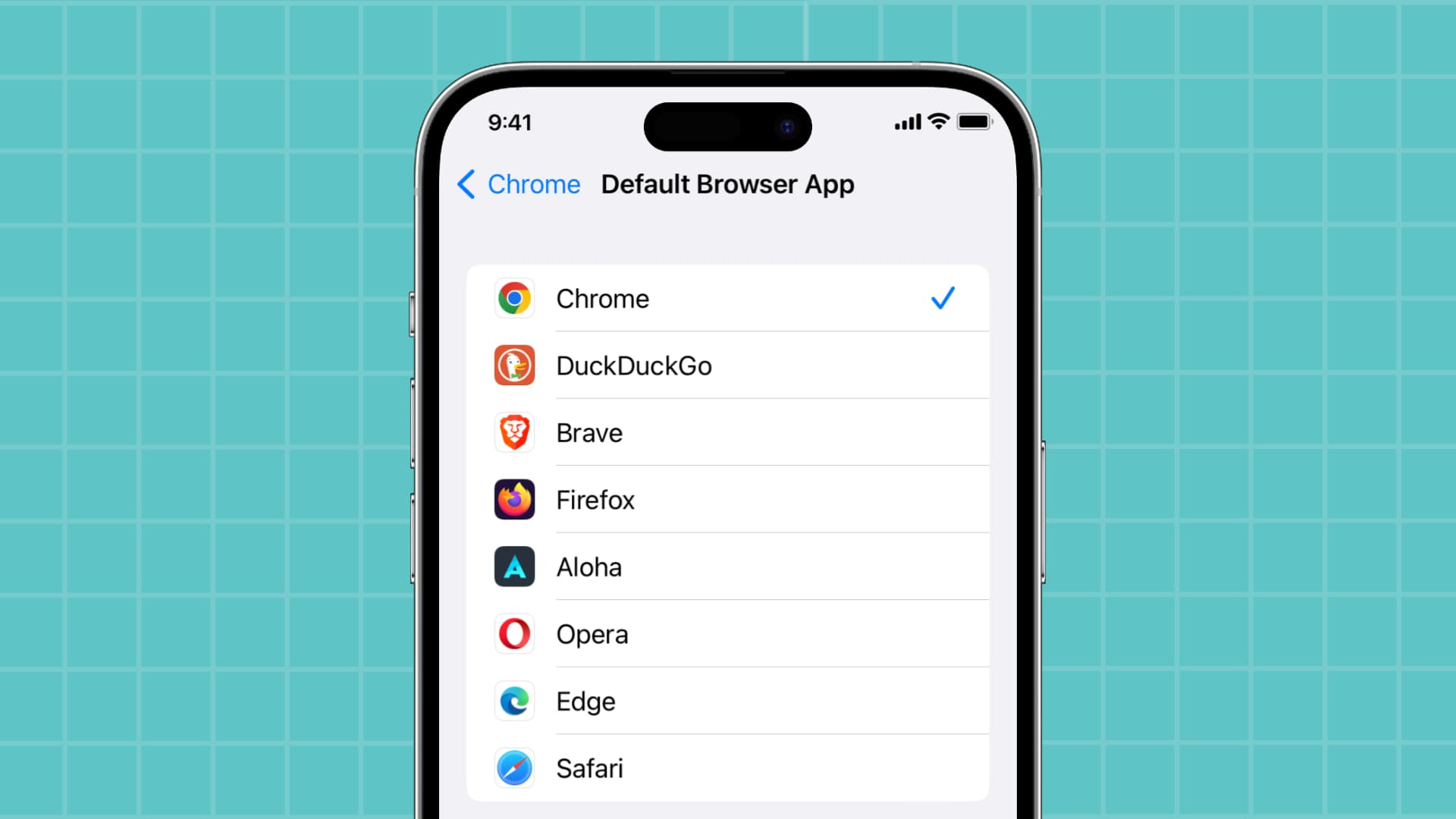
When you tap a link in an email, message, or another app, it opens automatically in the default web browser, which is Safari. But you can change it to another compatible browser in just a few taps.
Popular browsers like Chrome, Firefox, Edge, Opera, Brave, DuckDuckGo, and Aloha all support this feature. Install one of these third-party browsers from the App Store and follow along with the instructions below to set it as the default iOS browser.
Change the default web browser on iOS
1) Open the Settings app on your iPhone or iPad, scroll to the bottom, and tap Apps.
2) Choose Default Apps at the top to manage all defaults.

3) Tap “Browser App” and then pick a listed browser like Chrome, Edge, Firefox, or something else to set it as your new default, replacing Safari.

You can also get to this screen by going into Settings > Apps, selecting a third-party browser like Chrome, Firefox, or Edge, and tapping Default Browser App in that app’s settings. Changing the default iPhone browser will cause web links you tap in apps like Apple Mail, Spark, or Instagram to open in the designated third-party browser instead of Apple’s Safari.

The only exception is in-app browsers. Apps like X (Twitter), Reeder, and Slack that use Safari View Controller will open links in an embedded Safari web view instead of your preferred default browser. But if you tap the Safari icon or choose to open in browser, the link will open externally in whatever default web browser you set.
To restore Safari as the default web browser, follow the steps above and select Safari instead. Keep in mind that you cannot delete a third-party app set as your default browser unless you change it.

You can also change the default web browser on a Mac. And if you prefer Gmail, Spark, or another email client over Apple Mail, you can easily change the default email app on your iPhone and iPad.