Did you message the wrong person or type something you shouldn’t have in an Instagram DM? Here’s how to easily unsend and delete a sent Instagram message from the chat on iPhone and Android.
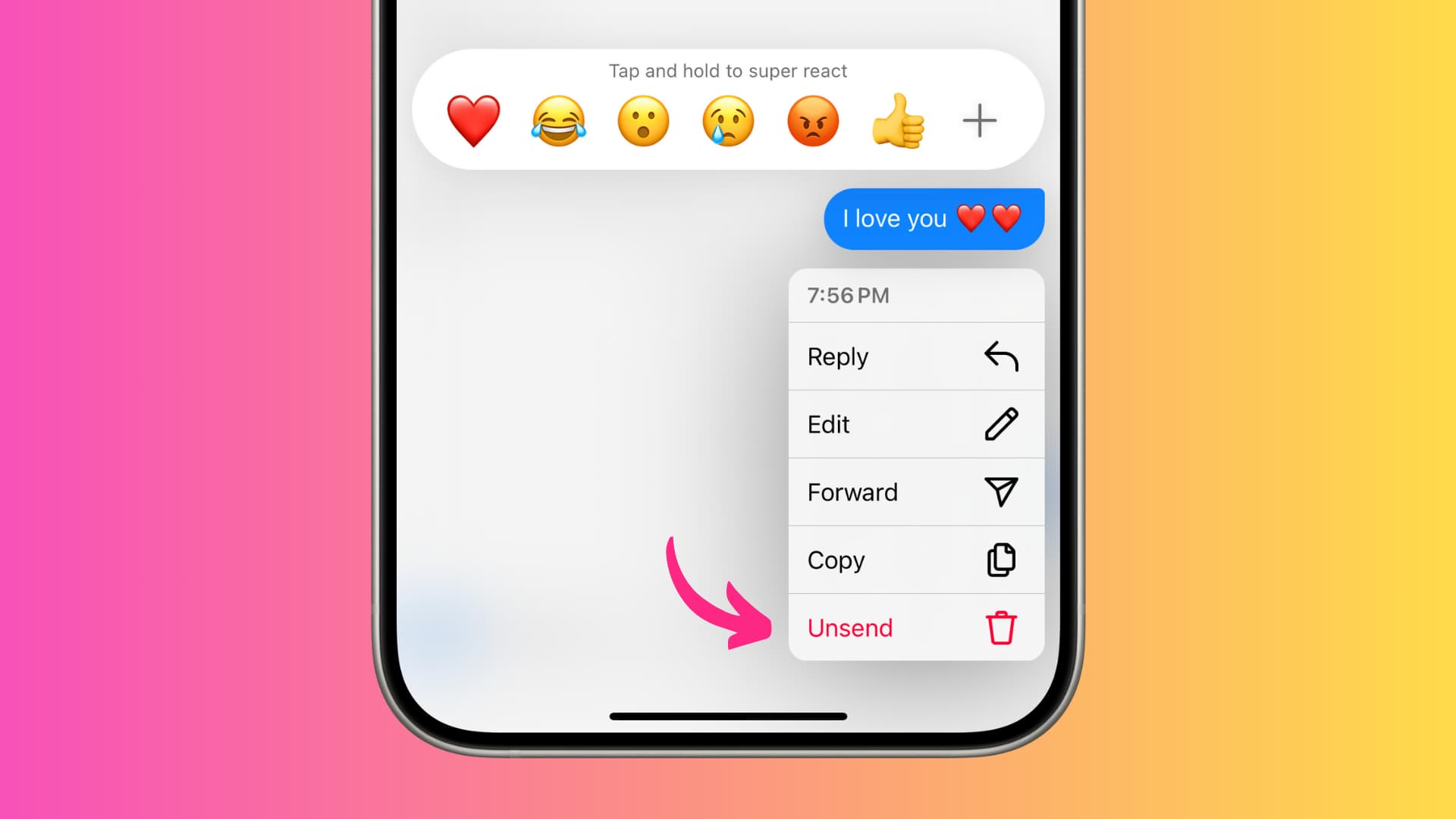
Delete a sent DM on Instagram for everyone
Whether you messaged the wrong person, said something you regret, or simply wrote something incorrectly, you can remove it from Instagram private messaging.
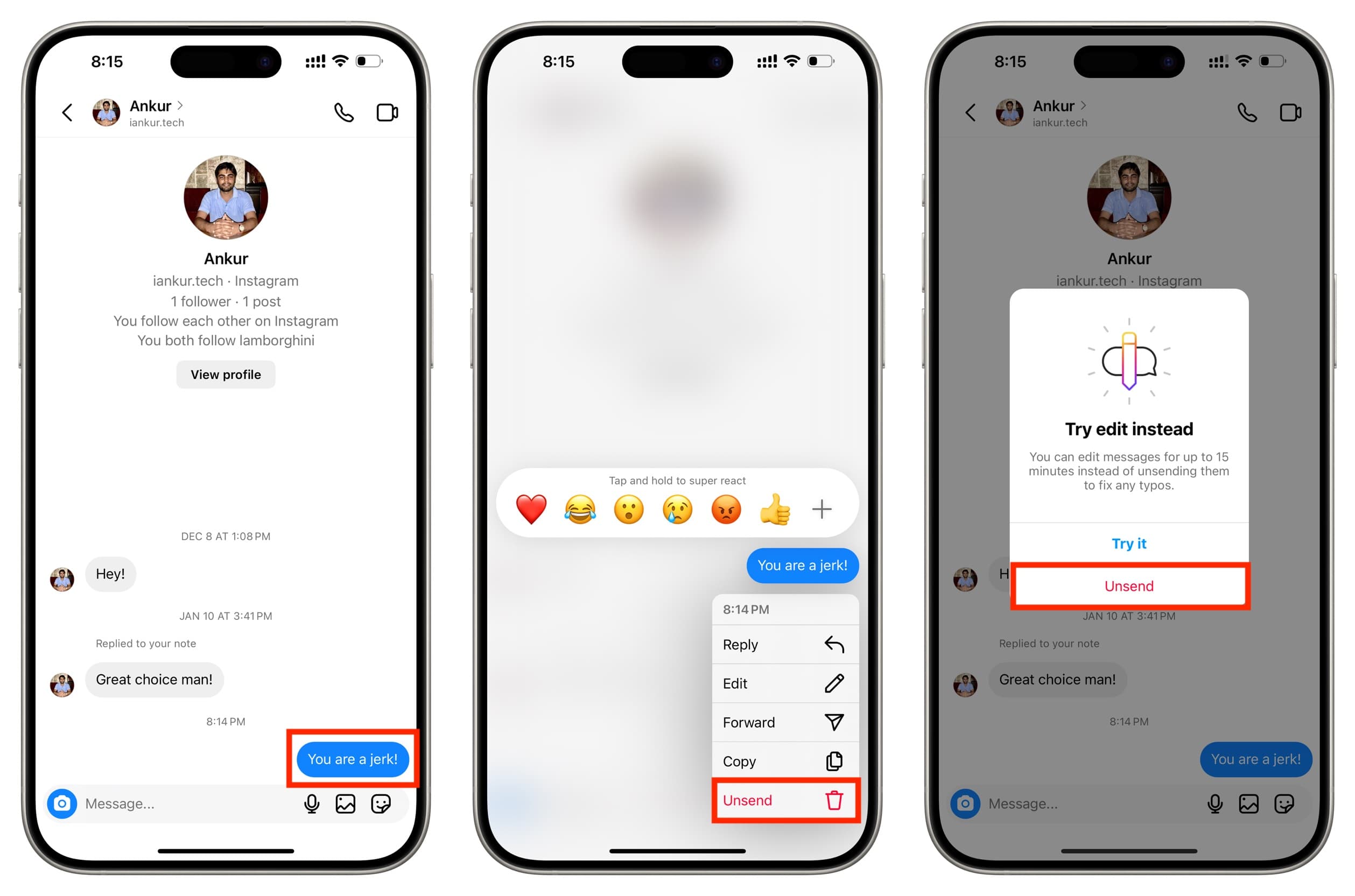
- Open the conversation inside the Instagram app.
- Touch and hold the message you sent that you want to delete.
- Tap Unsend in the small menu that appears.
- You may have to confirm that action if you’re doing this for the first time. But after that, there may be no additional confirmation step.
Done and gone!
Things to keep in mind when you unsend a message
- You can Unsend messages that have been marked as seen or not.
- Unsending a message will remove it from the conversation for everyone in it.
Note: Your downloaded Instagram data does not include unsent messages.
What’s the time limit for unsending Instagram messages?
Most services have a time frame within which you can unsend a sent message. However, Instagram has no such limit. I opened an old chat and could delete messages I had sent three years back!
More on Instagram: