Facebook Messenger is a great app for chatting with your Facebook friends. And you can have one-on-one conversations or chat with a group. But there may come a time when the conversation is over. While you cannot currently leave a one-on-one conversation, you can leave a group chat.
Here’s how to leave a group conversation in Facebook Messenger on the app or website.
Leave a group chat on the Messenger mobile app
Open Facebook Messenger on your iPhone or iPad and then follow these steps to leave a group chat:
1) Tap the Chat button at the bottom of the app and select the conversation you want to leave.
2) Select the names of the people in the group at the top.
3) Scroll down and tap Leave Chat > Leave.
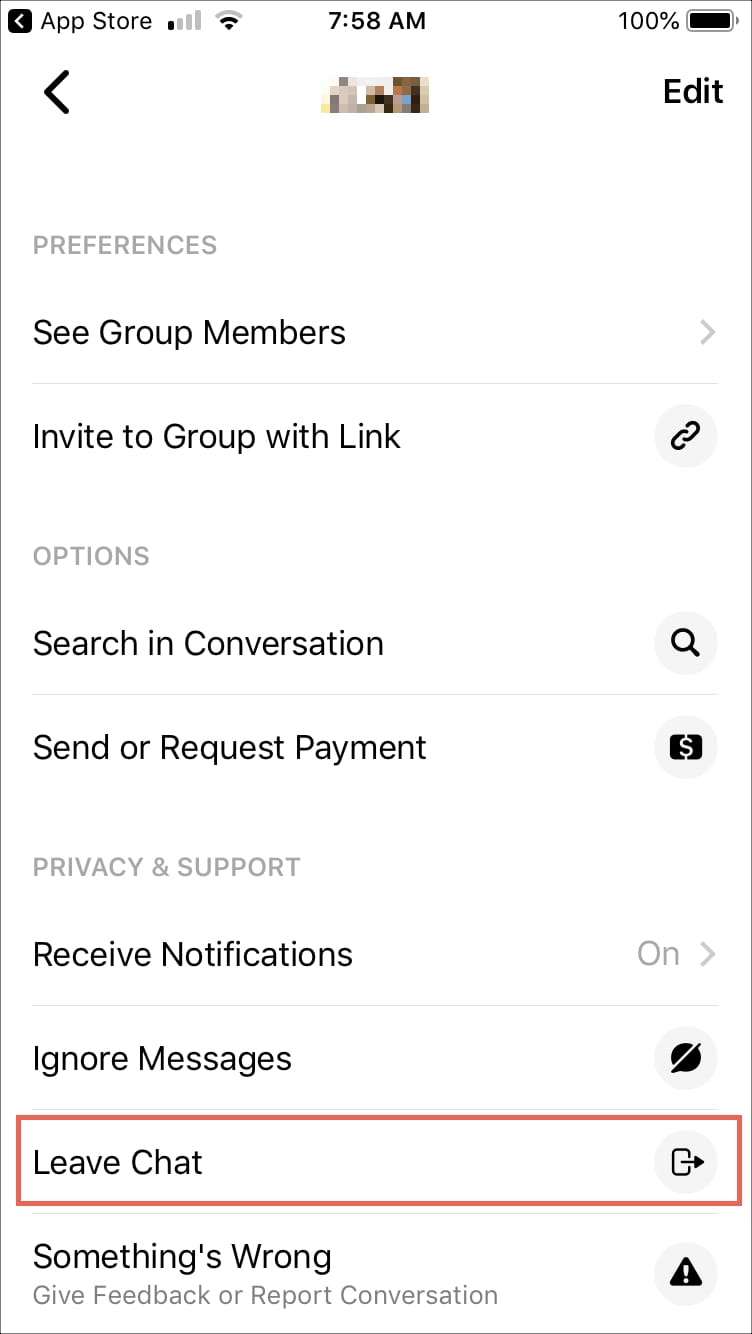
After leaving the Facebook group chat, other people in that group conversation will be notified that you left. Keep in mind that if you don’t want to actually leave a conversation, you can use the other two options there. You can turn off Receive Notifications or select Ignore Messages.
Leave a group chat on Messenger online
Whether you use the Messenger website, Facebook.com, or the Messenger desktop app for messaging, you can leave a group conversation the same way.
1) Navigate to the group conversation you want to leave.
2) Click the three dots icon.
3) Click Leave Group. 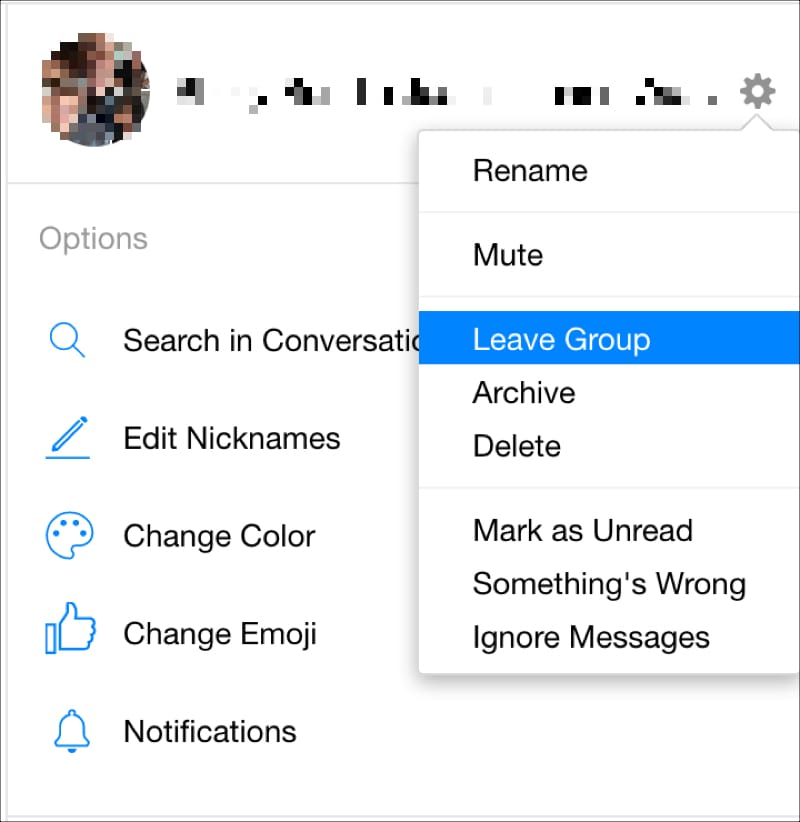 If you’re using the Messenger computer app, click Leave Chat instead of Leave Group. Some group conversations just don’t last forever. Maybe it was a chat with a project team of Facebook friends from work, and the project is over. Or maybe it was a group planning an event that’s ended. Whatever the case may be, you can leave your Facebook Messenger group conversations easily. Will you?
Check out next: