Year: 2016

How to turn off Netflix’s autoplay feature

Not everyone is a fan of bing watching. I, for one, rarely watch a dozen episodes of Friends in a row. If you're anything like me, Netflix's autoplay feature is probably something of an annoyance to you.

It's especially worrisome if Netflix uses cellular data: forgetting to stop the playback after you've just finished watching an episode won't stop Netflix from playing the next one automatically, resulting in unwanted data charges.

iDownloadBlog's tutorial series is here to help you with that: in this quick how-to, we'll show you how to turn off the video autoplay feature across all your Netflix devices—they're calling it Post-Play—with just a few clicks.


How to use one-handed zoom on Google Maps

Yesterday, iDownloadBlog detailed a cool new one-handed zoom gesture during video capture which Snapchat's latest update has implemented.

This incredibly convenient shortcut permits you to zoom in and out as you're shooting video with Snapchat's camera, in real time. As one of our commenters pointed out, Google Maps has long had a similar shortcut on its native iOS app.

With it, iPhone, iPod touch and iPad users can zoom in and pan around in one-handed mode, without needing to use a two-fingered pinch-zoom gesture. Here's how one-handed zoom mode works on Google Maps for iOS.

Let’s Talk iOS 134: Never felt that way before

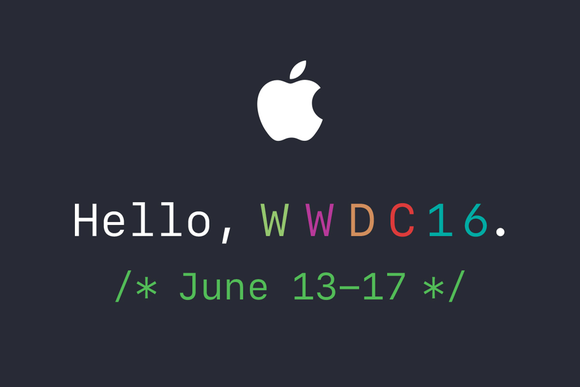
The guys discuss Tim Cook going on TV to do damage control, and the rumor that Apple has met with major podcast networks. And of course, the inevitable discussion about the possible overhaul of the Apple Music app, likely to be announced at WWDC next month. This is a great show, so listen to it right now!

Subscribe on iTunes

Support Let’s Talk iOS: Bushel makes managing Apple devices in the enterprise easier. Try it for free! Your first three devices are free. Check them out at bushel.com/letstalkios.

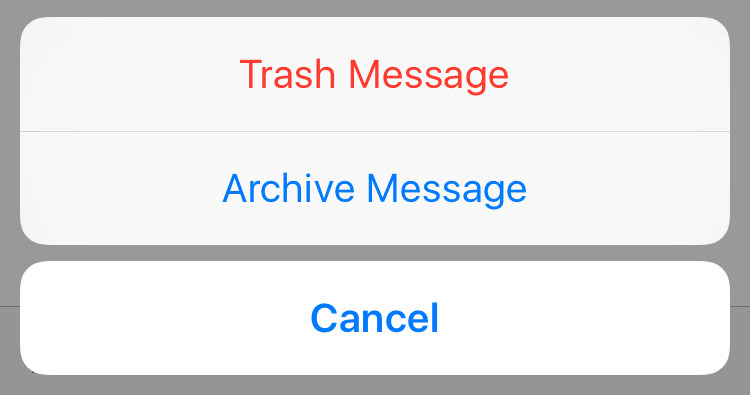
Tip: quickly choose between Archive and Trash email

Last week I shared with you how Gmail and Google Apps users can easily stop their iPhone from archiving emails by changing a single feature inside the Mail app's settings. Today, I want to show you something similar, but different.

We're going to stay on topic with this quick tip that allows you to choose on a per email basis whether you want to send it to the trash, or archive it.

Pop-ups in Safari on your Mac? Here’s what to do

I hate pop-ups, and chances are, you probably do too. They're not only a nuisance, but most of the time they're also designed to get in your way to purposely try and scam you and get you to click on malicious material.

Safari in macOS comes with anti-pop-up measures, but those with malicious intent are always coming up with ways to get around those measures.

In this post, we'll talk about what you can do in a scenario when you get these annoying pop-up messages on your Mac and why you might be getting them.

Foxconn said to be close to deal to build iPhone plant in India

Apple manufacturing partner Foxconn is close to signing a deal with the Indian government to open an iPhone manufacturing plant in the country, reports the Economic Times. More specifically, the company is looking for a 1,200-acre plot of land in Maharashtra.

Today's news comes nearly one year after we first heard of Foxconn's interest in building facilities in India. If the deal goes through, the electronics-maker hopes to construct a $10 billion building for assembling Apple's smartphones, and others would likely follow.

Apple begins notifying WWDC 2016 scholarship winners

Apple on Monday began notifying recipients of this year's WWDC scholarship winners. A number of developers have taken to Twitter to announce they've received word from the company that they've been awarded a scholarship, and are invited to the conference.

Applicants were required to submit an app demonstrating "creative use of Apple technologies," as well as an essay about their coding process. In all, 350 scholarships will be given out to students and STEM members, and 125 to developers with financial limitations.

New app can detect malware and tell if you’re jailbroken

There's a new app in the App Store called System and Security Info that shows detailed information about your device and running apps from a security standpoint. It can do a lot of things, including monitor memory and disk usage, show running processes, and it even detects malware and other anomalies.

A few other things about the app also caught our eye. One, it's capable of telling if your iPhone and iPad have been jailbroken, and two, it appears that former jailbreak contributor Stefan Esser (also known as i0n1c) is involved in the project. In fact, it was Esser who penned the announcement blog post.

How to use Snapchat’s new one-handed zoom

We don't hang out on Snapchat on a regular basis, but I myself use the app from time to time to check out new features. Earlier today, my boss Sébastien shared an amazing collection of handy Snapchat tips and trick, created by fifteen-year-old Victoria Samson.

Some of the tricks she demonstrates are quite brilliant, but her video how-tos don't cover Snapchat's latest feature addition—the ability to zoom while recording a video in one-handed mode using a simple gesture. That's precisely what this quick tutorial will discuss: using Snapchat's handy one-handed zoom mode during video capture.

Apple airs new iPhone 6s ad, ‘Thank You Speech,’ highlighting tetherless Siri mode

Apple on Monday aired a new television commercial for the iPhone 6s and iPhone 6s Plus, titled 'Thank You Speech' and starring “How I Met Your Mother” star Patrick Neil Harris (he had a cameo on Apple's recent 'Onions' ad).

The 30-second clip shows off a tetherless Siri feature that users can optionally enable on their iPhone 6s or iPhone 6s Plus in order to converse with the personal digital assistant using the 'Hey Siri' keyword even when their device is not connected to power.

Tip: stop YouTube’s annoying video autoplay ‘Up Next’ feature within iOS app

My colleague Anthony recently vented his frustration with YouTube's default handling of the 'Up Next' feature on the web. Autoplay in YouTube is one of the banes of my existence, too, but as Anthony states in his write-up, YouTube for iOS lacks a switch to disable auto-play videos.

Not anymore, though: the latest version of Google's native YouTube client for the iPhone, iPod touch and iPad includes an easily overlooked switch that lets you stop an endless stream of recommended videos from being spoon-fed down your throat with a single tap.

If you watch a lot of YouTube through your iPhone's cellular connection, you're wholeheartedly recommended to disable 'Up Next' on the iOS app, here's how.

Facer brings Instagram feeds, flash style cards and more to your Apple Watch face

About a month ago, Facer, a smartwatch customization platform, landed on the Apple Watch via a free of charge App Store app. Unlike most other apps for customizing watch faces, Facer puts your style and individuality on full display with thousands of custom watch faces and the ability to design your own with an online creator tool.

The app can pull watch face images from a variety of sources, including your Instagram feed, and it even has neat flash card style faces for learning things like languages, constellations, Solar System's planet names, the elements of the periodic table and so forth.