Year: 2016

KGI: Apple to produce one iPhone 7 Plus model with dual lens and 3GB RAM

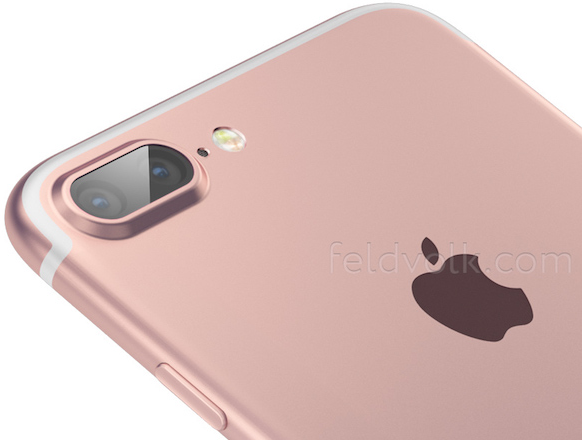
In somewhat surprising news, KGI Securities analyst Ming-Chi Kuo—arguably the most reliable Apple analyst out there—says there'll be one, not two iPhone 7 Plus models. Previous rumors have pointed to three different configurations: a regular 4.7-inch 'iPhone 7', a larger-screened 5.5-inch 'iPhone 7 Plus' and a so-called 'iPhone 7 Pro' with premium hardware features.

According to Kuo's note to clients, a copy of which was obtained by MacRumors, Apple plans to produce a single iPhone 7 Plus model. That 'Plus' edition should be the 'Pro' iPhone you've been waiting for: it'll come outfitted with a dual-lens camera system and have three gigabytes of RAM versus two gigabytes of RAM on the iPhone 6s generation.

Instagram revamps app with new icon and monochromatic interface

Facebook-owned Instagram today announced a major new version of its iPhone app with an overhauled user interface with bigger photos and an updated Home screen app icon.

“Inspired by the previous app icon, the new one represents a simpler camera and the rainbow lives on in gradient form,” explains the company. In addition, they've updated app icons for Layout, Boomerang and Hyperlapse, too.

Instagram is available free of charge on the App Store.

How to enable YouTube’s upcoming Material Design face lift ahead of release

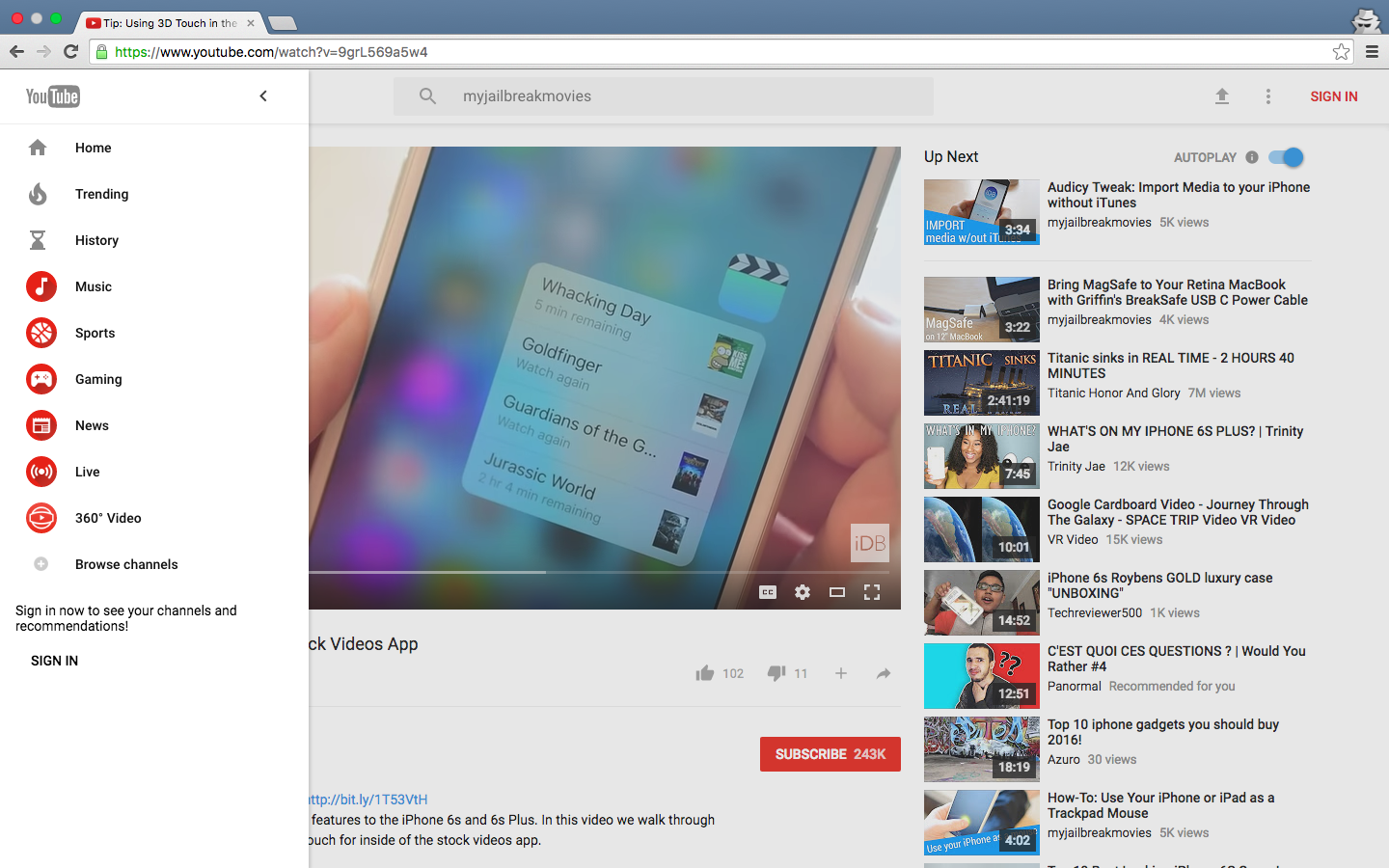
YouTube is getting Google's Material Design refresh pretty soon and it looks pretty neat. Aside from the Upload button being replaced by the upload arrow graphics consistently used across Google's mobile apps, you'll notice a Material Design-inspired search field in the center.

More importantly, YouTube's new looks include the background color on the Channel pages matching the header image, rounded icons in the sidebar, more whitespace around videos in the video player and a few other minor changes.

Chrome users can have an advance look at the upcoming refresh right now. Here's how you can enable Material Design on YouTube ahead of its release, in just a few clicks.

How to take a timed screenshot on Mac

Chances are, you're probably so accustomed to taking screenshots on your Mac with the stroke of a few keyboard keys that you didn't even know you could take a timed screenshot. In this tutorial, we'll show you how you can set your Mac up to take a timed screenshot, which depending on the situation, can be very useful.

WhatsApp launches desktop app for Mac

WhatsApp on Tuesday launched a native desktop app for Mac and Windows computers. The Facebook-owned messaging service says the app provides a "new way to stay in touch anytime and anywhere - whether on your phone or computer at home or work."

To download the new desktop version of WhatsApp, visit whatsapp.com/download from your desktop browser. Then, open the app and scan the QR code using the WhatsApp app on your smartphone (be sure to look for WhatsApp Web menu under Settings).

Review: freeing up your Mac’s storage with Gemini 2, a smart duplicate file finder

Ukrainian developer MacPaw, the makers of the versatile and powerful CleanMyMac and CleanMyDrive apps, today pushed a major new update for Gemini as a brand new app. For those unfamiliar with it, Gemini is an intelligent duplicate file finder that can help recover tons of storage space on your Mac wasted to duplicate files.

Aside from identifying identical duplicates, Gemini 2 uses a proprietary algorithm to spot similar files that are not 100 percent identical, but can be considered redundant due to little difference between them.

It scans your iTunes and Photos libraries in search of retakes of the same picture or different formats of the same song, and becomes smarter and more precise in automatic selection of duplicates the more you use it.

PersonalAssistant: a 7-in-1 tweak that supercharges your Lock screen

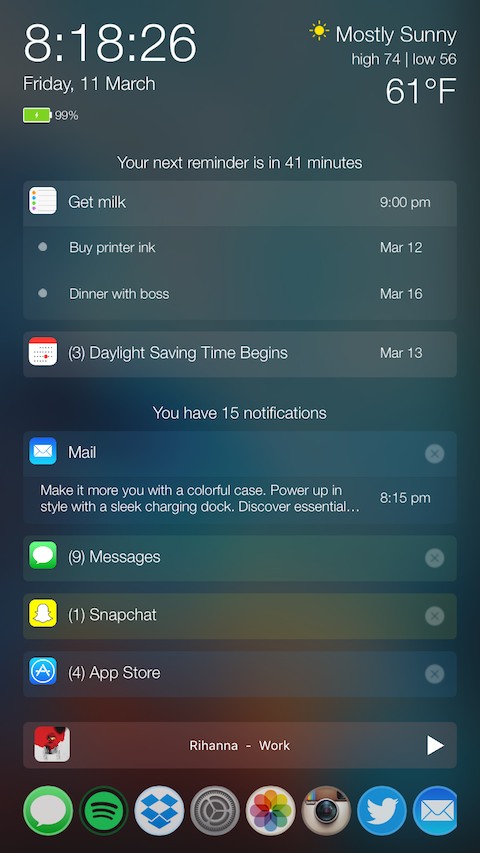
There comes a time every once in a while where a jailbreak tweak is groundbreaking and has the potential to shake up the entire jailbreak community, and folks, we definitely think a new tweak release in Cydia called PersonalAssistant is one of those tweaks.

In this review, we'll walk you through this monster of a tweak, which the developer notes has seven tweaks built into one unified interface.

Excited yet? You should be...

VoIP-Pal slaps Apple with $2.8 billion lawsuit over patent used in FaceTime and iMessage

Voice over IP (VoIP), a technology for the delivery of voice communications and multimedia sessions over the Internet, is at the heart of an unbelievable $2.8 billion patent infringement lawsuit that VoIP-Pal, a Bellevue-based company, filed this morning against the iPhone maker.

“We are confident the current good will on both sides will result in a favorable outcome for all parties involved,” said VoIP-Pal CEO Emil Malak in a prepared statement.

Amazon launches new Video Direct service aimed at content makers

Amazon this morning announced a brand new self-service aimed at content producers and storytellers: Video Direct. With it, content makers can upload their videos to the Amazon cloud and decide if they wish to optionally make them available to buy or rent.

Content owners can choose to receive royalties depending on how popular their content is on Amazon based on hours streamed, which will limit their work to Prime members or Instant Video subscribers, or opt to monetize their content with advertising, in which case their videos will be available to all Amazon customers.

Ensuring your Mac is receiving updates about new malware and compromised web plug-ins

Among the plethora of built-in OS X features that help keep your Mac secure is something called File Quarantine, a download validation technology that checks any downloads for known malware when you try to open them.

File Quarantine is also available in compatible applications like Safari, Messages, iChat and Mail that download files from the Internet or receive files from external sources, such as email attachments.

Additionally, OS X blocks compromised versions of web plug-ins from functioning, including Java web apps and Adobe Flash content, to further limit your Mac's exposure to potential zero day exploits.

In this tutorial, we'll discuss how you can make sure that File Quarantine updates are turned on, which will allow your Mac to receive latest malware definitions and information about compromised web plug-ins from Apple.