Year: 2014

Using the new Today View in OS X Yosemite’s Notification Center

The Notification Center in iOS 8 received a significant revamp, and the same can be said about the Notification Center in Yosemite. New in this year’s OS X revamp is the appearance of the Today View.

The Today View contains pertinent information about your day from your Calendar, Stocks, Weather and more. It even has the ability to host widgets—both stock and third-party—directly within Notification Center. Watch our walkthrough video inside to see what I mean.

Skype for iPhone updated with avatar sync, ability to save and delete photos from chats and more

After updating Skype for Mac with Yosemite support earlier this morning, Microsoft on Thursday issued a new Skype for iPhone refresh. Now sitting at version 5.7, the app finally makes it easy to save and delete images from chats.

People who roam between devices and platforms will notice that chat avatars now stay in perfect sync when picking up on one device where they left on another.

You should also notice faster performance, especially when opening chats from a notification, and improvements to Skype's contact filters such as All Contacts, Skype and Online.

Skype for iPhone is available free in the App Store.

How to annotate mail attachments in OS X Yosemite

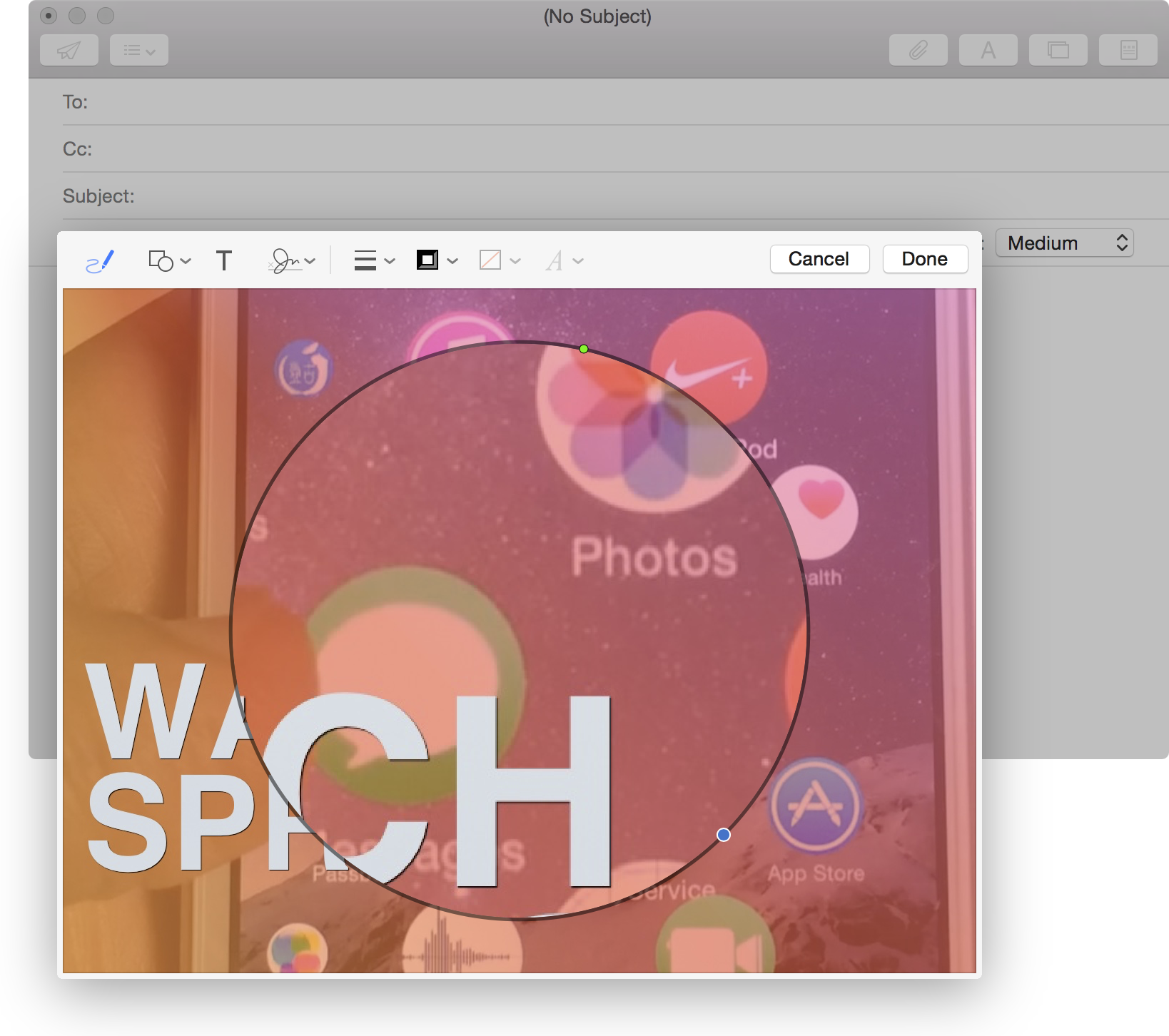
It is now possible to annotate image attachments in the Mail app on the fly. In previous versions of OS X, you had to go through the time-consuming exercise of opening the image in some sort of editor, perhaps Preview, annotating the image, attaching it to your email, then sending.

With OS X Yosemite, you can annotate the image while the image is attached to the email. This is done via Markup—a new default extension available within Mail. Look inside to see our video walkthrough, which showcases this awesome new OS X Yosemite feature.

“I’m proud to be gay,” says Apple CEO Tim Cook

One of the worst kept secrets in Silicon Valley has now transmuted itself into an official admission after Apple CEO Tim Cook admitted being gay in an essay penned for Bloomberg Businessweek.

Rumors of Cook's sexual orientation persisted for years as the famously private executive shed little light on his personal life. He's been open about his lifestyle with many co-workers, though.

“Plenty of colleagues at Apple know I’m gay, and it doesn’t seem to make a difference in the way they treat me,” he said. ”Of course, I’ve had the good fortune to work at a company that loves creativity and innovation and knows it can only flourish when you embrace people’s differences,” he observed, adding that “not everyone is so lucky”.

No matter how you look at it, this is a historic move: the CEO of the world's most powerful corporation just announced publicly he's gay. Top-level executives rarely, if ever, discuss their sexual preference out of fear of losing customers, proving that corporate America as a whole still has a long way to go to embrace the individuality and fight against discrimination at workplace.

Cook's bombshell announcement is a step in the right direction so hopefully a few other high-profile CEOs will follow suit.
Using OS X Yosemite’s revamped Spotlight Search

Spotlight has been improved through and through to be more useful in OS X Yosemite. It has adopted an Alfred-inspired interface that makes working with Spotlight easier and more powerful.

Want to see some of the main differences in action? Have a look at our video walkthrough as we showcase some of the new things that Spotlight has to offer.

Using Extensions in OS X Yosemite

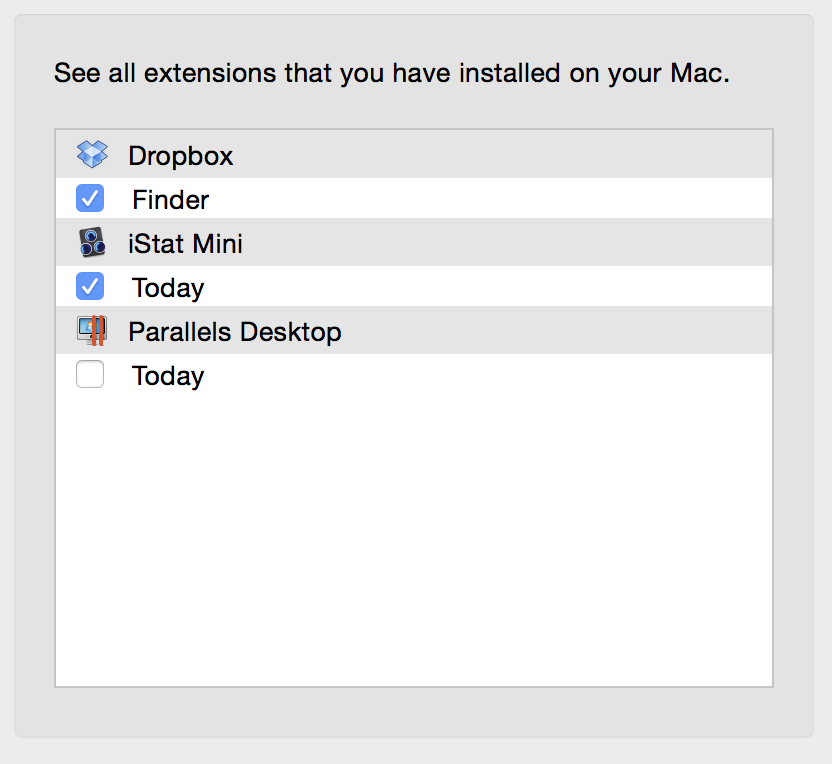
Like iOS 8, OS X Yosemite introduces third-party extensions. Extensions allow you to easily share with social services and perform other functions.

Apple has included a new Extensions manager, accessible via System Preferences → Extensions. From there, you can manage built-in extensions, third-party extensions, and Notification Center Today View widgets from one convenient location.

Skype for Mac updated with OS X Yosemite support

Following the major 7.0 release earlier this month, Skype today pushed out a new version of its Mac client. Labeled as build 7.1, the update brings about full support for the just-released OS X Yosemite, as well as a number of bug fixes and improvements.

Among the improvements, Skype has made it easier for users to copy a link in a group chat, and leave conversations. It's also fixed the issue that caused crashing when making a video call on Yosemite, as well as the bug related to sending contact info.

Tilt to Live: Gauntlet’s Revenge is harder than ever

The game development team at One Man Left is known for creating fast-pasted, action-packed arcade style games. You may be familiar with their previous titles, Tilt to Live and Tilt to Live 2: Redonkulous. Well, they are back with a new game for your cramped fingers to try out.

Tilt to Live: Gauntlet’s Revenge is the third installment in the series and is proving to be, if you can believe it, the hardest of them all. We’ve got a hands-on game review of Gauntlet’s Revenge for you today.

Flipboard 3.0 is out with design refresh, Zite-fueled ‘Topics’ feature and more

Flipboard today released version 3.0 of its iOS client, and as you can imagine, it's a significant update. The design of the app has been refreshed, and is now more magazine-like and elegant, complete with fresh typography and a new navigation bar for easier browsing.

Additionally, Flipboard has introduced a new 'Topics' feature, which is powered by Zite's technology and Flipboard's own curators. There are over 30,000 topics to follow, each featuring content by top publishers and websites, that can be both searched and explored.

Microsoft launches $199 fitness band with 10 sensors

Microsoft this morning unveiled its long-rumored wearable: the Microsoft Band. With a design resembling Samsung's Gear Fit, the fitness-tracking wristband features 10 sensors, supports all major mobile platforms, and integrates with Microsoft's new cloud-based Health service.

Interestingly enough, Microsoft decided to skip any kind of media event or press release, opting instead to reveal the device to Recode following the discovery of new Health apps on iOS and Android last night. So was this meant to downplay an insignificant launch? Let's find out.

Felllice turns cell life simulation into a minimalist affair

There is a handful of interesting games that involve production and duplication of cell-like organisms. Games like Osmos provide a relaxing arcade game that requires you to be ready to attack anything smaller than you, but lets you drift through life in a tranquil environment as well.

Felllice (yes, with three Ls) is similar to the cell generation game genre, but features a stark black-and-white minimalist design. Collide with cells that are smaller than yours to grow big and earn achievements.