Month: June 2011

Breaking: New iOS 5 Albums and Camera Photos Emerge

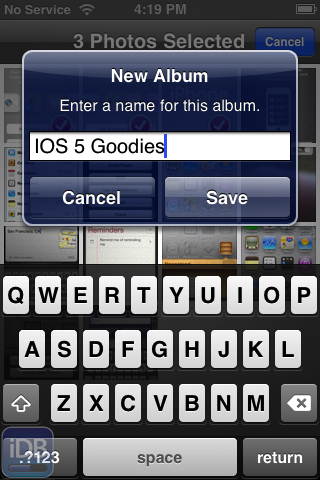
More photo goodness has emerged from a friendly email, and this time they illustrate some new features surrounding photos.

To be more specific, these images focus on album creation and management.

In iOS 5, you're no longer relegated to managing your photo albums on your Mac or PC; nope, now you can manage albums directly on your iPhone.

Apple is apparently very serious about their new PC Free initiative, and it shows when looking at the screenshots contained inside...
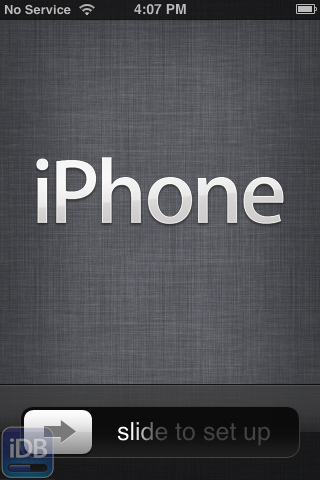
Breaking: New Photos of iOS 5 Initial Setup Emerge

Someone sent me a few exclusive photos of some of the new features in iOS 5, and it looks like a doozy folks.

If you tuned into this morning's WWDC keynote, you are well aware that Apple is implementing a new PC Free strategy for iOS 5, and that includes the initial setup of your iPhone.

Inside we have a few interesting screenshots of the iPhone's initial setup screens, along with the new Home screen equipped with a new iPod touch-esque Music app, along with a settings screen for iCloud.

Interested in seeing the iOS of the future? Check out the exclusive images inside...

iOS 5 Beta Now Available for Download

iOS 5 Beta 1 is now available for download. If you have a developer account, head over there, agree to the new terms of service and download iOS 5 beta.

Obviously, if you want to keep your jailbreak/unlock, stay away from iOS 5. Got get it and let us know if you find something interesting in iOS 5.

Automatic Downloads of New Purchases Made on Other Devices Now Available

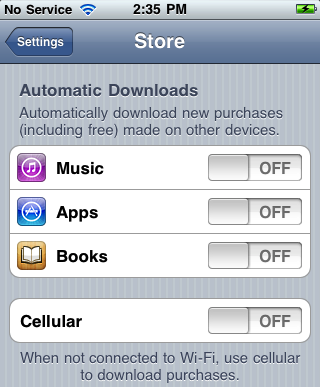
Over The Air syncing and download of content across various iDevices is slowly being rolled out by Apple. After showing your purchase history in the App Store app and leting you easily download previously purchased apps, a new update has been pushed, this time to the Settings app of your iPhone.

If you got to Settings > Store, you will now see new options that allow you to automatically download new purchases made on other devices...

iTunes 10.3 Now Available for Download

It appears that iTunes 10.3 is available for download in certain areas. Even though I can't see to be able to hit the update, some people are currently downloading it.

iTunes 10.3 will allow you to automatically download new music, app, and book purchases to all your devices. The automatic downloads and downloading of purchase history are available now but they require at least iOS 4.3.1 on iPhone 3GS, iPhone 4 (GSM model), iPod touch (3rd and 4th generation), iPad, or iPad 2, or a Mac or PC with iTunes 10.3...

WWDC 2011 Keynote Now Available for Streaming

Ok folks, that WWDC 2011 keynote is here and available for your streaming pleasure. Two full hours of pure Lion, iOS 5, and iCloud goodness. This is assuming that you can get it to work because mine has just been hanging in there for 15 minutes.

Maybe Apple didn't get the memo about iCloud yet?

Apple Publishes iOS 5 Video

Apple just posted a 5-minute video about iOS 5. The video covers iOS 5 mains features: Notifications Center, Newsstand, Reminders, Twitter, and more.

Unfortunately, we can't embed the video into this post, but you can easily access it directly from Apple's website.

Photo Stream Makes Manually Syncing Photos a Thing of the Past


Syncing photos from your iPhone to your desktop and other devices has always been a bit of a pain. Most iPhone users have taken to services like DropBox to upload photos to their desktop, to avoid the old plug-and-play method.

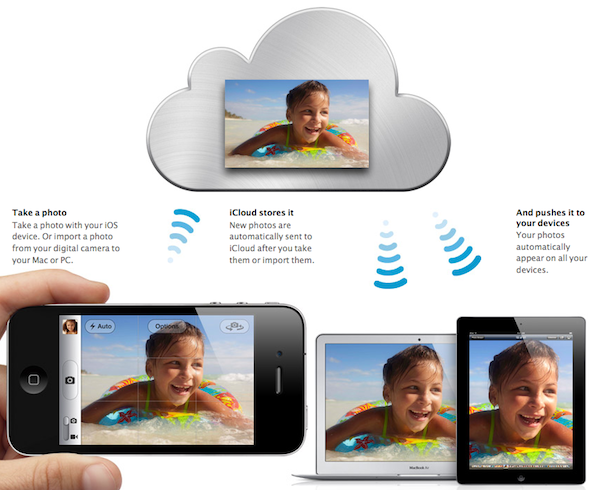
What if you wanted to show off your iPhone photos on your iPad? In the past you had to upload the photos to your desktop and then sync them to your iPhone using iTunes. The new iCloud feature Photo Stream takes away all of the headache with instant, wireless photo syncing...

Apple Introduces iTunes in the Cloud

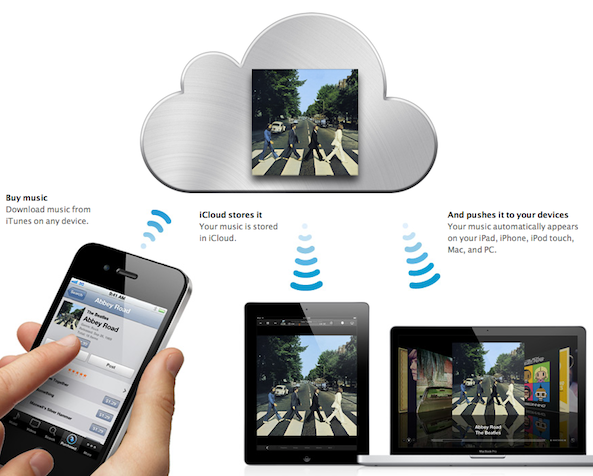
Here is the feature a lot of you were waiting for: iTunes in the cloud. This new feature will allow you to sync your songs purchased in iTunes across all your devices. Let's say for example you download a song on your iPhone, you can then grab your iPad, see your purchased history, and decide to download all or individual songs to your iPad, at no additional cost.

Even better, you can turn a setting on so the song you purchased are automatically downloaded to your other devices. This is just a killer feature...

Apple Introduces iCloud

It's finally here, folks! Apple has introduced and detailed the mysterious iCloud. Steve Jobs himself says that iCloud is something the company has been working on for 10 years, and iCloud has totally replaced MobileMe and added new services, such as Photo Stream.

Details below!

iOS 5 to Bring Automatic Backups to Your iDevices

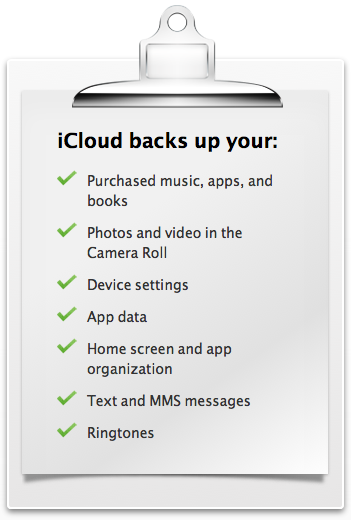
With iCloud, Apple is introducing yet another feature in iOS 5: automatic backups. Every day, most of your content on your iPhone, iPad or iPod Touch will be automatically backed up to the cloud. Should you get a new iPhone, everything will be loaded to this new phone automatically.

Automatic daily backups will be done over wifi and will allow you to back up your music, books, apps, camera roll, device settings, and app data... 

Mail App Gets Rich Text and Other New Features in iOS 5

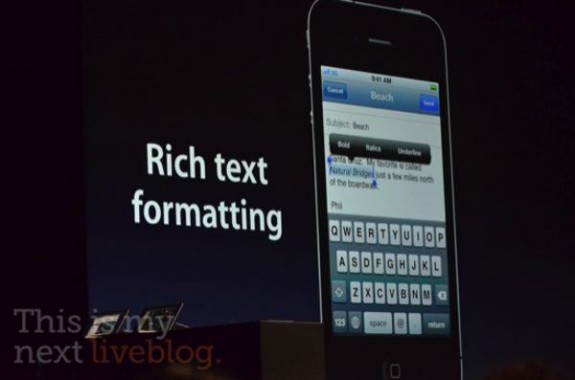
The new features keep pouring in as Scott Forestall, the man behind iOS, announces update after update in the new iDevice software. While we knew that a new notifications system and other revamps were coming, not much was said about the iOS Mail app.

There wasn't really anything wrong with the previous version of the iOS Mail app, but it did leave a couple of things to be desired. Apple must've gotten wind of jailbreak tweaks like Rich Text for Mail, because they just included it and other features in iOS 5...