Month: April 2011

Kick it Old School with SNES on Your iPad

Console emulators have been around the jailbreak scene for a long time. Those that aren't familiar with emulators, they basically allow you to play copies of console games, while not on that console.

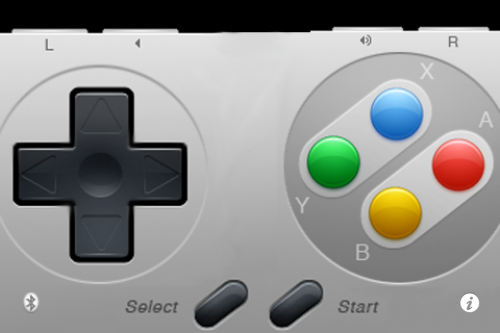
SNES HD turns your jailbroken iPad into a Super Nintendo system. Not only that, it allows you to connect up to 2 other iDevices to use as controllers.

It's free, and all you need is a jailbroken iPad and iPhone or iPod touch. Wanna try it out? I'll give you an easy tutorial to get you started.

Step 1. Make sure you have a jailbroken iPad and iPhone or iPod touch (both devices must be jailbroken).

Step 2. Open Cydia on both iDevices, and go to the Sources tab. Add the following source by selecting Edit > Add : http://wherethewoozlewasnt.com/cydia/

Step 3. After the sources are done loading, you need to install SNES (HD) on your iPad and ControlPad onto your iPhone/iPod touch. Both apps can be found by searching for them in the Cydia Search tab.

Step 4. Almost done! Make sure bluetooth is activated on both devices, and load up the downloaded applications. You should see an SNES console on your iPad, and an SNES controller on your iPhone.

Step 5. If the controller doesn't connect right away, touch the bluetooth search icon. Once paired, press the power button to start your game!

If you are wondering why you don't have any games, it's because it doesn't come with any. Console games are copyrighted, and it is illegal to host or download them. And we certainly don't condone piracy.

There are, however, several websites that do offer them, but clearly state that you must have the original game in your possession. These copies of the game are known as "backup copies" which are legal to have, I've read.

If you can stomach the pain of locating games, it really is quite worth it. Games are surprisingly playable on the iPhone's touch screen. You can race against a buddy in Top Gear, or take them on in Street Fighter. That's it, now your kicking it old school.

Any questions?

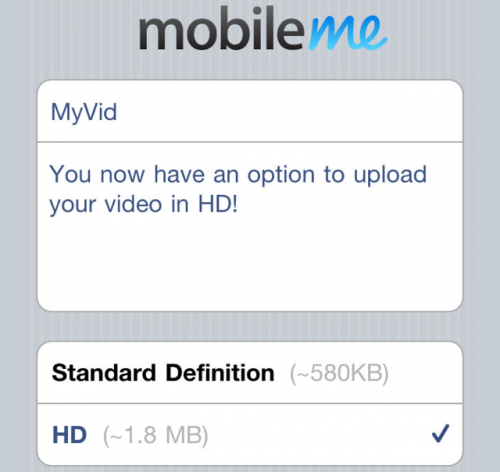
True HD Enables Your iPhone 4 to Upload 720P Videos to YouTube

If you have ever uploaded a video to Facebook or YouTube from your iPhone 4, you might have noticed a drop in video quality. No, it isn't poor lighting, the resolution and frame rate are actually lowered. This is because a reduced quality video is produced before uploading, to save on internet bandwidth usage.

A 1280 x 720 video, 9 minutes in length, is about 700 MB natively. When trying to upload a video to YouTube or Twitter, the file size gets reduced to less than half that. To get full HD quality, you would typically need to transfer video from your iPhone to your computer and upload from there, but not with True HD...

Adobe Looking to Finally Bring Flash to iOS, Sort of

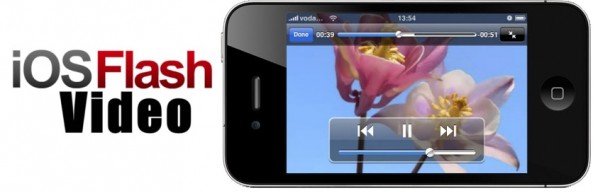
We've talked about Adobe Flash on iDB quite a bit. The absence of the platform plugin in iOS products has been a hot button issue since the original iPhone was released. For those who have been living under a rock for the last few years, let me break it down for you.

Adobe's Flash is used in close to 80% of the top 100 most visited websites, so needless to say, it's pretty popular. Apple, the maker of some of the hottest portable electronics right now, has barred Flash from its mobile platform for several reasons. And now it looks like after years of watching home-grown tweaks bring Flash content to iOS devices, Adobe might finally have an answer of their own...

RainBallet Case Makes the iPhone Waterproof

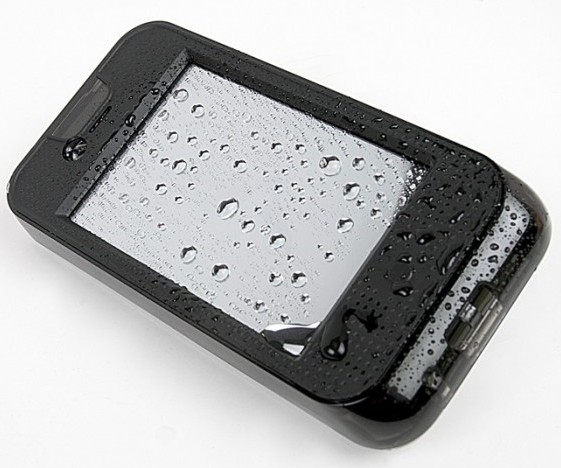
There's a chance that your iPhone has come into contact with water, and you've probably figured out that the device isn't exactly waterproof. There are some heavy duty cases out there that help protect the iPhone from water damage, but not many can guarantee that your iPhone will be totally waterproof.

The RainBallet case, by The Joy Factory, is a waterproof case for the iPhone 4. Now your iPhone can accompany you on those long days at the beach.

How the iPhone “Literally Changed My Life”

Do you remember buying your first iPhone? Installing your first app from the App Store? Jailbreaking for the first time?

Although it can been called melodrama, there comes a point where you look back and see the profound impact technology has had on your life. Besides amazing technology, Apple products have always been a source of inspiration. The iPhone has literally changed the course of people's lives, and that's something special...

InvisibleShield for iPad 2 Review

Why use InvisibleShield

I'm not much of an accessories guy. I don't put my iPad into a case because I think it's too beautiful to be hidden under some rubber casing. Yet you have to protect your device. I purchased a Smart Cover with my iPad 2 but it's only good at protecting the front of my iPad. What about the back?

Yes, the back of my iPad 2 is what worries me most. I use this thing every single day, and unlike my iPhone that usually ends up in my pocket, my iPad travels around the house all the time. It goes from the couch to the coffee table, from the bathroom to the kitchen countertops, outside on our patio. How to you prevent the back of your iPad from being scratched, while not sticking it into a case?

Enters InvisibleShield by Zagg, a thin clear protective film that has been protecting iPhones and iPads for several years now. The guys over at Zagg were nice enough to send me a sample of their iPad 2 InvisibleShield to try out and review. Before going further, I want to make it clear that even though I received an Invisible Shield for free, it doesn't alter the outcome of this review in any way.

This is not my first Invisible Shield. Since 2007, I've used many of those for my iPhones and also for my previous iPad, and I've always been a big fan of the product. When Zagg said they were going to send me one of those InvisibleShields for iPad 2 to review, I didn't expect any surprise. After all, the product is the same, just the shape is different.

So no surprise on that side. The InvisibleShield came in a nice box with the front and back protective film. Also included is a little pouch with a lint free cloth, some spraying solution and a squeegee.

InvisibleShield installation

I know how to install the InvisibleShield but I still bothered reading the instructions and watched the demo video. After making sure I had everything ready, I cleaned the back of my iPad with the cleaning cloth, washed my hands, and sprayed my fingers with the application solution before handling the shield, as advised. I removed the paper backing of the shield, sprayed it with the solution and applied it to the back of my iPad.

http://www.youtube.com/watch?v=m3sO5fBD77Y

It took me a couple tries to get it perfectly aligned, then I used the squeegee to remove all excess spraying solution stuck between the film and the iPad. It took me about 2 minutes from start to finish.

Although I didn't want to use a shield for the front of the iPad, I still decided to put it on to see how easily I could apply it. Turns out that I kinda ran out of spraying solution. I guess I used way too much during the installation of the back shield. Nevertheless, I was able to properly install the InvisibleShield on the iPad screen in just a few seconds.

It is advised not to use your device after applying the InvisibleShield to give it some time to cure. Can you imagine not using your iPad for 24 hours? No, me neither, so I used it right away.

It takes about 2-3 days for the shield to completely cure and get rid of all the air bubbles that you might have accidentally left under. During that time, needless to say that your screen will not look good, but again, it's just a matter of time.

After a few days, I removed the front shield because I just don't like it on my screen. It's barely there, but it bugs me to have something on the screen.

Success!

It's been over 10 days now and the InvisibleShield on the back of my iPad 2 hasn't moved at all. It has done a great job at protecting my iPad, and I am no longer afraid to put my device on any surface because I know it is well protected.

On top of bringing great protection to your device, having an Invisible Shield on the back of the iPad makes it easier to hold the device as it doesn't slip as much while in your hand. It's a little detail that has great importance to me.

My biggest concern about having the Invisible Shield on the back of my iPad was to see how it would work with the magnets of the Smart Cover. When you snap the Smart Cover on the side of your iPad, it covers part of the Invisible Shield. After snapping and unsnapping the Smart Cover probably a couple hundred times since I got the shield, I haven't noticed any difference at all. It still snaps perfectly, and most importantly, it doesn't damage or peel off the shield.

I've heard people complain about an orange peel effect on the back of the iPad before. I personally never experienced that, and I suspect it has a lot to do with the way you install the Invisible Shield.

Conclusion

Do I recommend InvisibleShield for iPad 2? Absolutely, however, and depending on your iPad usage, it might be a better idea just to get the back coverage only. That's what I did and it works out great for me, especially because I have the Smart Cover for the front.

The InvisibleShield for iPad 2 starts at $29.99 for the front or back coverage. For $39.99, you get the full back and front coverage, so again, depending on your usage, you should make the decision that will best fit your needs.

You can get 20% off your InvisibleShield (or any Zagg accessories) by ordering from here and entering coupon code zagg20 at check out.
Alleged White iPhone 4 Shows Up in Verizon Inventory Database

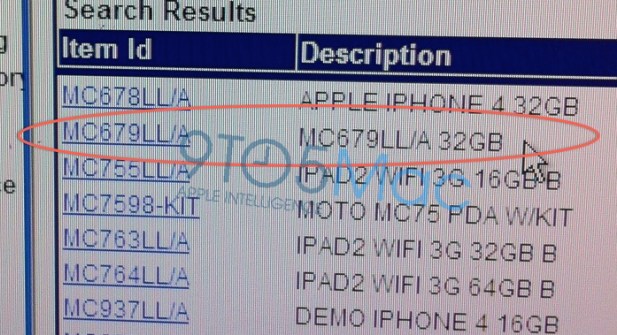
If you needed any more confirmation that the mythical White iPhone 4 is coming, here you go.

Following yesterday's report providing official word from Apple regarding the availability of the White iPhone 4 this Spring, comes even more confirmation. The folks over at 9to5 Mac have obtained an internal Verizon inventory document which lists the highly-anticipated White iPhone 4. 

Apple Gets Sued by Parent Over In-App Purchasing

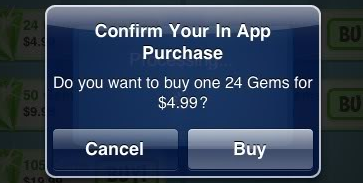
Remember when we told you about the in-app purchasing changes that came with iOS 4.3? Apple removed the 15 minute window of password-free app purchasing in wake of consumer complaints. At the time, several angry parents were asking the FCC for an investigation into Apple's in-app purchasing practices.

Well, it appears that the recent update didn't make the situation blow over, because the complaints have started to materialize. A Pennsylvanian man adds his name to a long list of people in litigation with Apple, filing a lawsuit citing breach of contract and unjust enrichment...

Fahrenheit iPhone App Gives Current Temp on Your Home Screen

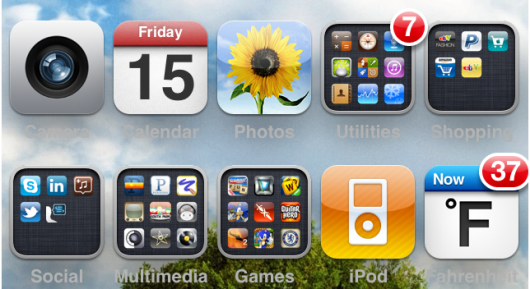
While everyone is making a wish list of iOS 5 features, please make sure to include something about an upgrade to the notifications system. Maybe while you're at it, ask for some form of a widget feature too. Not everyone needs them, but those of us who have experienced them on other smartphones would love to see them in iOS.

The biggest benefit they bring is information at a glance. I'm currently using the WeatherIcon tweak to help me cope with the lack of the feature. At least I don't have to pop into the weather app anymore. For folks operating on non-jailbroken devices, Fahrenheit basically accomplishes the same thing...

Wiimote and iPhone Make Beautiful Music Together

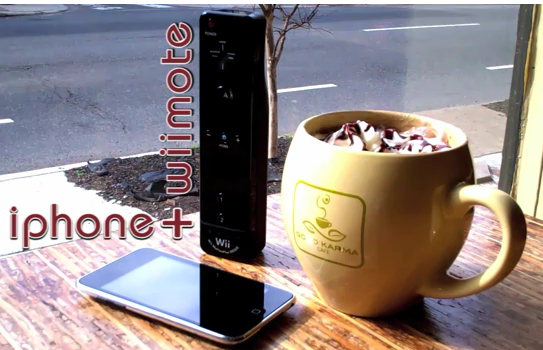
It seems like you can never get enough high-tech innovation, especially when it involves using ordinary products to accomplish extraordinary things. We've shown you 3D graphics on the iPhone 4 in the past and even lenses that give the iPhone 360-degree video capturing abilities. What could they possibly come up with next?

Let me introduce you to Tim Soo. On top of being a medical student, he also happens to be a hacker/musician. His Kickstarter video asking for donations to fund an interesting project has really been making its rounds on the internet recently...

Future Apple TV to Use Laser Projection Tech?

Although in many cases they don't make it to consumer products, patents kind of give us an inside look at what a company is working on. Trust me, there's no better company to peek in on than Apple.

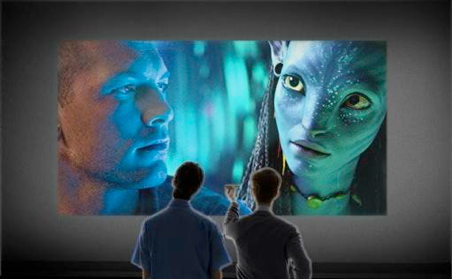
Their latest patent filing to make its way around the web, describes hybrid laser projection technology. Before you start thinking Star Wars, let me explain.

Apple describes the hybrid laser projection technology as a system that can be used to display images using coherent laser light as opposed to incoherent incandescent light of normal projectors.

The benefits include lower production costs and higher quality images. It also notes that combining an incoherent light source with a coherent one would consume less power and could reduce the size and complexity of light projecting systems.

How could they use this technology in their products? 9to5Mac seems to think they might be integrating it in an Apple-branded TV set. That's not a bad prediction considering all of the recent Apple TV rumors, but I've got another idea.

Remember the LG Expo? It was an LG smartphone with a built-in micro projector. You could project captured and downloaded content onto any flat service, with quite a sizable viewing area.

The phone was essentially a flop but the technology was still fascinating. Now there are dozens of pico projectors on the market, many of them even compatible with Apple products.

I could definitely see Apple doing something along similar lines. They have a history of bringing innovative technology to the average person by making it simple and sexy.

Imagine an Apple TV device, much like the ATV2, that has a built-in high definition laser projector. It has outstanding battery life and content can be projected clearly on almost any surface. Maybe it even supports iOS apps and obviously AirPlay.

My head spins with the possibilities, you could have TV anywhere. You could set up multiplayer games anywhere. This would be a revolution, especially if it were priced and marketed properly, which Apple also has a knack for.

While the idea is intriguing, known projected light-obstacles like daylight and lack of available projection surfaces certainly stand in the way of it making its way to shelves anytime soon. Maybe Apple is just going to project the laser images into thin air, Minority Report-style.

What do you think?

Android vs. iOS – Why Google Wins No Matter What

Android vs. iOS is a popular debate topic, but it might just be happening at the consumer level. 9to5 Mac ran an interesting story this morning about some comments made by Google's Asia-Pacific president, Daniel Alegre."When the iPhone succeeds, Google succeeds," he mentions in an interview with AdNews.

This alone shouldn't catch anyone off guard. With over 100 million iPhones out in the wild using Google's little search bar built into Safari, why wouldn't Google be pleased with the iPhone's success?