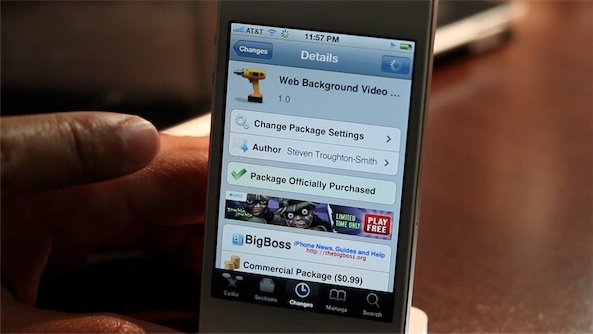
An easy way to seamlessly play Safari videos in the background

By , Jun 1, 2012

Web Background Video Playback is a relatively new tweak by iOS developer Steven Troughton-Smith. The aim of the tweak is to allow video content to continue playing in Safari while it is running in the background. This is especially helpful when you’re listening to video content, and seeing the video isn’t necessary; for example, when watching a music video, podcast, etc.

This tweak is also handy in the cases where you wish to send a quick tweet or text message, but don’t want to completely interrupt the video playback. I’ve noticed that it even plays nice with video that’s streaming to a television via AirPlay.

Take a look at our video demonstration of Web Background Video Playback for more details…

Although the same effect can be accomplished by opening up your App Switcher’s media controls and tapping play while Safari is backgrounded, Web Background Video Playback makes this task seamless.

If you like what you see and are interested in giving it a try, it can be purchased from Cydia’s BigBoss repo for $0.99. Would you use it?

  • Share:
  • Follow:
  • http://twitter.com/unimp0rtanttech dumb duck !!!!’

    I was hoping this would allow videos to play in-line with the web page like you can do on the iPad.

  • Anonymous

    i wonder if this will work with ProTube..

    • http://profiles.google.com/phrenytz Carlos Gomes

      You don’t need this to play Protube videos on the background.
      Play the video, open the multitask bar and touch on the play button.
      Then you can leave Protube and press play again.

  • http://www.facebook.com/bryanbassett Bryan James Bassett

    gip!

  • http://www.facebook.com/mandokim Miklós Mándoki

    cool, but for 99 cents?

  • http://twitter.com/GuyBey0ndC00L eDDie

    at Jeff Display Recorder is be a must have tweak for u

  • jose castro

    its ok, good concept, but its kinda worthless.

  • http://twitter.com/ChrisNAiello Chris Aiello

    If it supported the YouTube app, it would be a steal but I guess one has to start somewhere.

  • Anonymous

    I like this tweak, but it would be much better if is supported all streamed video and audio. I want to be able to listen to my podcasts in the background in their native app (newsify). I’ve tried backgrounder, but it’s too unstable.

  • http://www.facebook.com/people/Francesco-Murru/581386943 Francesco Murru

    The Great Debate on YT : Android Vs iOS The Truth about Apple and Google’s OS Part 1,2,3,4,5
    What do you think ?

  • Anonymous

    Sorry, but I don’t multitask while watching a video. $0.99 forget it!

  • http://twitter.com/Protocol_L Tyler Ladner

    Not going to pay for something that will save me half a second of opening the app switcher.

  • http://pulse.yahoo.com/_332UTUJ77YDK6VGVJBUUFDU5H4 Shannon

    Music Controls does this and more…supports Youtube app too.

  • Anonymous

    I do this already without a tweak. play video, exit, double tap the home button, swipe over and where the play button is usually at for music it turns on the video or audio that’s streaming. Used to use this a lot with veetle been they streamed live tv.

  • http://twitter.com/southcackalack Lemerio P.

    I see the benefit during air play, but even still, there isn’t a video THAT great for me to not be able to wait for a second to read an important text or notification.

  • http://www.facebook.com/maliktanzilmunawar Malik Tanzil

    you don’t need that tweak and spend 99 cents you can easily do the same thing by simply play any video you like press home button than go to your music play control in multitasking bar press play and the video will be playing in background simple!!

    • http://twitter.com/libyansolja Libyan Solja

      That was Easy, Thanx Malik for the Tip.

  • http://twitter.com/libyansolja Libyan Solja

    I always tried the Backrounder App, and never worked.

    But great stuff.

  • http://twitter.com/libyansolja Libyan Solja

    @Malik Tanzil “press home button than go to your music play control in multitasking bar press play and the video will be playing in background simple!!”

    Is a great solution