In this brief tutorial, we show you how to view all the long-form videos you have watched on X (formerly Twitter) so you can rewatch them or remove them from your watch history.

X is working hard to become a better short- and long-form video platform to compete with Instagram, TikTok, and YouTube. One of the improvements it has made in this direction is having a dedicated video history tab that lists clips you have watched on the platform, but there are some caveats:
- It only shows videos that are 10 minutes or longer. Short videos are not shown in your video history. To save short videos, you’ll need to bookmark or like them, then view them in the consolidated History tab in the X app or on the website.
- Even though the watch history feature was launched in May 2026, to date, it’s only available on iOS and iPadOS. It isn’t available in a web browser or on my Android phone (both using the same X account).
- Videos you watch on X in a web browser and on an Android phone are not saved to your watch history.
- The video history is device-specific. For example, my watch history on iPhone and iPad is different, even though I’m using the same account on both.
With that said, here’s how to access your video watch history on X and remove it from the list.
iPhone
- Update the X app to the latest version from the iOS App Store.
- Open the X app and tap your profile icon in the top left corner.
- Select History.
- Switch to the Videos tab to see your 10+ minute long-form videos listed by the date you watched them.
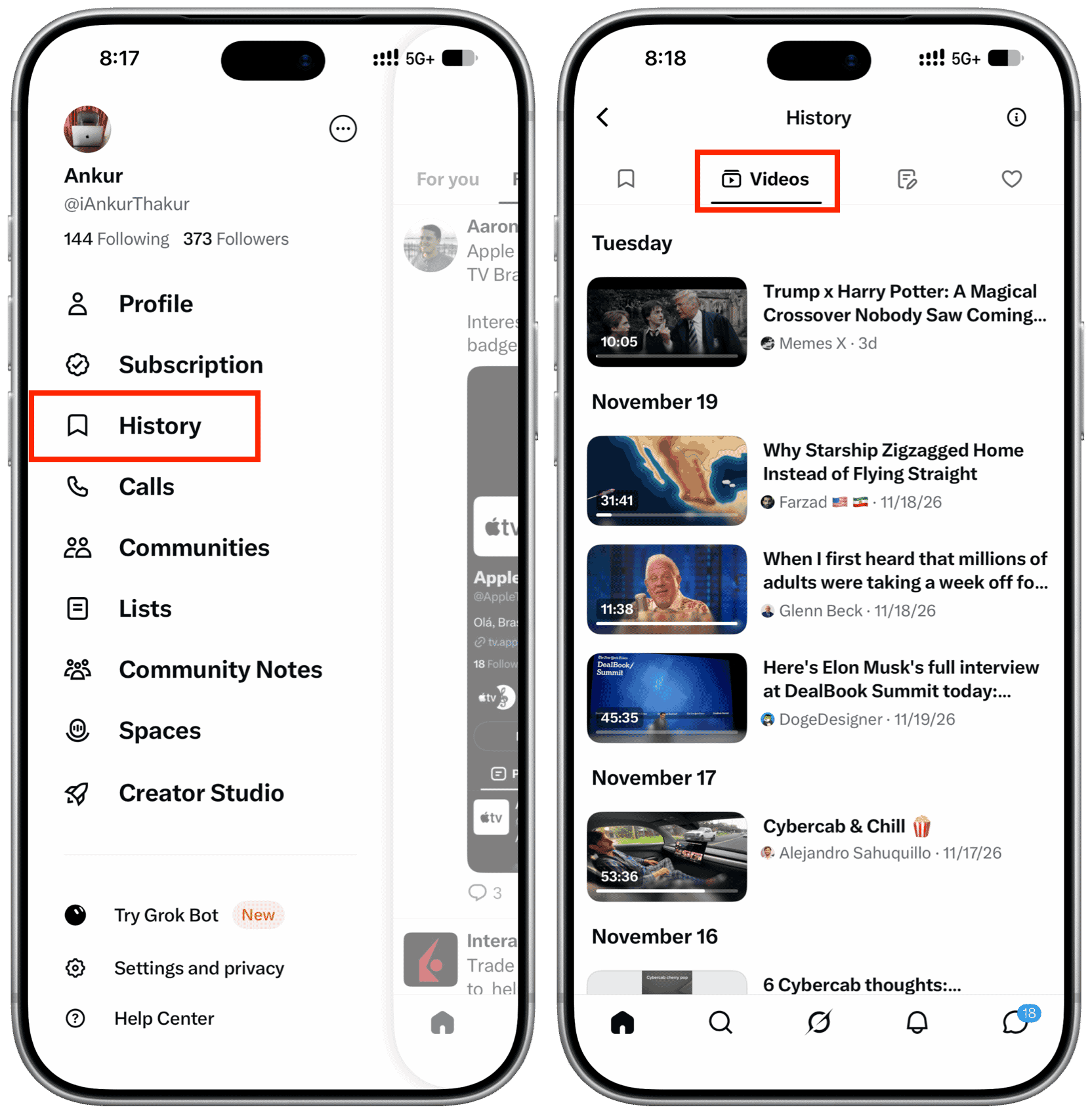
To remove one, touch and hold the video and tap ‘Remove from history.’

iPad
- Update the X app from the App Store.
- Open X and tap the ribbon bookmark icon in the bottom app row.
- Switch to the Videos tab to see the long videos you have watched on this iPad.
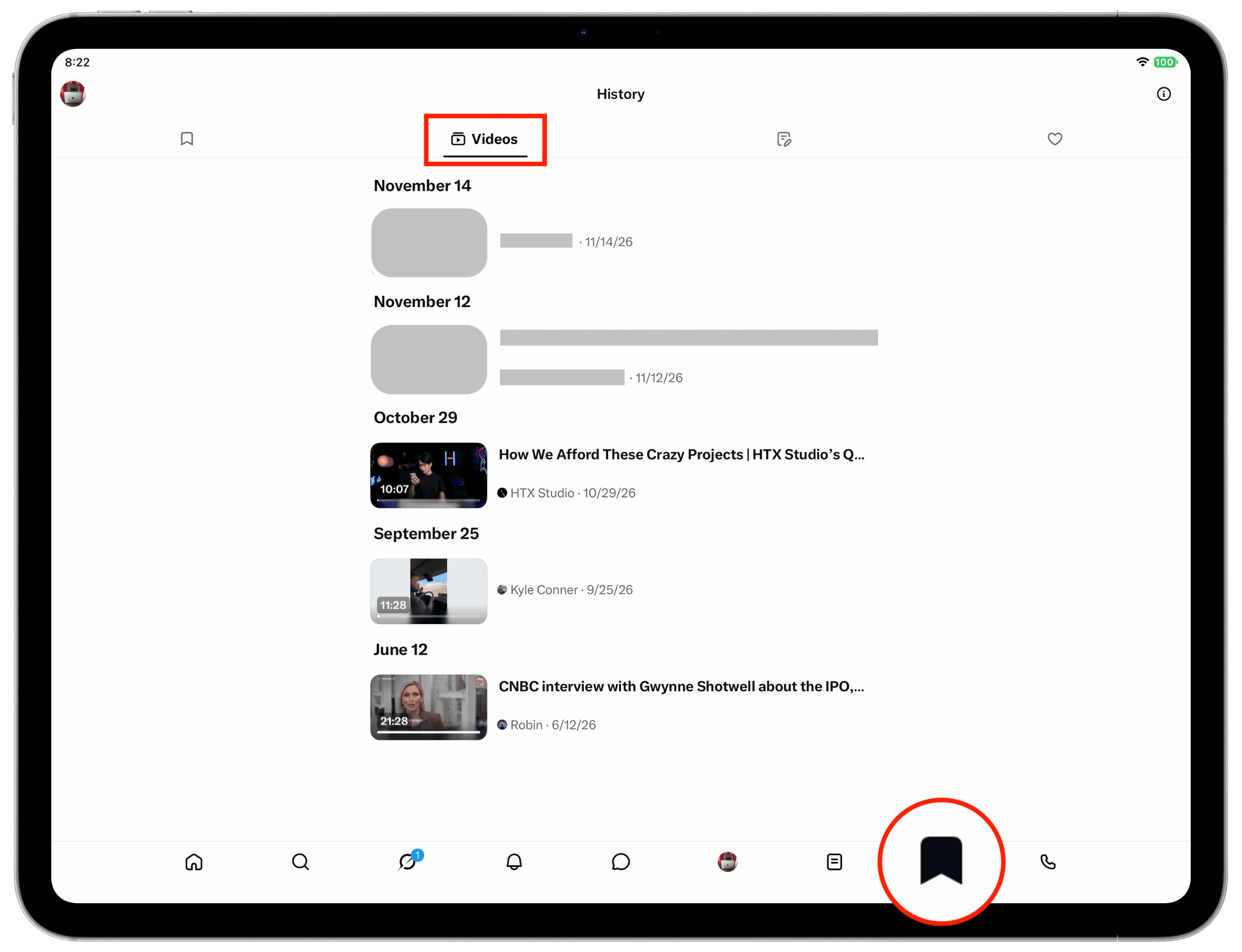
Once X adds this to its Android app and web browser, you should be able to access them using the same steps as on iOS mentioned above.
More about X: