Wallpapers

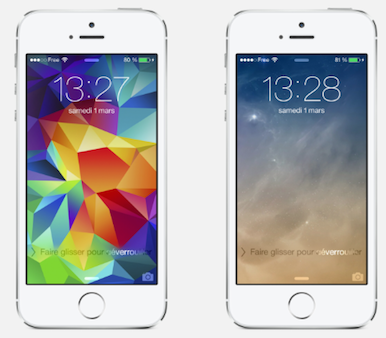
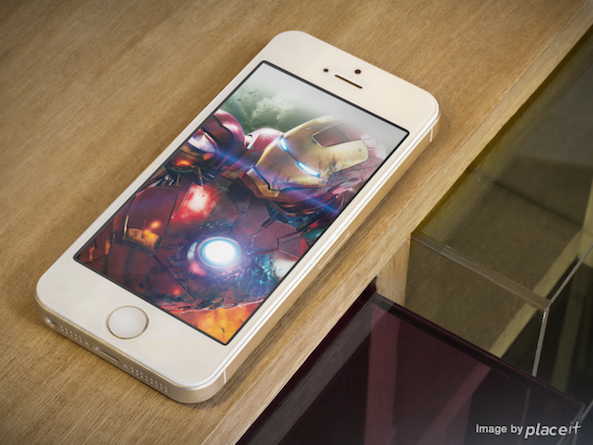
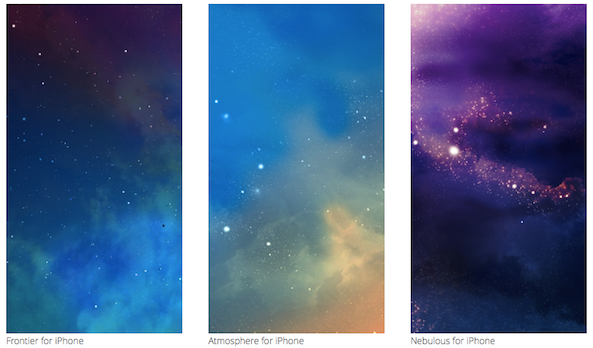
Wallpapers are a great way to personalize your iPhone and make it stand out. There are countless designs to choose from, including nature scenes, abstract patterns, and iconic imagery. Whether you prefer a bold and colorful look or something more subdued and minimalistic, there’s a wallpaper for every taste and style. With new options added regularly, you’ll never run out of options for customizing your iPhone.

Refine your search for the perfect background by selecting a category below, or simply browse our archive of thousands of images for free.

Wallpapers of the Week: blue gradients with tasteful grunge

Week eight of our newly popular Wallpapers of the Week section keeps things fresh. Last week, we featured a Mavericks redesign and another image, Dark Sky. In an overwhelming response, our readers left more then 45 comments on the post and openly shared their favorite wallpapers in the Disqus feed below the article. We really love how much interest there is in the weekly installment of new walls.

Thanks to iOS 7's transparent and layered approach to the UI, walls will affect the overall appearance, mood, and feel of your iOS devices in ways not possible in a Forstall hampered environment. Even more interesting is the broad range of colored iPhone 5C's hitting the market sometime after Apple's September 10th event. We will all be scouring the internet to get a fully compliant color set of walls to match the shiny new devices. Inside we have a great solution for the baby blue iPhone C fans...

Pimp Your Screen: customize your device with backgrounds, icon skins, app shelves, and more

If you want a new look to make your iOS device look just as good on the inside as it does on the outside, there’s an app for that.

Pimp Your Screen is a popular wallpaper app that features hundreds of Retina display quality images so you can make your iPhone or iPad dazzle. The developer recently updated to version 2.0 with great new features, including an improved user interface, a new Themes section, and daily updates to content…

Sodium: remix your wallpaper with tons of custom effects

I don't know about you, but I have a bad habit of keeping the same wallpaper on my iPhone for months on end. That usually makes for a boring background in dire need of a little seasoning — you can probably tell where I'm going with this.

Indeed, Sodium is a new jailbreak tweak that seeks to add some flavor to your iPhone's wallpaper. It does so by means of a variety of custom fill colors, blend modes, and more. Have a look inside at our video walkthrough to get a taste of what sodium offers.

Wallpapers of the Week: pastel purity perfect for iOS 7

As we are now posting the fourth wallpaper article in the new Wallpapers of the Week, I dare continue to proclaim it is a new post. One month in, we are going strong with the series, which has become a popular weekly installment on the site. Thanks to those of you that are participating by sending over your suggestions and personal work.

If you will allow, another brief explanation of the posts. I am curating two wallpapers each week for iOS devices. Many of you have questioned why we cannot provide multiple versions of the wallpapers we are posting. The easy answer, artists do not necessarily create multiple versions of their graphics. Our goal is to provide you with at least two options each week. If the artists provide multiple versions, rest assured, they will be available in the post and I'm certain you will enjoy this week's additions...

Wallpapers of the Week: flat toned and brilliant wallpapers

Third in the still new series on iDownloadBlog, many of our readers were asking for a section including wallpapers. It is sometimes difficult to find quality wallpapers on a regular basis and to assist you with fresh options, the "Wallpapers of the Week" section is now a running series on the site.

With three section posts behind us, I will take this last opportunity to give a brief explanation of the section and help set expectations for future posts. This weekly wallpaper section aims to provide two excellent options for your iOS device each week. I found, trying to locate 5 to 10 excellent wallpapers is difficult. We only want to provide you with quality selections, over quantity. Sometimes the wallpapers posted will come in various versions, but often artists only produce their design for one device. However, whenever possible, all versions will be linked. For example, today we are featuring artist AR7, a talented graphic artist hailing from Italy...

Wallpapers of the Week: iOS 7 Photo app icon-inspired wallpapers

The second in a new series, we are answering the call of our dedicated iDB readers. The "Wallpapers of the Week" section is posting, you guessed it, every week to satiate the thirst for fresh wallpapers on a regular basis. We had a great response to last week's post, which featured photographer @Solefield.

To re-explain, the section will feature two images per week for a specific iOS device. Finding quality images that are formatted for all devices is quite rare and we would rather provide two excellent choices each week than cram in some less desirable options...

Wallpapers of the Week: beautiful naturescapes by Solefield

Wallpapers are of great interest to our readership. We came to this conclusion after posting several wallpaper articles over the past few months, including the wildly popular Evasi0n walls I created for the jailbreak launch. You, the readers, have contacted us through various channels asking for a specific and reoccurring section of iDB that will feature wallpapers for all iOS devices.

This post is a first in a weekly series, which is in direct response to those correspondences and, as the curator, I hope you enjoy this new feature. Being the first dedicated post, I will levy some expectations and concerns...

10 great iOS 7 wallpapers for iPhone 5

With plenty of comments about the iOS 7 overhaul, beta testing is now in full force. Whether or not you are a fan of the new changes, they are coming, lurking in the summer months, waiting for a full reveal this fall with new iOS devices in tow.

Many beta testers have been hitting Twitter looking for and sharing iPhone wallpapers that are iOS 7-ready. AR7 even posted an iOS 7 theme for Winterboard users that are running iOS 6. In an effort to compile the effort, we rounded up some great wallpapers that look amazing on iOS 7. If you are a beta tester, fire them up today. If you are patiently waiting for the public release, start a wallpaper folder and save them for later...

Wallpaper Cyclr: randomly cycle wallpapers using Tumblr tags

One of the best ways to spice up the look of your iPhone is to don some new wallpaper. Wallpaper Cyclr is a jailbreak tweak that takes this basic premise and runs with it.

If pulling in random wallpaper from Tumblr based on tags you assign sounds like a good idea you, then you'll certainly want to take a look at Wallpaper Cyclr. This is a tweak that allows you to change up your wallpaper based on pre-set intervals, and it's always a surprise as to what Wallpaper you acquire on your device.

New in iOS 7: dynamic and panoramic wallpapers

Good news for those who love to personalize their iPhone with the photos depicting their significant other, kids, dogs, kittens and what have you: with iOS 7 Apple has gone beyond adding a bunch of new wallpapers, having implemented cool new enhancements to really bring those wallpapers to life.

Taking a page from Google's Android (obviously), iOS 7 includes dynamically animated wallpapers created by Apple's design team. Not only that, the operating system lets you set any panoramic image from your Camera Roll as your Lock/Home screen background for a jaw-dropping effect. But wait, there's more...

Celebrate WWDC with these gorgeous iOS 7 wallpapers

If you follow the jailbreak community closely or happen to be an avid iDB reader, you are sure (pun intended) to have heard of Surenix. He is quite the well-renowned graphic artist, having worked on recently popular tweaks, such as Atom and MiniPlayer, and developing the Evasi0n logo for the Evad3rs jailbreak team.

Earlier today, we were able to see photographs of the newly hung banners at the Moscone Center in San Francisco for the upcoming WWDC conference. The graphics are simplistic and flat, which correlates nicely with rumors that iOS 7 will change after the crowning of Jony Ive as the new SVP responsible for both software and hardware enhancements.

After these banners were highlighted through the blogosphere, Surenix picked up the design and has released iOS device wallpapers for everyone to enjoy...

How to merge live front facing camera video with your wallpaper

http://www.youtube.com/watch?v=X2n96JcpAls If you have an iOS device with a front facing camera, you can use a new jailbreak tweak on Cydia to "merge" the wallpaper image with live video from the device's front facing camera. Faded Camera Wallpaper is the name of the tweak, and it's a free download on Cydia's ModMyi repo. It's a tweak that will display a faint video feed from the front facing camera, canvased on top of the Home screen wallpaper.

The tweak is exactly as described, and contains no options or settings, which is unfortunate. It might be an effect that you wouldn't mind using from time to time, but there's not even an off switch to disable it. As it stands, it's a usable tweak, but it's in desperate need of a preference panel to at least toggle it on or off. Without such an option, you have a surefire battery killer on your hands, as it appears that the camera is in action even when not at the Home screen wallpaper.

What do you think?