Video

Dev Team Posts Video of iPad 2 Jailbroken on iOS 5

Hot on the heels of MuscleNerd's status update on the iPhone 4S jailbreak, a short video of the iPad 2 has surfaced showing the tablet jailbroken and running Cydia on iOS 5.

No ETA has been given for the iOS 5 untethered jailbreak, but we can only assume that a jailbreak will be released for all devices at once, meaning that you'll be able to jailbreak A5 devices like the iPhone 4S and iPad 2 as well as older generation iDevices...
ZoomIsBack! Brings Tap-to-Zoom Back to the Camera App

Missing iOS 4's double tap to zoom feature? If so, ZoomIsBack! is the jailbreak tweak you've been needing.

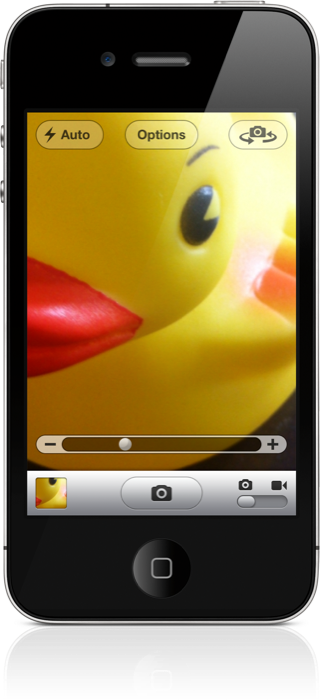
As its name not-so-subtly implies, ZoomIsBack! regurgitates the zoom present in iOS 4 — a feature that was ditched in favor of pinch-to-zoom in iOS 5.

The good news is that once you install ZoomIsBack, both zooming methods work. Check inside for a video walkthrough of the tweak in action...

How to Get Your iPod App Back on iOS 5

I never understood why Apple decided to make the iPhone like the iPod touch — separating the iPod app into Music and Videos — but I guess they are wanting to move away from the "iPod" moniker.

If you hate having separate Music and Video apps as much as I do, then you'll certainly be interested in Unified iPod for iOS 5 — a jailbreak tweak that brings the iPod app back in style on iOS 5...

SmartFolders Lets you Create Folders and Rules for Mail App

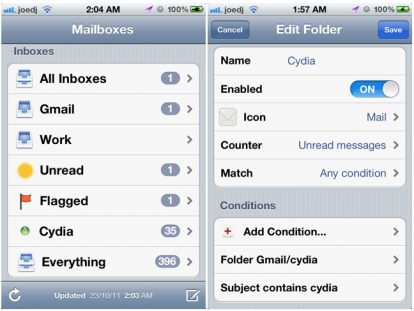
Even with all the improvements Apple has made to the iPhone's Mail app in iOS 5, there are still some glaring omissions, especially if you're the kind of person who likes to create folders and have them populated based on a selection of rules.

Smart folders are something that Apple has embraced on the desktop, with Mail on OS X featuring them heavily, which makes it all the more surprising that they haven't brought them to its mobile platforms.

As always, the jailbreak community has some to the rescue, and SmartFolders is just what the doctor ordered...

IntelliScreenX: The Way Notification Center Should Be

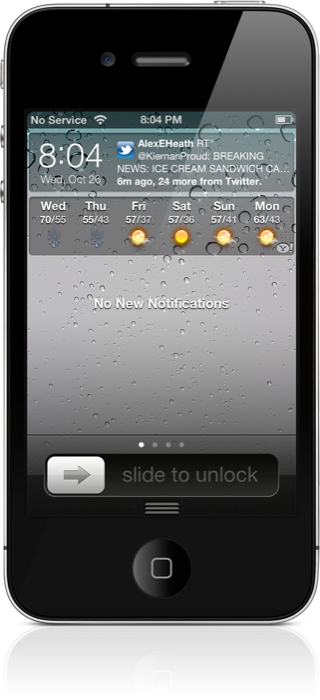
Today we finally got to go hands-on with a near final beta version of IntelliScreenX — the highly anticipated jailbreak app for iOS 5's Notification Center — and let's just cut to the chase, it lives up to the hype, and then some.

Ladies and gentlemen, this is how Notification Center is done. IntelliScreenX makes iOS 5's new pull down menu, a literal center of notifications.

There's Twitter, Facebook, RSS, and email, and it's done in such a way that you can communicate without ever leaving Notification Center; you can even do so from the Lock screen.

Check inside for a full video preview of IntelliScreenX, and you'll see why this upcoming app is reason enough alone to jailbreak your iPhone...

How to Fix iBooks on a Jailbroken iOS 5 Device

Yesterday, a book about Steve Jobs was released; perhaps you've heard of it?

Sadly, if you're an iBooks reader with a jailbroken iOS 5 device, you won't be doing too much catching up on the late Apple CEO's affairs, or otherwise.

That's because iBooks crashes on iOS 5 devices that are jailbroken, rendering it quite useless. Fortunately, there is a workaround. Check out the video tutorial inside, for an in-depth walkthrough on the fix...

Conan Makes Fun of Apple’s Siri Commercial

Chances are you've seen Apple's newest commercial for Siri. It features random people talking to Siri in all sorts of situations, whether it be trying to tie a bow tie or trying to send a text message.

Comedian and talk show host Conan O’Brien has a slightly different vision for what the Siri commercial should be like, so he put together a parody version of the popular commercial that features some more interesting questions for Siri to answer...

How to Add Up to 11 Lines of Text to Notification Center

Notification Center is far and away one of the top features of the new iOS 5, but it's not without its opportunities for improvement.

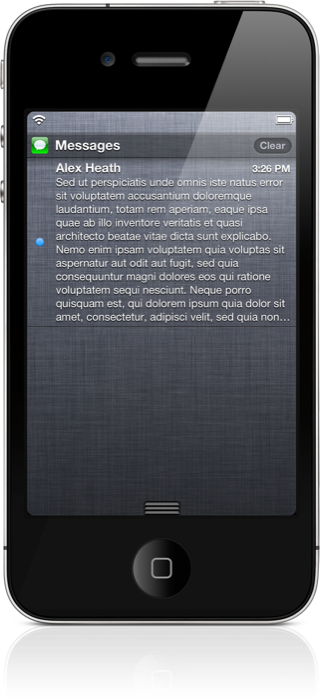
Case in point, you can only see four lines of text maximum on any of the messages that are queued up in Notification Center. There's no way to customize the length of the messages that are displayed.

There's also the annoying matter of having to tap twice to clear out any messages. NotificationCenter Enhancer seeks to address these issues...

Save Video Attachments to Your Camera Roll With iOS 5

After nearly two weeks on the market, people are still finding new stuff in iOS 5. Apple's latest software update to its mobile operating system is loaded with new features — over 200 according to Scott Forstall and company.

The update also includes new capibilities for iOS users. You can activate your device's camera from your lock screen and you can view notifications by swiping down on your status bar. You can also save videos to your camera roll...

How to Add Nyan Cat to Your Notification Center

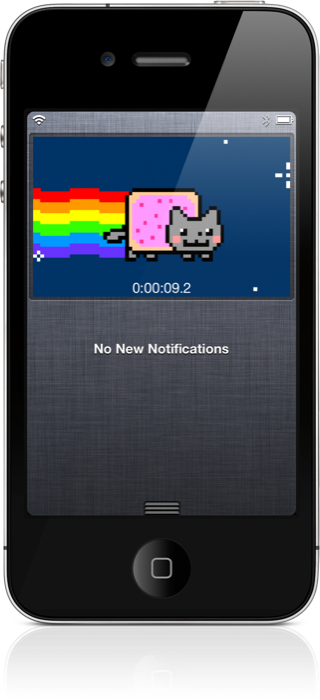
Nyan Cat fans rejoice. Now, not only can you get Nyan Cat sliders to replace your stock iOS sliders, you can now place a Nyan Cat directly in Notification Center.

Some will undoubtedly hate this, while others will be mightily amused. Which camp do you belong to?

Either way, you owe it to yourself to check out NCNyanCat, at least once...

WeeSpaces: Multitask Directly From Notification Center

Quickly switching between pages and apps via Notification Center is now possible, and WeeSpaces is the jailbreak widget that makes it so.

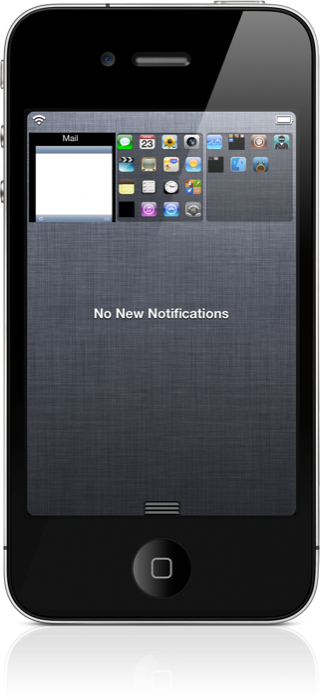
WeeSpaces is a widget that places links to all of your running apps and SpringBoard pages directly in Notification Center.

Interested to see how it works in action? Check inside for a video demonstration...