Jailbreak Apps

Top jailbreak videos of the week

Last week featured a variety of video goodness for your enjoyment. We touched on everything from OS X Mountain Lion, to a brand new method for getting Siri running on older devices. If you missed any of our videos in the last week, then we've conveniently picked out five of the very best.

Please be sure to share our iPhone, iPad, and iOS video guides by spreading our posts on Twitter and Facebook.
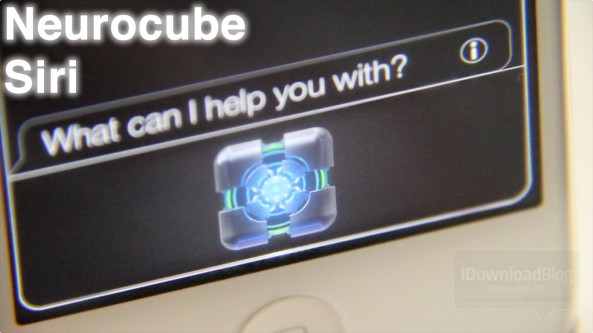
Here’s another awesome animated Siri theme

Neurocube Siri is yet another 3D animated Siri theme that contains nearly 300 frames of animation.

Not too long ago we covered we covered Neurotech Siri, a theme in similar vain, which was also elegantly animated.

Simply put, if you're looking to add style to the Siri interface, then you can't go wrong with either theme.

FastClear: Clear notifications with a single tap

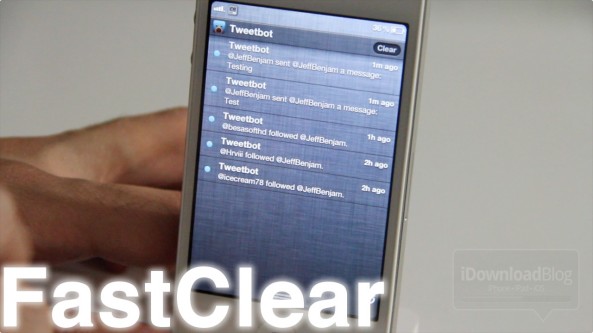
Does tapping twice to clear Notification Center notifications get on your nerves? Well, if you haven't used one of the many already available tweaks to eliminate the issue, perhaps FastClear is what you need?

FastClear is a simple tweak that makes the "clear" dialogue display on Notification Center instead of the "x". This enables you to clear all of your notifications with a single tap instead of two...

Browse through your email more efficiently with Swipe for Mail

If implemented correctly, swipes and gestures can make all your tasks on the iPhone seem far less tedious. That's why Cydia packages like Activator and App Store apps like Clear are so popular.

Now, folks with jailbroken devices can add swipe-based navigation to their stock Mail app, with Swipe for Mail. The tweak enables you to browse through your inbox by swiping across your screen...

‘QuickSiri’ opens Siri in full screen mode, claims to make Siri faster on older devices

Looking to make Siri more responsive on older devices like the iPhone 4? Then you may want to give this free jailbreak tweak a go.

QuickSiri allows you to outright bypass Siri opening in the small 1/4 window mode in favor of full screen mode. The developer of the tweak claims that this can make Siri more responsive on older devices.

But does it actually work?

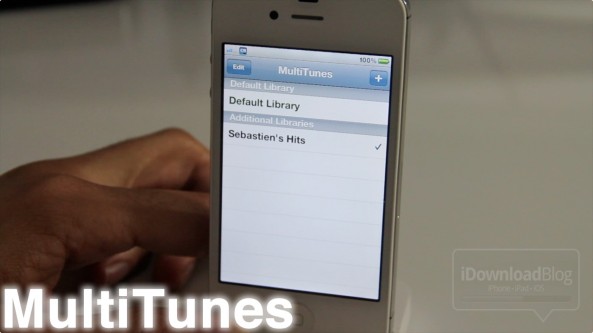
How to sync multiple iTunes libraries with your iPhone

Whenever I hear of a jailbreak app that somehow alters the iTunes syncing experience, a red flag goes up. I guess it was one bad experience I had when I was new to jailbreaking a few years ago that keeps me on guard whenever anything wants to touch my music.

Needless to say, I downloaded MultiTunes and decided to give it a try anyway. What I found was an awesome tweak that works just as advertised. With MultiTunes, you can sync multiple iTunes libraries on your iPhone with ease...

‘Screen Swipe Sounds’ adds sound effects when swiping between pages

It's sure to be a battery drainer, but for those looking for sound effects while swiping between screens, Screen Swipe Sounds is an interesting solution.

For $0.99, the developer has provided over a dozen sounds and the ability to enable vibration when swiping between pages on your iDevice.

The only downside (besides the obvious battery issue) is that the sound selection is quite abysmal. Listen in on our hands-on video inside...

How to launch Siri from Notification Center

Since just about everything else can be launched or accessed from Notification Center, wouldn't it be nice if you could invoke Siri directly from there as well?

With the help of a jailbreak tweak entitled SiriLaunch, now that's possible. SiriLaunch places a little Siri icon shortcut in the bottom left-hand corner of your Notification Center panel for easy access to your personal assistant...

‘WeeRoll’ will add over a dozen animations to Notification Center

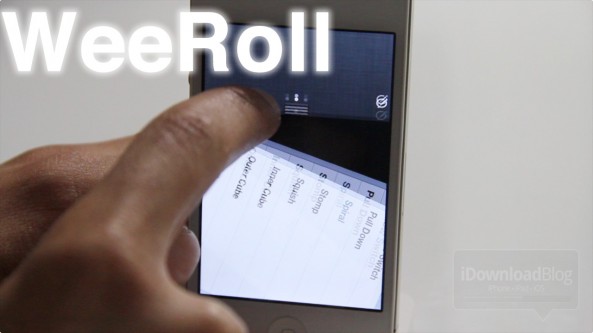
WeeRoll is an unreleased jailbreak tweak that lends the ability to add over a dozen animations to iOS 5's Notification Center.

It's very similar to the Flowtation tweak we covered a while back, except that there's a lot more animation options bundled with WeeRoll.

I asked the developer why his tweak had so many animations, and he replied: "That's just how WeeRoll". Okay, I admit that was bad, really bad.

To make up for it, enjoy this special video preview of WeeRoll in action...