UI

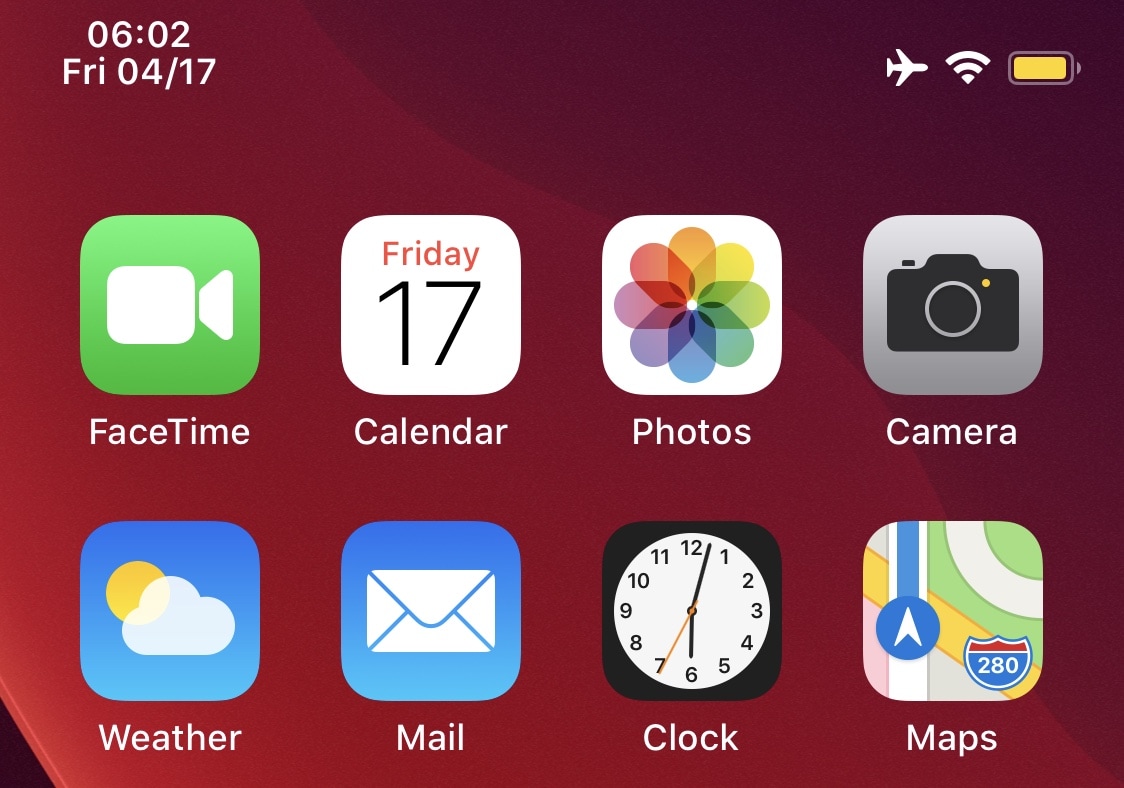
Waqt adds the date to your iPhone’s Status Bar

Apple programmed iOS in such a way that the iPhone’s Status Bar would display the current time. But unlike the iPhone’s larger cousin, the iPad, its Status Bar doesn’t display other pertinent time-centric information like the date.

Fortunately for jailbreakers, a newly released and free jailbreak tweak dubbed Waqt by iOS developer P2KDev can change this apparent shortcoming on Apple's part.
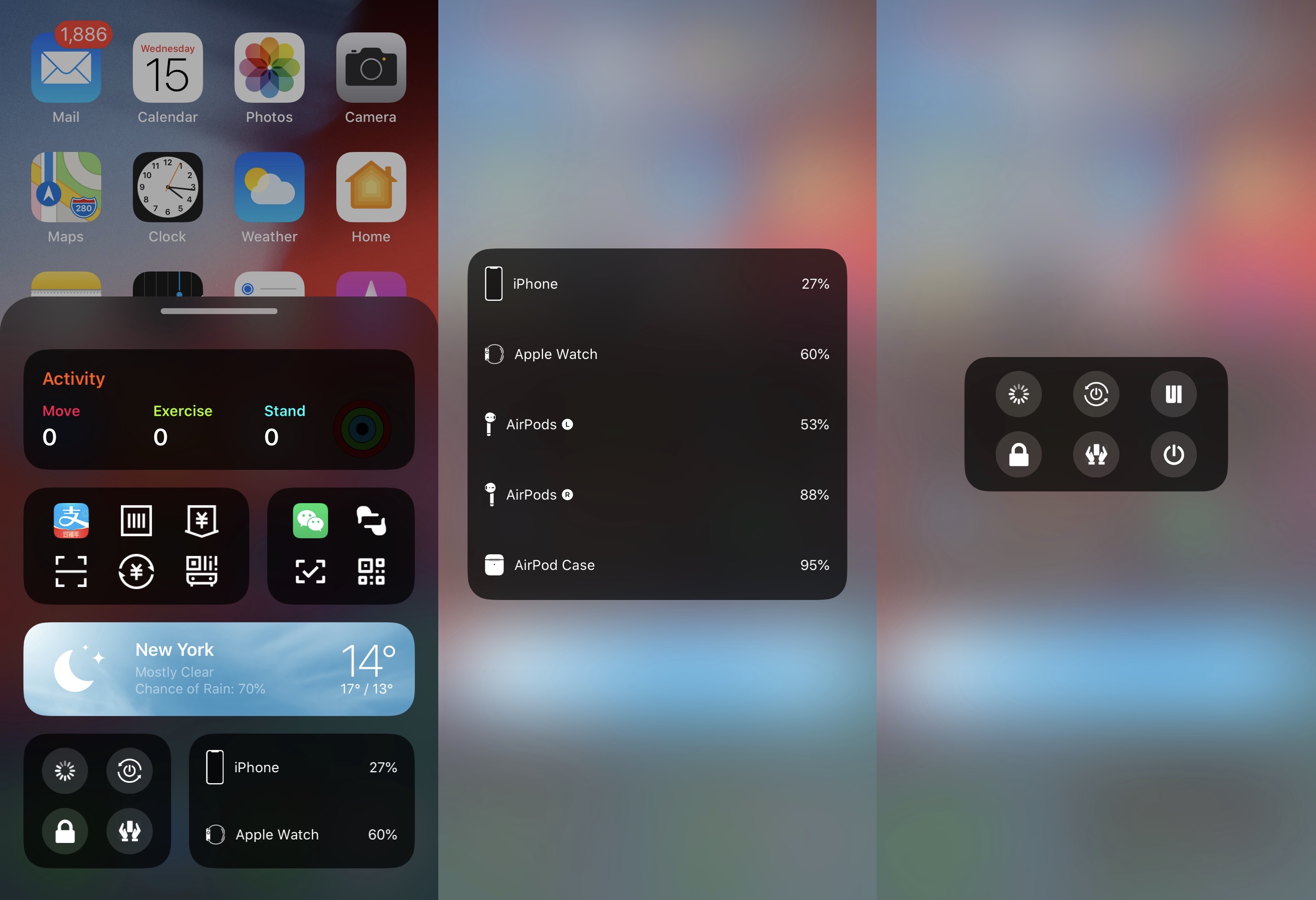

PowerBar is a BottomToolBar extension that displays battery and power info

We’ve covered a plethora of extensions for the popular BottomToolBar tweak including Weather-BottomToolBar and Activity-BottomToolBar among others, but as time goes on, more and more options appear to present themselves in the form of novel BottomToolBar extensions.

The latest of such is a new and free release dubbed PowerBar by iOS developer XCXiao, which much like the name implies, brings a power-centric widget to the BottomToolBar interface.

Aphrodite is an iOS 13-centric asset catalog editor for jailbreakers

Jailbreaking has long been regarded as a means of taking control of your iOS device from Apple. Whether you achieve this by tweaking, theming, or tinkering with the very filesystem itself, there’s a little something for everyone. But sometimes, being handed this much freedom over your device in one fell swoop can seem just a teeny bit complicated, if not downright intimidating.

A new beta project dubbed Aphrodite by iOS developer Joey GM aims to make more complex system tinkering more approachable for jailbreakers, whether they’re novices or veterans.

This new tweak lets jailbreakers colorize iOS’ system toggle switches

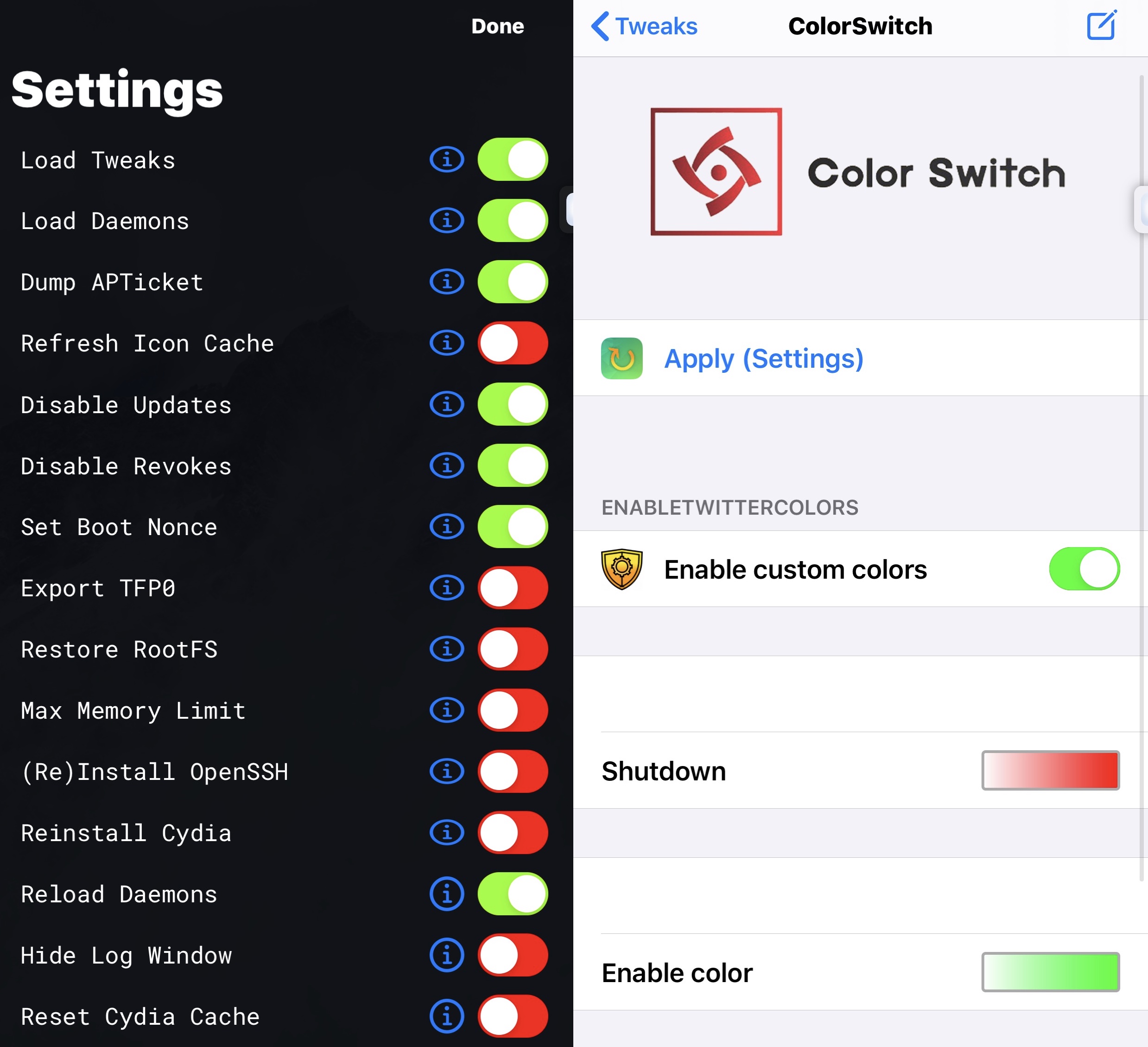
If you’re jailbroken and looking for a fast and easy way to add a splash of custom color to the iOS user interface, then you just might come to appreciate a newly released and free jailbreak tweak dubbed Color Switch by iOS developer ahmedmakls.

Most will probably be able to infer what Color Switch does from the name itself, but for those who are still scratching their heads, the tweak effectively lets you choose the colors for toggle switches used throughout iOS for saving settings.

This tweak brings iPad-style tabbed web browsing to the iPhone

One of my favorite parts of browsing the internet on my iPad is having a near-desktop-class web browser at my fingertips. Unfortunately, many of the features that make the iPad version of Safari so convenient to use aren’t present in the iPhone version, such as tabbed browsing.

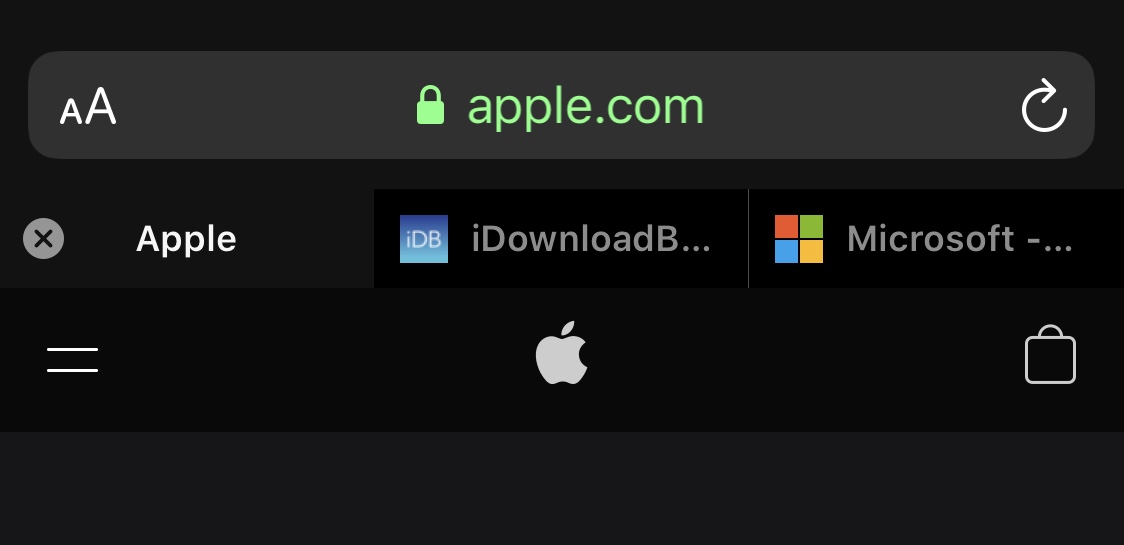
While you can certainly have more than one web page open at once on the iPhone, switching among them isn’t quite as satisfying as it is on the iPad. Fortunately, a newly released and free jailbreak tweak dubbed Safari Features by iOS developer HurouofTech brings the iPad’s incredible tabbed browsing experience to jailbroken iPhones and iPod touches.

FlatURL helps mobile Safari users embrace minimalism

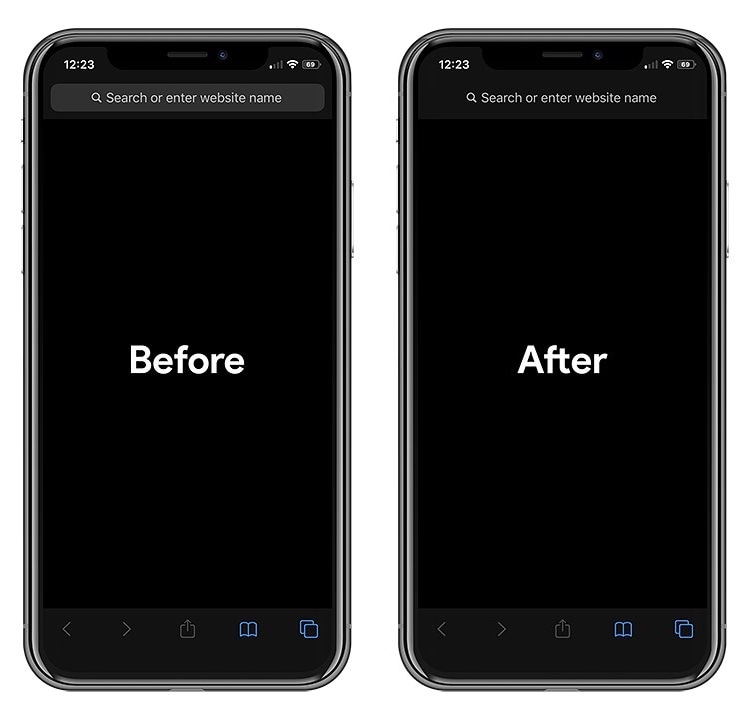
To all those jailbreakers out there that are looking for a spicy new way to tech out their mobile Safari web browser, a newly released and free jailbreak tweak called FlatURL by iOS developer MTAC just might satisfy your cravings.

FlatURL is a relatively simple interface-centric tweak that, as depicted in the screenshot examples above, gives the Safari app’s search/URL bar a minimal aesthetic by removing its background and making it appear totally unified with the header itself.

BetterWidgets offers more customization for iOS’ Today widgets

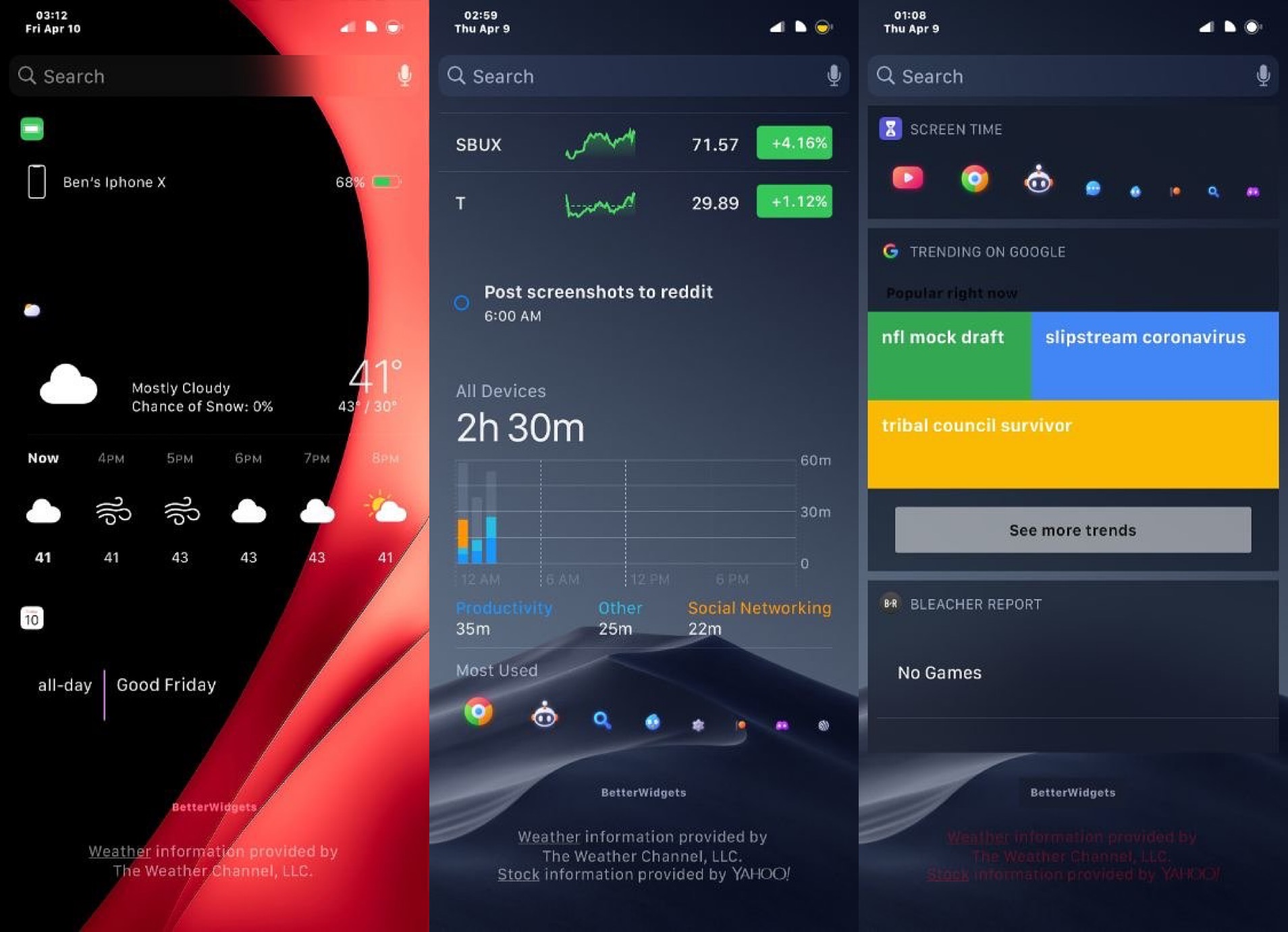
Lots of iPhone and iPad users take advantage of iOS’ Today widget system to snag a glance at pertinent information without needing to launch and navigate complex apps. But Apple doesn’t provide much in terms of widget customization.

If you have a jailbroken handset at your disposal, then you can take advantage of a newly released and free jailbreak tweak called BetterWidgets by iOS developer ShadowDev to get the customization options that Apple has deprived you of since the Today widget system came to be.

Command your iPhone’s Status Bar with peep

The Status Bar is used to display pertinent information about your iOS device at a glance, including the battery level, signal strength, and time, to name just a few of those things. While I like seeing the Status Bar in most cases, I can also attest to the fact that I sometimes wish I could hide it unobtrusively, such as when playing Pokémon GO for instance (as it doesn't blend in well with the game's background).

Here to help with such a whim is a newly released and free jailbreak tweak dubbed peep by iOS developer ConorTheDev, which lets users hide and show their iOS device’s Status Bar on demand with just a tap.

Veza is an aesthetically pleasing Lock screen toggle and shortcut interface

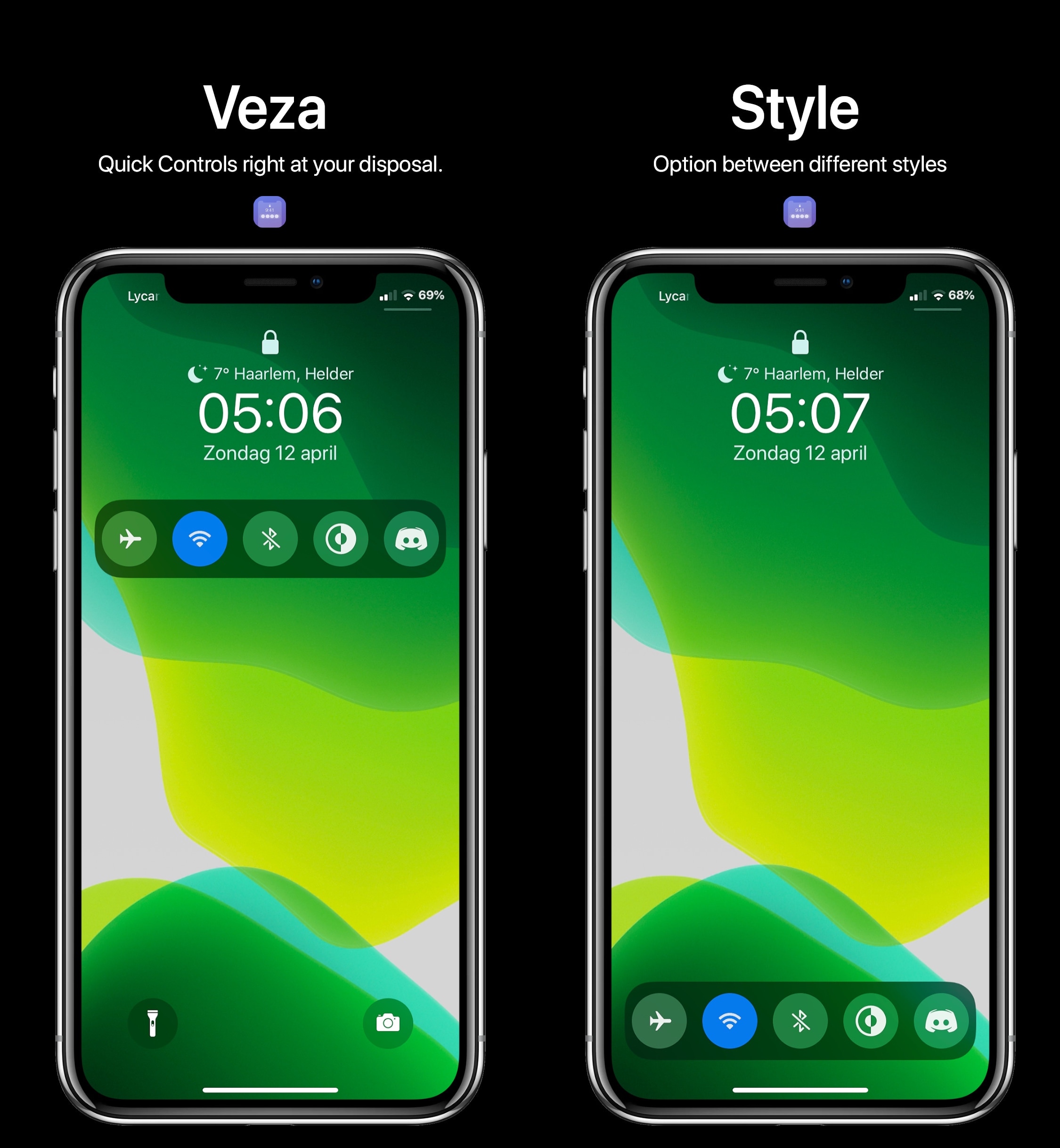
Upon refreshing your sources in your pwned handset’s package manager, you should be able to feast your eyes on a newly released jailbreak tweak dubbed Veza by ApexTweaks in your Changes tab.

Veza makes it easier to interact with your device by adding a myriad of handy Control Center-inspired shortcuts and toggles directly to your Lock screen. In the screenshot examples embedded above, you’ll notice that the tweak is as aesthetically pleasing as it is customizable.

DockSpring lets you use your iPhone’s Dock to respring

Jailbroken iOS device owners know just how important it is to respring after installing jailbreak tweaks or applying changes to their extensions. That’s precisely why it’s convenient to have a means of respringing your handset on demand.

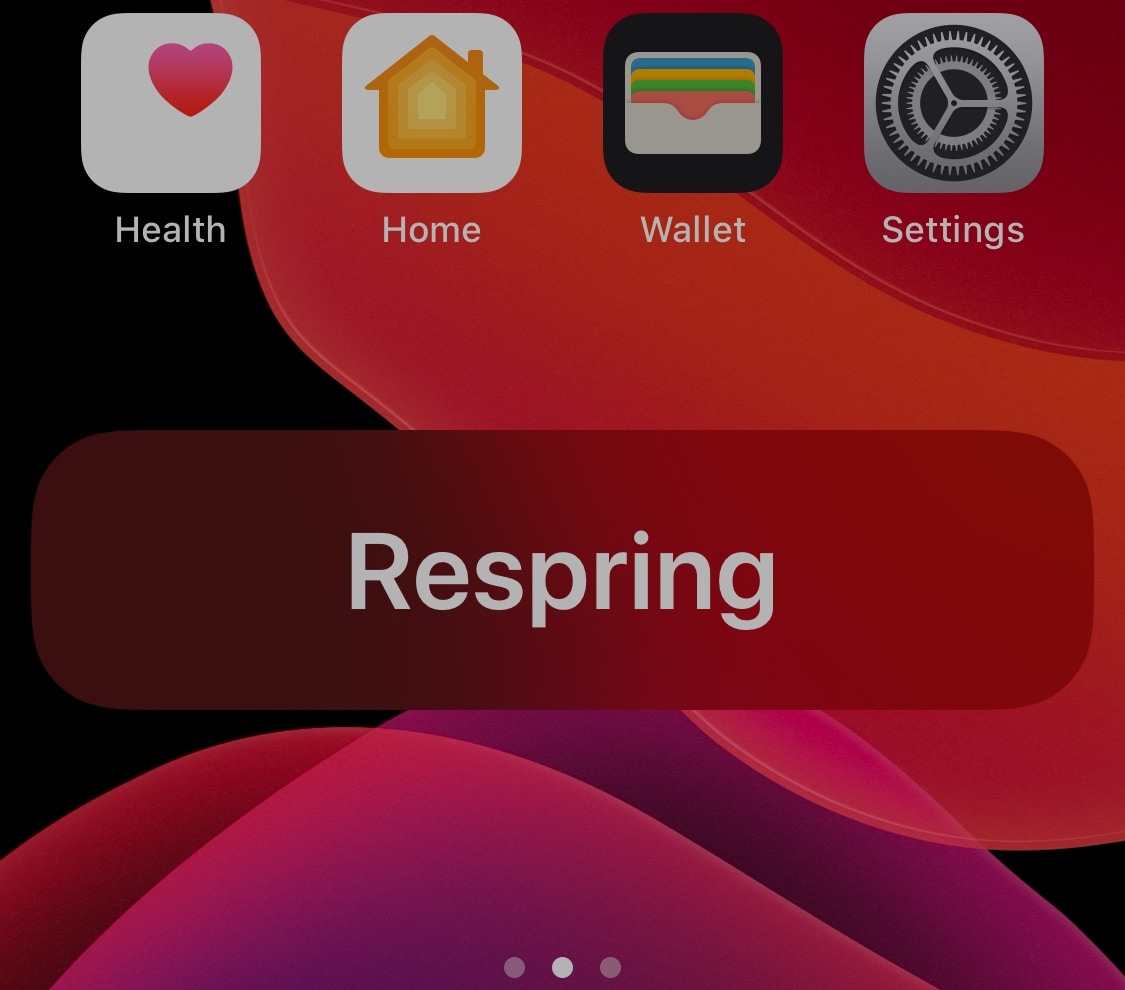
DockSpring is a newly released and free jailbreak tweak created by iOS developer neoney that lets you respring your pwned iPhone with a simple slide-up gesture from the Home screen’s Dock. Not only is it incredibly convenient, but the animations are top-notch as well.

Love fortune cookies? This tweak offers fortunes without the cookie

Opening fortune cookies and reading the words of wisdom inside are one of my favorite parts about ordering takeout from local Chinese restaurants. On the other hand, it seems like one fortune is never enough and I’m always reaching deeper into the bag for a second.

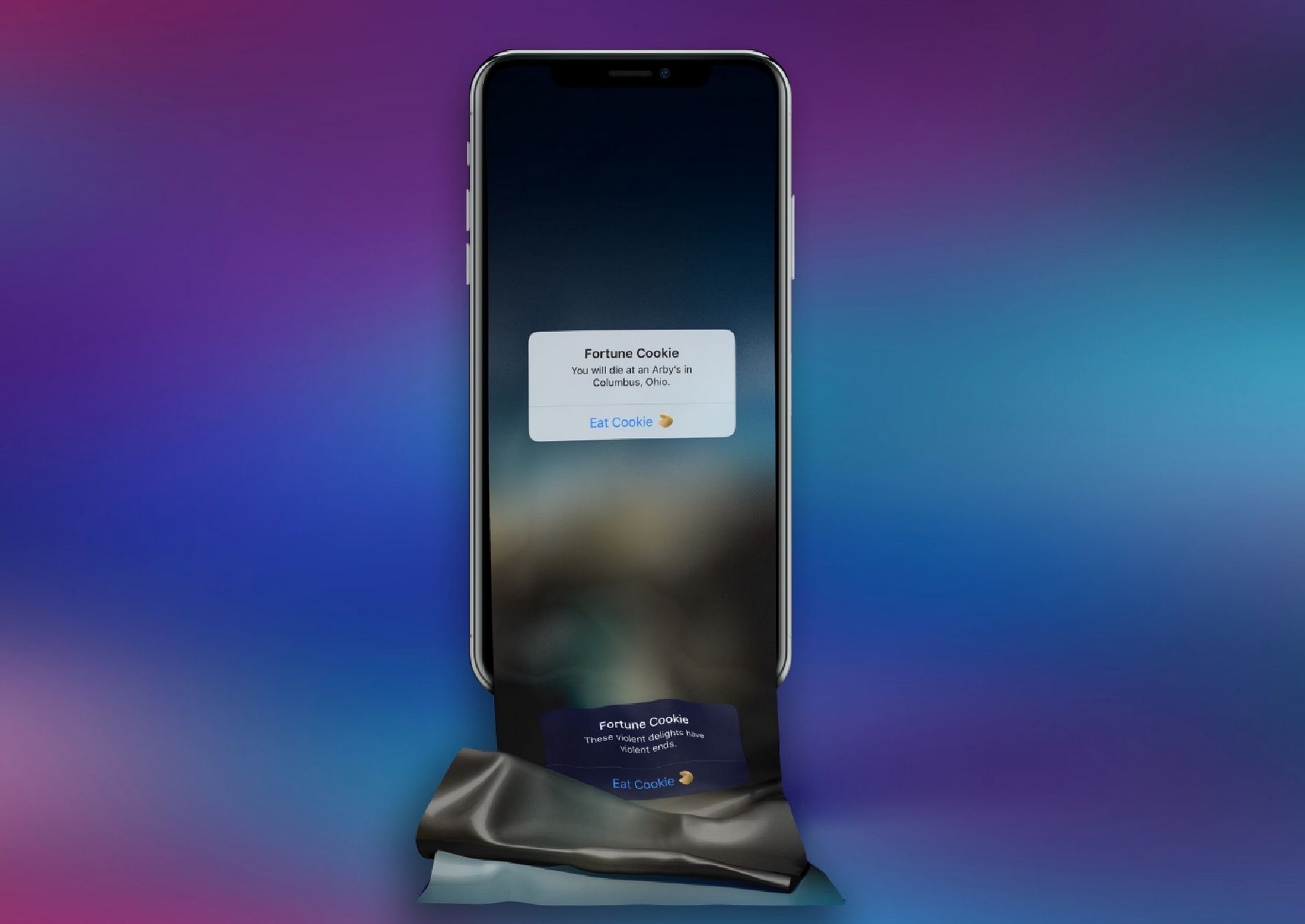
If you’re anything like me and easily entertained by these so-called ‘fortunes,’ then you just might take a liking to a newly released and free jailbreak tweak called FortuneCookie by iOS developer alex_png. This tweak lets you receive free fortunes right on your iPhone without having to eat any unnecessary calories to get them.

This tweak lets you delete all iPhone alarms in one fell swoop

Whether you use alarm clocks to wake up every morning for work or you casually use them to wake up for special events that occur every so often, you might find yourself in a situation where alarm times change or you no longer need an alarm you’ve used previously.

If you use your iPhone as an alarm clock and find yourself in either of the two scenarios described above, then you might enjoy a newly released and free jailbreak tweak dubbed Delete All Alarms by iOS developer 0xkuj. Just as the name implies, this tweak lets you delete all your Clock app’s alarms in one fell swoop as opposed to deleting them one-by-one as Apple currently compels you to.