Tutorial

Learn how to master your Apple devices with our comprehensive tutorials. From iPhone and iPad to Mac, Apple Watch, AirPods, and more, our expert guides will help you unlock the full potential of your Apple products. Discover new features, tips, and tricks each day to enhance your user experience.

How to Add New Sources to Cydia

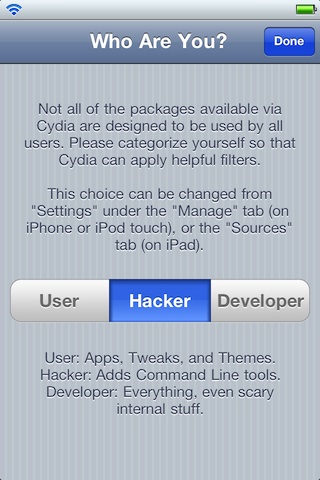
Cydia, the jailbreak equivalent of Apple's App Store, indexes all jailbreak apps/tweaks/mods so that users can easily find them on the iPhone. To have Cydia on your iPhone, you must first jailbreak. This process frees you from having to only download apps from Apple's App Store. Once you jailbreak, you can install all kinds of cool apps, mods and tweaks on your iPhone through Cydia.

Instead of Apple's curated content, Cydia must rely on "repositories" from jailbreak developers to index jailbreak apps. These "repositories" (or "repos") are basically just storage houses for jailbreak content that developers want to distribute through Cydia. Repositories are sources that Cydia searches for jailbreak apps.

By default, Cydia already pre-installs some popular repositories that host most jailbreak content. However, there is a way in Cydia to add more sources. Not all jailbreak content can be accessed through the default sources that Cydia pre-installs. In this tutorial, I'll show you how to add a new source to expand your jailbreak catalog in Cydia...

Using Spotlight Search on the iPhone

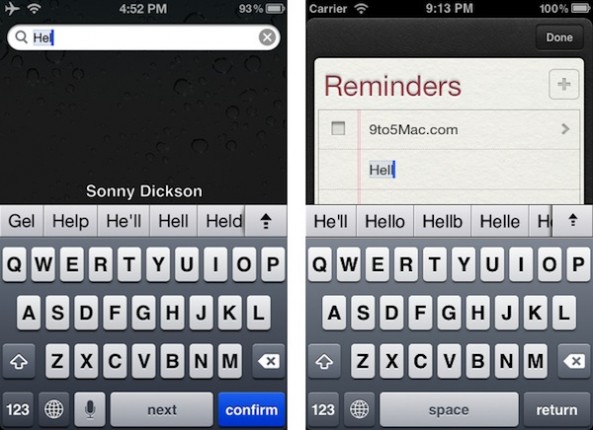
Spotlight is a search technology that you've no doubt become intimately acquainted with if you're a Mac OS X user. For those of you new to the world of Apple, it would be a good idea to become familiar with this extremely handy search tool.

Not only can you search Wikipedia and the rest of the web natively from your iPhone's Home screen, you can also search all of your mail, music, apps, SMS messages, and more.

Take a look inside as we go over the basics of Spotlight search in this latest iPhone Basics tutorial...

Keep Redsn0w Open for a Quick and Easy Tethered Boot

If you're using RedSn0w as a tethered jailbreak solution for your iPhone, then you undoubtedly try to avoid rebooting your iPhone whenever possible. That's because, as we've previously discussed, a tethered jailbreak requires a computer in order to reboot your iPhone successfully.

This "tethered boot" is accomplished by means of RedSn0w, and the Dev Team has tried to make it as painless as possible with new solutions like 'one click' support. However, if you still find that the tethered boot process is consuming a lot of your time, you may want to try leaving RedSn0w running on your computer indefinitely...

The Dev Team Updates RedSn0w Beta Untethered Jailbreak, Fixes Skype Issues

Another day, another update from the hard workers on the Dev Team. Right after releasing RedSn0w 0.9.7b5, they've turned around and released RedSn0w 0.9.7b6. The good news about this latest beta is that it fixes the issues with Skype, which made the app crash as soon as you tried to open it.

Now that the Bluetooth issues have been fixed, and Skype has been fixed, what's next for The Dev Team's untethered jailbreak solution for iOS 4.2.1?

Installing VLC Player From Cydia: A Video Walkthrough

Yesterday, Alex posted an in-depth article explaining the reasons why VLC Media Player was removed from the App Store. As you know, VLC Media Player is the popular video application that allows you to play a variety of video formats on your iPhone.

VLC Media Player is extremely popular on PCs and Macs, so it's wasn't surprising that it was an app that many looked forward to on the iPhone.

Sadly, as you know, the app has been removed, but don't weep too many tears; VLC can still be installed on your iPhone, and this video walkthrough will show you how, step-by-step...

RedSn0w 0.9.7b5 Untethered Jailbreak Fixes Bluetooth Issues

One of the biggest reasons that I chose to stick with the tethered RedSn0w 0.9.6 release for my iPhone 4 is because of the beta version's ongoing problems with Bluetooth support.

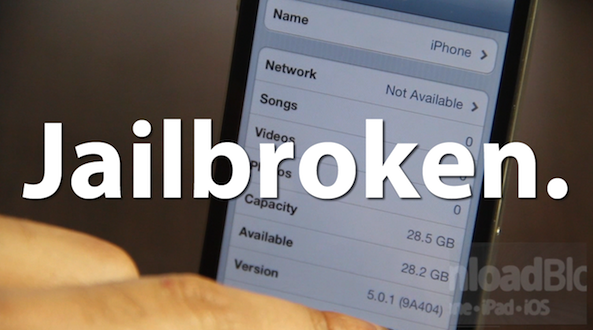
Up to this point, all of the beta versions of RedSn0w 0.9.7 -- an untethered jailbreak released by the Dev Team -- have thus far been devoid of Bluetooth capabilities. When using the beta, the Bluetooth option simply stated "Not Available."

With the Dev Team's latest update to the RedSnow beta, the Bluetooth hurdle has finally been eliminated, and now you can enjoy an untethered jailbreak with full Bluetooth support...

The Basics of Moving and Deleting iPhone Apps

Moving and deleting apps are probably two of the most fundamental functions that any iPhone user will use regularly; hence it fits perfectly in our iPhone Basics series of tutorials.

Step inside as we give you the low down concerning this primary function. We explain how to get into jiggle mode, how to delete apps, and why some apps can't be deleted.

Perfect for those of you who are new to the iPhone...

Taking Screenshots With Your iPhone

Taking a screenshot is probably one of the first "tricks" you learn as a new iPhone owner. For those of you new to the iPhone, you may still be wondering how to take a screenshot.

In this latest iPhone Basics tutorial, we show you how, and why taking screenshots with the iPhone can prove to be quite useful in your day-to-day activities...

Creating Folders on Your iPhone

It's hard to believe that there was once a time when iPhone owners had to do without folders. To make matters worse, iPad owners are just recently reaping the benefits of folders.

Prior to this revelation in organization, our apps were scattered across screen upon screen, making it extremely difficult to find a specific app quickly.

If you're new to the iPhone, or just need a brief refresher course, this iPhone Basics tutorial will explain how to use and manage your folders properly...

Keeping Your iPhone in Tip Top Shape

Whether you plan to resell your iPhone when your contract runs out, or if you just want to keep it looking like new, there are many ways and many reasons to keep your iPhone in good shape.

Obviously, you'll want to look into purchasing a screen protector and a case, but is there anything else you can do to keep your iPhone looking svelte? Check inside for the answers in this latest video entry of our ongoing iPhone Basics series...

IconHarvester: The Easiest And Prettiest Way To Change Your iPhone App Icons

In the jailbreak community, there are plenty of ways to change the way that your iPhone interface looks. Icons especially are a large part of the iOS interface that people like to tweak to their liking.

Once jailbroken, you can do all kinds of things to your iPhone's icons. You can convert old app icons to retina display icons, arrange the way they look on your home screen in any way you want, and the list goes on and on.

Themes via apps like WinterBoard also allow you to change your icons to suit different looks. IconHarvester, by NanoTech, is a relatively unknown jailbreak app that focuses specifically on icon-theming. It's elegant and simple interface make it well worth the price for any icon lover...

How to Untether Your iPhone 4.2.1 Jailbreak with RedSn0w

The long-awaited RedSn0w untethered jailbreak for iOS 4.2.1 was released earlier today by the iPhone Dev Team. As we mentioned before, it is still a beta version, which means it is very unstable and causes a few noteworthy bugs.

We're aware that some of you are true dare devils so we thought it'd still be a good idea to post a guide on how to untether your iPhone. This step by step tutorial will show you how to untether your iPhone 4.2.1 using RedSn0w. This only works for the iPhone 4, iPad, and iPod Touch 4G...