Tutorial

Learn how to master your Apple devices with our comprehensive tutorials. From iPhone and iPad to Mac, Apple Watch, AirPods, and more, our expert guides will help you unlock the full potential of your Apple products. Discover new features, tips, and tricks each day to enhance your user experience.

How to Jailbreak iPhone 4.3 GM with PwnageTool Bundles

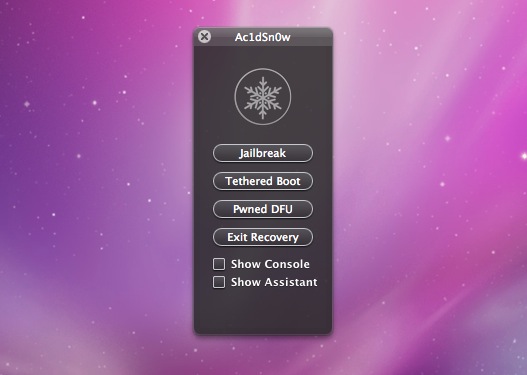
Apple's new iOS 4.3 software will launch officially March 11th. For App Store developers iOS 4.3 GM edition (final) is available now. This tutorial will show you step by step how to  jailbreak your iPhone 4.3 GM Edition with PwnageTool Bundles. Unlike the plug and play ease of GreenPoison, this method will require a few extra steps, but nothing too difficult.

These instructions are for mac OS X users only, but a windows jailbreak shouldn't be too far off. This is also a tethered jailbreak, meaning that every time you restart your iPhone, you will need to be plugged into your computer. It's also important to note that although this is the final beta release, it is still a beta, so please proceed accordingly.  Now on to the tutorial!

iOS 4.3 GM Can Be Jailbroken with PwnageTool 4.2 [Tethered]

We have released a detailed tutorial on how to jailbreak the GM developer build of iOS 4.3. Yesterday, Apple seeded the final developer build of iOS 4.3, and the public release of 4.3 will take place on March 11th.

People are wondering if Apple has patched the current jailbreak exploits in their latest version of iOS. Because the iPad 2 runs on different hardware, it will almost definitely need a new exploit for an untethered jailbreak. As far as the iPhone and iPod goes, we'll keep you updated...

Improving Apps: How You Can Help

There are few things more frustrating than discovering a bug or a crash in an app or tweak you just downloaded. But instead of writing a poor review or swearing off the iPhone altogether, you can actually do something to help fix the problem.

Most developers encourage feedback and would like to pinpoint the exact problem so that they can increase their sales. Here are a few steps you can take to help developers quickly fix their apps so that you can use your apps in the way they are described to work.

How to Jailbreak iPhone 4.2.1 with PwnageTool

The Dev Team just released PwnageTool 4.2, a jailbreak for iOS 4.2.1 for iPhone 3G, iPhone 3GS, and iPhone 4 (AT&T and Verizon), as well as the iPad, Apple TV, and iPod Touch 3G and 4G.

PwnageTool will allow you to jailbreak your iPhone on the latest iOS 4.2.1 while preserving its baseband, thus allowing you to unlock with UltraSn0w, assuming you are still on baseband 01.59.00.

This step by step guide will show you how to jailbreak your iPhone 4.2.1 with PwnageTool, a Mac-only jailbreak for iPhone...

How to Jailbreak the Verizon iPhone

It's official, the Verizon iPhone is here for everyone to purchase and go home with. If you just got your hands on one of them, the first thing you might want to do is to jailbreak your Verizon iPhone.

Not sure what jailbreaking is and why you should do it? Make sure to read our explanation of jailbreaking, and the reasons why you would want to jailbreak the Verizon iPhone. If you're still on the fence after reading this because you worry the FBI might bust down your door for jailbreaking your iPhone, know that jailbreaking is 100% legal, at least here in the US.

This being said, this guide will show you how to jailbreak a Verizon iPhone running iOS 4.2.6 using GreenPois0n...

Tip: How to Stop Text From Appearing Over Your iPod Album Artwork

Annoyed by text appearing over your album artwork in your iPod app? What about all that description junk that usually appears over podcasts? Whenever you tap on your song/podcast's album cover, the time "scrubber" drops down with other settings like shuffle and repeat.

Depending on your song/podcast's metadata, tapping the album artwork could also result in text being displayed over the artwork. You can download songs with lyric or credit info in the description. Lots of podcasts use this window to display episode descriptions and show notes.

Some people really like this feature of the iPod app. It does have its positives. However, if you find it annoying, we'll show you how to easily hide text from appearing over your album artwork...

How to Uninstall Unstable Apps When Cydia Won’t Open

Sometimes we install apps out of curiosity only to discover that they are unstable on our device. In some cases, it's an app developed for a specific iPhone or iPad model. In other cases, the app is only compatible with certain firmware versions. Other times you may have installed conflicting tweaks.

Whatever the reason may be, here is a fix for a constantly crashing Springboard with no way to open Cydia to uninstall unstable apps. If your iPhone boots to the lock screen, but crashes if you do anything beyond that, this guide will help you to remove problematic packages without Cydia.

Tutorial: How To Save Your iOS Game Progress Before A Restore [Jailbreak Only]

There are a ton of great games to play on the iPhone. Most of them have multiple levels and achievements to unlock. You wouldn't want to lose your game progress and achievements in the event that you have to restore your iPhone.

For jailbreakers, backing up data is essential. To upgrade to a new version of iOS, a jailbroken iPhone is completely wiped and updated to the default setup of the next iOS release. A new jailbreak has to then be applied, and all personal data (media, contacts, jailbreak apps, etc) has to be synced back onto the iPhone.

Through the magic of SSH, you can save your iOS game data on your computer in the event that you have to restore. Here's how to do it...

What the %#@! is SSH?!

If you are new to jailbreaking, you are likely to hear the term SSH thrown around quite a bit. For troubleshooting it's essential; for everything else it's very useful.

So what is it? Simply put, it's an advanced way to connect to the iPhone. Also known for it's uses in SFTP, IMAPS, POP3S, etc., SSH is a protocol short for Secure Shell that gives us an encrypted and secure tunnel between two devices.

How to Fix WinterBoard’s Text Shadow Issues

I admit, I'm not a big fan of custom themes and all that jazz. In my opinion most of the themes that come out look a little on the generic side, but I can understand why some users would be fond of the custom element that it adds to the iPhone.

WinterBoard is the de-facto standard when it comes to adding custom themes to your iPhone, and it's a prerequisite for quite a few of the tweaks that are available on Cydia as well.

One of my main gripes with WinterBoard is the fact that it can interfere with the text on your Home screen. The text for the app names turns into a grey, shadowless, illegible mess as seen in the screenshot above.

To try to remedy this issue, WinterBoard comes with a "White Text Labels" option in its 'Select Themes' section. This helps alleviate the issues surrounding the color of the text, but unfortunately still lacks the shadows that the stock look is known for...