Tricks

Why and how to use custom DNS settings on your iPhone, iPad, and Mac

DNS Settings on Mac

When you visit a website on your computer, such as iDownloadBlog or Google, you're using domain name system (DNS) protocol to exchange information between your computer and the server providing you with that website.

Depending on the DNS server you're using on your Mac or iOS device; you might not be experiencing the best speeds and web securities that you could be.

In this piece, we'll tell you why you may want to consider switching to a new DNS and show you how to use a custom DNS on your Mac, iPhone, or iPad.

10 useful keyboard shortcuts for the Preview app

Preview app keyboard shortcuts for Mac

The Preview app comes pre-installed on all Macs and is more useful than a lot of people give it credit for. It's not only used for opening different file types that reside on your Mac but it can also be used to edit those files and extract images from apps.

Regardless, most of you probably use just your mouse or trackpad to get things done in the Preview app. In this piece, we'll show you 10 ways you can use your keyboard to quickly perform actions in Preview by way of these useful individual keyboard shortcuts.

Give your Retina Mac’s screen more real estate with scaling options

Macs that comes with retina displays allow the user to configure their own resolution scaling options.

These scaling options can be taken advantage of to give your Mac more screen space and gives you the illusion that your screen is bigger than it really is. With that in mind, you can run more windows side-by-side and be more productive.

In this tutorial, we'll be showing you how you can create more space on your screen for additional windows on your Retina display Mac – this includes the new MacBook, some MacBook Pro models, and even some iMac models.

Delayd lets you schedule text messages, social media posts, & more

When you have lots of Birthdays and holidays coming up and you want to wish all your friends and family the best, it can be hard to keep track of these dates on a day-to-day basis.

Fortunately, a useful utility app called Delayd is available for free in the iOS App Store that will allow you to schedule messages to your loved ones so you don't have to remember to send those special messages when the day finally comes.

In this piece, we'll talk about how Delayd works and show you how you can use it to schedule messages to people, but keep in mind the app can also be used for scheduling emails, Facebook posts, and Tweets in addition to SMS messages.

How to fix Ethernet problems after a recent Mac security update

As my colleague Christian reported on Saturday, some Mac models have been plagued by non-working Ethernet ports after installing a new security update outed by Apple. Although a lot of modern Macs don't even have an Ethernet port, many models still carry it and many people still love using a wired internet connection because it's faster, more reliable, and more secure than a wireless network.

The security update, known as "031-51913 Incompatible Kernel Extension Configuration Data 3.28.1," reportedly blacklists the Broadcom BCM5701 driver used by the Ethernet port that comes standard on many Mac machines.

Fortunately, there's a light at the end of the tunnel for anyone experiencing issues with their Ethernet ports after installing this security update. Apple has issued a support document on Sunday that notes how to fix the problem. In this tutorial, we'll go over the steps to fix the problem yourself.

How to customize the look of Terminal on Mac

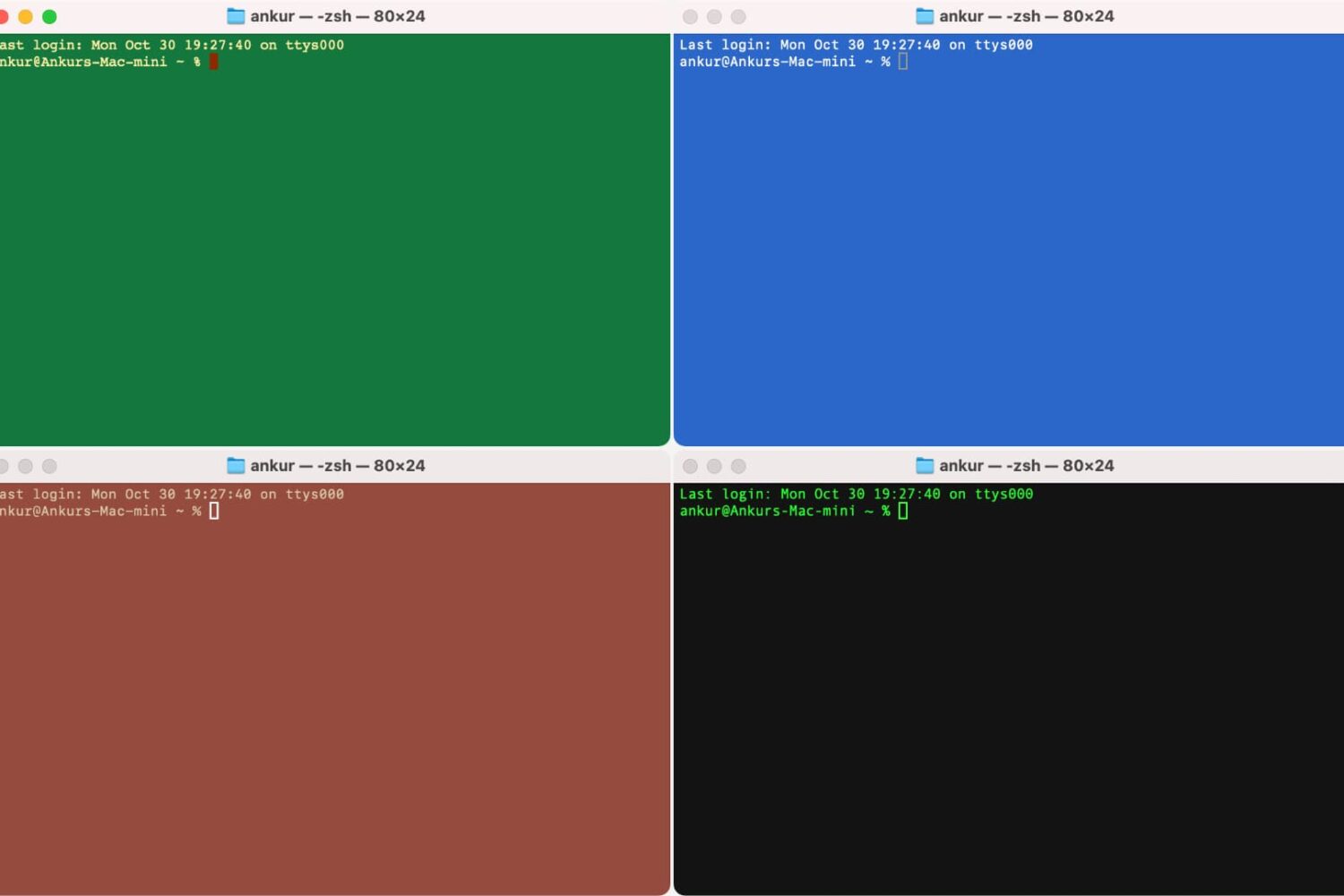
Terminal window in four different colors

Many people use Terminal on their Mac to carry out the commands they want to use to make changes on their system, and by default, it’s a plain white interface with black text. Because this is simply boring, we’re going to show you in this tutorial how you can colorize the Terminal window to look exactly how you want it to.