Learn how to turn off Safari suggestions on your iPhone, iPad, or Mac that appear as content previews when typing search terms in the address bar.
How to disable Safari Suggestions on iPhone, iPad, and Mac

Learn how to turn off Safari suggestions on your iPhone, iPad, or Mac that appear as content previews when typing search terms in the address bar.

You knew about three-dimensional buildings and landmarks on Apple Maps—a feature they're calling Flyover mode. But did you know that Apple's mapping service includes virtual tours of more than a hundred major metropolises worldwide? If not, that's because Apple hasn't exactly gone to great lengths to advertise it front and center in the Maps interface.
These virtual tours are basically auto-playing animations in Flyover mode, complete with three-dimensional buildings, terrain and landmarks. They're quite useful if you're visiting a city for the first time, though virtual tourists who want a quick overview of a major city will also find them fun and entertaining.
Here's how you can explore and enjoy 3D Flyover Tours on Apple Maps for the iPhone, iPod touch, iPad and Mac.
You're probably familiar with Apple's Remote app for iOS devices, which allows you to control your iTunes playback on your Mac from your iPhone, iPod touch, or iPad so long as you're on the same network.
On the other hand, when I think of the word "remote," I think of much more than just controlling music.
It would seem that the makers of the popular Mobile Mouse Remote app for iOS thought the same, and in this piece, we'll talk about how the app works to make your iOS device a superior remote for your Mac.

XPS files are essentially like Microsoft's version of a PDF file. They're easy to create and open on a Windows PC, but when it comes to macOS users, XPS files are anything but plug and play.
In this piece, we'll talk about XPS files and what they're used for, and then we'll touch on how to open XPS files on a Mac easily and for free without having to download any software.
Apple Music, which is Apple's own answer to the music-streaming industry, is a great place to easily search for a song you want to listen to and then play it on demand.
The only problem is, Apple Music keeps a running history of the songs you search for.
So now when you have your co-pilot in the passenger seat of your car choose a new song for you (because we know you don't use your iPhone and drive at the same time!) he's going to laugh at you because of the last time you felt like jamming out to some really embarrassing music.
Well fret not; in this tutorial, we'll show you how you can delete recent searches from the Apple Music app on your iOS device.
By default, any time you set an alarm on your iPhone, it'll vibrate when the alarm goes off. For some people, this is a good way to help get woken up, but for others it's a waste of battery and can be completely annoying to hear that loud vibration on the night stand.
In this tutorial, intended for iPhone users only, we'll be showing you how you can set up an alarm so that your iPhone doesn't vibrate when it goes off.

Discover all the handy ways to use your fingers, trackpad, or mouse to zoom in and out of Apple Maps on your iPhone, iPad, or Mac.
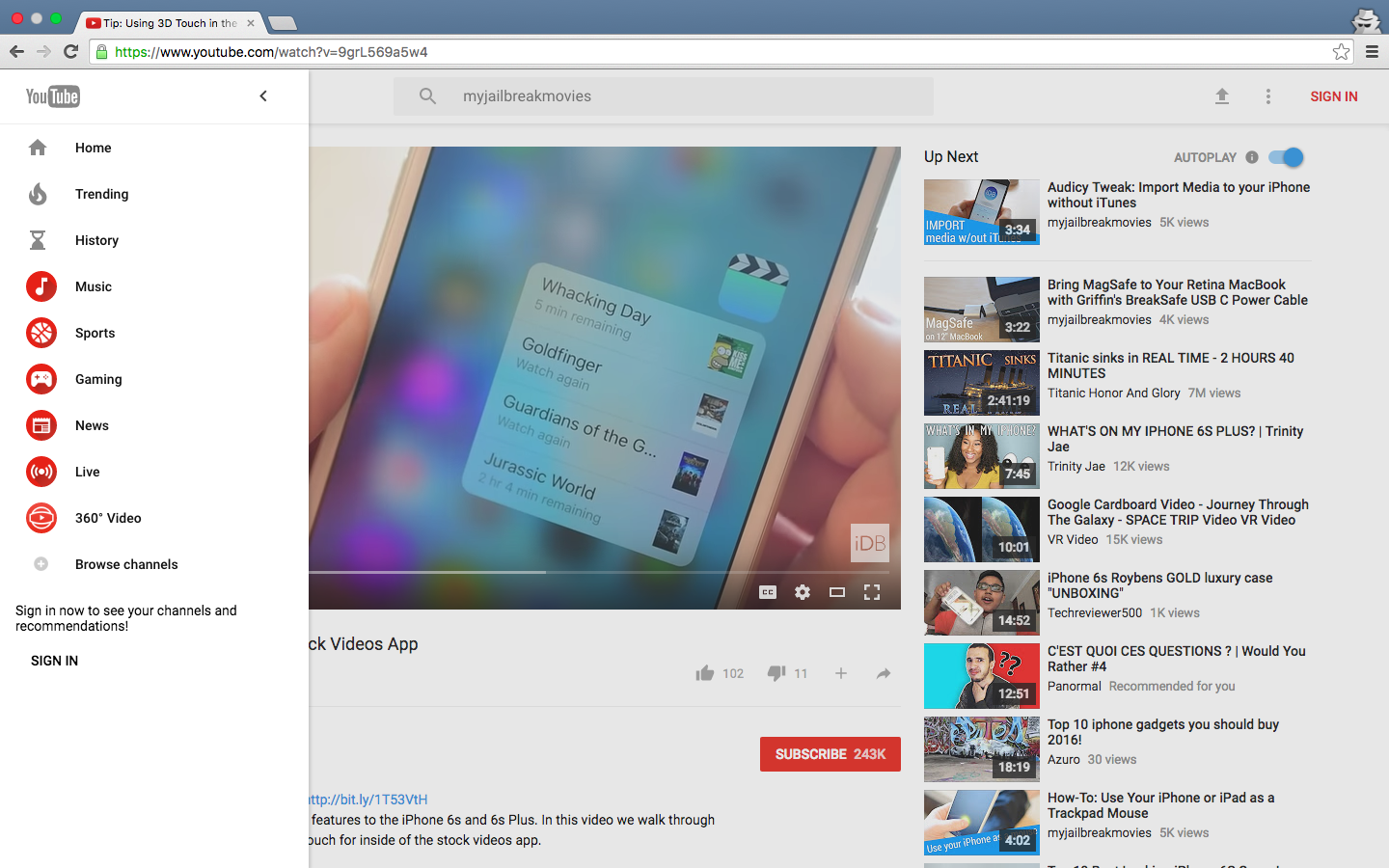
YouTube is getting Google's Material Design refresh pretty soon and it looks pretty neat. Aside from the Upload button being replaced by the upload arrow graphics consistently used across Google's mobile apps, you'll notice a Material Design-inspired search field in the center.
More importantly, YouTube's new looks include the background color on the Channel pages matching the header image, rounded icons in the sidebar, more whitespace around videos in the video player and a few other minor changes.
Chrome users can have an advance look at the upcoming refresh right now. Here's how you can enable Material Design on YouTube ahead of its release, in just a few clicks.

Chances are, you're probably so accustomed to taking screenshots on your Mac with the stroke of a few keyboard keys that you didn't even know you could take a timed screenshot. In this tutorial, we'll show you how you can set your Mac up to take a timed screenshot, which depending on the situation, can be very useful.
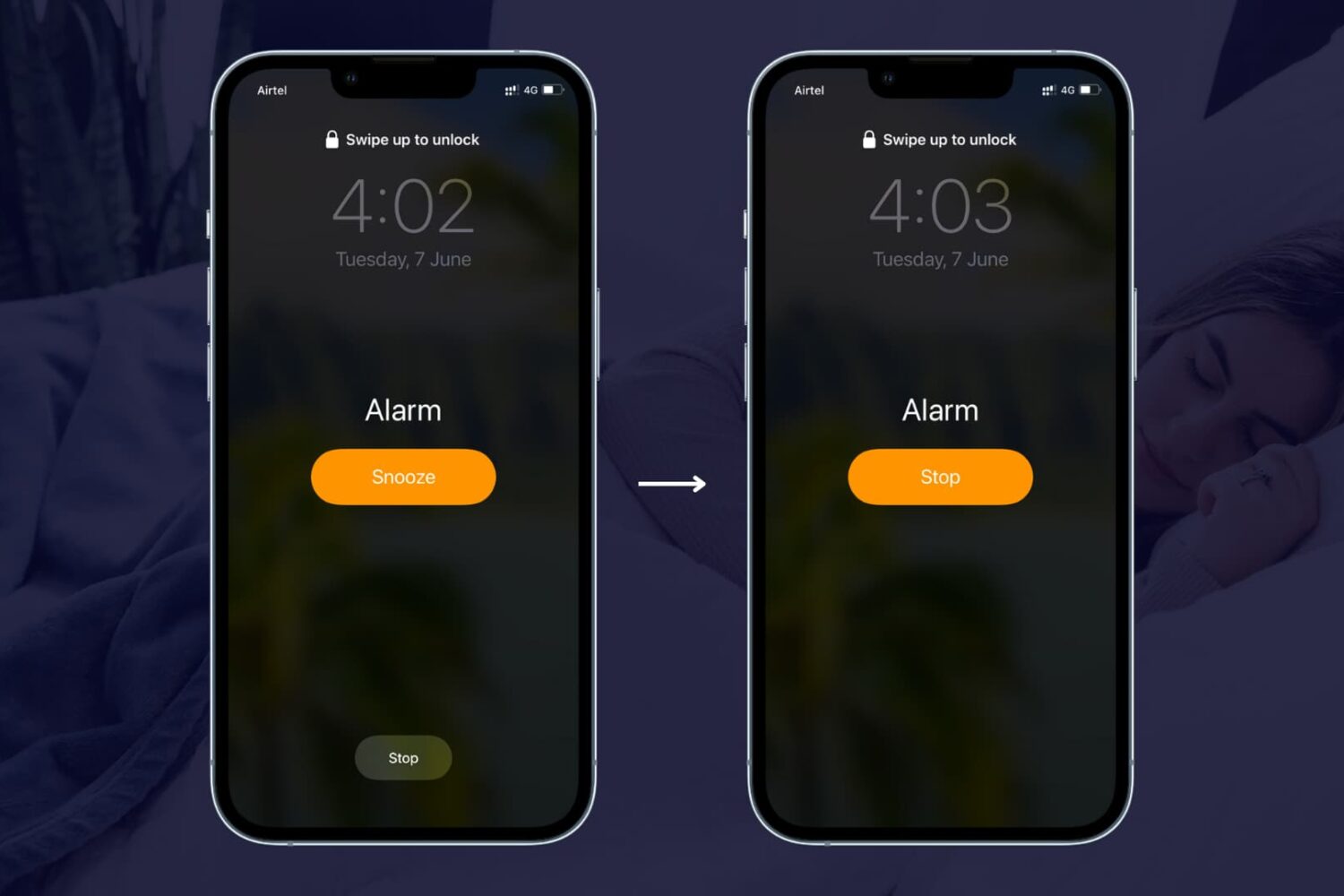
Learn how to remove the snooze option from the alarm on your iPhone or iPad so you're not tempted to delay waking up in the morning by pausing the alarm.

Among the plethora of built-in OS X features that help keep your Mac secure is something called File Quarantine, a download validation technology that checks any downloads for known malware when you try to open them.
File Quarantine is also available in compatible applications like Safari, Messages, iChat and Mail that download files from the Internet or receive files from external sources, such as email attachments.
Additionally, OS X blocks compromised versions of web plug-ins from functioning, including Java web apps and Adobe Flash content, to further limit your Mac's exposure to potential zero day exploits.
In this tutorial, we'll discuss how you can make sure that File Quarantine updates are turned on, which will allow your Mac to receive latest malware definitions and information about compromised web plug-ins from Apple.
