Theme

This tweak is jam-packed with colorization options for your 3D Touch menus

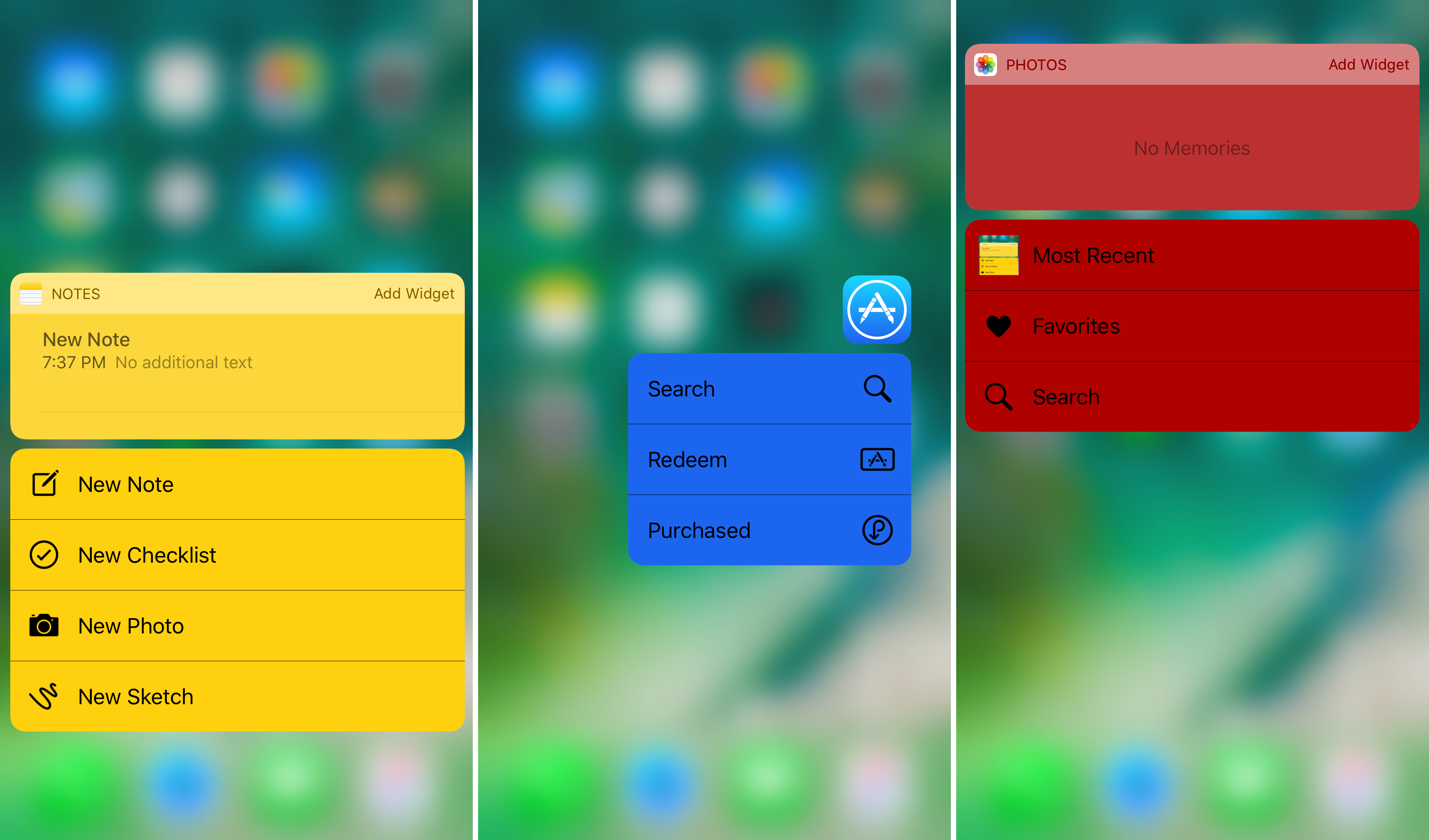
One of the things Apple included on devices with the 3D Touch display is the ability to use a firm press gesture on an app icon to reveal a bevy of app shortcuts right from the Home screen. While this is useful, the menus have always looked pretty bland.

A jailbreak tweak called 3DColorChanger10 by gilsharhar7 fixes this problem by offering a myriad of comprehensive customization options that dwarf any tweak in its department.
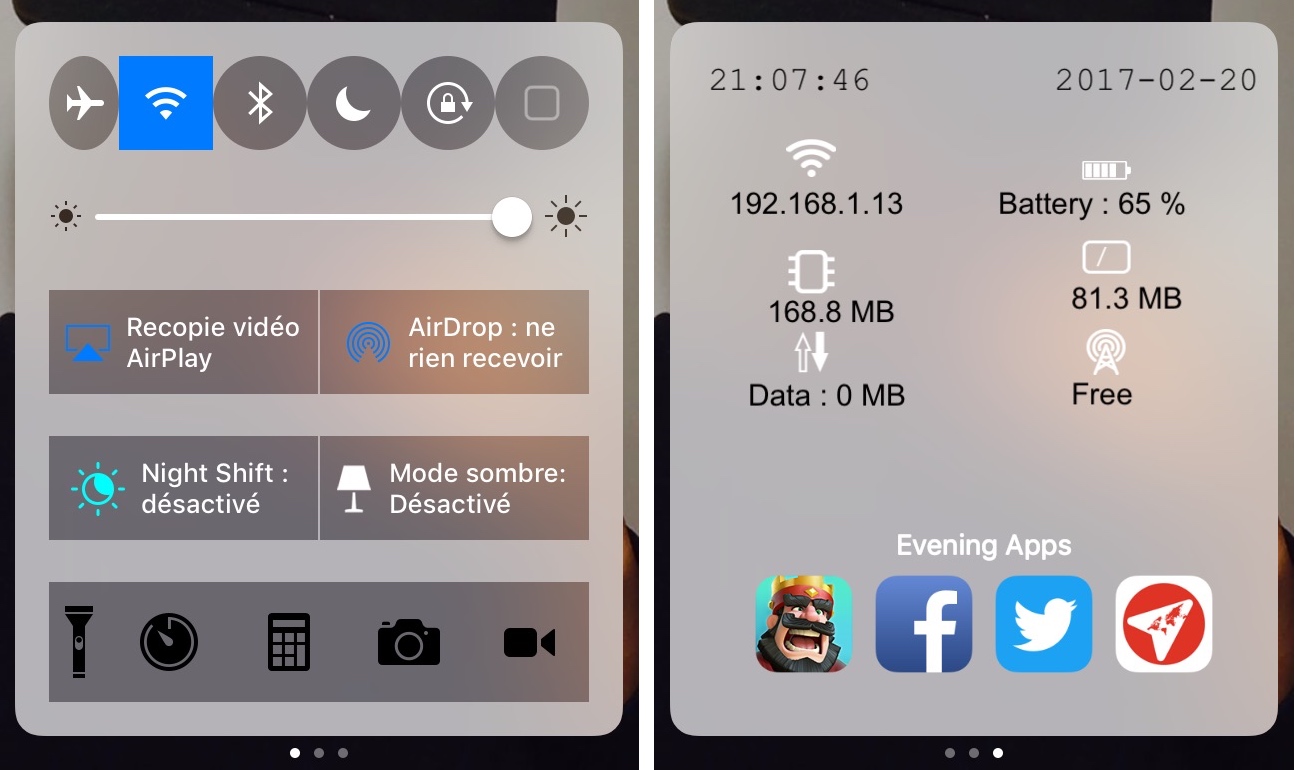
Customize Control Center with CCPlus

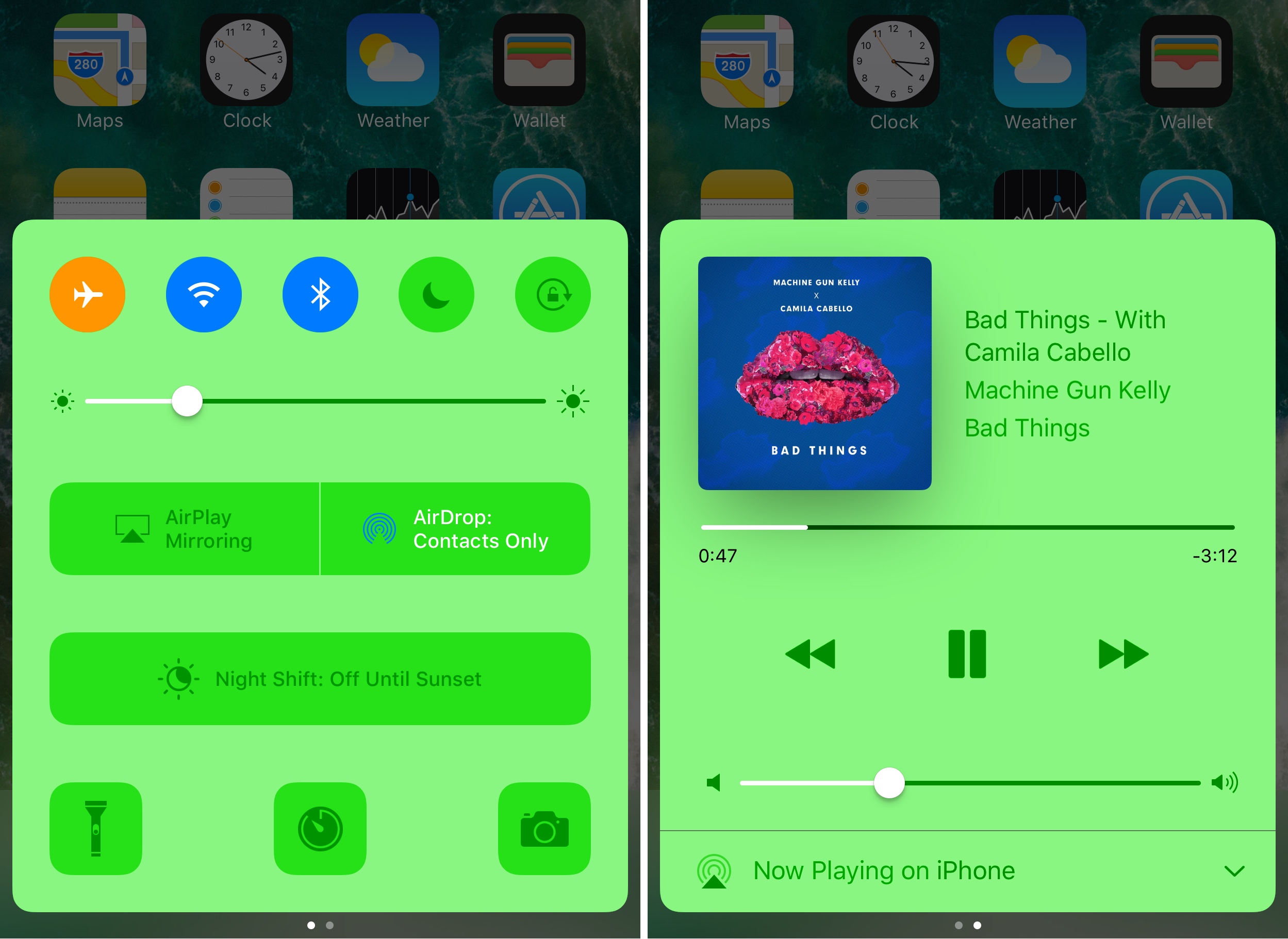
Control Center made iOS devices more usable after debuting post-iOS 7, as it allows you tinker with settings and shortcuts without ever having to open an app to do so. On the other hand, Apple still doesn’t give the user even the most basic of customization options, which leaves a lot to be desired. Fortunately, the jailbreak community picks up the slack in this department.

With a new free jailbreak tweak called CCPlus by iOS developer Skitty, you can configure the look and feel of Control Center so it reflects what you want, rather than what Apple expects it to be.

This tweak hides the background of the predictive keyboard

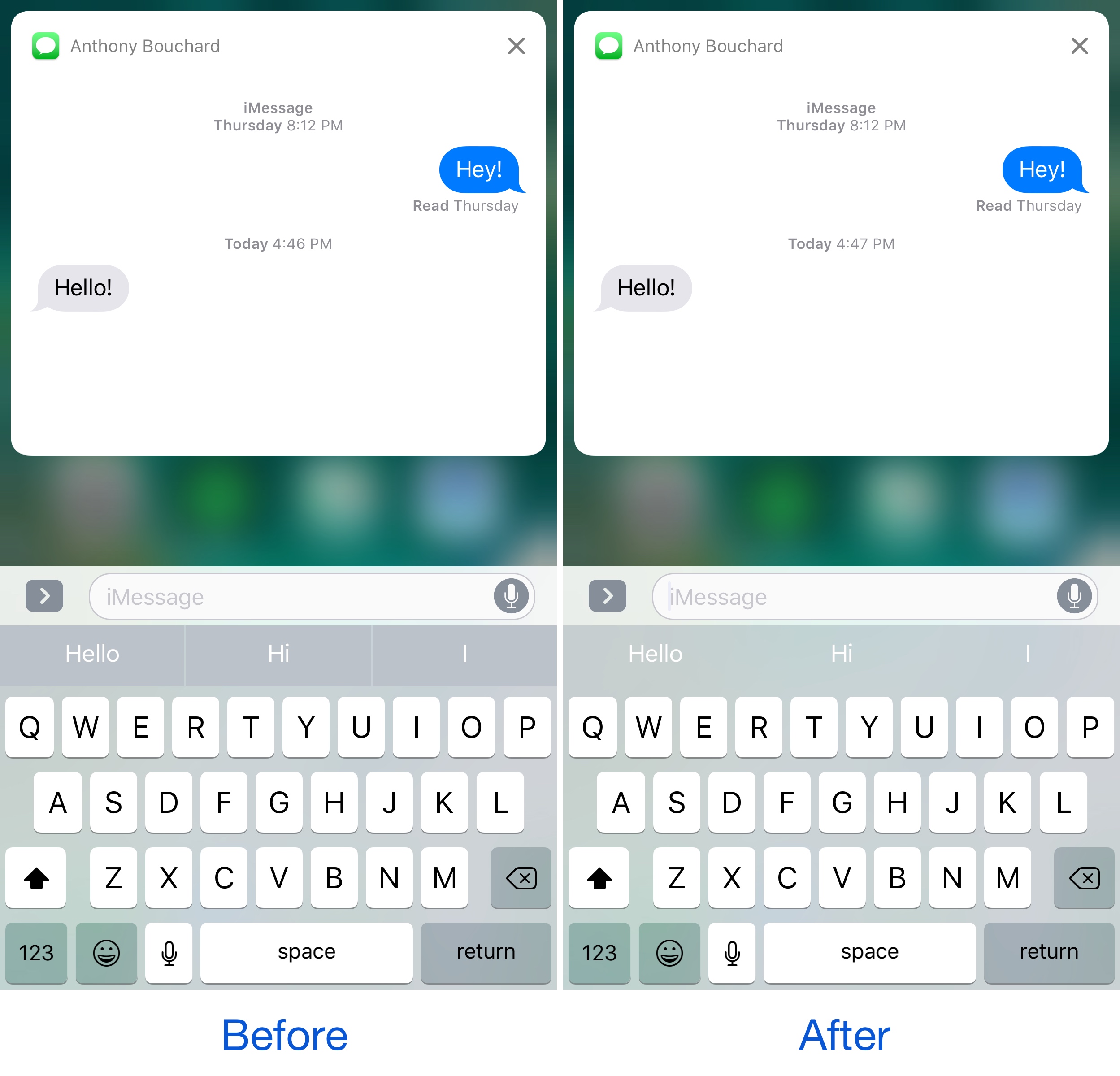
If you ever use the predictive keyboard to type faster responses to people from your device, then you’re likely familiar with those ugly separator lines in between the suggested words and the unappealing difference in background color that the buttons have when compared with the rest of the keyboard.

A new free jailbreak tweak called KB - NoPredictiveBackground by pxcex removes the background color and lines from the predictive keyboard buttons, leaving you with much cleaner-looking buttons.

This tweak brings a touch of Android Nougat to your iPhone

It seems almost like releasing jailbreak tweaks to make iOS look more like Android Nougat are becoming a trend.

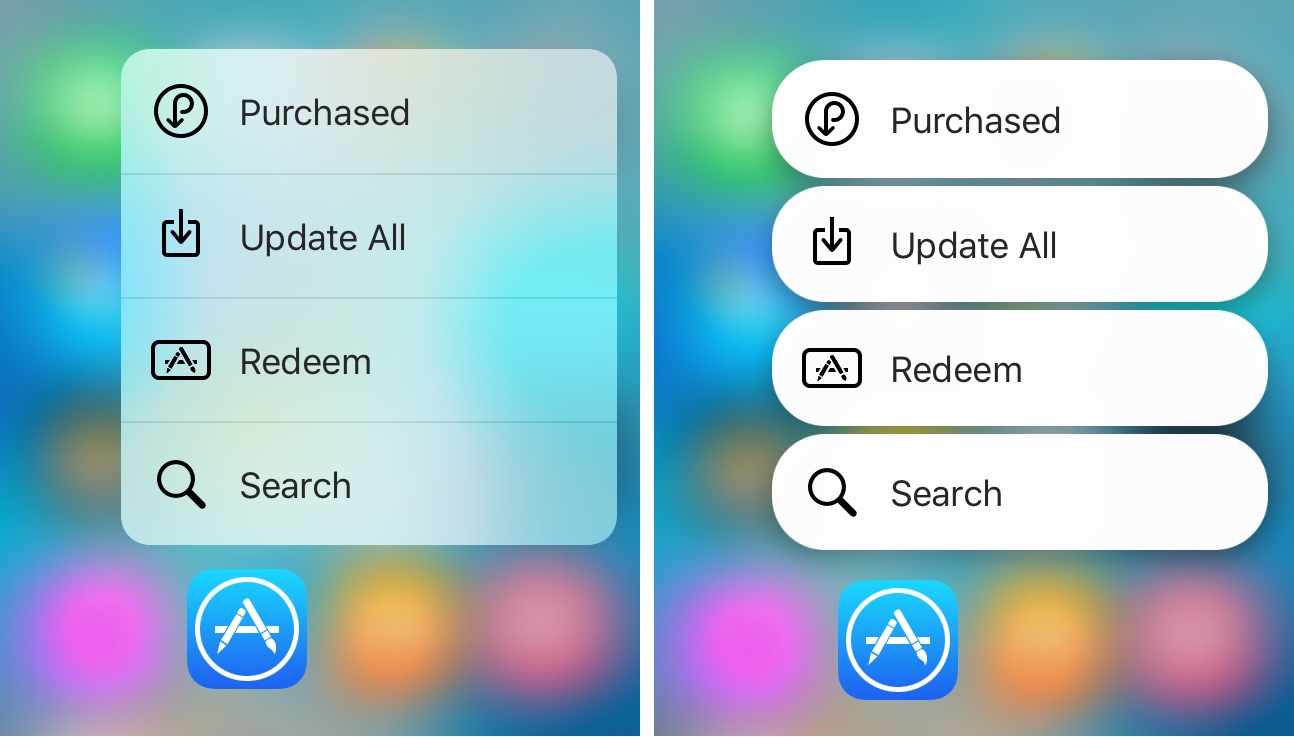
It was just around a week ago we showed you a tweak that could make Home screen folders look more like those from Android Nougat, and now another release called NougatShortcuts by Ben Giannis makes 3D Touch menus on the Home screen look more like menu options from Android Nougat.

LockGlyphX puts a nice twist on your Touch ID unlocking experience

If you’ve ever used Apple Pay before, then you’re likely familiar with the visually-appealing Touch ID animation that appears on the Lock screen when accessing it.

Now if you've ever thought to yourself that this animation would be nice to look at when unlocking your device, then a new free jailbreak tweak called LockGlyphX by evilgoldfish is just what you've been looking for.

3DSwitcher 2 brings three-dimensional animations to your App Switcher

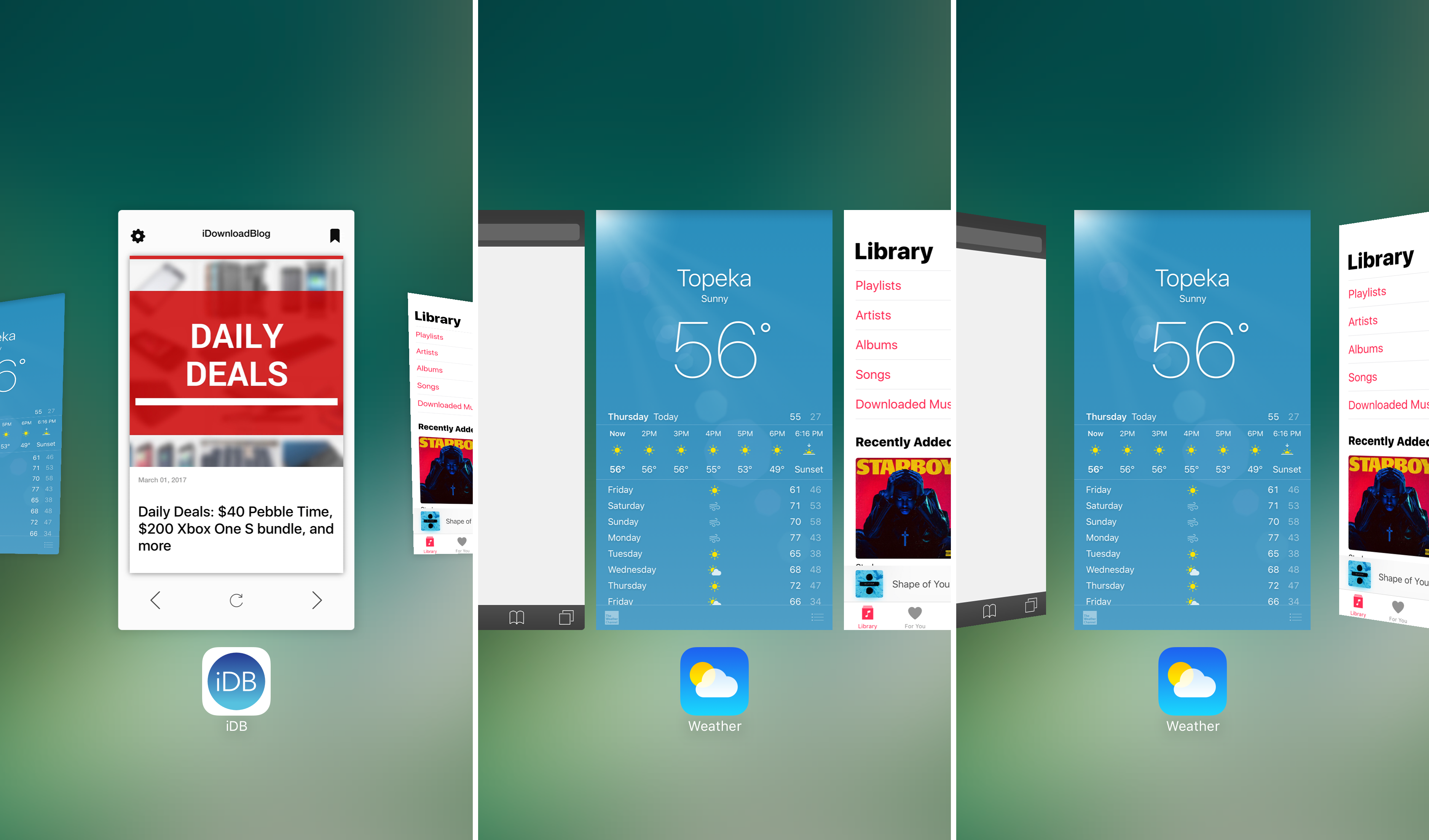
Without a doubt, the App Switcher is one of the interfaces that gets used more than any other on an iOS device. It’s an access point for all of your recently-used apps, and whenever you desire to force-quit an application, you’ll end up in the App Switcher for that too.

Since you use it so much, why not empower yourself with the ability to customize it and make it look the way you want it to? You could always leave it stock, but when you have a jailbreak, you can stand out from the rest with a jailbreak tweak called 3DSwitcher 2.

ColorFlow 3 uses dominant colors of album artwork to colorize your Now Playing screen

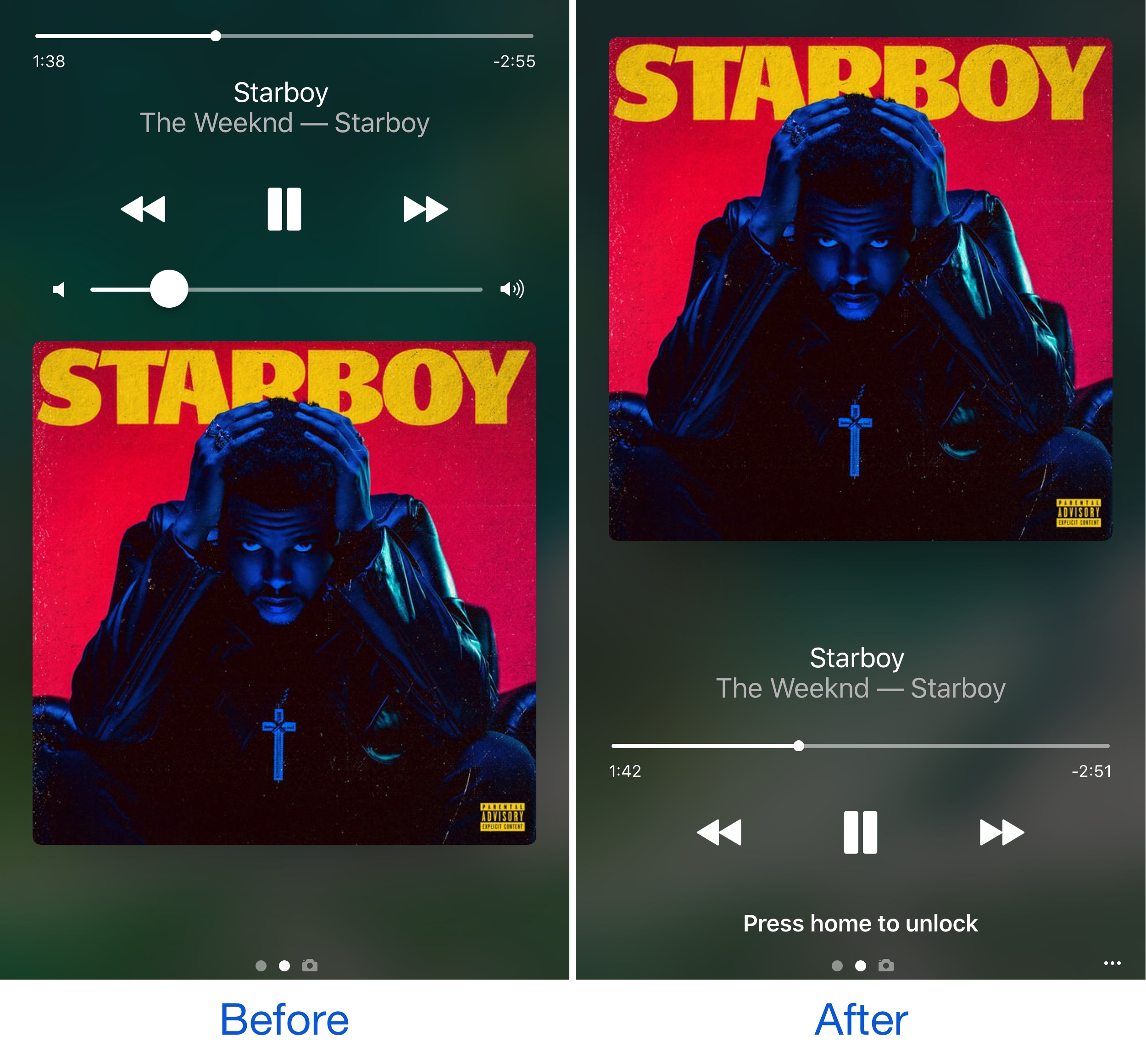
It was just last week that we showed you a unique tweak for jailbroken devices called Spin10, which redesigned the look and feel of the Now Playing interface on the Lock screen, giving it a circular and colorful look and feel that made it feel much more modern.

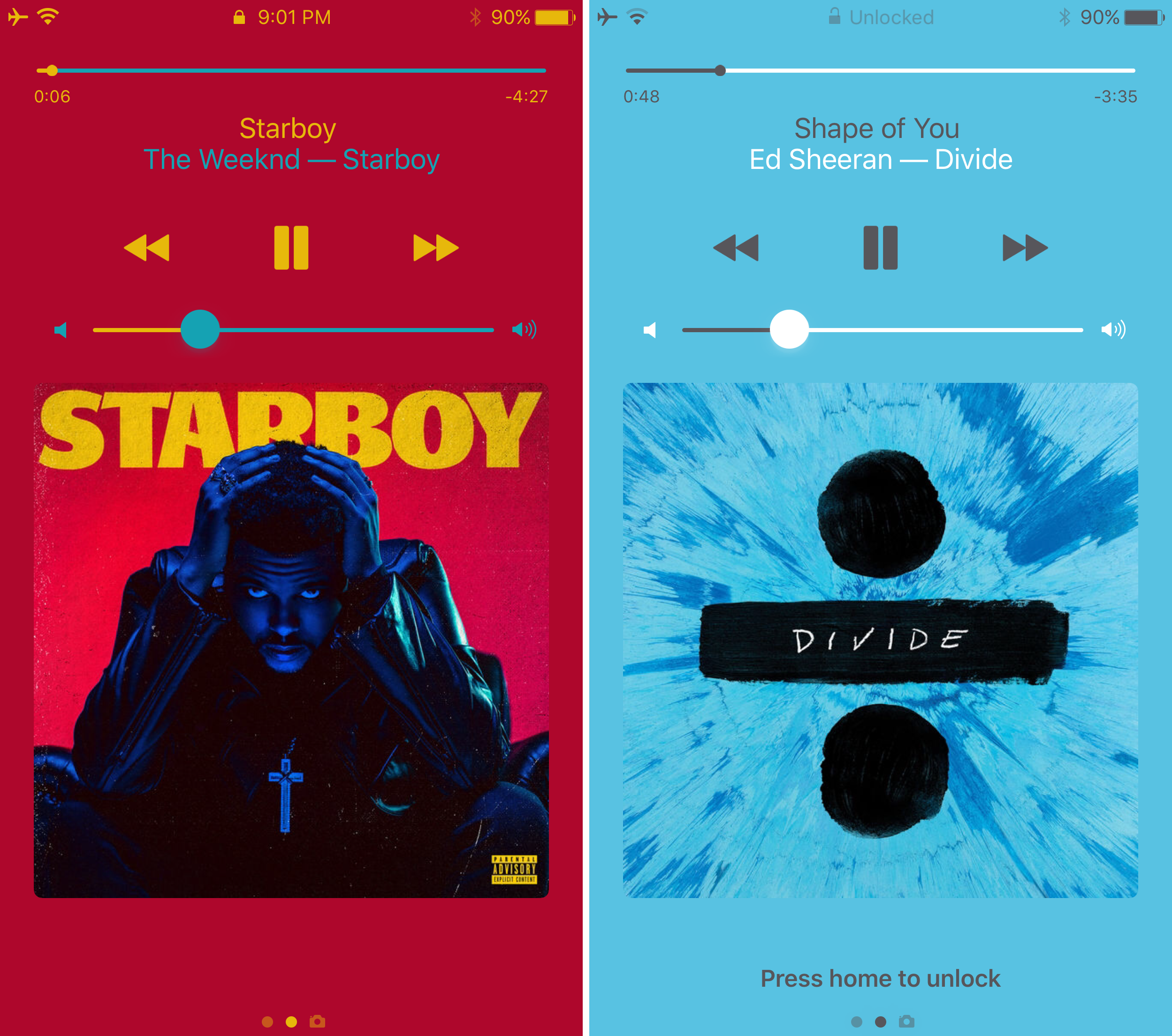
On the other hand, another jailbreak tweak that changes the appearance of the Now Playing screen by colorizing it based on the dominant color of the album artwork dubbed ColorFlow 3 by David Goldman is also available in Cydia as of this week.

Customize and add new functions to Control Center with Onizuka

Although Control Center is useful on any stock iPhone or iPad right out of the box, Apple doesn’t give you a whole lot of options for customizing it with the toggles and aesthetics you want to have. Fortunately, that’s where having a jailbreak can come in handy.

With a new jailbreak tweak called Onizuka by maximehip, you can customize your Control Center layout through the help of various options that can give it a different aesthetic or change its functional usefulness.

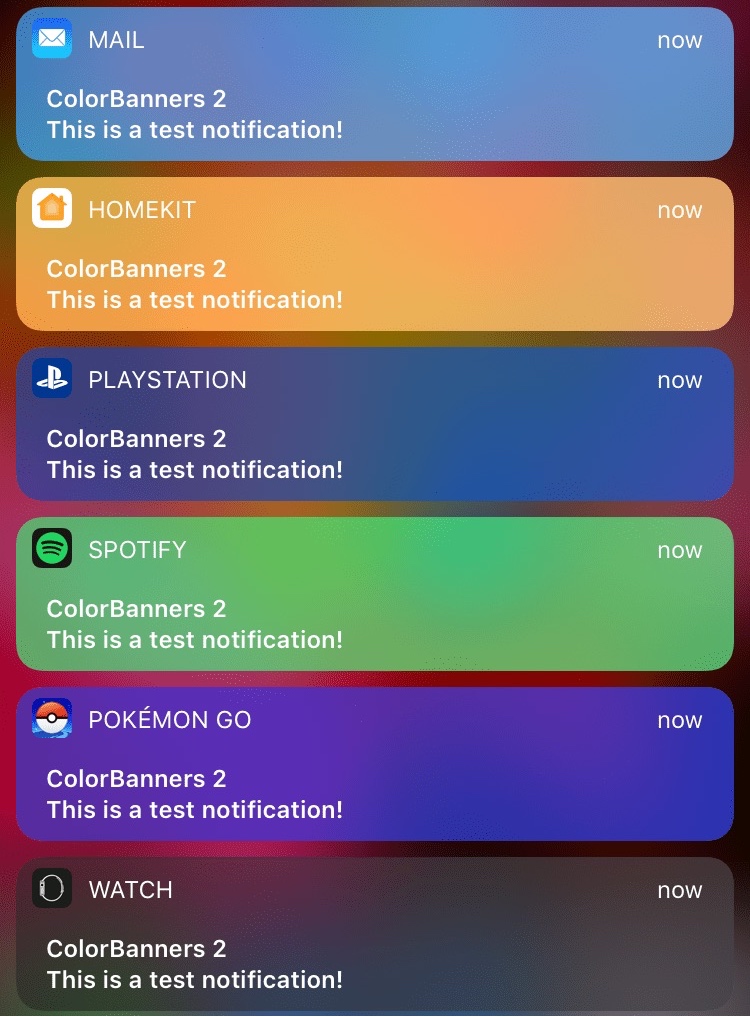
ColorBanners 2 adds a splash of color to your notification banners

When iOS 10 launched, there was quite a bit of gasping at the appearance of the new notification banner style throughout the operating system, including those that appear in apps, on the Lock screen, and in Notification Center.

Fortunately, a jailbreak tweak called ColorBanners 2 by David Goldman can help you to make your notifications a little easier to look at, as it lets you to colorize them in nearly any way you’d like.

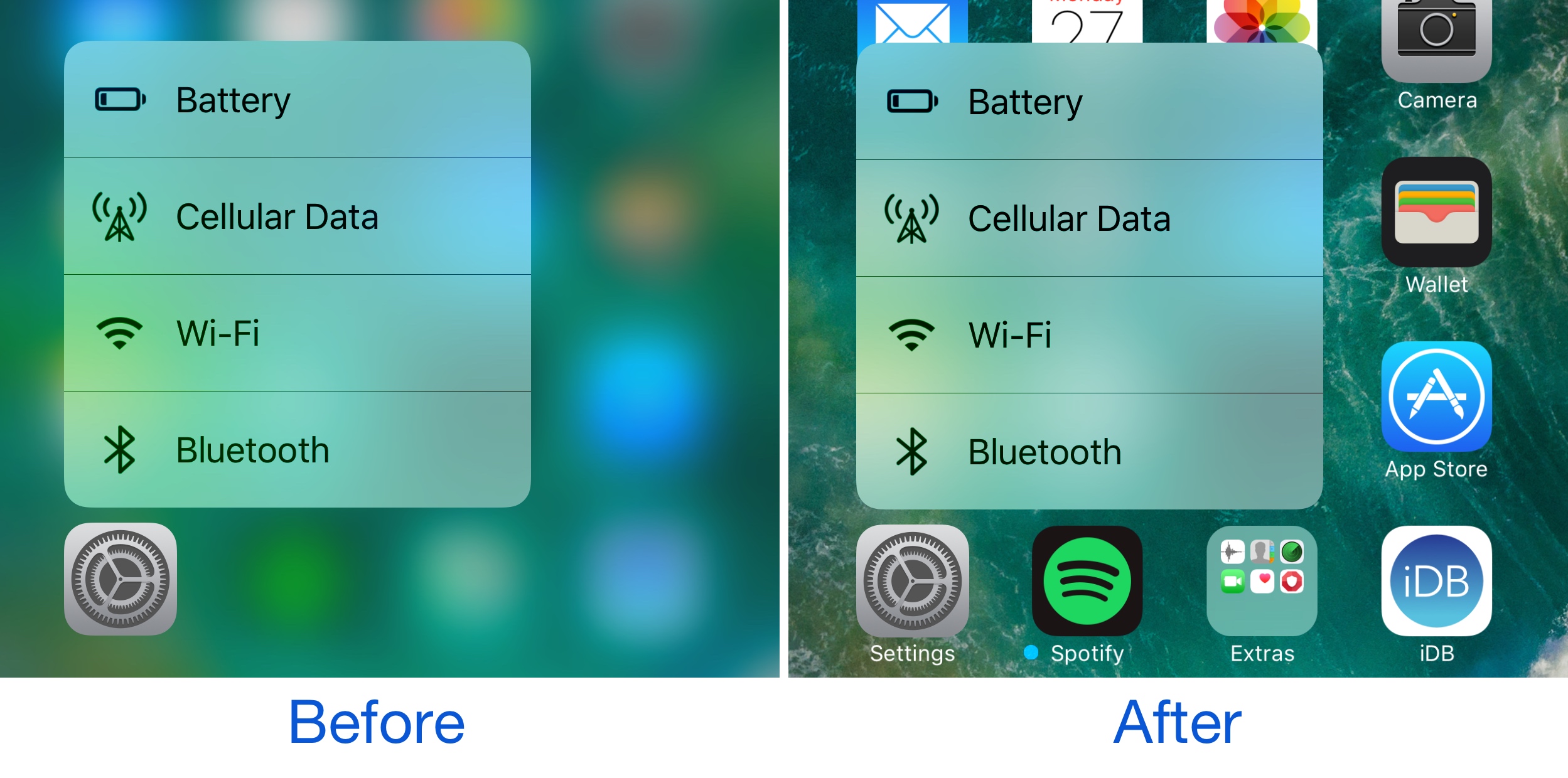
BlurTouchClean removes the blur from your Home screen’s 3D Touch menu backgrounds

Anyone with a 3D Touch-enabled device is likely familiar with the bevy of menu options that can be revealed by imposing a simple 3D Touch gesture on apps from the Home screen.

Whenever one of these 3D Touch menus is revealed, iOS blurs the background to draw your focus to the menu, but a new free jailbreak tweak called BlurTouchClean by CydiaGeek can remove the blur effect so you can continue to see everything residing behind the menu.

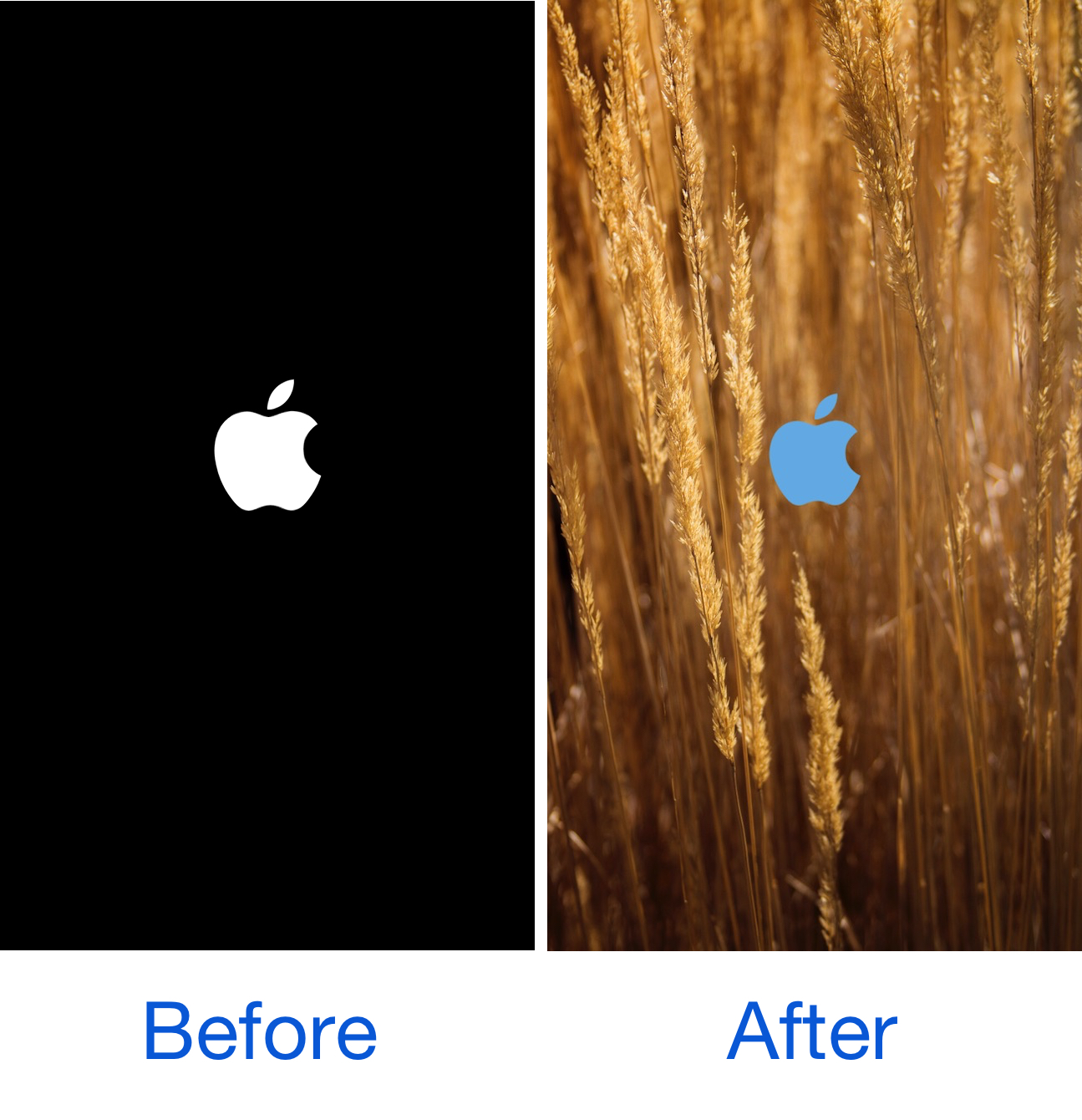
SpringChanger lets you customize your respring screen with backgrounds and colors

As we showed you last week, MakeRespringsGreatAgain allowed you to resurrect the classic Apple logo-based respring screen, a classic screen that iOS 10 jailbreakers typically don't get to see anymore.

On the other hand, if you wanted to take things a step further, a new free jailbreak tweak called SpringChanger by Wizages is worth trying out because it lets you customize the respring screen beyond recognition.