Theme

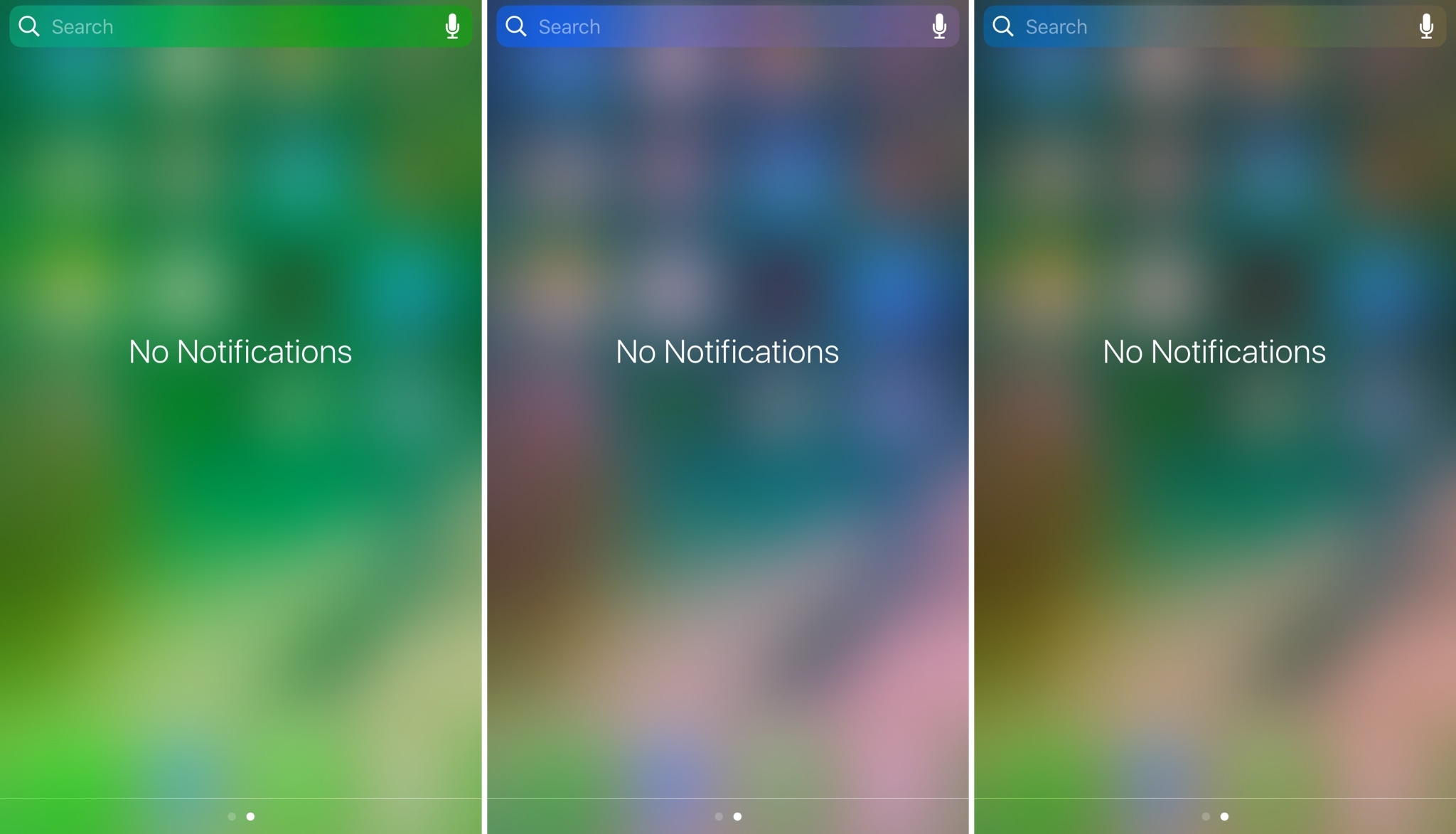
Tinc adds a splash of color to Control Center and Notification Center

If you like adding personalization on your jailbroken device, then sometimes it’s the simple things that stand out the most. Subtly changing UI colors so they don’t overpower the whole interface or user experience is just one example of this concept.

A new free jailbreak tweak called Tinc by iOS developer ridn lets you tint the interfaces of Notification Center and/or Control Center in iOS any color you like, and is a testament too subtle customization.
Colorize your notification banners with Cheader

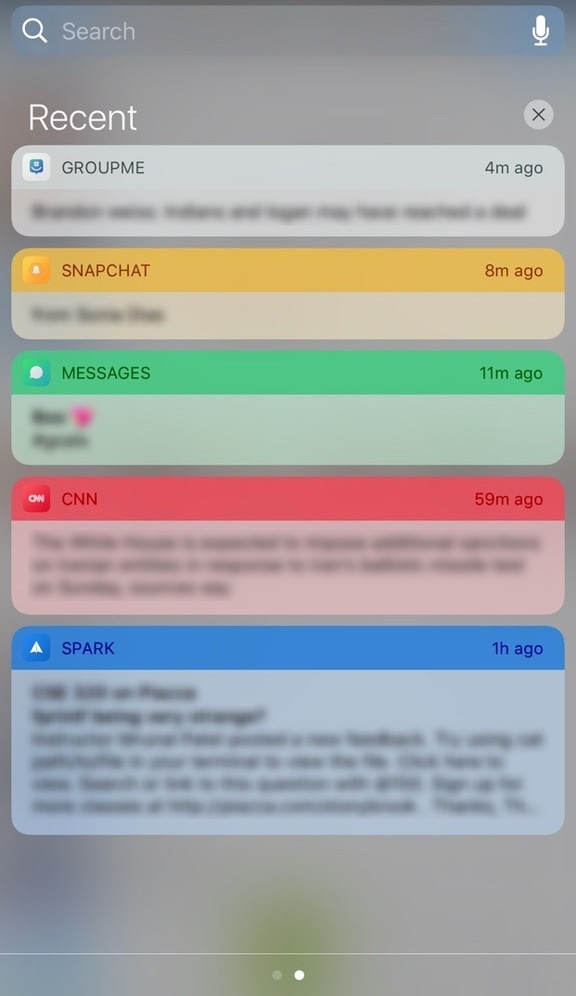
Banner notifications throughout iOS 10 are bland, lacking any visual appeal whatsoever. On the other hand, a new free jailbreak tweak dubbed Cheader by iOS developer ridn aims to fix that.

Once installed, Cheader automatically colorizes your notification banners based on the dominant color found in the icon of the app that delivered the notification.

Make your folders look the way they did in iOS 6 with ClassicFolders 2

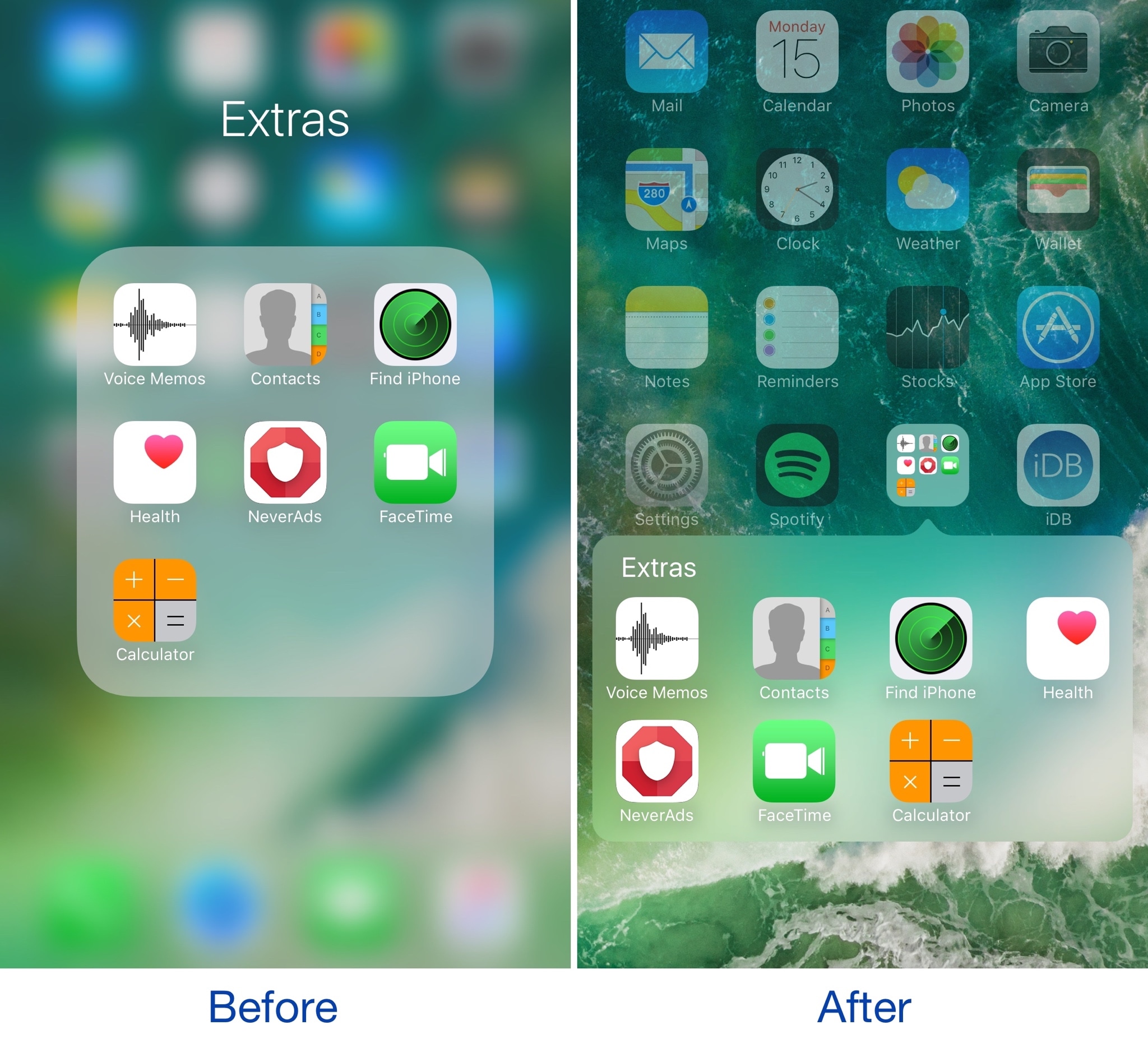
If you’ve got nostalgia for older skeuomorphic versions of iOS, or you’re just looking for a different look and feel for your device altogether, then a new jailbreak tweak called ClassicFolders 2 just might tickle your fancy.

This tweak gives your folders a throwback to the days of iOS 6 and earlier by giving them a page break-style instead of the full-screen effect that's been around since iOS 7.

Masq lets you customize the Now Playing interface

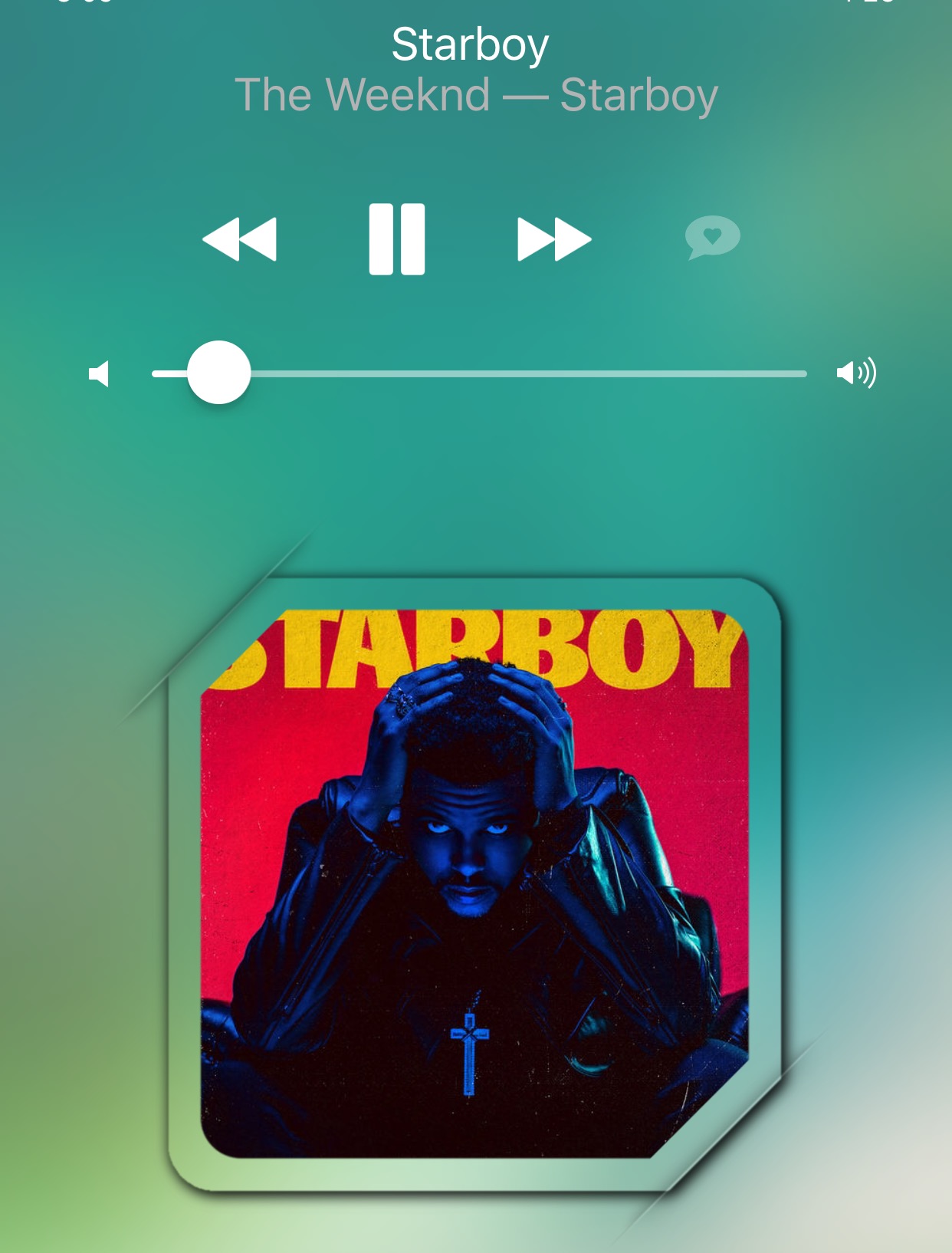
The Now Playing interface found both on the Lock screen and in Control Center when you're listening to music is the main focus of a new jailbreak tweak dubbed Masq by iOS developer candoizo.

The tweak lets you spice up the look of each interface independently with themes and a trough of aesthetic options. Tailored for the creative mind, Masq is a great addition to themed devices and stock-looking devices alike.

Change the shape of your app icons with SpringToolz

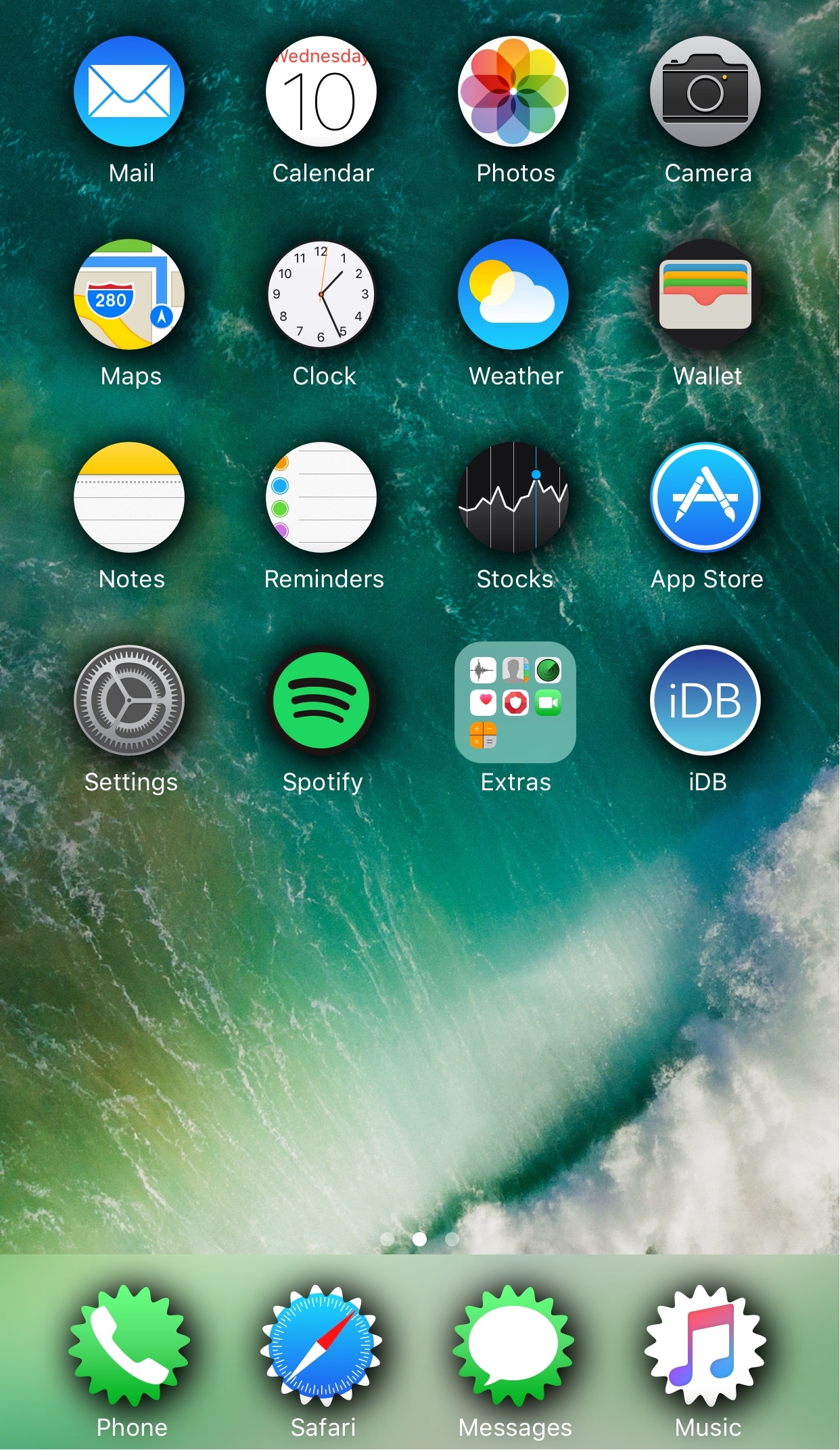
Looking to spice up your Home screen a little bit more? A new free jailbreak tweak called SpringToolz by iOS developer Stoyan Stoyanov lets you change the shape of your Home screen icons, add drop shadows, and much more.

The tweak comes loaded with a vast number of shape options to choose from and can give your device that distinct appearance you’re looking for to make it stand out from the rest.

CCVertically gives Control Center a vertical makeover

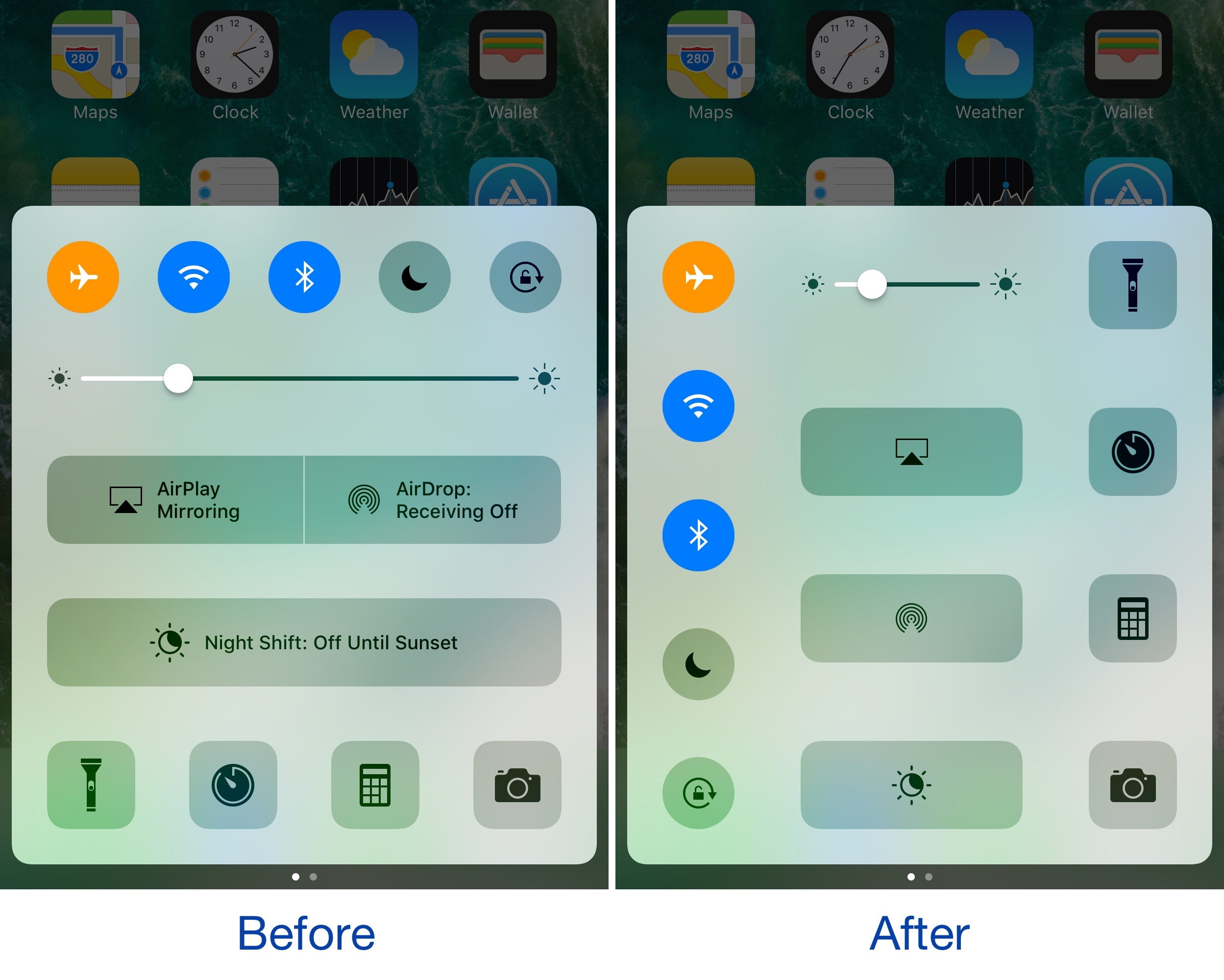
Control Center normally has a horizontal layout; it's categorized into rows with each section having its own dedicated purpose, whether it’s for toggles, shortcuts, or sliders.

If you're interested in trying something new, then you might be interested in a new free jailbreak tweak called CCVertically by iOS developer pxcex. This tweak flips everything 90 degrees to give Control Center a vertical layout.

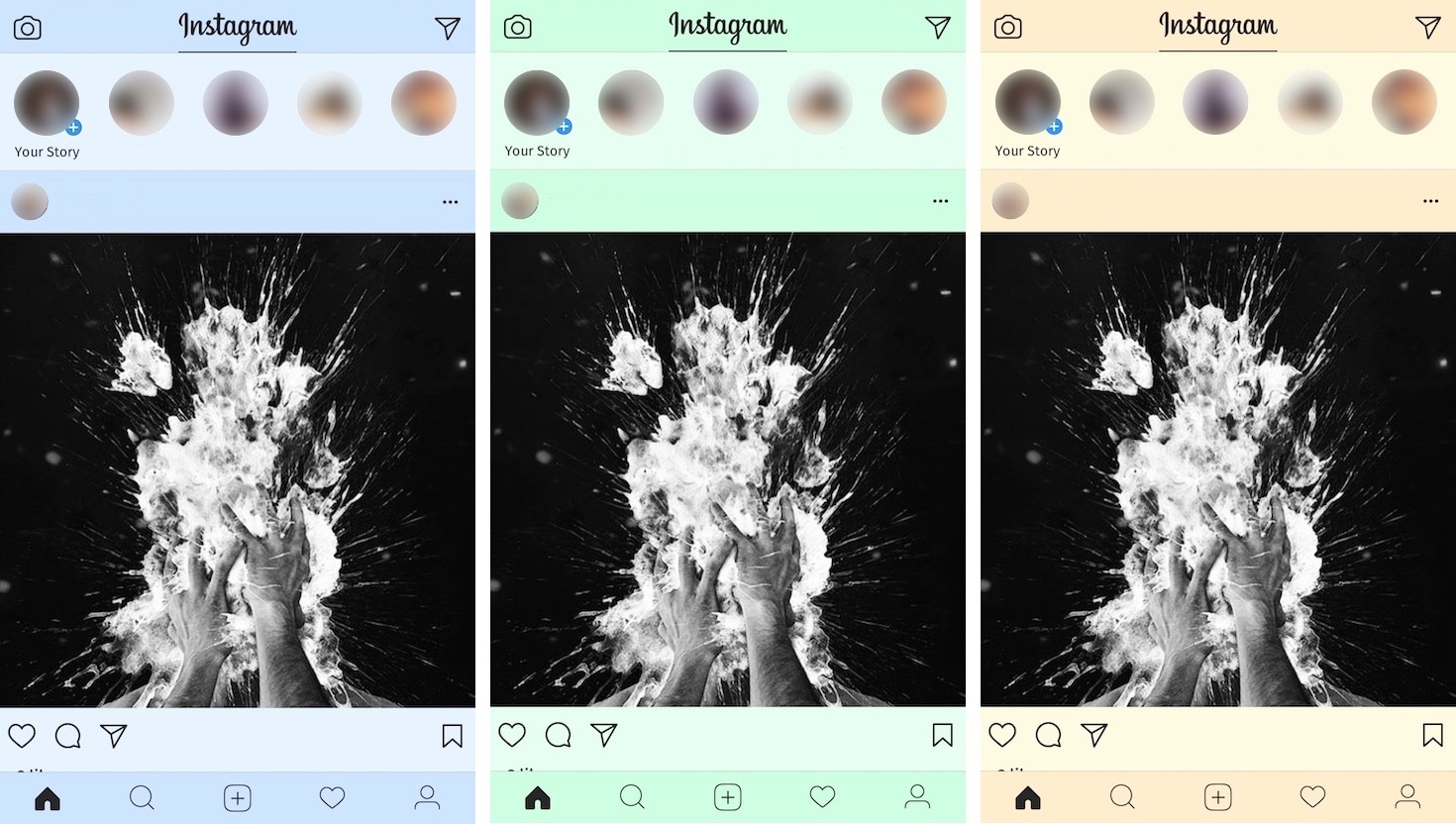
Colorize your Instagram app with ColorGram

Instagram users typically get to see the app’s generic white interface introduced back in 2016, but if you'd like to add a splash of color to it, then you’ll love a new free jailbreak tweak release dubbed ColorGram by iOS developer Justin Petkovic.

This tweak lets you go hands-on with colorizing various elements of the Instagram app so you don’t have to put up with the boring flat colors anymore.

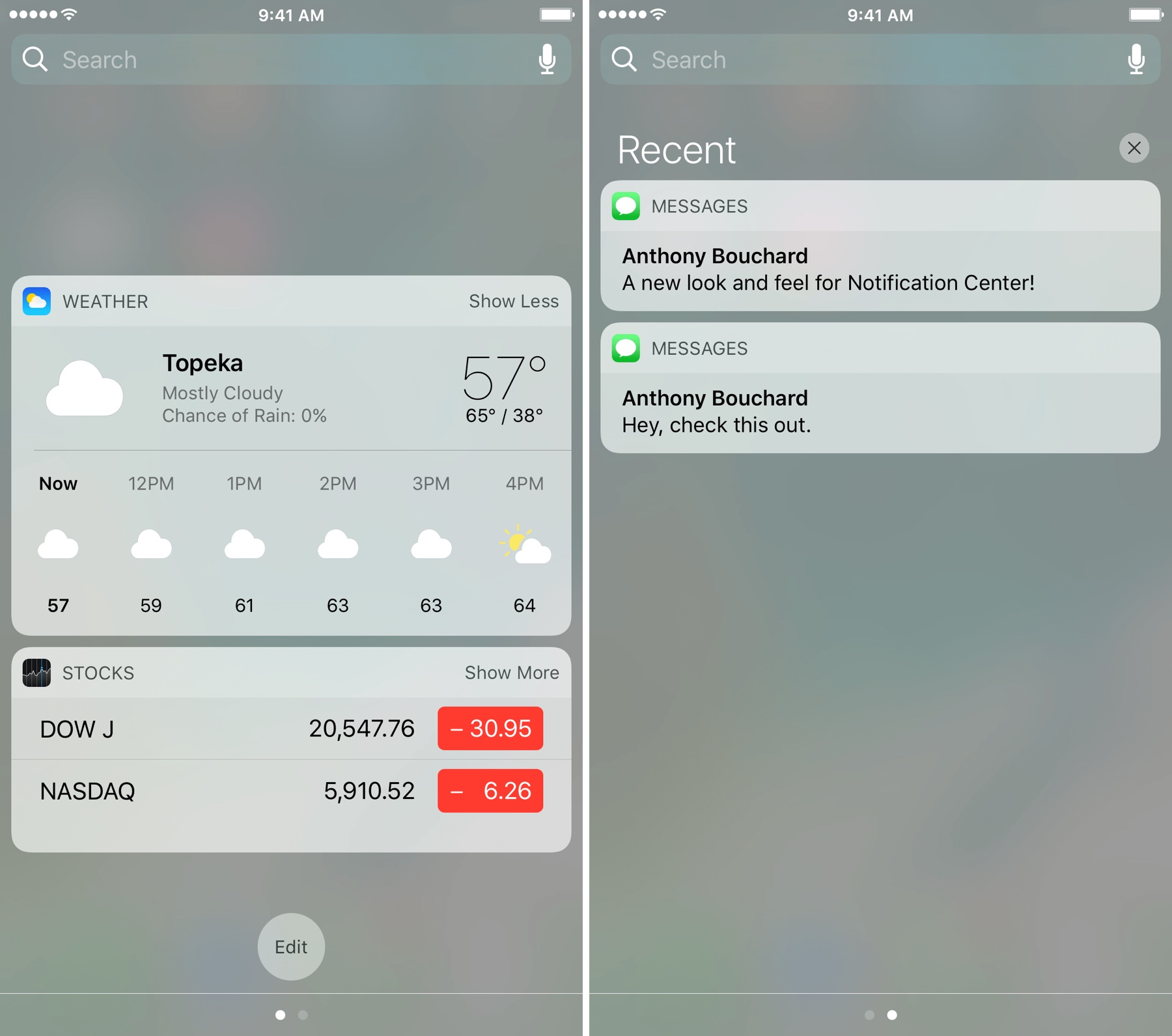
Give Notification Center a makeover with betterNC10

If you're looking for a new look and feel for Notification Center, then check out a new free jailbreak tweak dubbed betterNC10 by CydiaGeek.

This tweak lets you change up the aesthetics of Notification Center as well as change the way certain functions behave. The bevy of options that are baked into betterNC10 can reduce the time you spend clearing notifications and remove unwanted clutter among other things.

Supercharge your iPhone wallpaper options with PanoramaPapers

Apple has always been boring when it comes to wallpaper options on the iPhone. They debuted ‘dynamic wallpapers’ when iOS 7 dropped, but to this day, you're still limited to Apple’s stock selection; otherwise, you have to use still images and you can’t change things beyond that.

To fix that problem, a new free jailbreak tweak called PanoramaPapers by iOS developer sst1337 can complement your device by letting it stand out from the rest. It lets you have different kinds of wallpaper layouts on your device, depending on the images you choose.

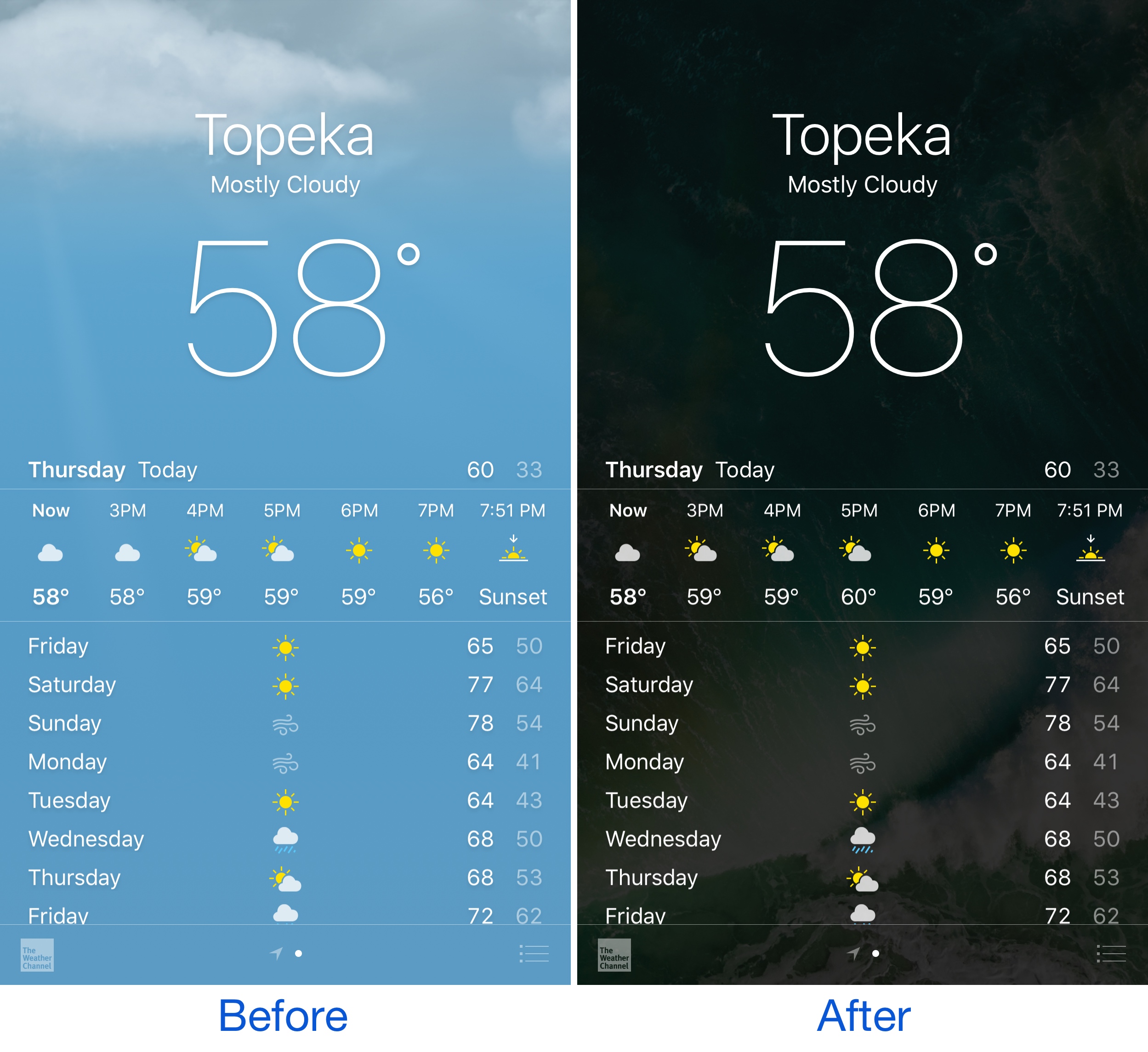
TransparentWeather makes your Home screen wallpaper visible in the Weather app

The background in your iPhone's Weather app typically illustrates what the weather conditions are like outside, but if you’re looking for something a little different, check out a new free jailbreak tweak called TransparentWeather by CydiaGeek.

This tweak does away with the animated weather background and makes the app transparent so you can see a ghosted image of your Home screen wallpaper behind all of your weather information.

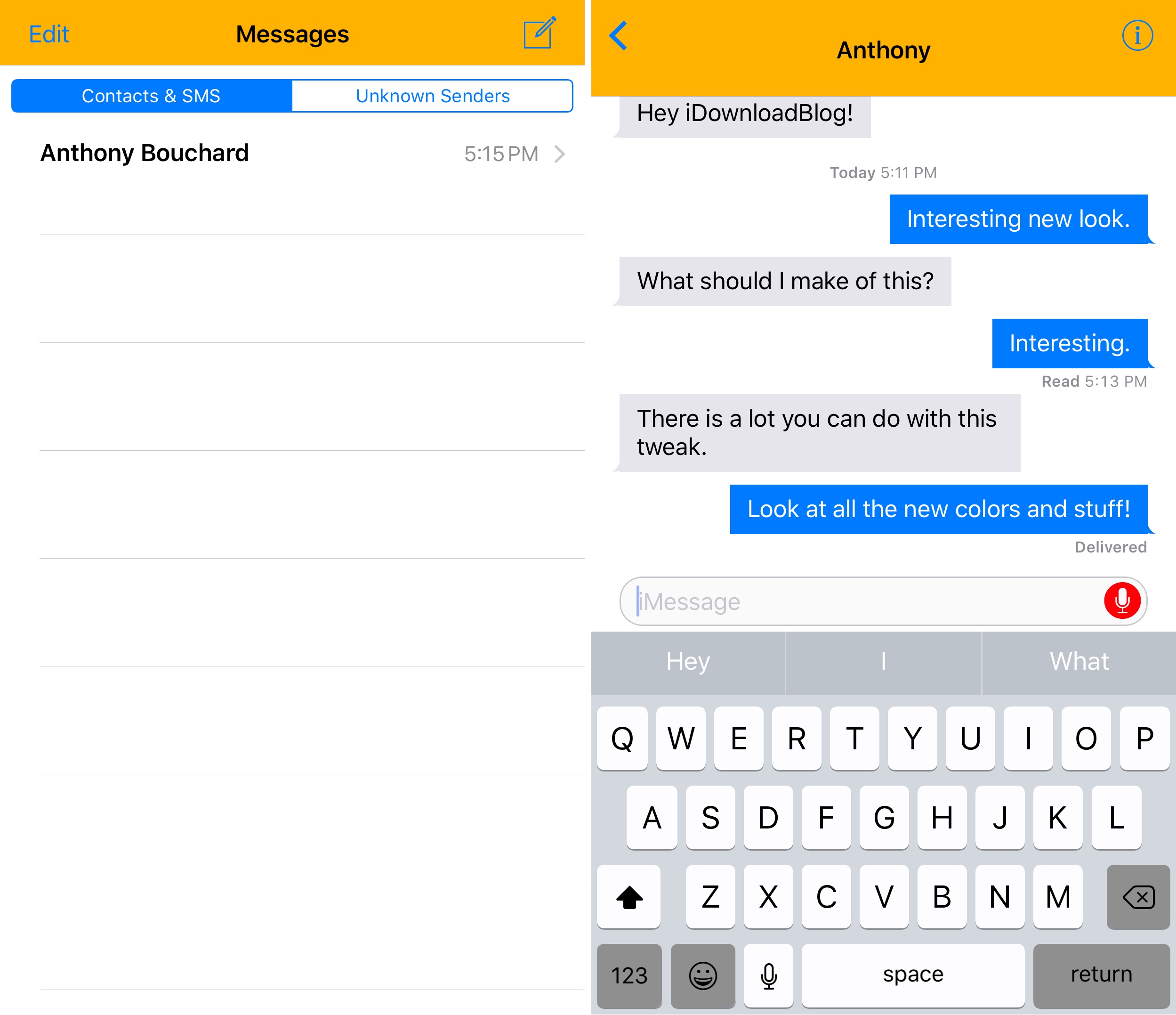
Customize the look of your Messages app with BetterMessages

If you can’t stand the stock look of your stock Messages app, then maybe it’s time to put that jailbreak to good use.

A new free jailbreak tweak called BetterMessages by harrywantstodev provides you with a number of new customization options for making your Messages app look unique when compared to everyone else’s.