Theme

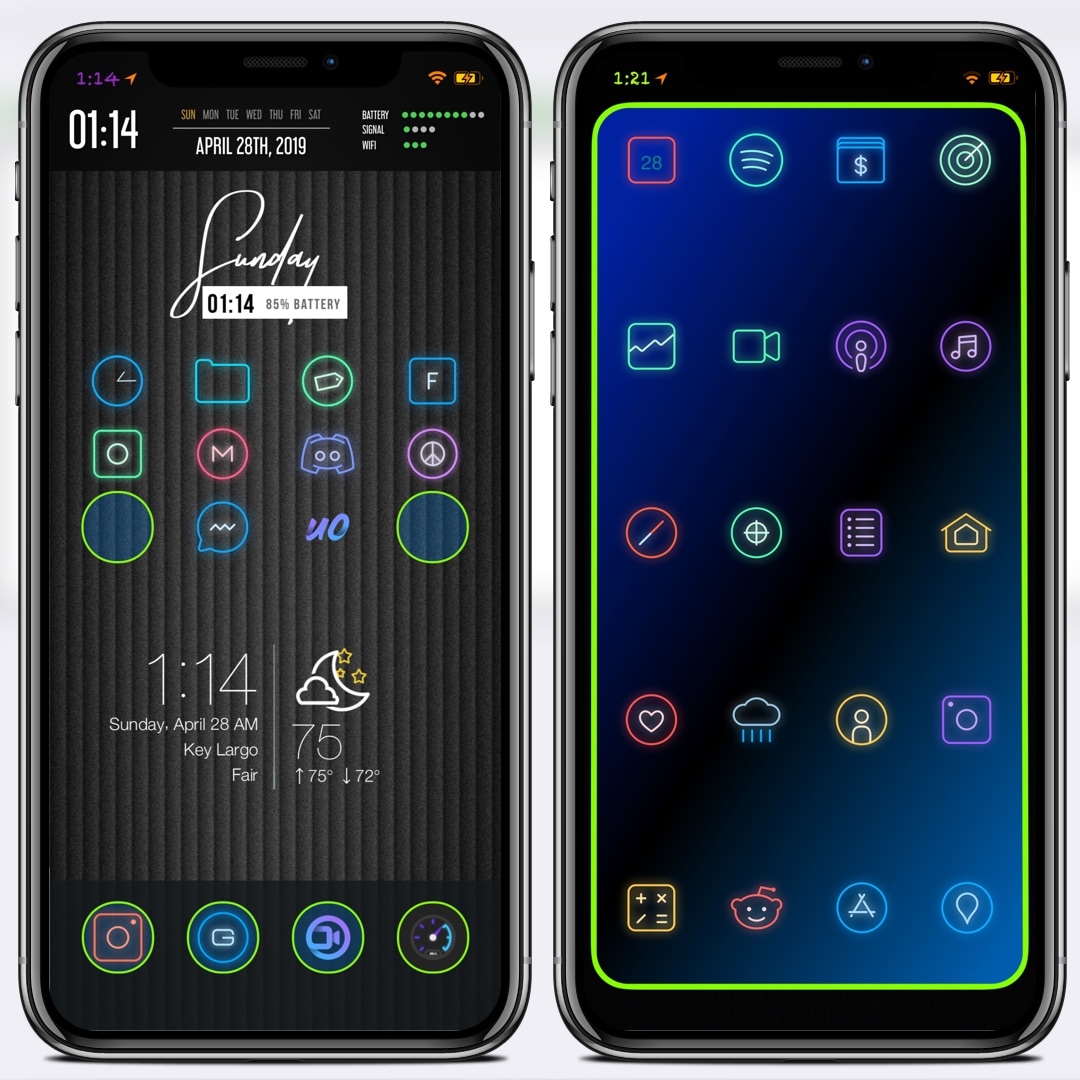
FolderCustomizerXII provides seemingly endless customization for the Home screen’s folders

Jailbreakers who are into heavy theming and iOS UI customizations will probably take a liking a newly-released jailbreak tweak called FolderControllerXII by iOS developer i0s_tweak3r.

Just as the name implies, FolderControllerXII can be used to achieve custom aesthetics for your Home screen folders that can go well with third-party themes and other aesthetic customizations. Citing the tweak’s depiction, it lets you do any of the following:
HomeList ports watchOS’ List View-based Home screen to iOS

Apart from some minor modifications over the years, the iPhone’s Home screen has remained ultimately unchanged since the first iteration of iOS; it’s still comprised of a grid of app icons that fill ‘pages’ on your Home screen. But what if we told you that you could replace this with something entirely different?

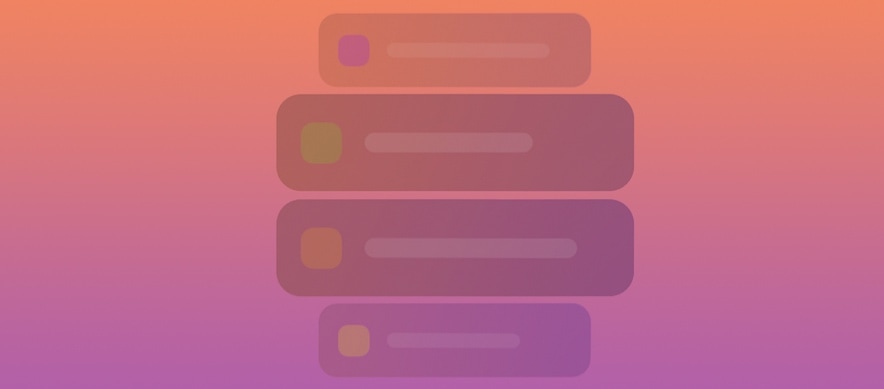
HomeList is a new jailbreak tweak released by iOS developer Blake Boxberger that takes a watchOS-style approach to organizing your Home screen’s bevy of applications. With it, you can scroll vertically through an alphabetically-sorted list of apps instead of paging from left to right through a traditional grid:

Pagebar transforms your Home screen’s page dots into a dynamic bar

The Home screen’s page dots on the iPhone and iPad have remained mostly unchanged for several generations of iOS. With that in mind, don’t you think it’s time for something new?

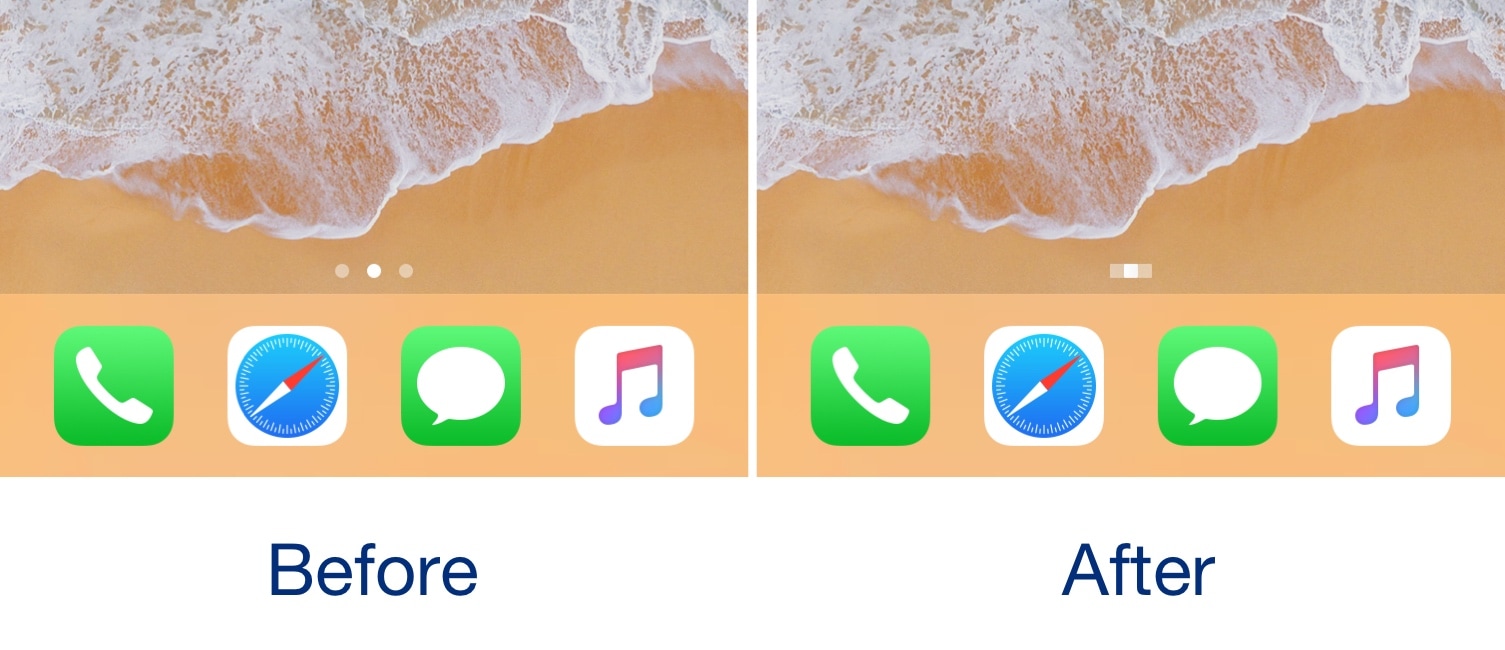
If you answered yes to the aforementioned question, then you just might come to appreciate a new jailbreak tweak release called Pagebar by iOS developer Kritanta. This tweak replaces the Home screen’s traditional page dots with a bar that animates dynamically as you move from one page to another.

This tweak can customize Notification Center’s ‘No Older Notifications’ text

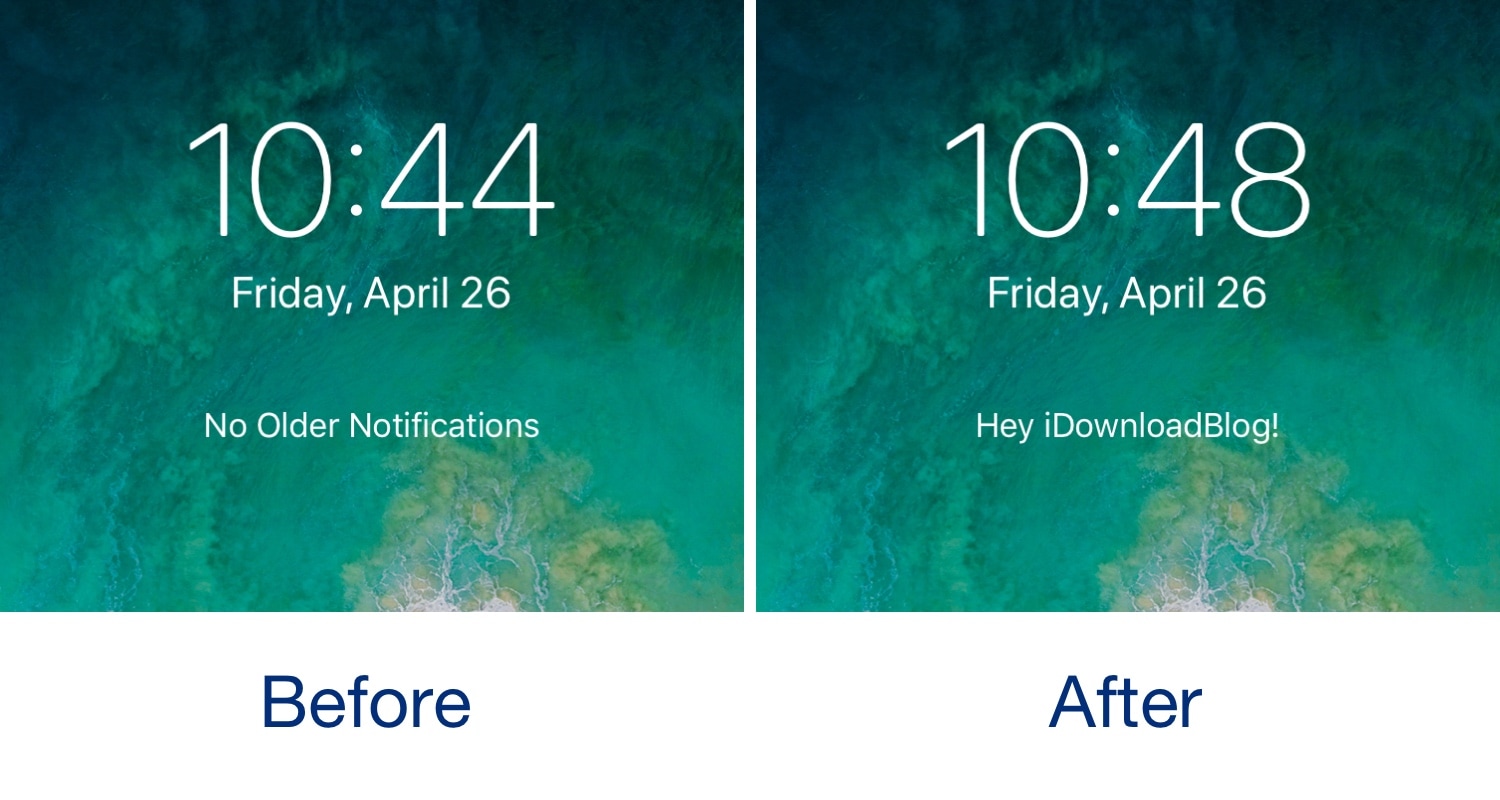
Apple designed iOS’ Notification Center to display the text string ‘No Older Notifications’ if you don’t have any pending notifications that you haven’t already acknowledged. But isn’t it obvious enough that you don’t have any older notifications if Notification Center isn’t displaying any?

Given the apparent redundancy on Apple’s part, iOS developer YaYPIXXO has released a new free jailbreak tweak called CustomNoOlderNotifications that lets users modify Notification Center’s ‘No Older Notifications’ text string to display anything they want.

Augment iOS’ native power down interface with ModernPower

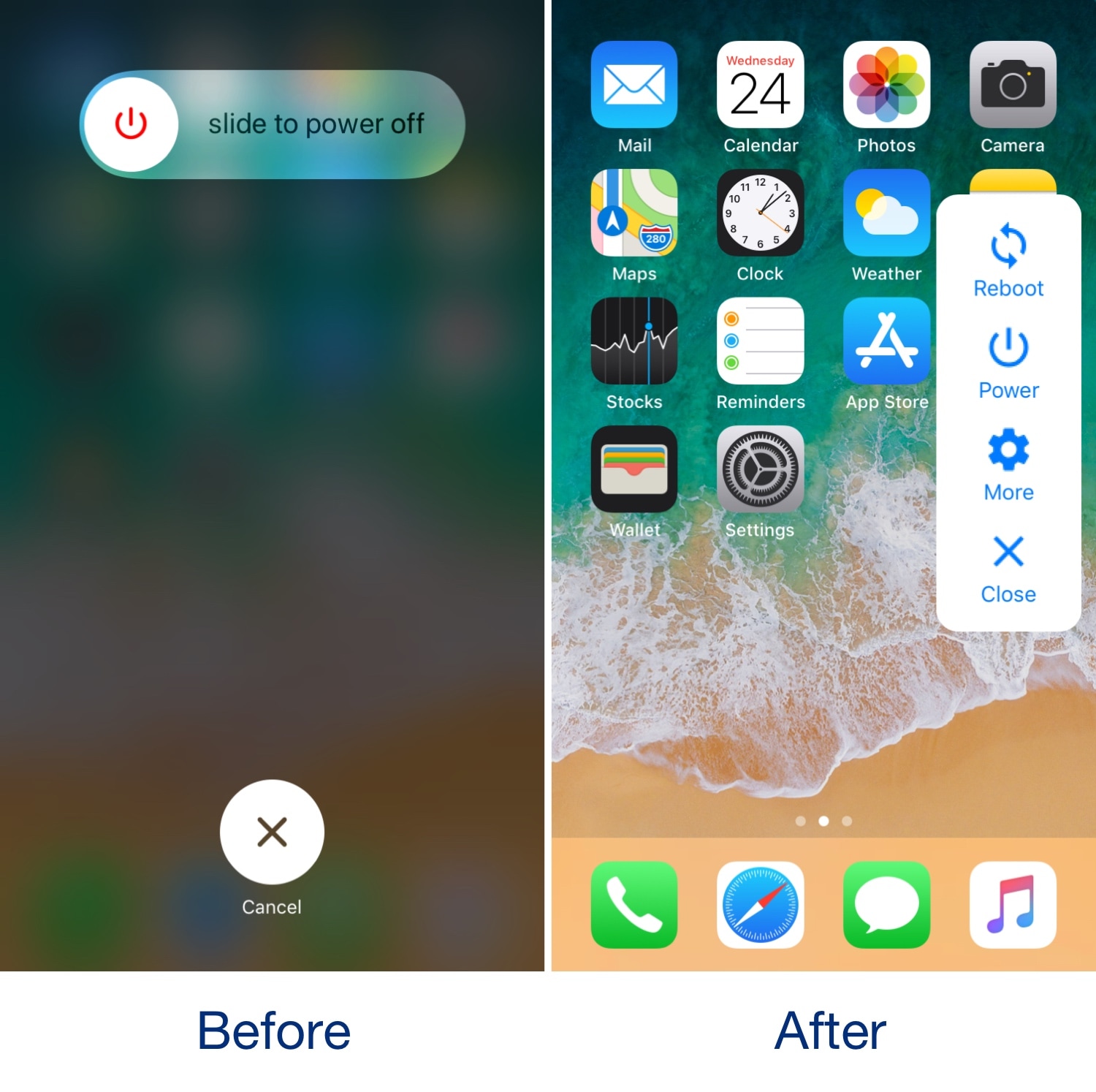
Pressing and holding a certain button sequence on your iOS device (the sequence varies depending on the device) invokes the power down menu from which you can easily turn your handset off. Unfortunately, iOS’ native power down menu has an ongoing reputation for being somewhat ‘featureless.’

In an attempt to change that, iOS developer conorthedev released a new free jailbreak tweak called ModernPower, which gives iOS’ native power down menu a modern facelift and supercharges it with additional features that you won’t find out of the box on a stock device.

Augment iOS’ Do Not Disturb feature with LeaveMeAlone

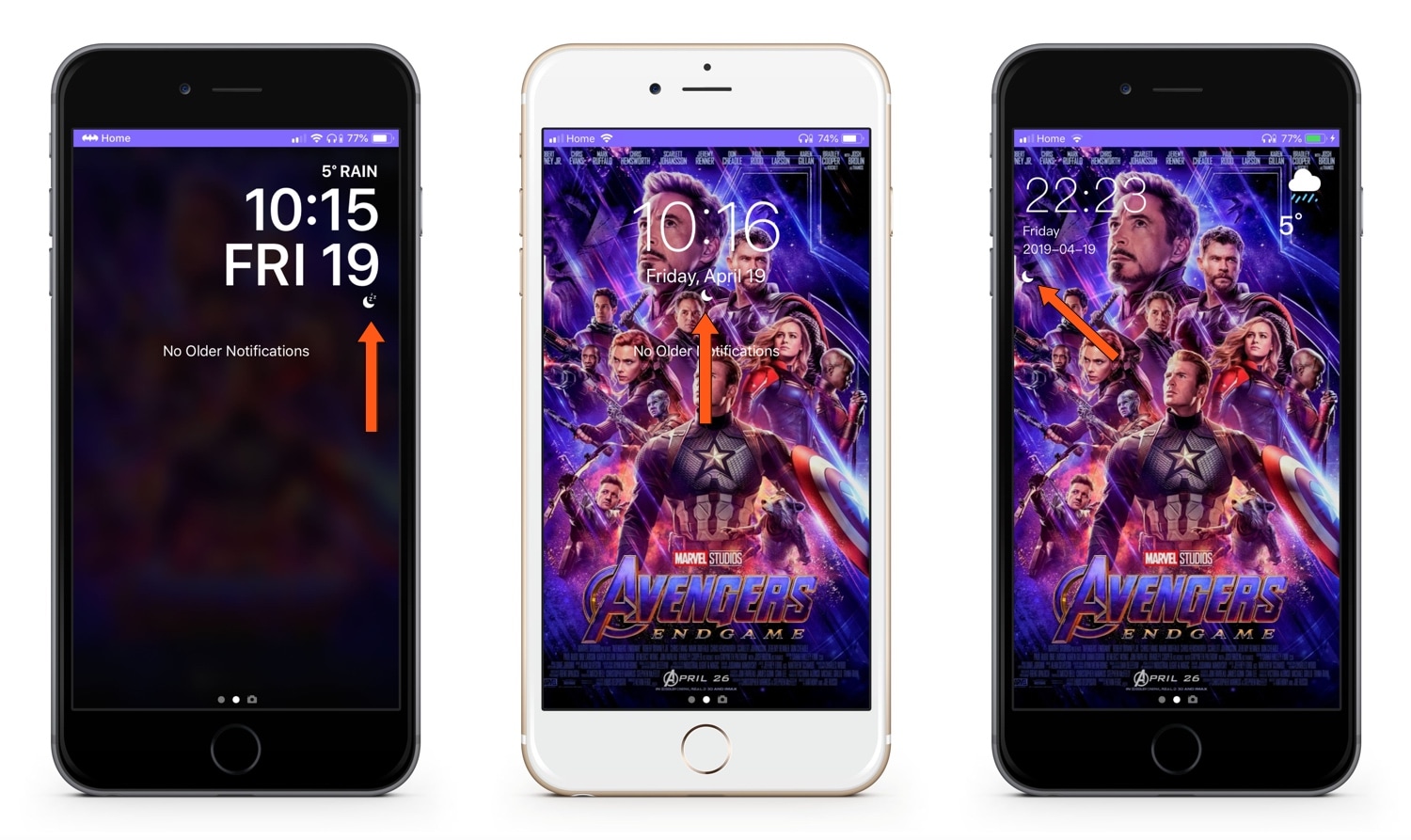
I use Do Not Disturb mode all the time, because, like anyone else, there are times when I simply don’t want to be bothered by my smartphone. On the other hand, Apple’s Do Not Disturb feature is implemented in such a way that it can be an annoyance in and of itself.

LeaveMeAlone is a new free jailbreak tweak by iOS developer Karimo299 that resolves some of these problems by making Do Not Disturb less of a distance. More specifically, it does away with iOS 12’s annoying Do Not Disturb banner and moves the Status Bar icon beneath the Lock screen’s date and time indicator, as shown above.

7ower cures your nostalgia for the iOS 7-esque power down menu

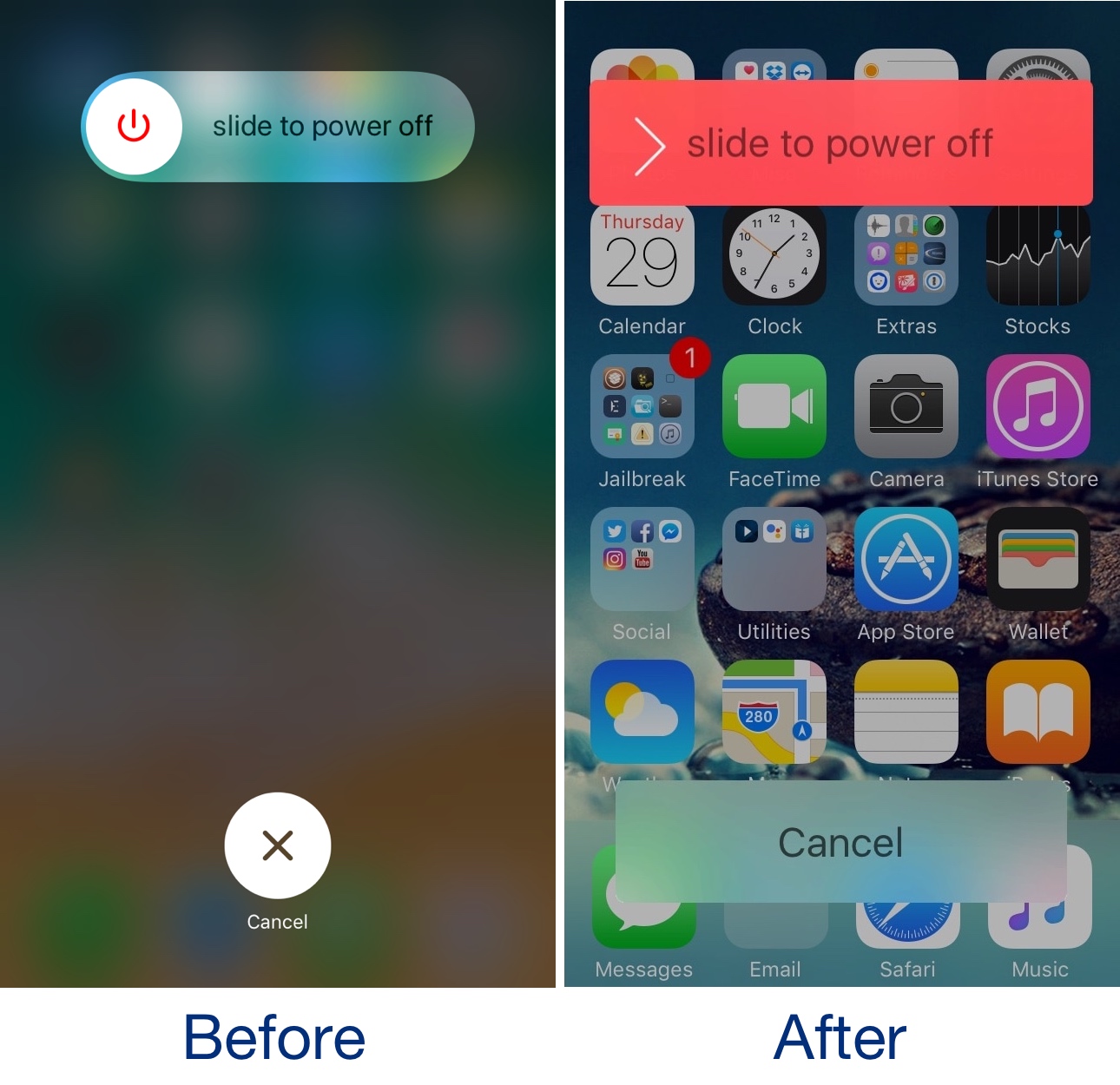
Among the plethora of things Apple changed over the years with respect to iOS’ user interface is the power down menu that appears when you press and hold a certain button sequence on your handset. On older handsets, you could access it merely by pressing and holding the sleep/wake button, but on newer handsets, you must hold sleep/wake and a volume button.

Like with most changes, not all users take as kindly to the updated interface as others, leaving plenty of wiggle room for nostalgia. For that reason, iOS developer PeterDev has just released a new jailbreak tweak called 7ower that ports the pre-iOS 7.1 power down slider to pwned iOS 11 and 12 handsets.

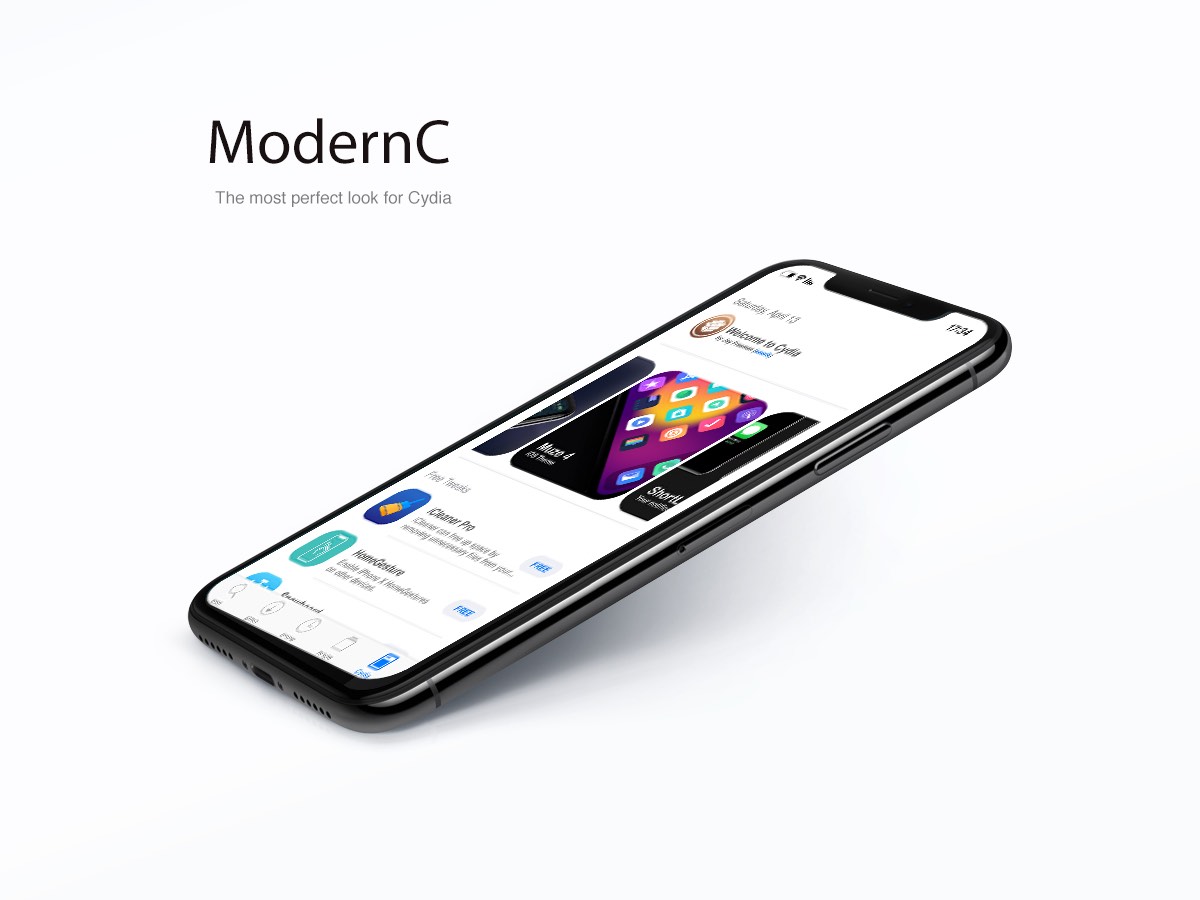
ModernC is yet another modernized redesign for Cydia’s home page

There have been a significant number of jailbreak tweak releases in recent memory that aim to redesign the Cydia app’s user interface to make it more aesthetically pleasing, and while many of them definitely seem like improvements, not all Cydia redesigns are created equally.

One of the latest Cydia redesign-centric tweaks to be released is ModernC by iOS developer DevelopApple, and at first glance, it looks particularly stunning.

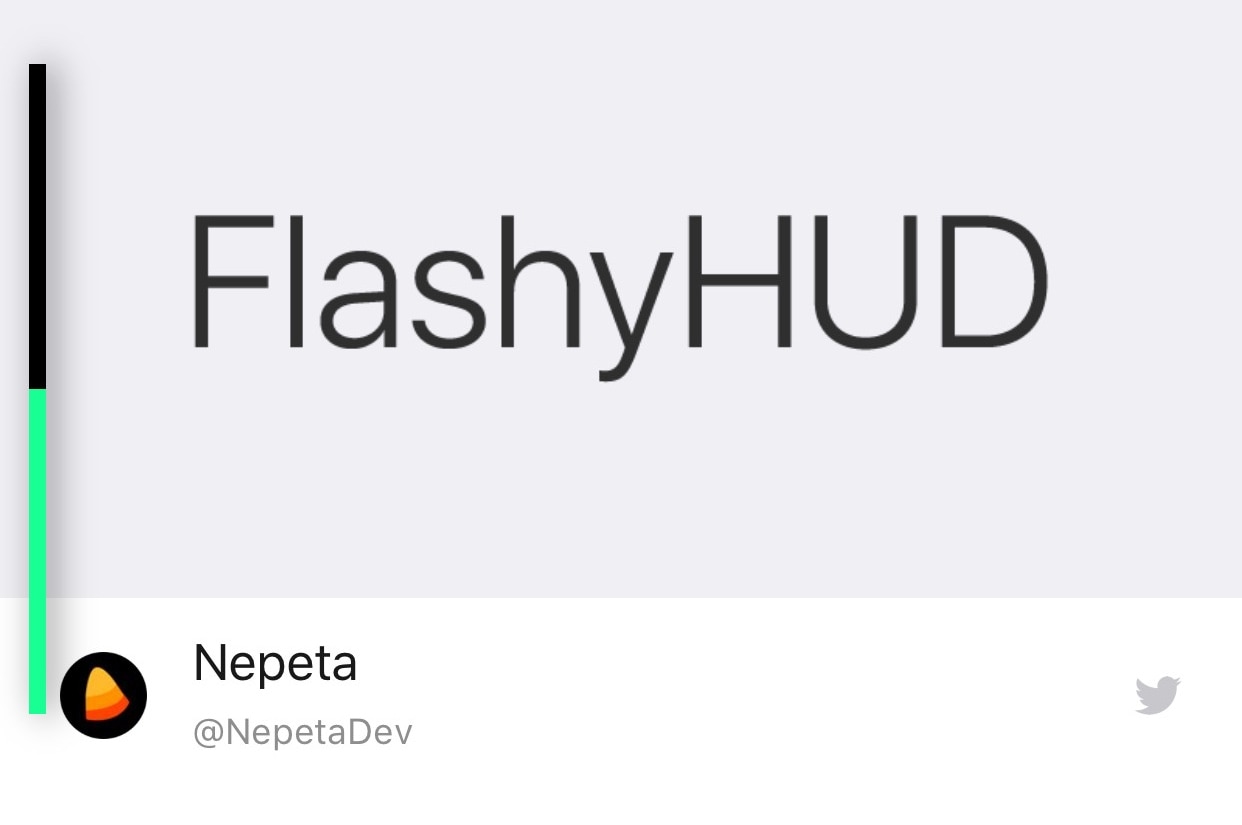
FlashyHUD is a minimalist volume HUD replacement for iOS with oodles of configuration

It’s no secret by now that the iPhone’s native volume HUD leaves a lot to be desired, especially in the realms of aesthetics and intrusiveness. Thankfully, there are a plethora of jailbreak tweaks in Cydia that can change how your iPhone’s volume HUD looks, and we’re here today to talk about the latest in this batch of tweaks called FlashyHUD by iOS developer Nepeta.

As shown in the screenshot example above, FlashyHUD provides a volume HUD interface that appears at the very edge of the display, hence preventing it from getting in your way and causing a ruckus. Perhaps more importantly, FlashyHUD is fully-configurable; not only can you colorize it however you want, but you can also choose where it appears on your display.

ChromaGram provides simple color customization for the Instagram app

Apart from Facebook and Twitter, Instagram is perhaps one of the most popular mobile-centric social platforms, and yet it still hasn’t adopted a native dark mode interface of any sort. With that in mind, wouldn’t it be great if you could just skip to the beat yourself?

Those in agreeance might take a liking to a new free jailbreak tweak called ChromaGram by iOS developer Revulate. As depicted in the screenshot examples above, this tweak lets you colorize the Instagram app however you’d like, whether you’re into dark mode-centric aesthetics or something else entirely.

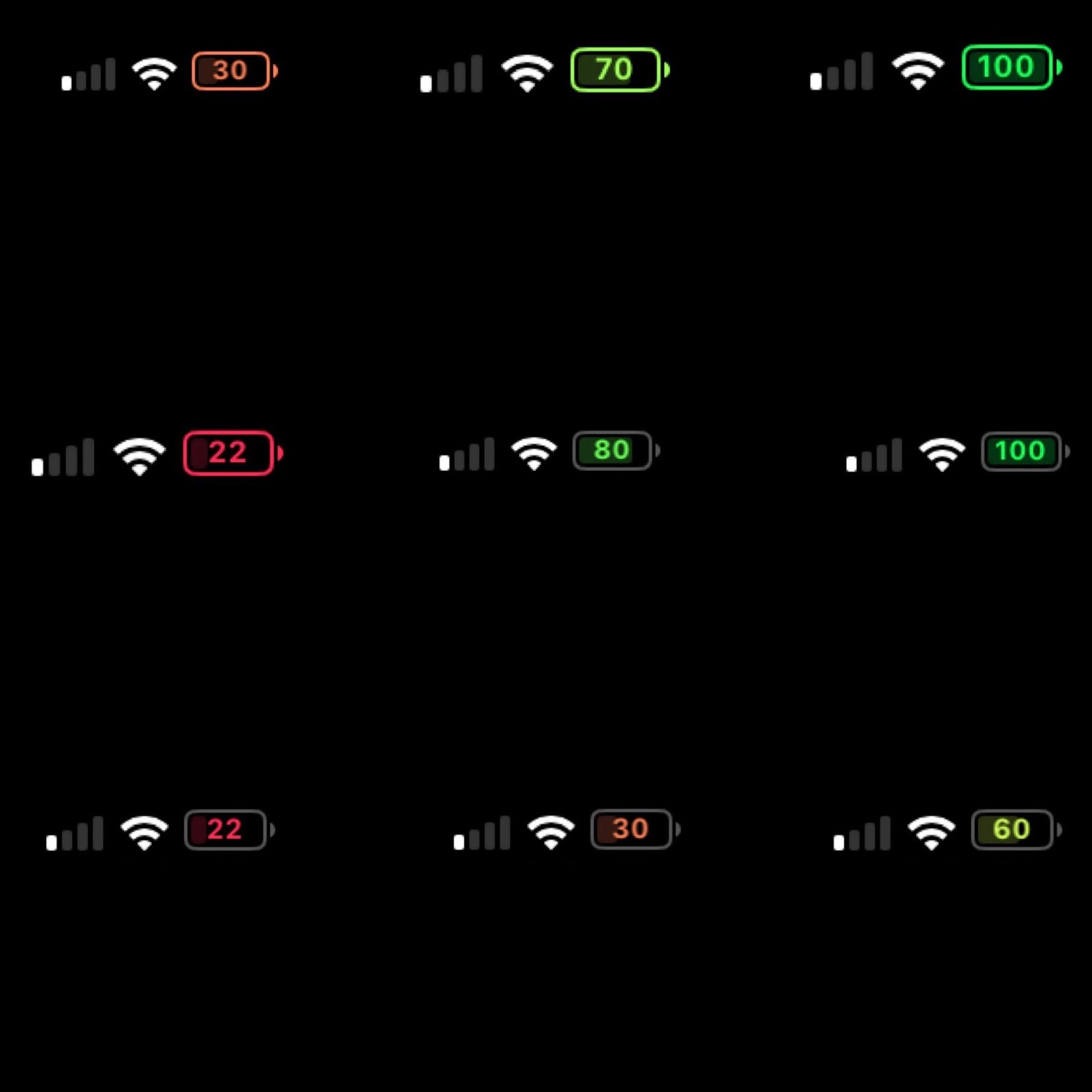
BatteryPercent12 displays a numeric percentage inside the Status Bar’s battery icon

On modern notched handsets like the iPhone X, XR, XS, and XS Max, Apple did away with the numeric battery percentage option for the Status Bar. Instead, the numeric battery percentage remains hidden unless you open the Control Center interface.

I’ve enabled this feature on all my previous iPhones for years, and so this change has felt like a serious downgrade since I picked up my first iPhone X. On the plus side, a new free jailbreak tweak called BatteryPercent12 by iOS developer dpkg_ promises to display the numeric battery percentage in the Status Bar without hindering the battery icon itself.

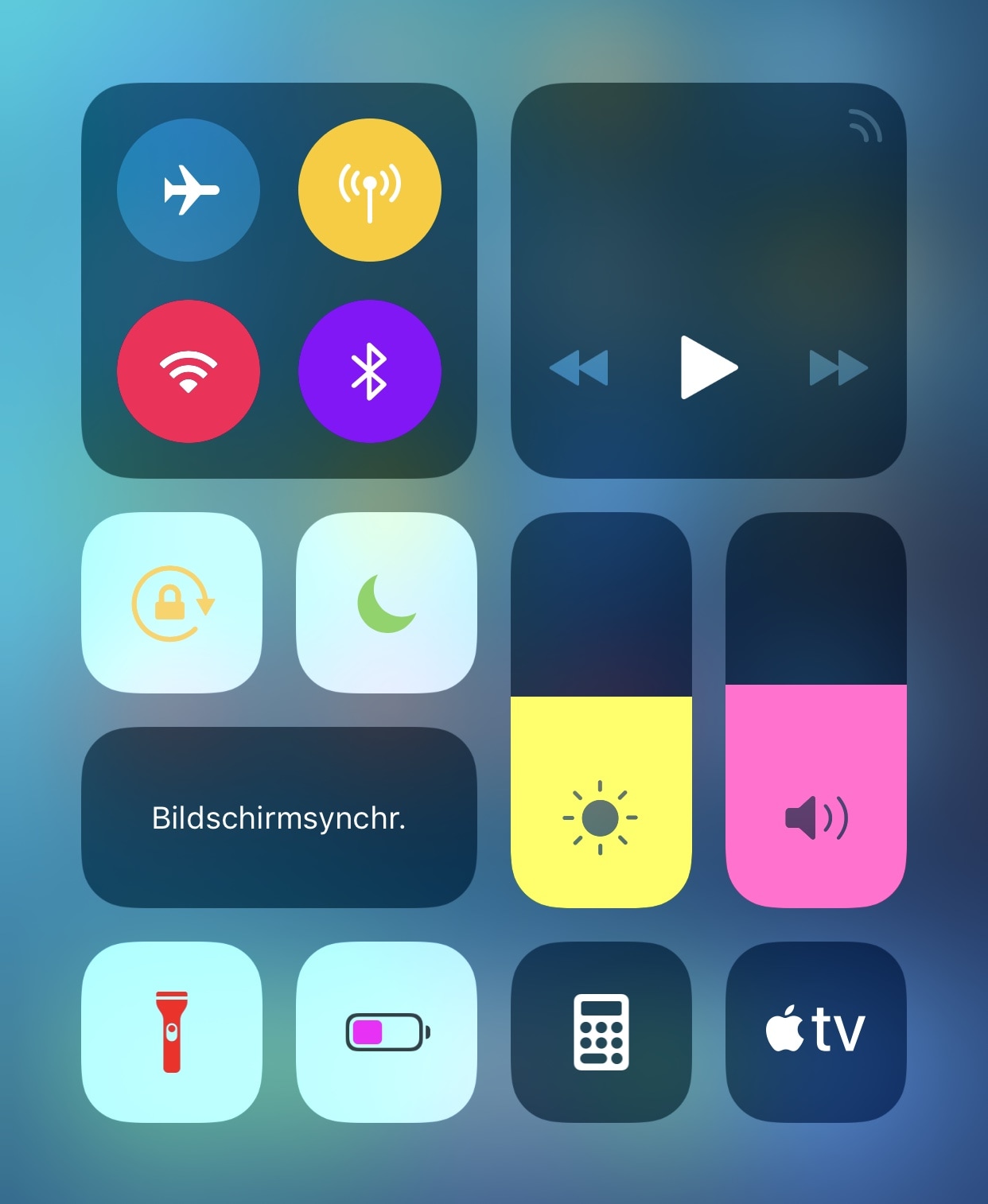
Add a fresh coat of paint to Control Center with Magma

If you have a jailbroken iPhone or iPad in your possession and you haven’t yet started colorizing the user interface to stand out from all the other handsets out there, then you’re doing yourself an injustice.

Fortunately, a new free jailbreak tweak called Magma by iOS developer NoisyFlake can help you with this endeavor, as it lets you apply custom colors to the plethora of toggles and shortcuts that you use via the Control Center interface, as shown above.