Theme

This tweak puts an audio visualizer on your Home screen

I’m a firm believer that the iPhone needs a native audio visualizer, and that’s mainly why I’m such a massive fan of a popular jailbreak tweak called Mitsuha Infinity that we showed you just last month.

Mitsuha Infinity enabled the audio visualizer in the Now Playing app and on the Lock screen, but with a new add-on called Mitsuha Infinity – Home Screen by iOS developer Nepeta, you can now enjoy the same effect on your Home screen.
Make certain aspects of iOS look a lot nicer with Modernize

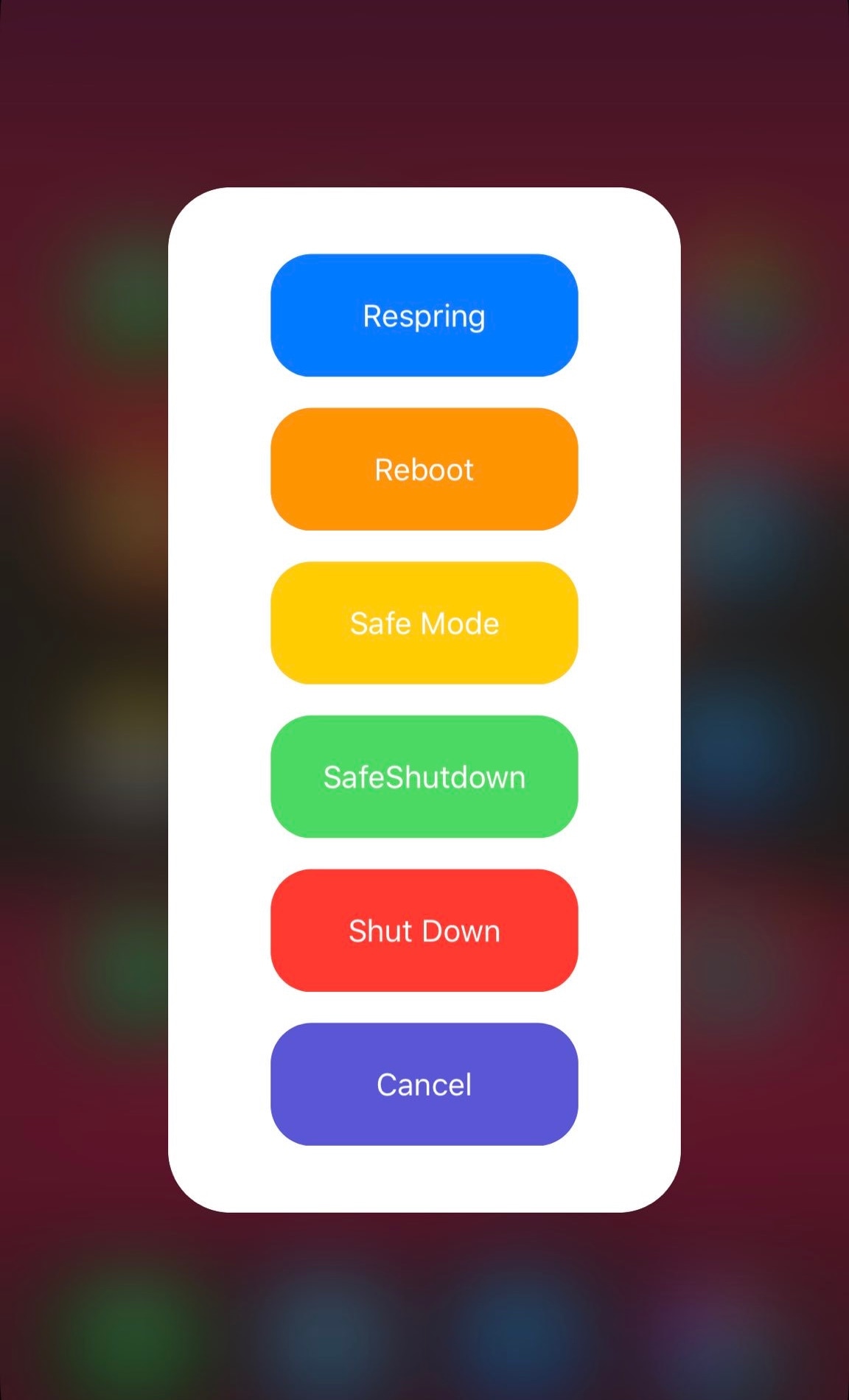
Apple works hard to make each incremental iOS release look spiffier, but some places that don’t receive as much attention as they should include the native power down menu and volume HUD interfaces, just to name a few.

With a newly-released jailbreak tweak called Modernize by iOS developer tylerd3v, you can change that. Just as the name implies, it can make the aforementioned interfaces more useful and aesthetically pleasing.

This tweak enables Apple’s native pairing UI for the new AirPods on pre-iOS 12.2 devices

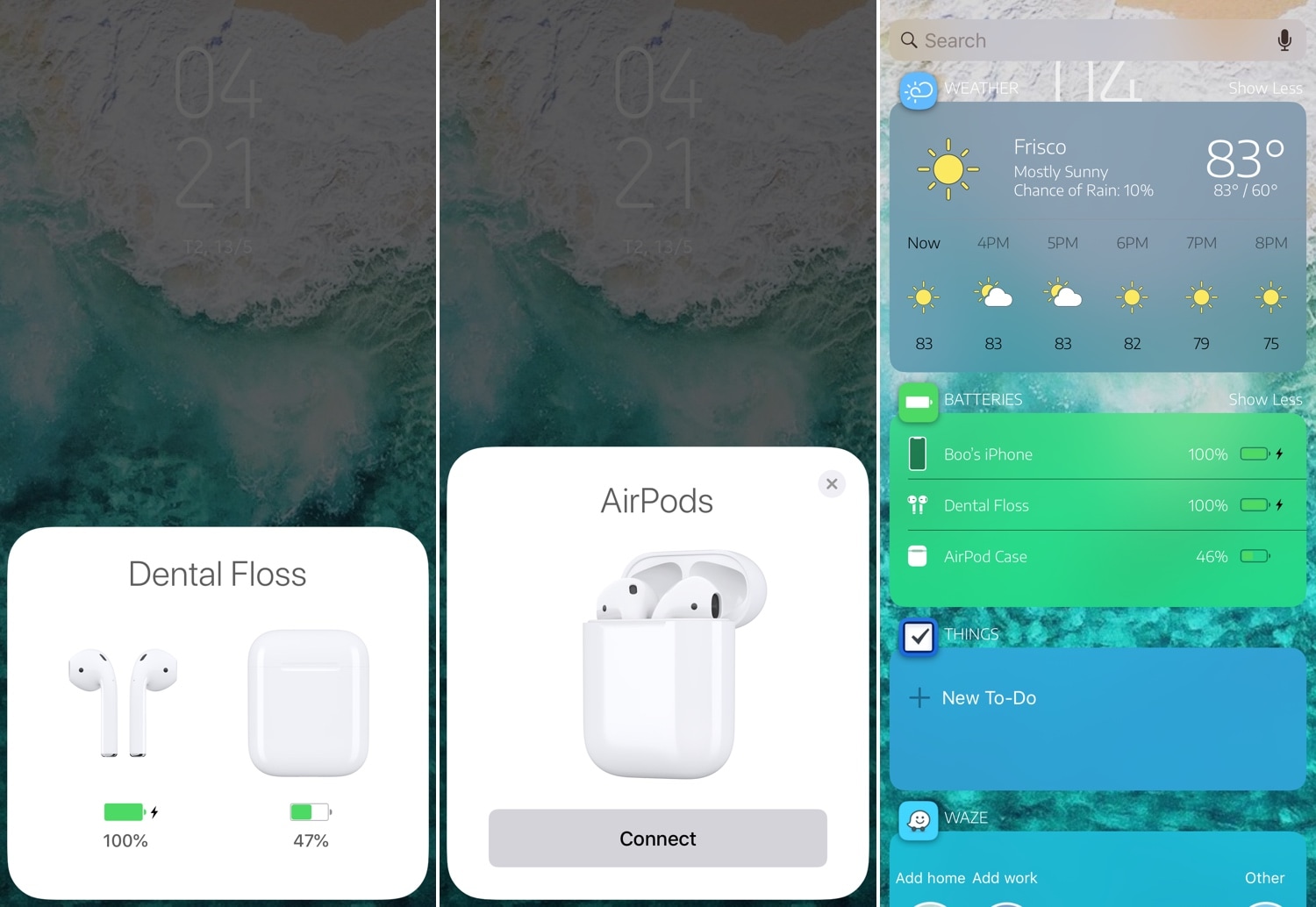
If you’re trying to use a pair of second-generation AirPods with an iOS handset running any firmware below iOS 12.2, then you’re likely all too familiar with the ‘limited’ functionality that ensues. Fortunately, it doesn’t have to be that way, especially for jailbreakers.

AirPort is a newly-released jailbreak tweak by iOS developer Boo that makes second-generation AirPods behave more like the original AirPods on pre-iOS 12.2 firmware. More specifically, it ensures that the beautiful pairing UI appears when you open your AirPods in the proximity of your handset and displays the proper AirPods-style glyphs in the Battery widget on the Today page.

Customize your Lock screen text’s aesthetics with Fabric

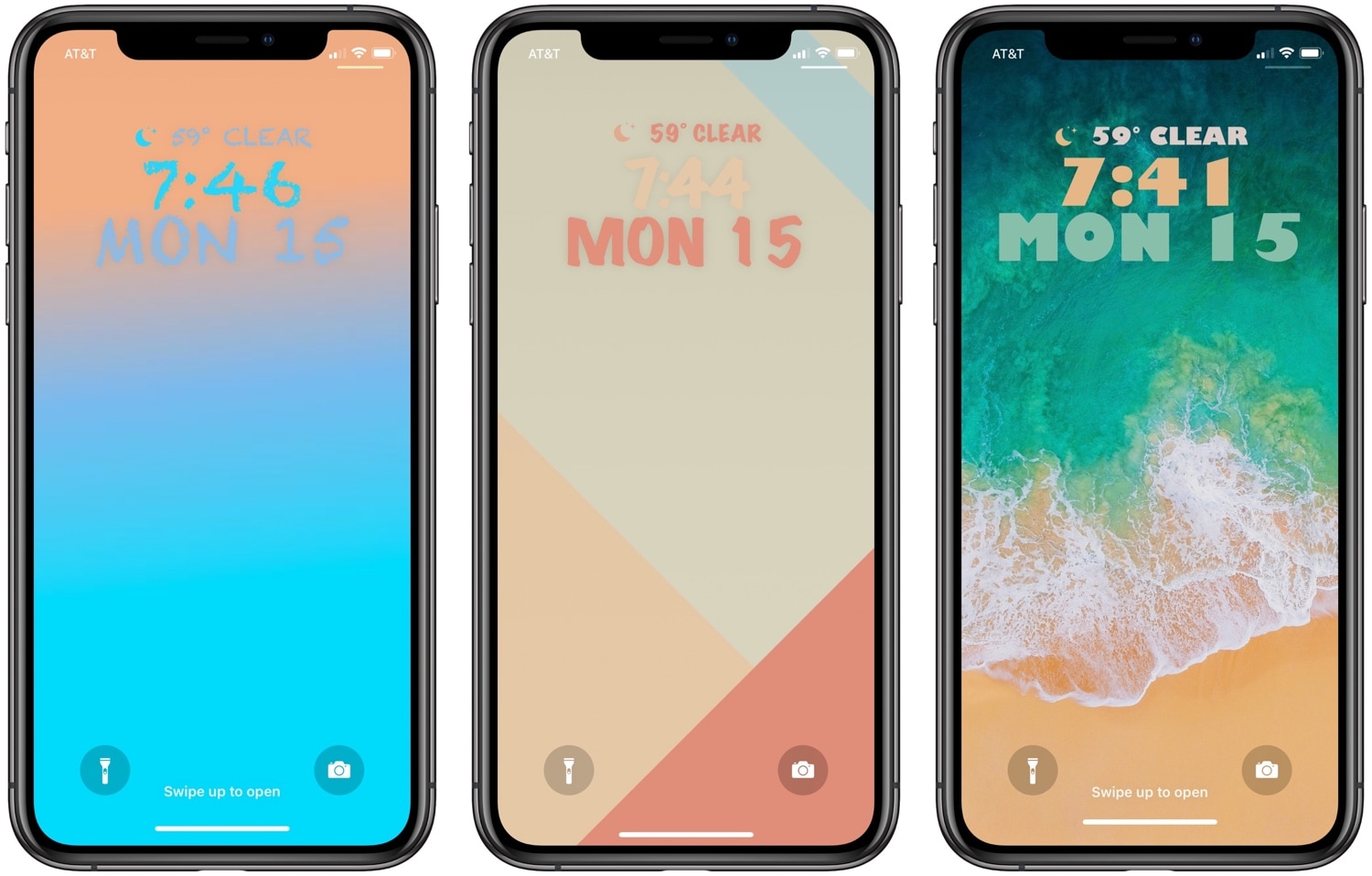
One of the best ways to show your jailbroken device off to the rest of the world is to customize how it looks, and a newly-released jailbreak tweak dubbed Fabric by iOS developer CreatureSurvive will help you do just that.

As you might’ve noticed in the screenshot examples above, Fabric lets you get creative with the text strings that appear on your Lock screen; this includes, but isn’t limited to, the date and time. Not only can you change how large the text is, but you can choose custom fonts and formatting, among other things.

RotaryPass brings a rotary-style passcode entry interface to iOS

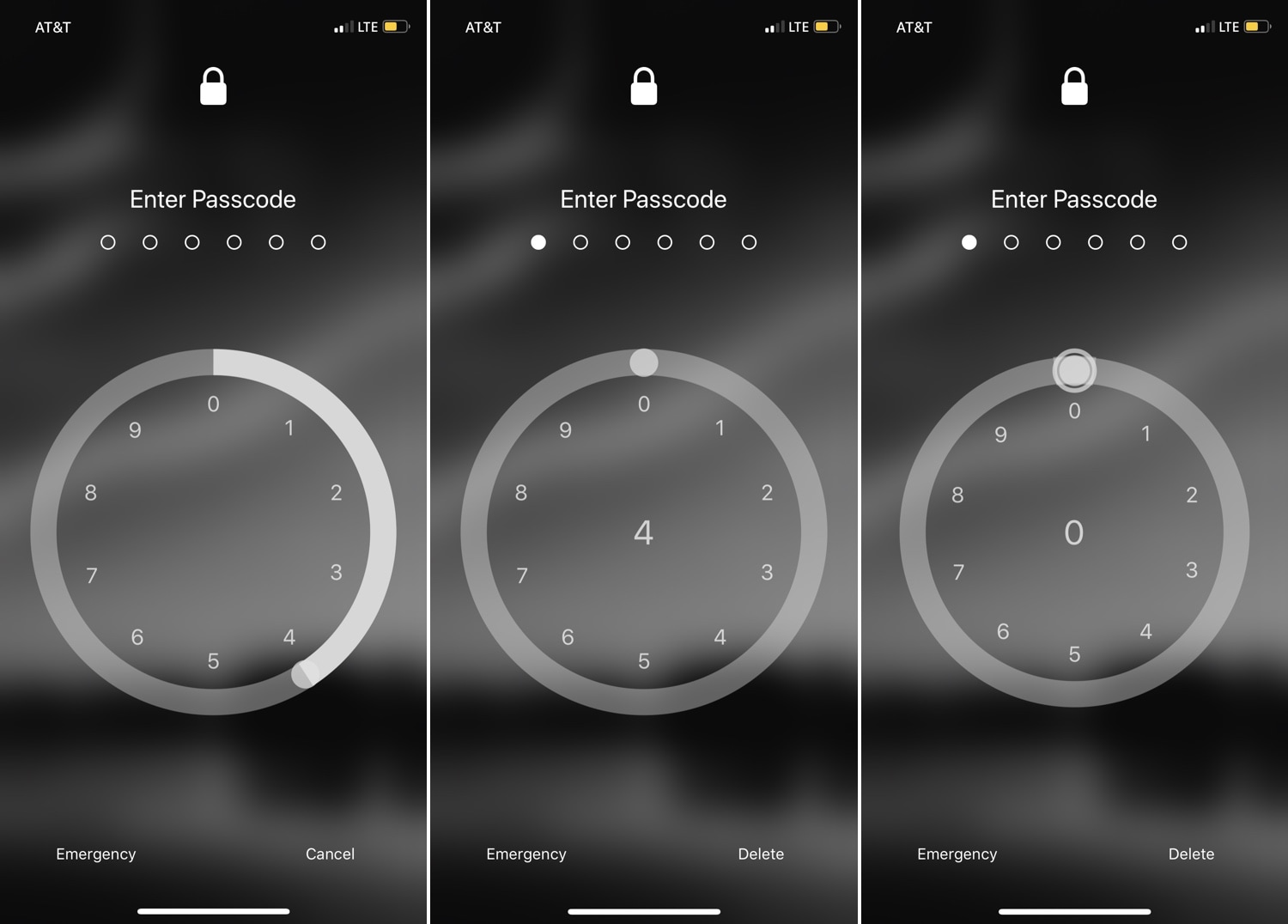
For years, the iPhone’s passcode interface has appeared as a traditional number pad. But if you’re looking for something a bit more exotic that will help your handset stand out from the crowd, then you just might come to appreciate a newly-released jailbreak tweak called RotaryPass by Geometric Software.

As you can discern for yourself in the screenshot examples above, RotaryPass brings an entirely new passcode entry interface to your iPhone – more specifically, one that’s based on those antiquated rotary-style telephones that were commonplace before the 21stcentury.

Lisa: A new OLED-friendly notification experience for iOS

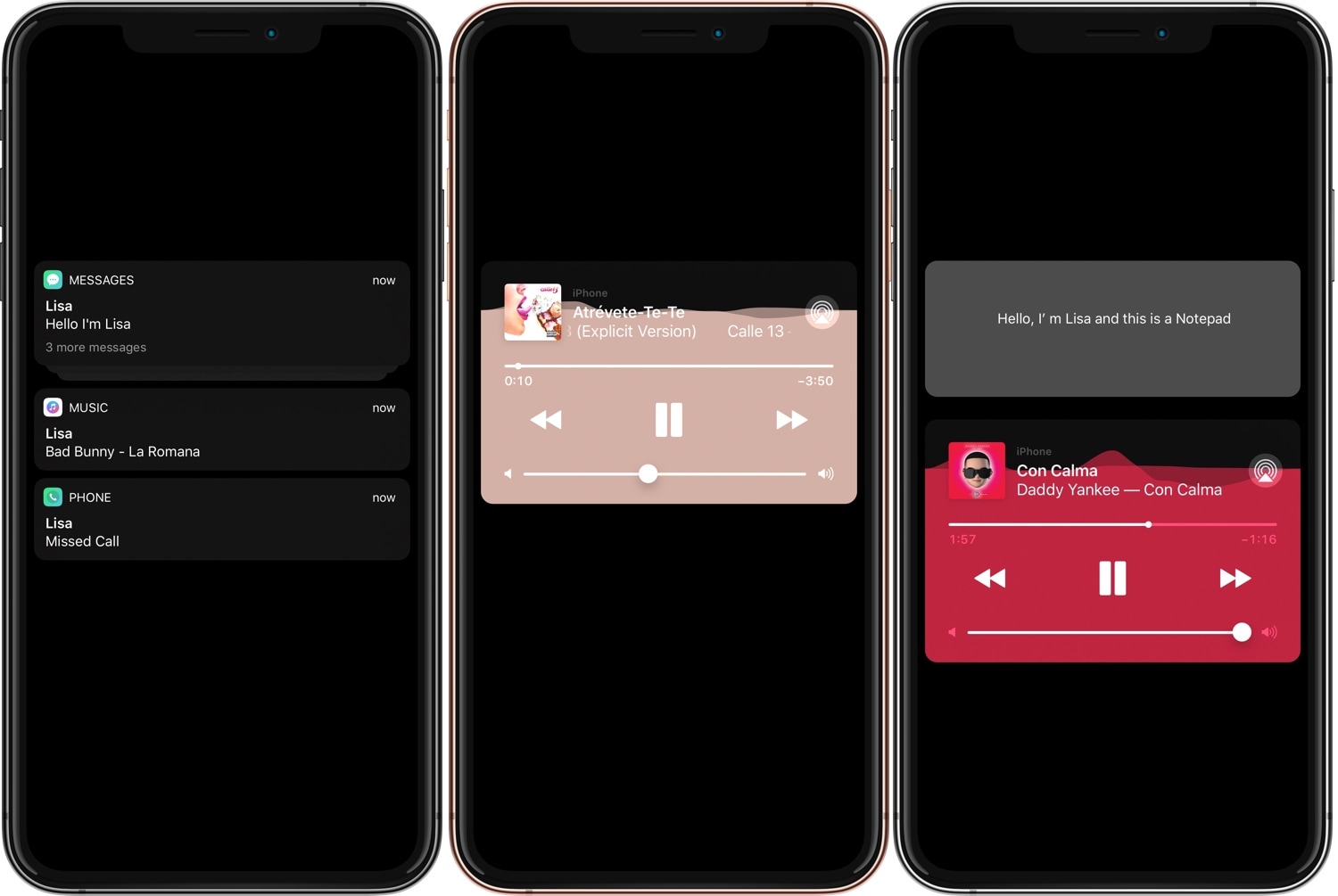
Ever since Apple first debuted an OLED display on the iPhone X, users have been begging for a refreshed OLED-friendly Lock screen experience akin to what some might get when using competing Android handsets.

While Apple certainly hasn’t stepped up to the plate in this department, that hasn’t stopped the jailbreak community from doing what it does best. With that in mind, we’re excited to show you a new free jailbreak tweak release dubbed Lisa by iOS developerEsquilli.

Customize your iOS device’s charging sound with Bezon

When you plug your iOS device into a power source or set it on a Qi-enabled wireless charger, be it an iPhone or and iPad, you’ll usually hear a charging chime so long as the device isn’t configured to be in silent mode.

Apple doesn’t provide you with a way to change your handset’s charging chime out of the box, but a new jailbreak tweak called Bezon by iOS developer DevelopApple can help in this department.

Nostalgic for the pre-iOS 6 Home screen folder aesthetics? This tweak can help

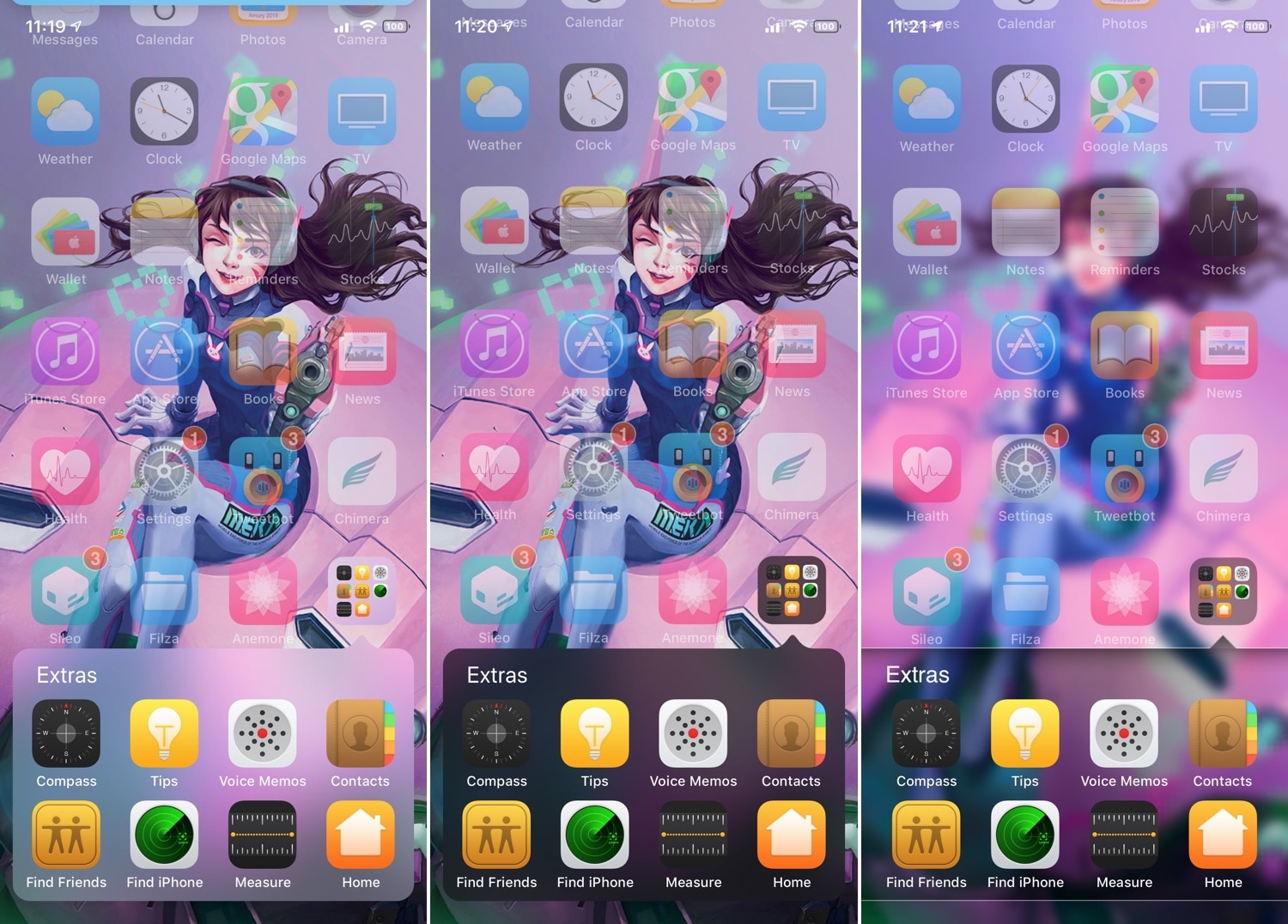
If you’ve ever used iOS 6 or earlier, then you’re undoubtedly familiar with a very different Home screen folder interface that you’re using today. I can’t exactly say that I enjoy the newer folder format better than the older one, and for that reason, I’m excited to talk about a jailbreak tweak called ClassicFolders 2 by iOS developers CoolStar and Jeremy Goulet.

The primary reason that you would want to install ClassicFolders 2 is if you miss the classic Home screen folder interface and you want to use it again on your jailbroken iOS 7-12 device. This tweak works quite well, and it even includes a few bells and whistles to give it an aesthetic appeal such as blurred background modes that match iOS’ modern-day appearance.

Groovify lets you customize the Spotify Music app without boundaries

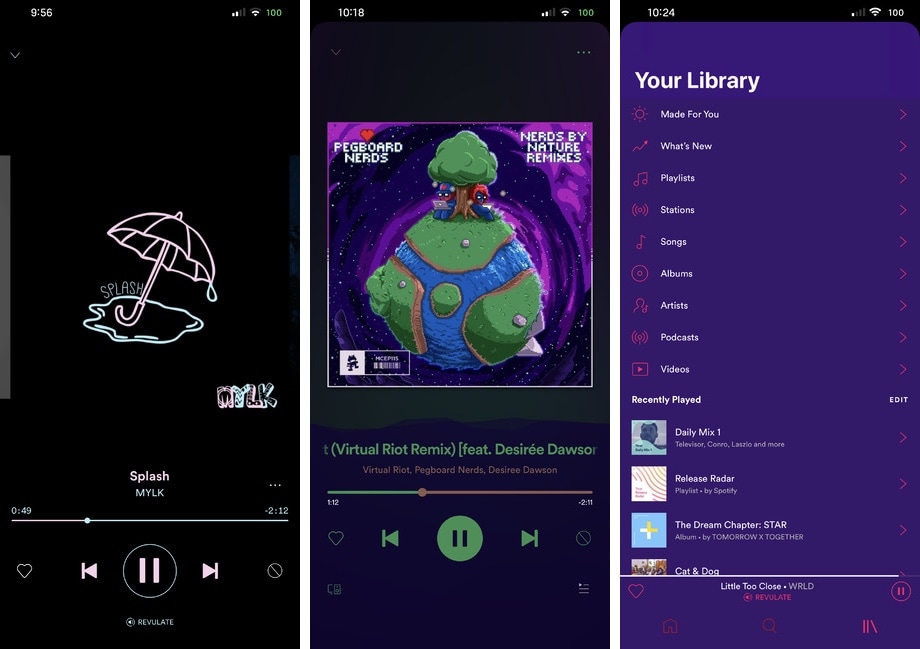
Although Apple pushes its Apple Music streaming service on its consumer base, I still find myself preferring Spotify, especially now that the service bundles Hulu with its Spotify Premium subscription. That said, I don’t see myself switching to Apple Music any time soon, and it excites me when I happen upon a new Spotify-centric jailbreak tweak.

The latest of such releases is Groovify by iOS developer Revulate, which brings all sorts of color customization options and a whole lot more to the official Spotify app for iOS. You can see a few examples of the tweak’s aftermath in the screenshots above.

This tweak does away with the red webview warning banner in Sileo

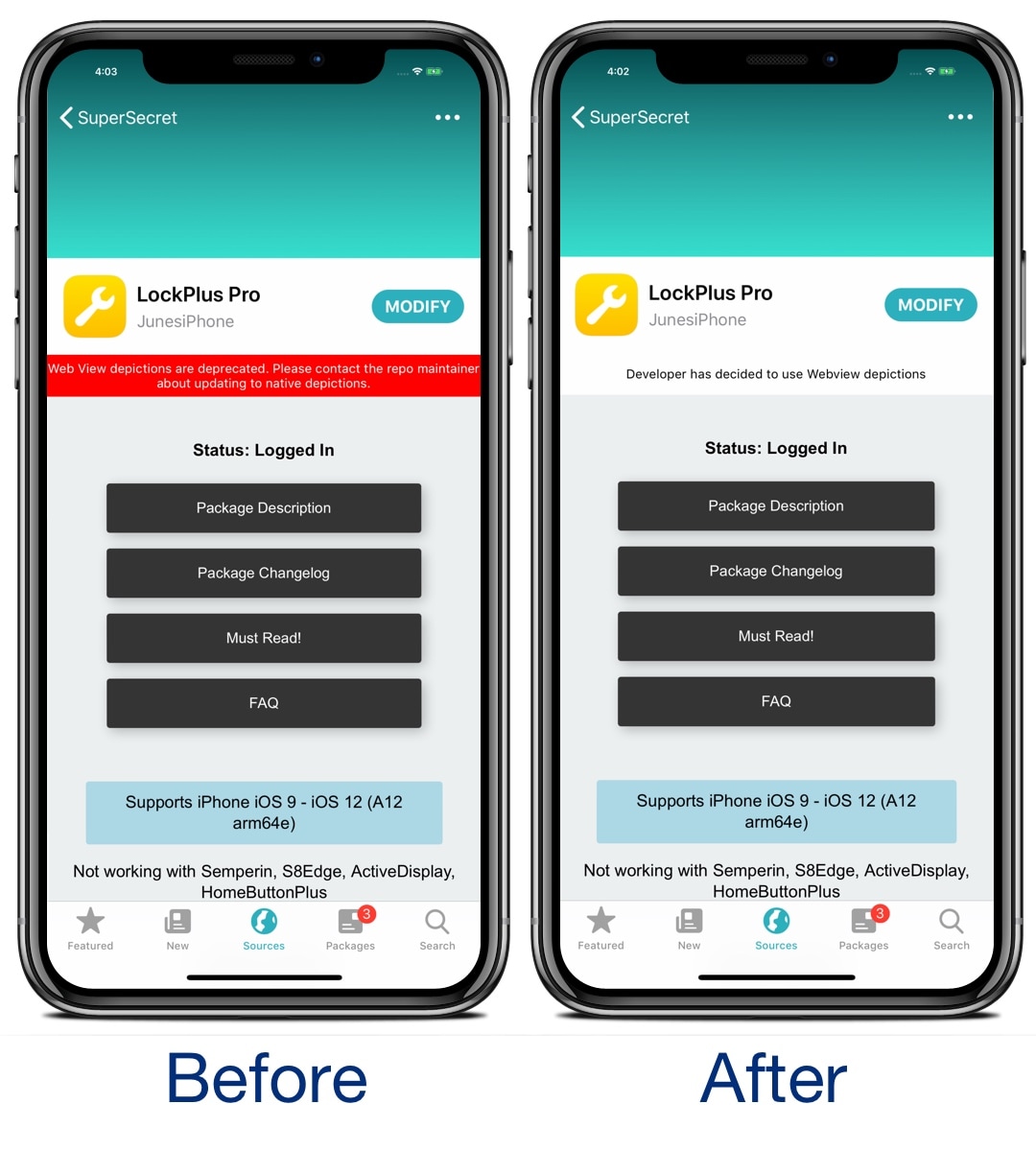
If you’re using the Sileo package manager on the Chimera or Electra jailbreak from the Electra Team, then you’ve undoubtedly stumbled upon a few repositories where the app displays an unsightly red banner just below the tweak’s name with a warning about how web view depictions are deprecated.

Those who use the Sileo app on a regular basis have probably gotten in the hint by now, and so if you’re getting tired of seeing this red banner each time you go to download a jailbreak tweak, then you just might come to appreciate a new free release called SileoNoBanner by iOS developer JunesiPhone.

Hide your Home screen’s icon labels with HideLabels12

One of the most popular ways for jailbreakers to clean up their Home screen’s aesthetic is by hiding the labels that typically appear just below each app’s icon.

If you’re rocking any of the latest jailbreaks, whether that’s Chimera, Electra, or unc0ver, and you’re interested in doing this to your device, then you might take a liking to a new free jailbreak tweak called HideLabels12 by iOS developer Ryan Nair.