Safari

Dark Mode discovered in Safari and System Preferences on macOS Sierra

It looks like iOS 10 may not be the only Apple operating system to include dark interface assets as Mac developer Guilherme Rambo tweeted out a number of screenshots showing a dark interface theme in several stock applications on macOS Sierra, including Safari and System Preferences.

This mode is different in appearance than macOS's existing setting for enabling dark menu bar and the Dock in System Preferences → General.

Importing data to Safari from another web browser

Love it or hate it, Apple's Safari is a zippy web browser that performs well on the Mac, and it continues to get more and more competitive with other web browser platforms.

Since Apple wants you to use Safari on your Mac, it's a no-brainer they're going to make it easier to migrate your web data from one web browser to another.

In this tutorial, we're going to show you how to import bookmarks to Safari, along with your other web data, from a different web browser.

Apple Pay support code makes its first appearance in Safari Technology Preview 8

Safari Technology Preview, an experimental version of the Safari browser meant for testing upcoming new capabilities and web technologies, is a good place to look for clues regarding new features in development. Today, Apple released an eighth update to Safari Technology Preview, which debuted in March 2016, and the browser appears to include pieces of code to support the upcoming Apple Pay integration with websites.

Opinion: Dark Mode? Apple’s been testing dark interfaces on iOS for years now

My colleague Andrew first broke news yesterday that Dark Mode resources have been found within iOS 10's Messages app. Now, Dark Mode was expected to make an official appearance in iOS 10, but the WWDC keynote came and went without any mention of this feature.

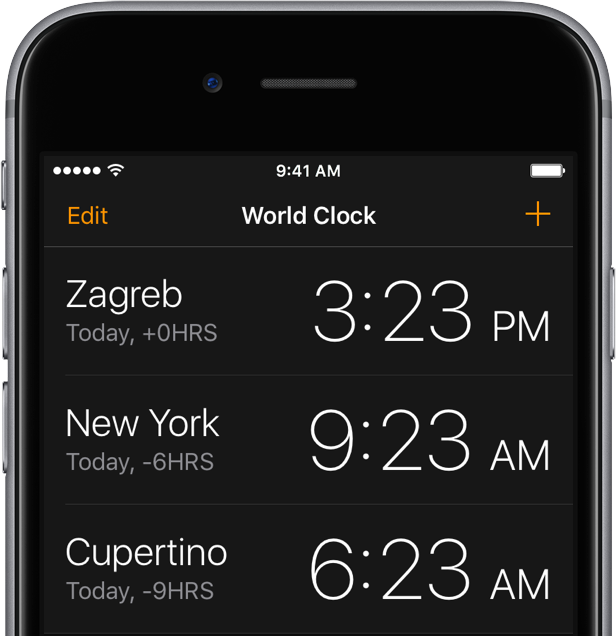
Now Mac Aficionados tweeted out screenshots depicting a dark interface in other iOS 10 stock apps, including an automatic dark mode in iBooks, in addition to the Clock app, Safari and the iTunes Store.

As it turns out, dark interfaces in these apps (sans Clock) have been present for years, indicating Apple's been testing how users might accept a Dark Mode option on iOS.

Tip: customize the Safari toolbar on your Mac

Last week, we showed you how you could customize the toolbar on your Mac's Finder window to better suit your needs, but there are other apps throughout the macOS operating system that come with toolbar-editing capabilities as well.

In this tutorial, we'll show you how you can customize the toolbar in the Safari web browser to make your web surfing experience the best it can be for your specific needs.

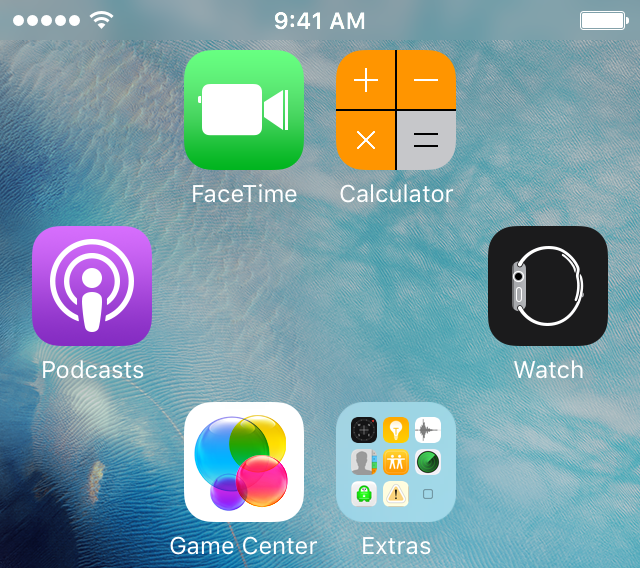
Tip: create empty spaces between apps on the Home screen, no jailbreak needed

One of the top things that those without jailbreaks wish they could do is put blank spaces between app icons on the Home screen.

Whether it's to help with your creative organization technique, or to simply add a personal touch or pattern to your Home screen, you may be excited to hear that it's possible to create blank spaces between your app icons on a completely stock, non-jailbroken iOS device.

In this tutorial, we'll talk about how you can generate blank spaces between your app icons on the Home screen, as shown above, without having a jailbreak.

Manually checking for Java updates for your Mac or PC

Java, just like Adobe Flash, is often a major security flaw waiting to happen for both Mac and PC owners.

Although Apple takes security very seriously and just about forces Mac users with Java to check for Java updates automatically, it's still never a bad idea to check on your own from time to time.

Since we recently showed you how to check for Flash updates manually, it only made sense to follow up with a similar guide for Java, which is also a commonly-used web plugin.

In this tutorial, we'll show you how to see if you have the latest version of Java installed on your computer or not.

Tip: this secret Safari shortcut quickly loads your last search results

SnapBack, a long-standing and very easily overlooked Safari for Mac feature, can save you a ton of clicks if you search a lot, and most of us do. With SnapBack, you can go right back to the last full search results page, even after traveling multiple pages in from your search results.

Part of the reason most users aren't familiar with SnapBack has to do with Apple's decision to remove the little orange SnapBack icon from Safari's address bar and bury the feature  in the menus.

Here's that secret SnapBack shortcut that everyone should start using right now.

How to manually check for Flash updates on your Mac

Flash is among one of the most targeted web platforms for injecting computers with malware, including Macs, and that's why Adobe is always turning around with updates for Flash all the darned time.

If you're like me, then your security is important to you, and you may not trust automatic updates to deliver updates to you quickly enough.

This tutorial will show you how you can make sure Flash is up to date on your Mac, the manual way.

Installing themes on your iPhone without a jailbreak

Theming your iPhone, iPod touch, or iPad has been a long time primary reason of jailbreaking. Unfortunately, as the wait for a new jailbreak becomes ever so longer in between iOS releases, the jailbreak scene is becoming less reliable for getting the features you want on the latest version of iOS.

For those who are tired of waiting, iSkin is a new platform that can be used directly from your Safari web browser to install themes on your iOS device without a jailbreak, and we'll show you how it's used in this tutorial.