Review

Review: the Glyph Atom is one of the fastest SSDs out there

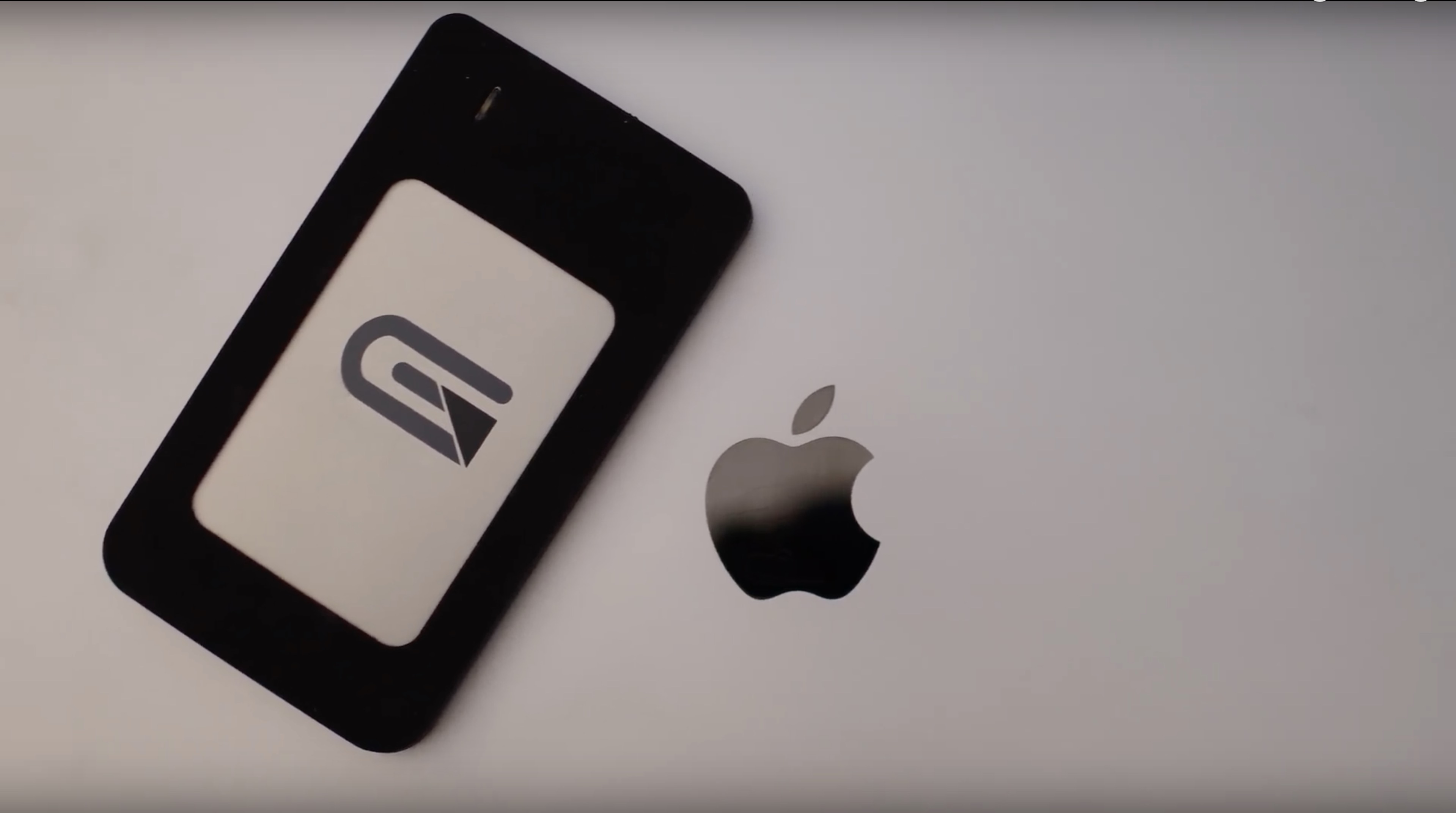
The latest MacBook Pros fully embraced USB-C. Charging, displays, and other I/O are all connected through this universal port. In a profession that is quite storage-intensive, I've spent my fair share of time researching and testing hard drives. The Glyph Atom has become my latest favorite, and has so far been my drive of choice with my new MacBook Pro.

OLEDification emulates OLED-style notifications on your jailbroken iPhone

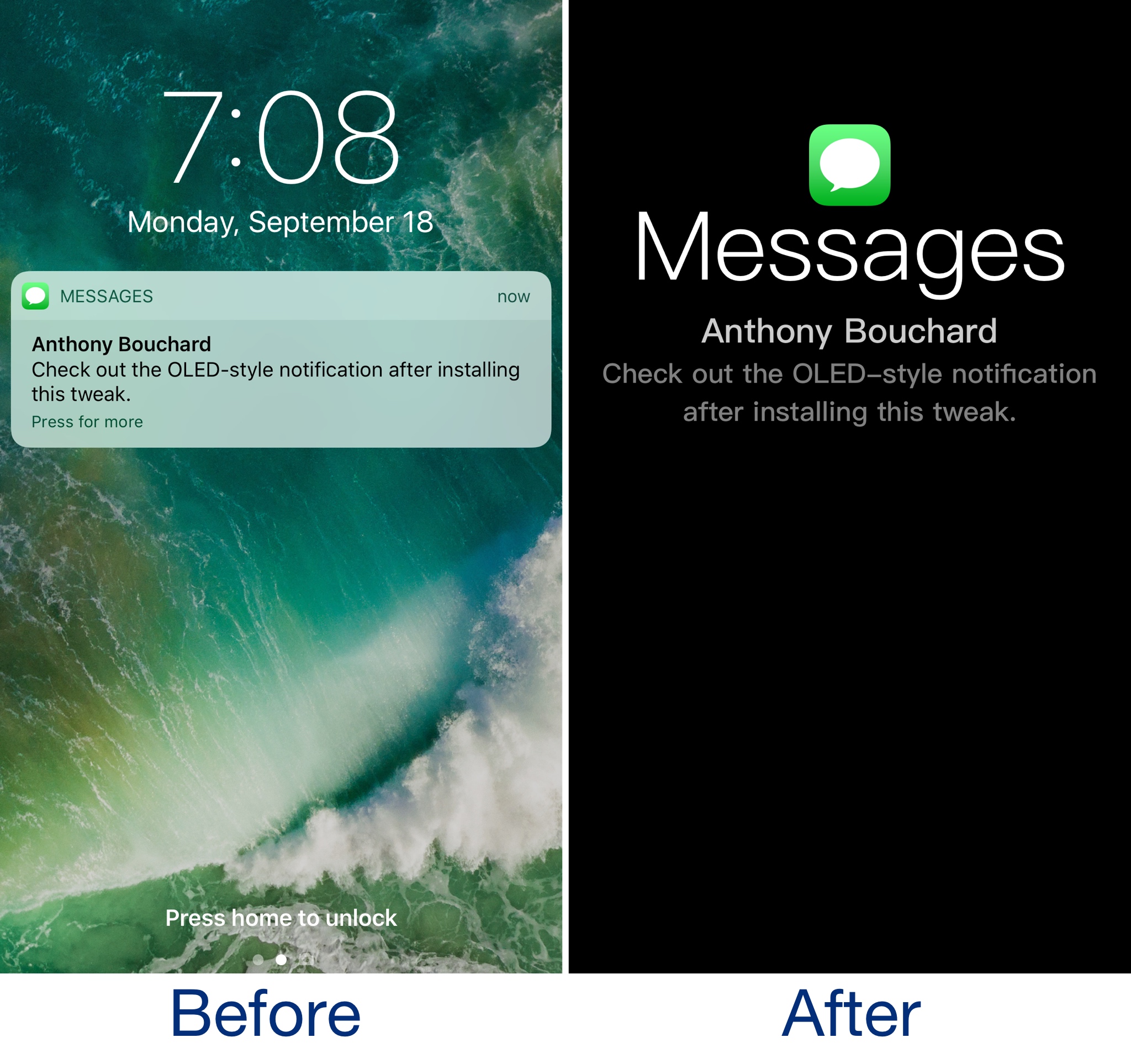
OLEDification is a new jailbreak tweak by iOS developer Shyam Lad that captures the notification experience of various devices with OLED displays and brings it to the Lock screen of your jailbroken iPhone.

Once installed, the Lock screen interface disappears when you receive notifications. Instead, you’re shown an immersive full-screen experience in which the background is dark, and the notification content itself makes up the only color you see on your display.

Weight, size, and battery life: iPhone X vs iPhone 8 vs iPhone 7

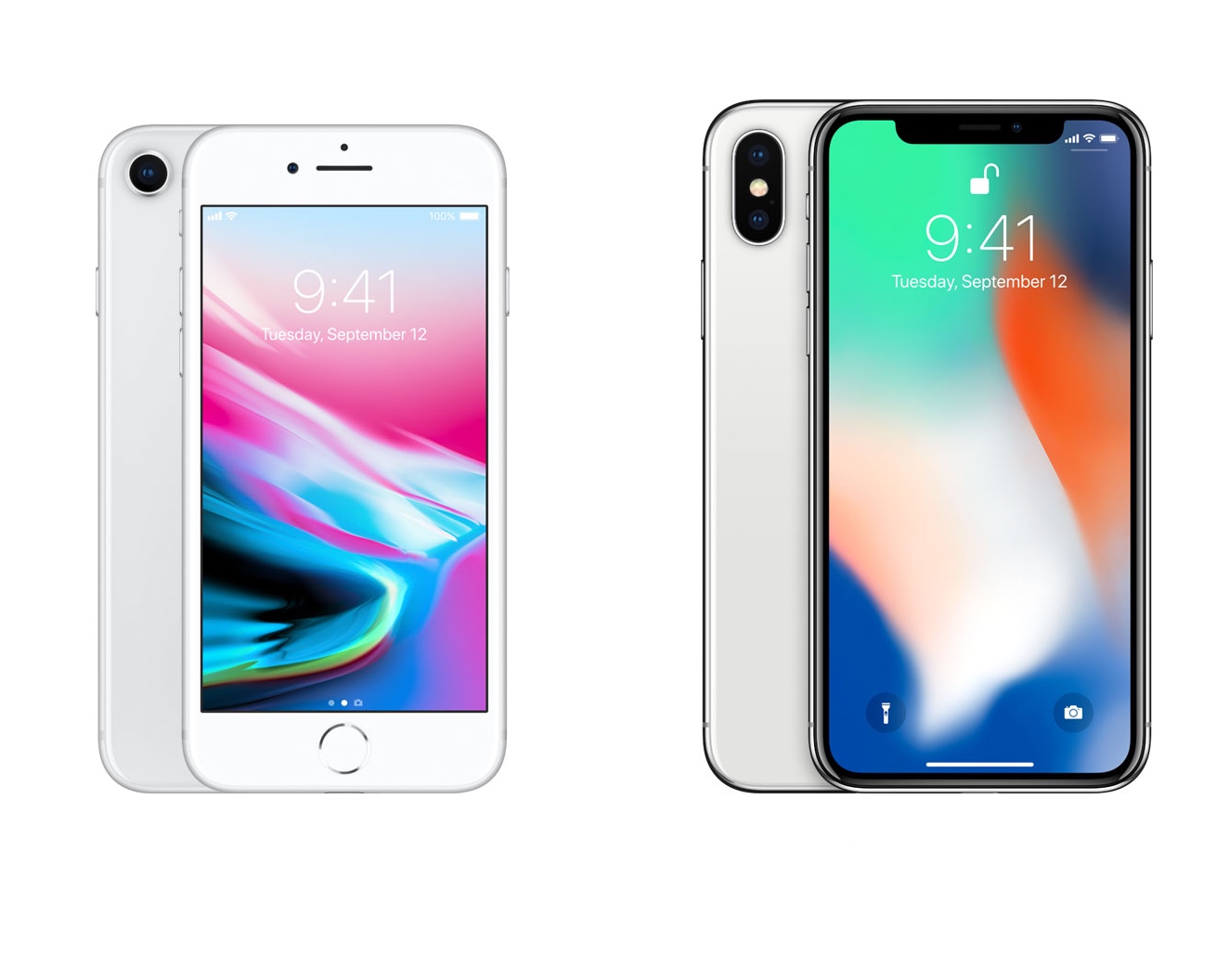
Rather than announcing just one new iPhone this year with two different screen sizes, Apple shook things up by announcing an entirely new iPhone X with a 5.8-inch edge-to-edge OLED display alongside their typical 4.7-inch and 5.5-inch iPhone models.

There’s bound to be some confusion about some of the most important specs between the devices, so in this piece, we’ll talk about the differences in weight, dimensions, and battery life as we do every year.

DynamicTimer automatically configures iOS timers to “Stop Playing” when music is playing

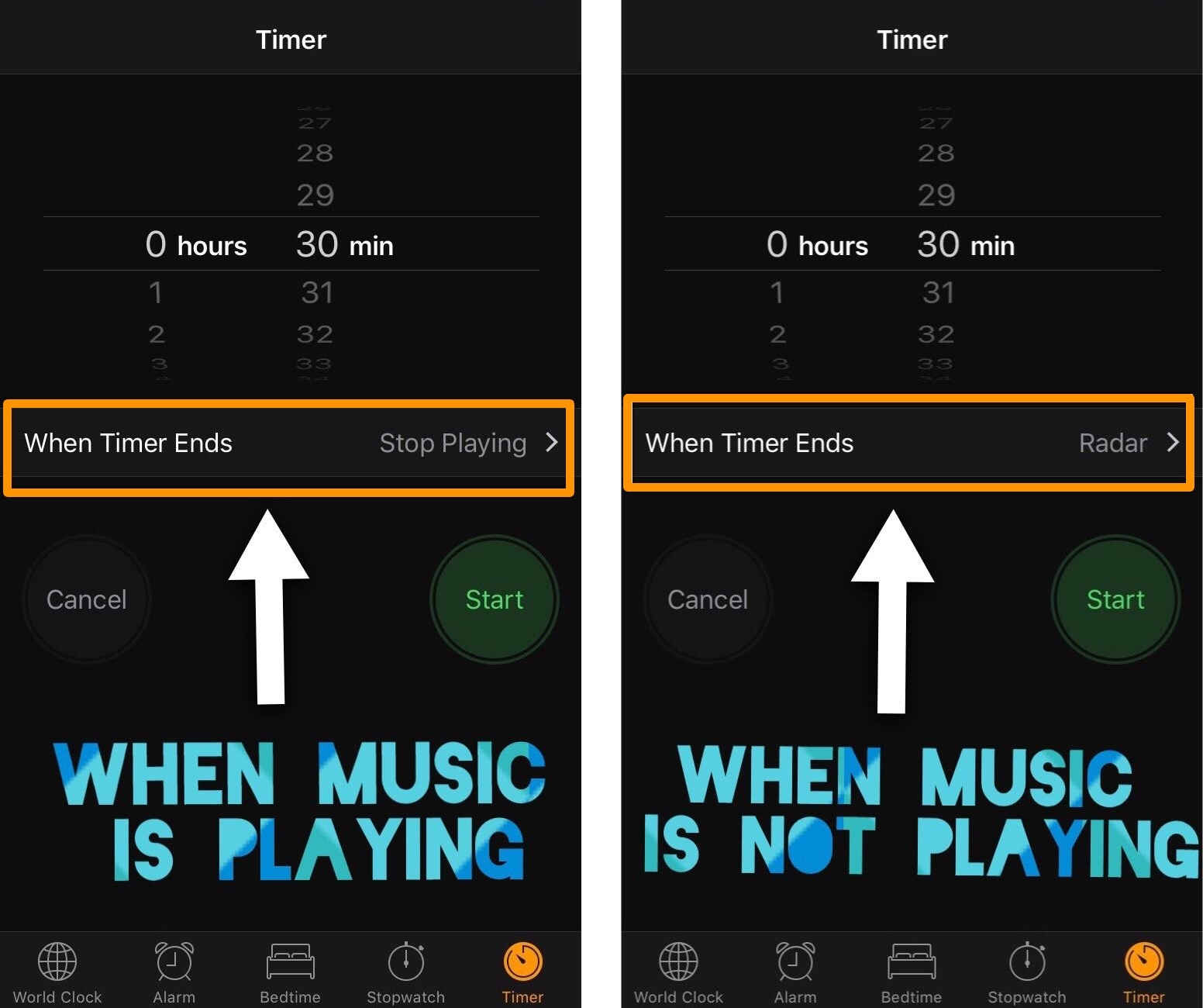
Anyone who uses the timer in iOS knows that it's useful for one of two things: 1) to count down for something special, or 2) to make your music playback stop after a designated amount of time.

If you use your iOS timer for both cases mentioned above frequently, then it can be cumbersome to switch back and forth between your favorite sound and the "Stop Playing" option for each situation. Fortunately, a new free jailbreak tweak called DynamicTimer by iOS developer KingPuffdaddi helps automate this process.

Hide unwanted albums from the Photos app with DenyPhotoAlbums

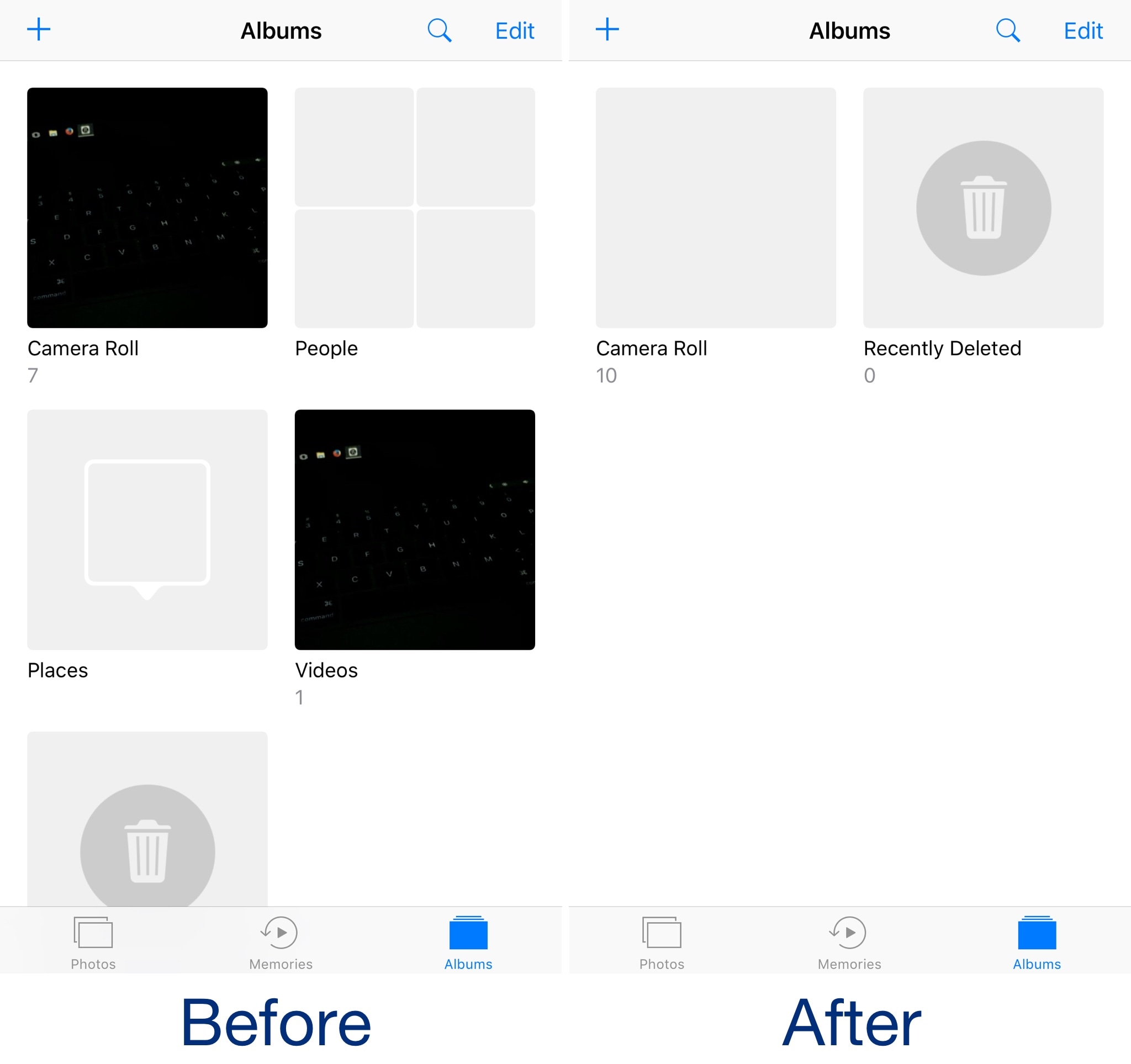
As Apple expands upon the Photos app with each new iteration of iOS, it becomes cluttered with extraneous features that many users have no intention of using. Among those are the bevy of sorting albums that break down the contents of your Camera Roll.

Although some embrace the automatic album sorting, others prefer the manual control they had in older versions of iOS. If you fall into the latter category, then a new free jailbreak tweak called DenyPhotoAlbums by iOS developer CydiaGeek might be worth checking out.

This tweak brings some of the boldness of iOS 11 to your folders

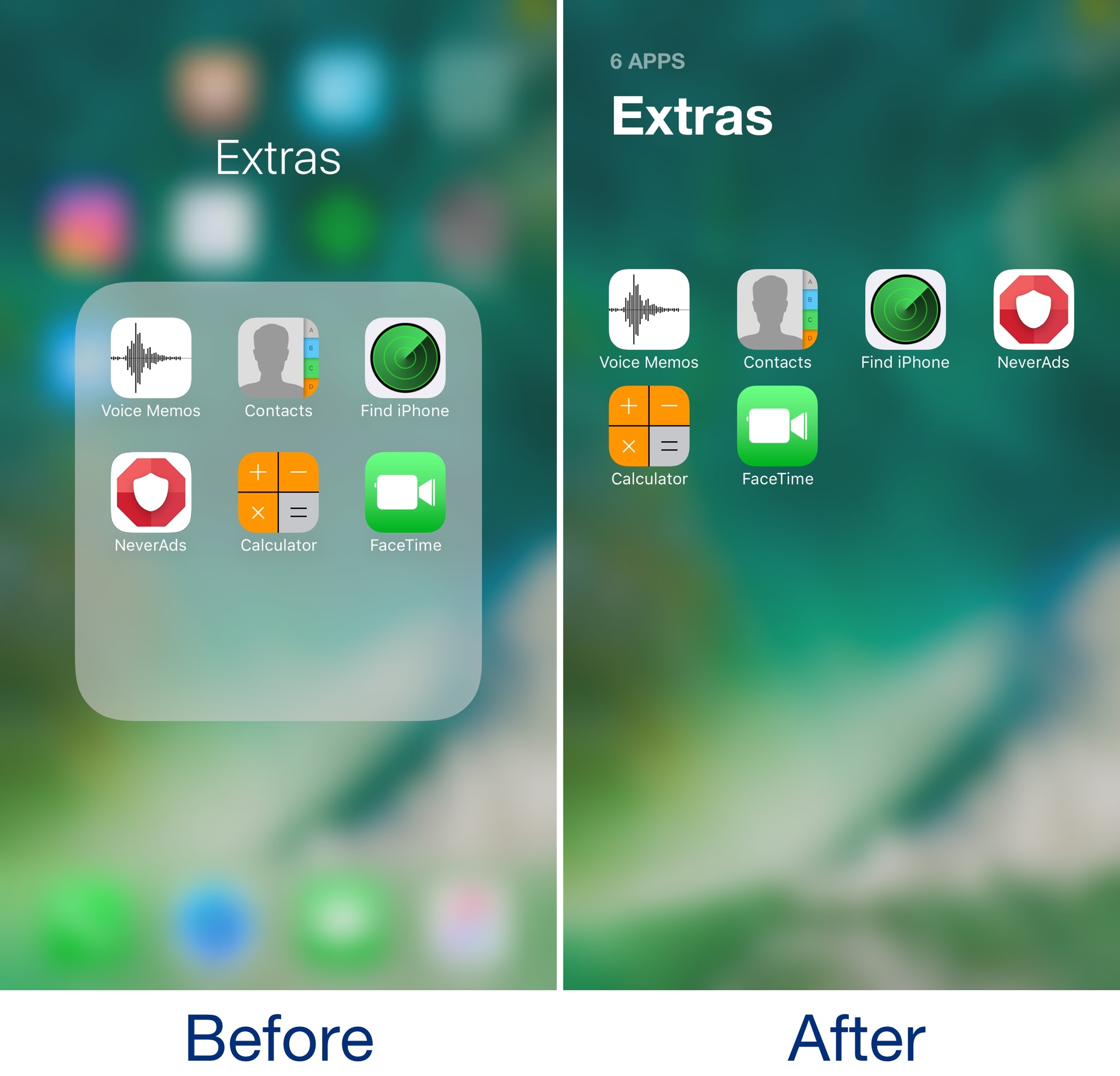
Admittedly, I’ve never really liked the way folders looked in some of the latest iterations of iOS. They take up the whole screen, but only utilize a fraction of it for a functional purpose. In my opinion, Apple is wasting so much space with the current setup.

A new free jailbreak tweak called Bolders by iOS developer candoizo helps fix some of these shortcomings by transforming iOS folders into actual full-screen works of art.

NowPlayingHUD hides the volume HUD when media is playing

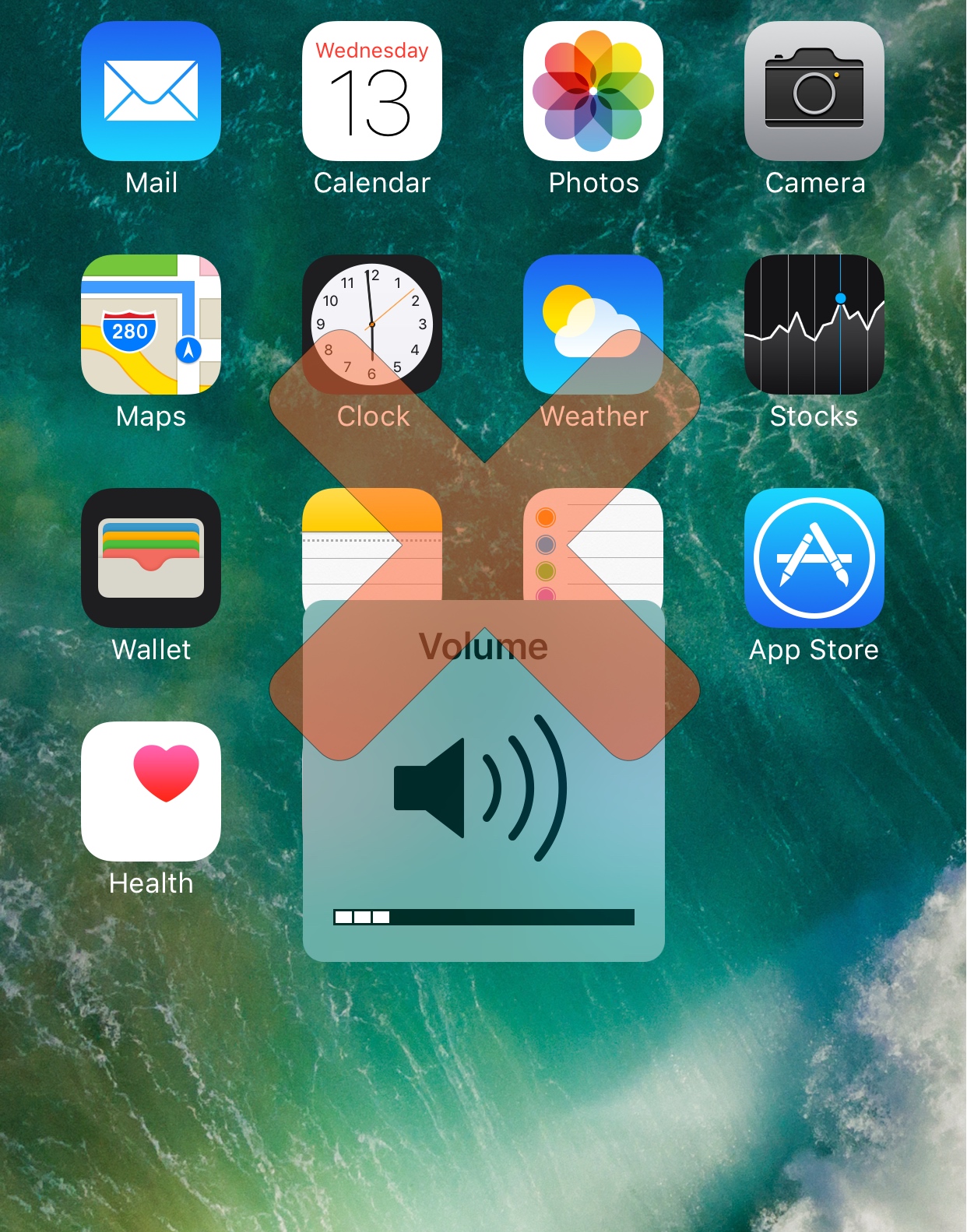
Whenever you adjust your iPhone’s volume, a HUD appears that indicates your volume level while you tinker with it.

Not everyone is a fan of the way the volume HUD looks, hence why so many tweaks modifying its appearance exist in Cydia, but iOS developer Cole Cabral had another idea, so a new free jailbreak tweak called NowPlayingHUD was born.

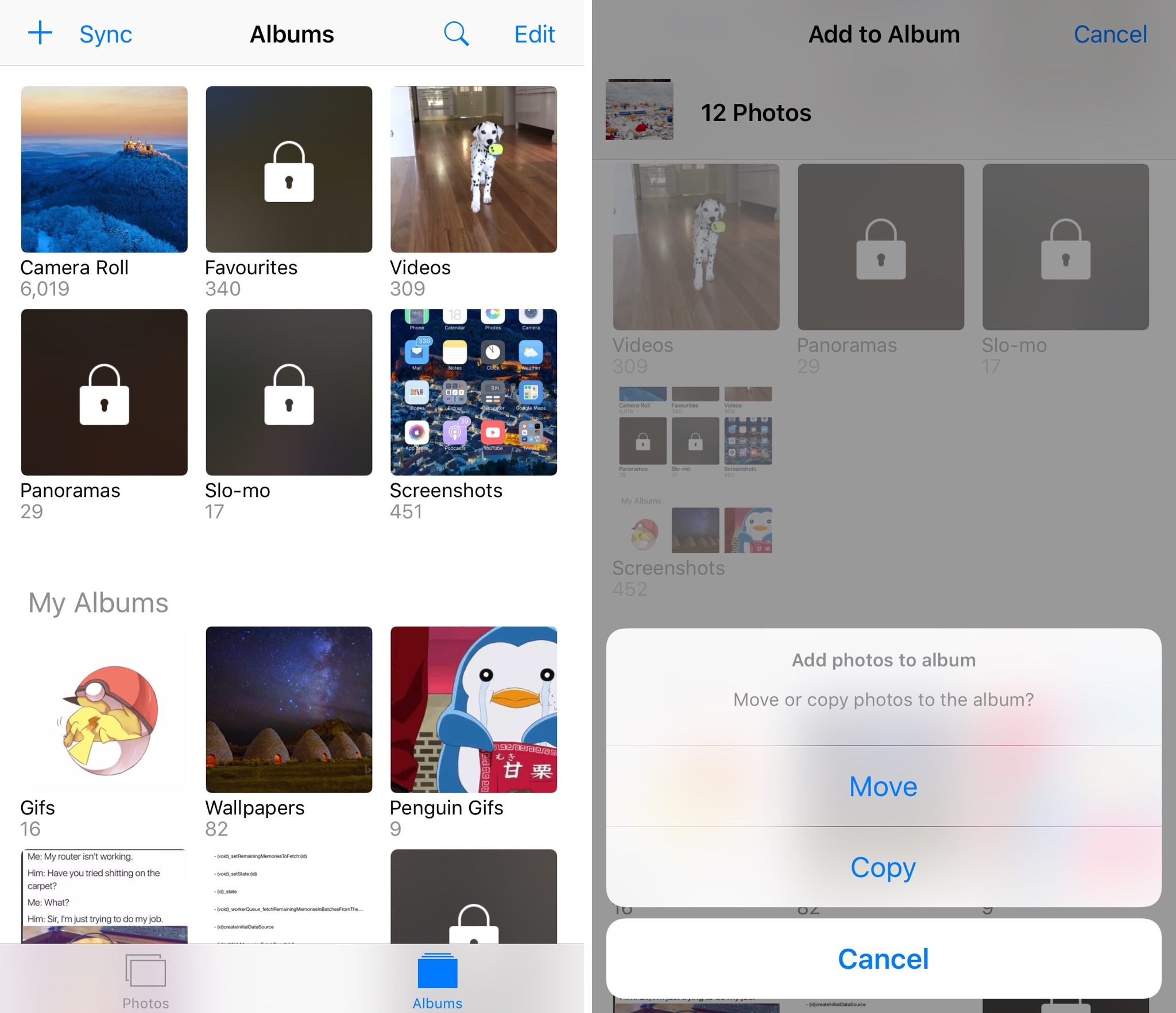
Give the Photos app the features it needs with PhotoManager

Compared to other operating systems, iOS' Photos app has always left a lot to be desired. Fortunately, a new jailbreak tweak called PhotoManager by iOS developer Frozen Penguin can fill in the blanks with the features you’ve always wanted in your stock photo app.

Compared to some tweaks, which just add one extra bell or whistle here and there, PhotoManager introduces a plethora of genuinely useful features that you’ll actually use. For that reason, I found it very exciting to delve into what the tweak has to offer, and I think you'll feel the same way once you see it for yourself.

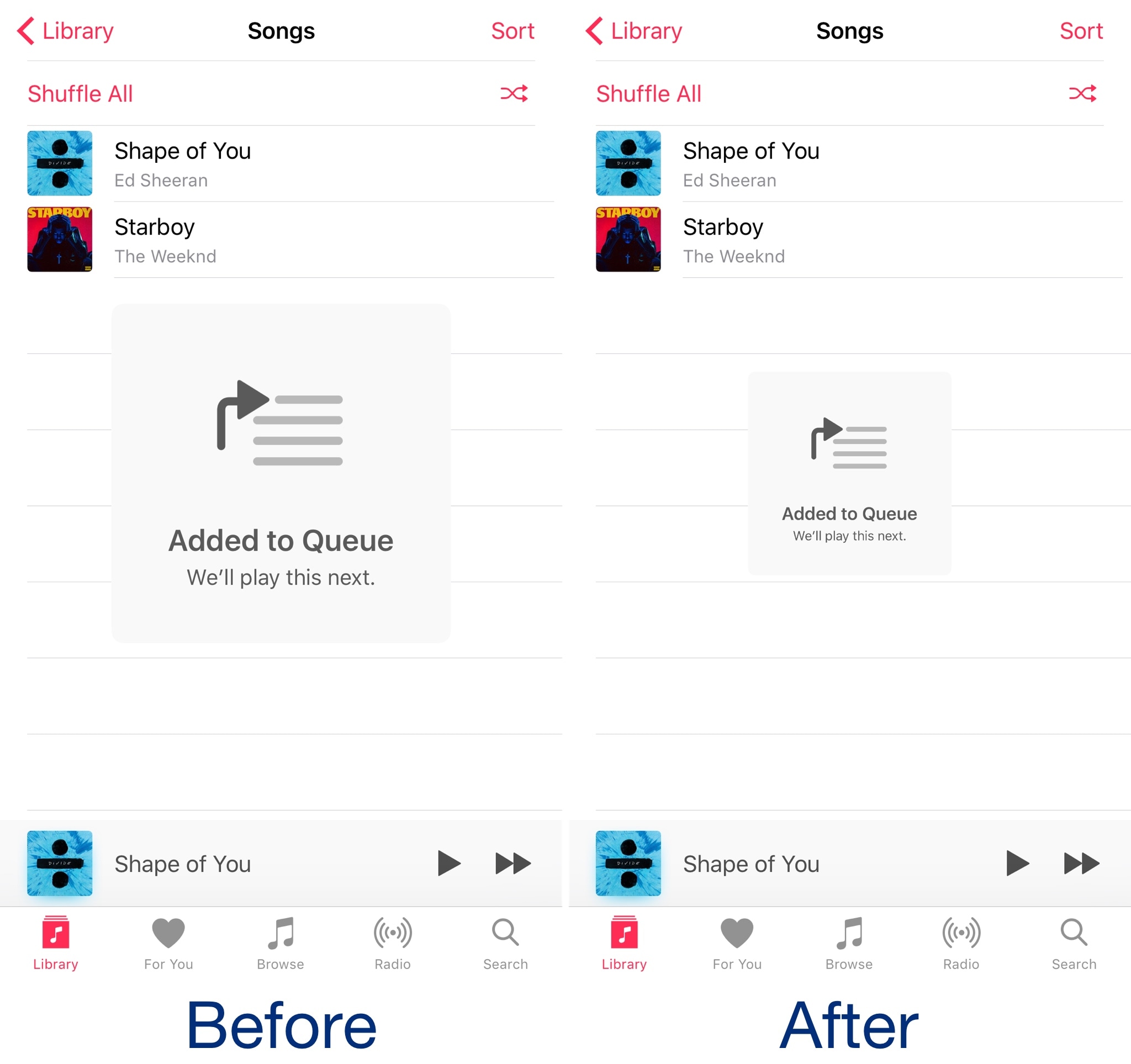
Shrink pop-ups in the Music app with MusicSmallerAlertsPlz

When you perform certain actions in Apple’s Music app, such as queueing a song to play next, a massive alert pops up that’s nearly as intrusive as the stock volume HUD is.

A new free jailbreak tweak called MusicAlertsSmallerPlz by iOS developer HiDan works to shrink those alerts to a more comfortable size to help keep them out of your way as you use the Music app.