Review

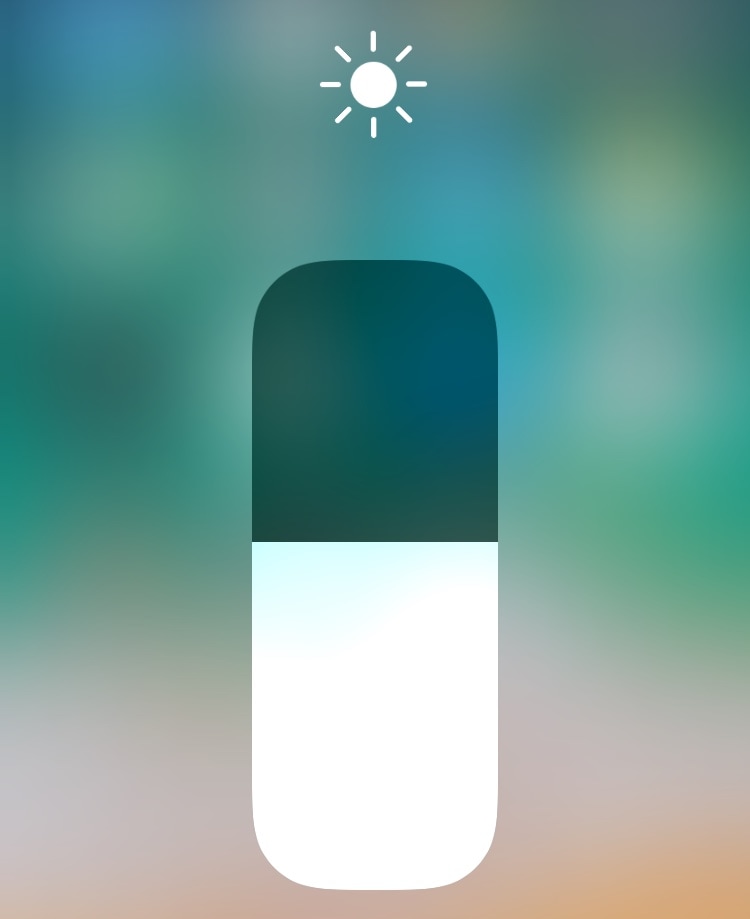
EasyBrightness makes it easier to revert to an ideal display brightness level

When it comes to your iPhone’s display brightness, you might have a preferred brightness level for both indoor and outdoor usage. Sadly, iOS’ automatic brightness setting tends to be less than optimal, and adjusting the display brightness manually can feel somewhat cumbersome at times.

If you’re in the same boat, then you might want to turn your attention to a newly-released and free jailbreak tweak called EasyBrightness by iOS developer gilesgc. This tweak mitigates the problem discussed above by letting you designate a default display brightness level and making it easy to return to it on demand.
Adjust your iPhone’s native tint color with Rainbow

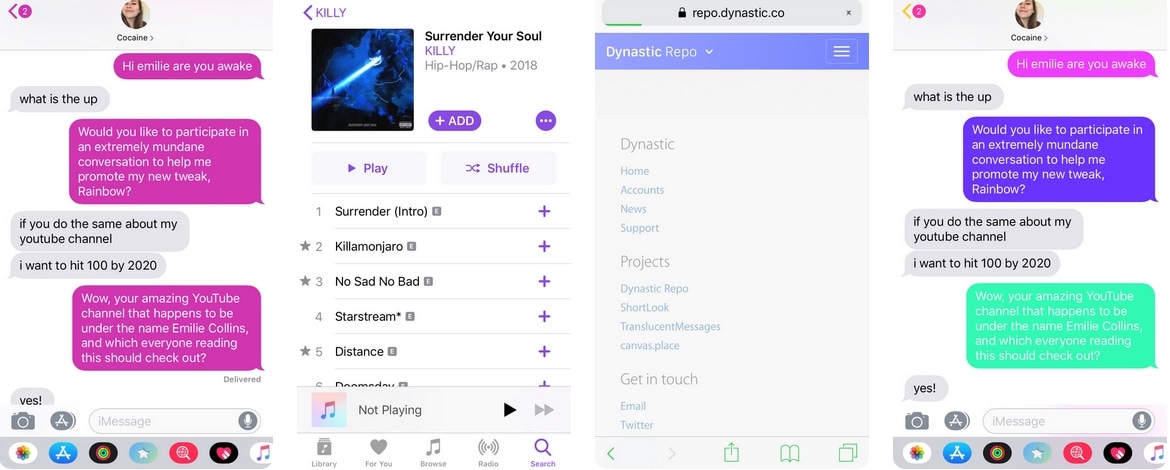
As you use iOS, you’ll find that Apple loves to use Blue as the system’s natural tint color. You’ll find this blue tint across various UI elements, including, but not limited to: iMessage chat bubbles, links, loading bars, and even those shortcuts that appear at the top right of the interface as you navigate preference panes in the Settings app.

Blue is a cool color, but if you’d rather have more control over your handset’s tint color, then we’d suggest turning your attention to a newly-released jailbreak tweak called Rainbow by iOS developer Justin Proulx, as it lets you change this color to almost anything you could ever want.

MathTeacher brings much-needed upgrades to the native Calculator app

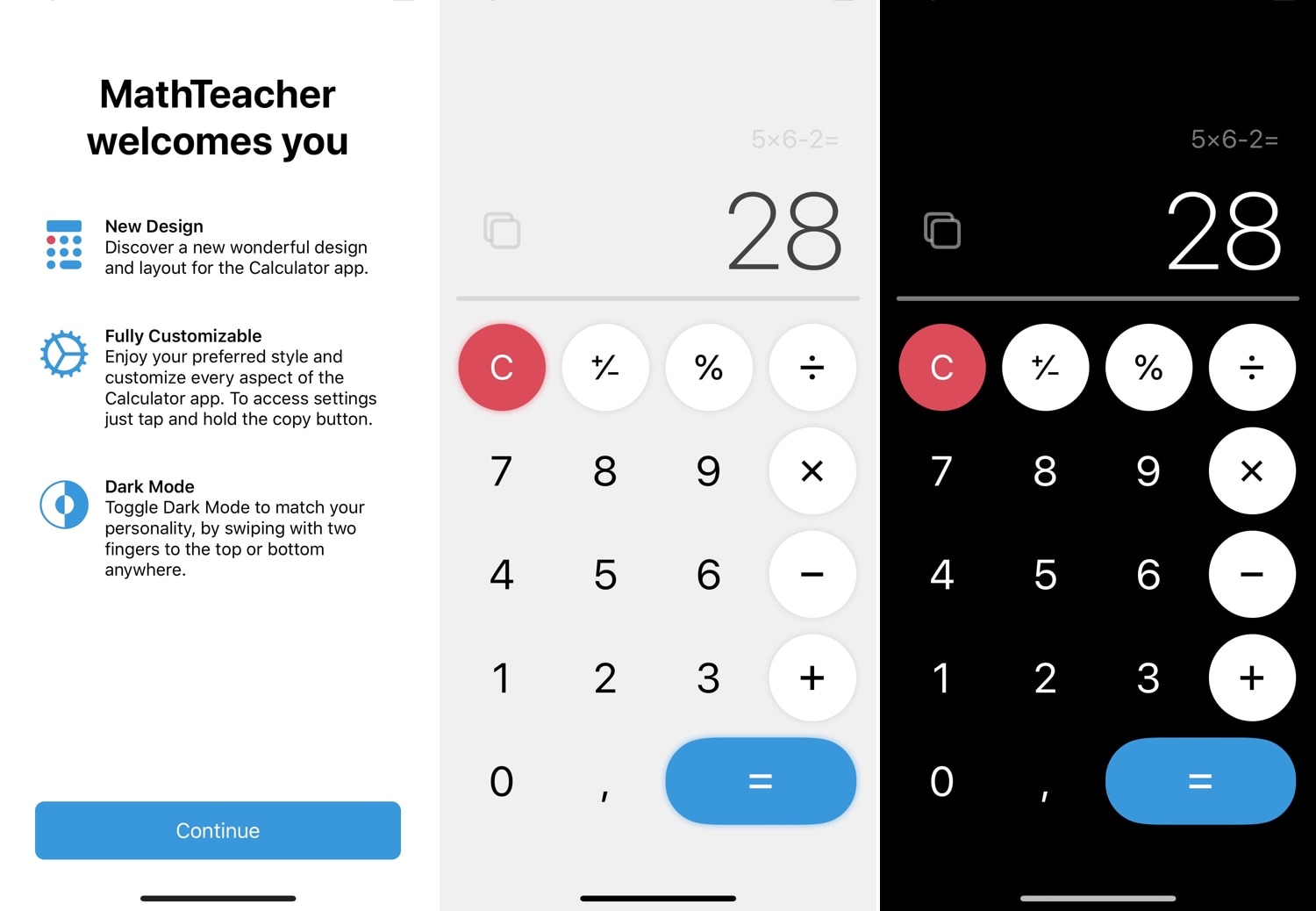
One of the native apps in iOS that doesn’t get the attention it deserves is the Calculator app. While you could download a more robust third-party alternative from the App Store, the fact remains that the native experience is abysmal at best. For that reason, we’re excited to show you a new free jailbreak tweak called MathTeacher by iOS developer Gabriele Filipponi.

As depicted in the screenshot examples above, MathTeacher incorporates several upgrades into iOS’ native Calculator app, making it a significantly more functional math-solving platform than it would have been out of the box.

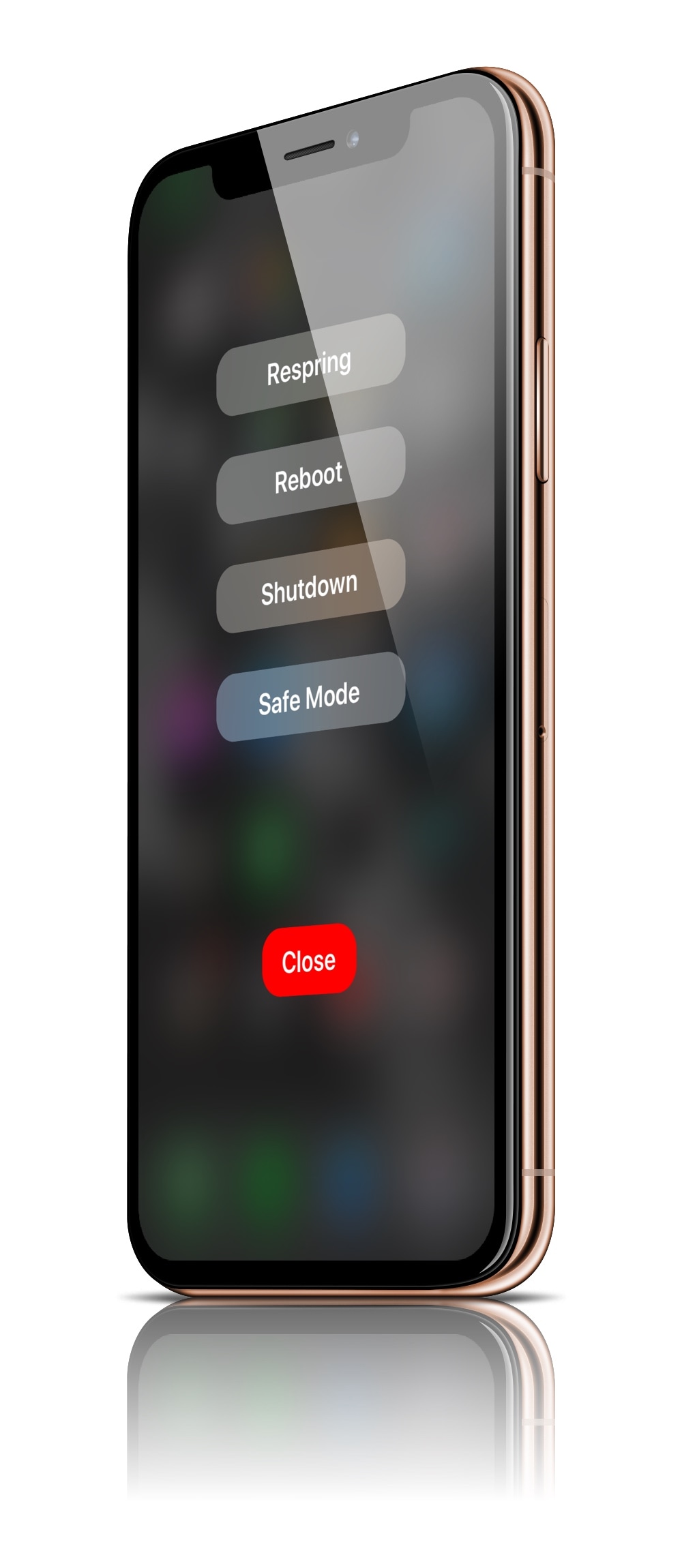
PowerMenuX: Another refreshing take on iOS’ power down menu

For as long as I’ve written about jailbreak tweaks, I’ve seen many different attempts to rethink the iPhone’s native power down menu. To this day, Apple’s native implementation is barebones and lacking in useful features, but when you jailbreak your device, those limitations seem to disappear.

Despite how many times I’ve covered power down menu-centric jailbreak tweaks in the past, it seems as if they continue to look nicer in terms of minimalism with each new release. With that in mind, I’m excited to share with you a new release called PowerMenuX (All Devices) by iOS developer MayBeMe.

Jailbreak tweaks of the week: AutoDynamicWallpaper, GlyphAlert, NetworkManager, and more

If you have a jailbroken handset in your possession and you're wondering how you can augment its features and functionality, then you've come to the right place.

In this roundup, we'll recap all the newest jailbreak tweak releases from Monday, July 8th to Sunday, July 14th. As usual, we'll kick things off by discussing our favorite releases first, and we'll outline the rest afterward.

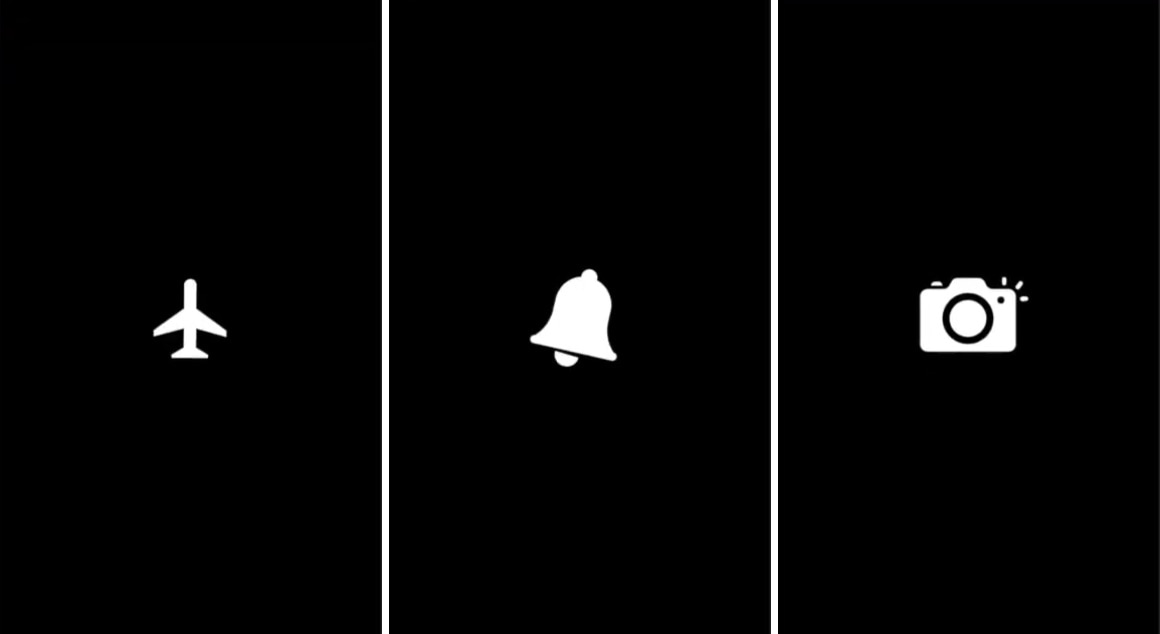
GlyphAlert brings a gorgeous glyph-centric notification system to iOS

iOS’ notification system certainly gets the point across when you receive a notification, but it hasn’t had much of an aesthetic overhaul for quite some time now. If you’re jailbroken and in the market for a somewhat exhilarating new notification experience, then you might take a liking to a newly-released jailbreak tweak dubbed GlyphAlert by iOS developer c1d3r.

Just as the name implies, GlyphAlert takes a glyph-centric approach to letting you know when you have an incoming notification. The glyphs, such as those shown in the screenshot examples above, are animated and can be assigned to specific applications, depending on what they represent.

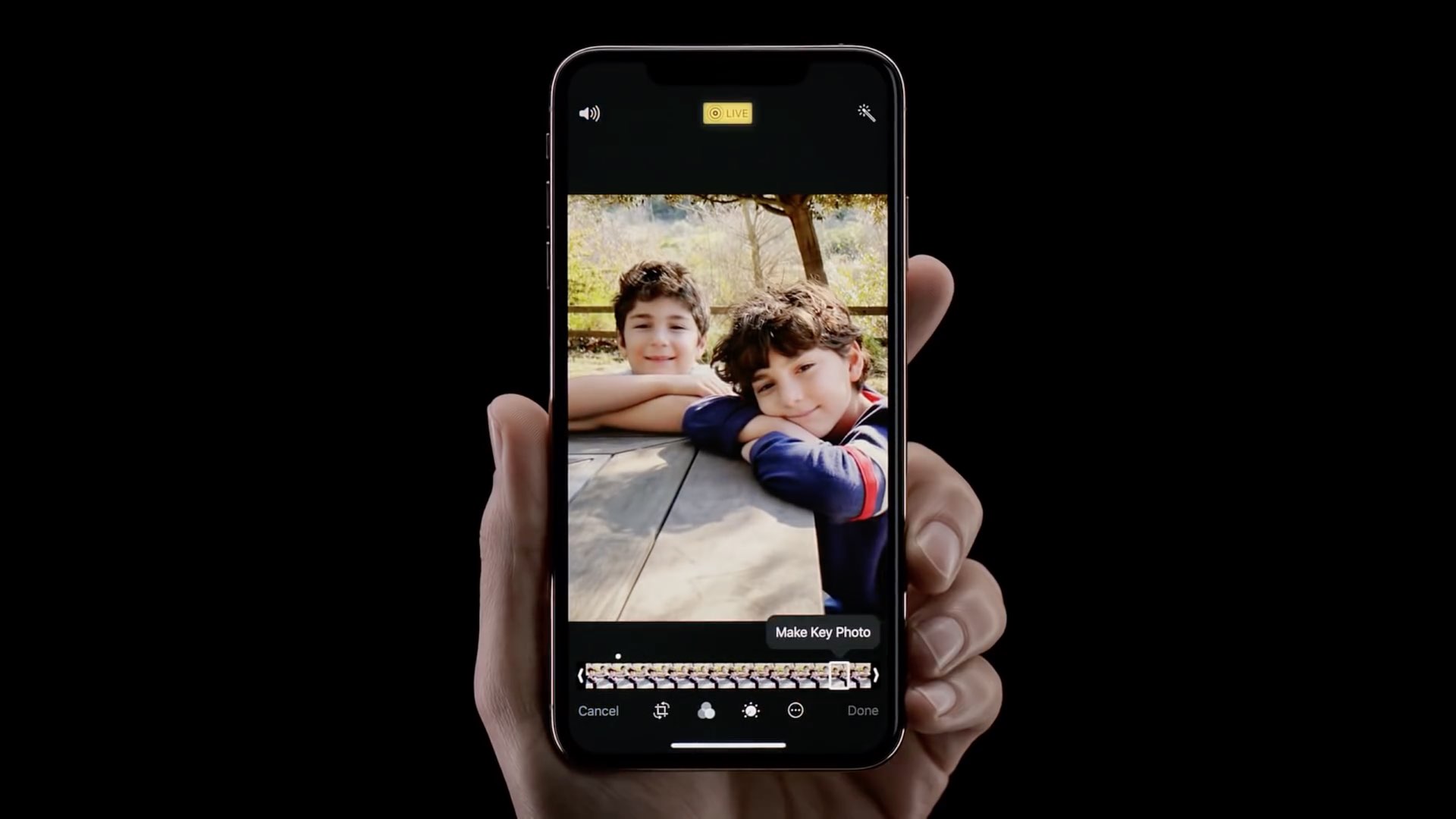
This jailbreak tweak makes Live Photo-based wallpaper playback entirely automatic

One of the things I like about having an iOS device is that I can set a Live Photo as my wallpaper if I wanted to. On the other hand, animating that Live Photo generally requires some kind of user interaction from the Lock screen, and this tends to make the experience less exciting overall.

A newly-released jailbreak tweak called AutoDynamicWallpaper(A12 Support) by iOS developer anima gets you around this silly bottleneck by forcing any Live Photo-centric wallpapers you might have to play automatically as the device wakes. With that in mind, you won’t need to interact with your Live Photo-based wallpaper in any way to enjoy its liveliness.

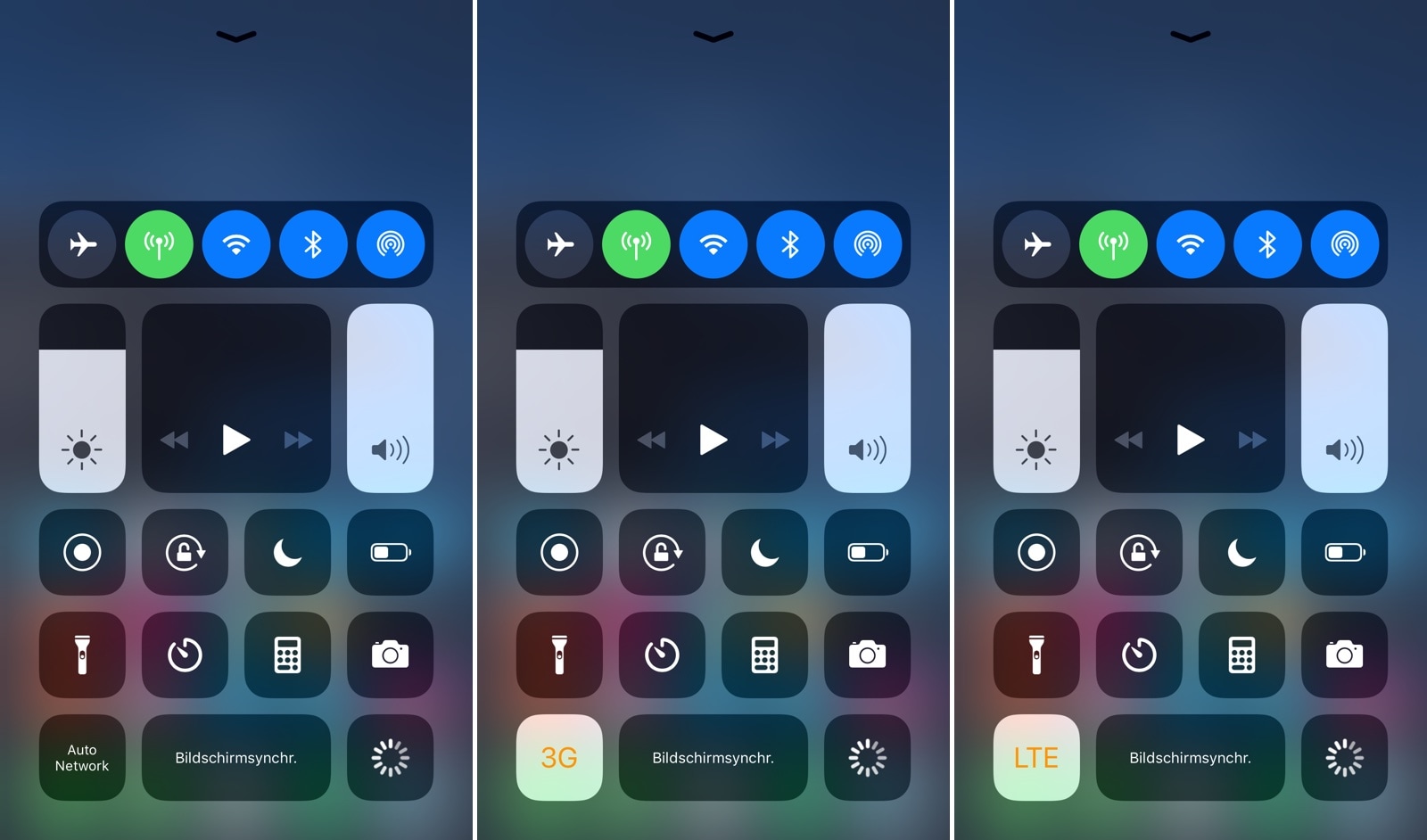
NetworkManager gives iPhone users more control over cellular radio selection

NetworkManagerReborn

As you move from one part of town to the next, your iPhone intelligently moves from one cellular connection to another in an effort to maintain the highest-quality internet connection that it can. Unfortunately, sometimes the iPhone favors slower connections with a higher signal over faster connections with a lower signal, and this can impact performance.

Those who’d like to have more control over their handset’s cellular network selection might take a liking to a newly-released jailbreak tweak dubbed NetworkManager by iOS developer NoisyFlake, as it lets you switch between preferred network type(s) on the fly.

This tweak automatically toggles iOS’ Live Photos mode in the proper circumstances

Love it or hate it, Live Photos is one of the unique features that comes bundled into iOS’ photo-taking experience. All devices come with Live Photos enabled by default, and users can opt to disable it any time afterward, but wouldn’t it be nice if iOS toggled it automatically depending on the circumstances?

If you’re in agreeance with the aforementioned notion, then you might take a liking to a newly-released and free jailbreak tweak called AutoLivePhotos by iOS developer Ben Giannis. This tweak attempts to toggle iOS’ Live Photos mode on or off automatically, depending on the photograph’s subject.

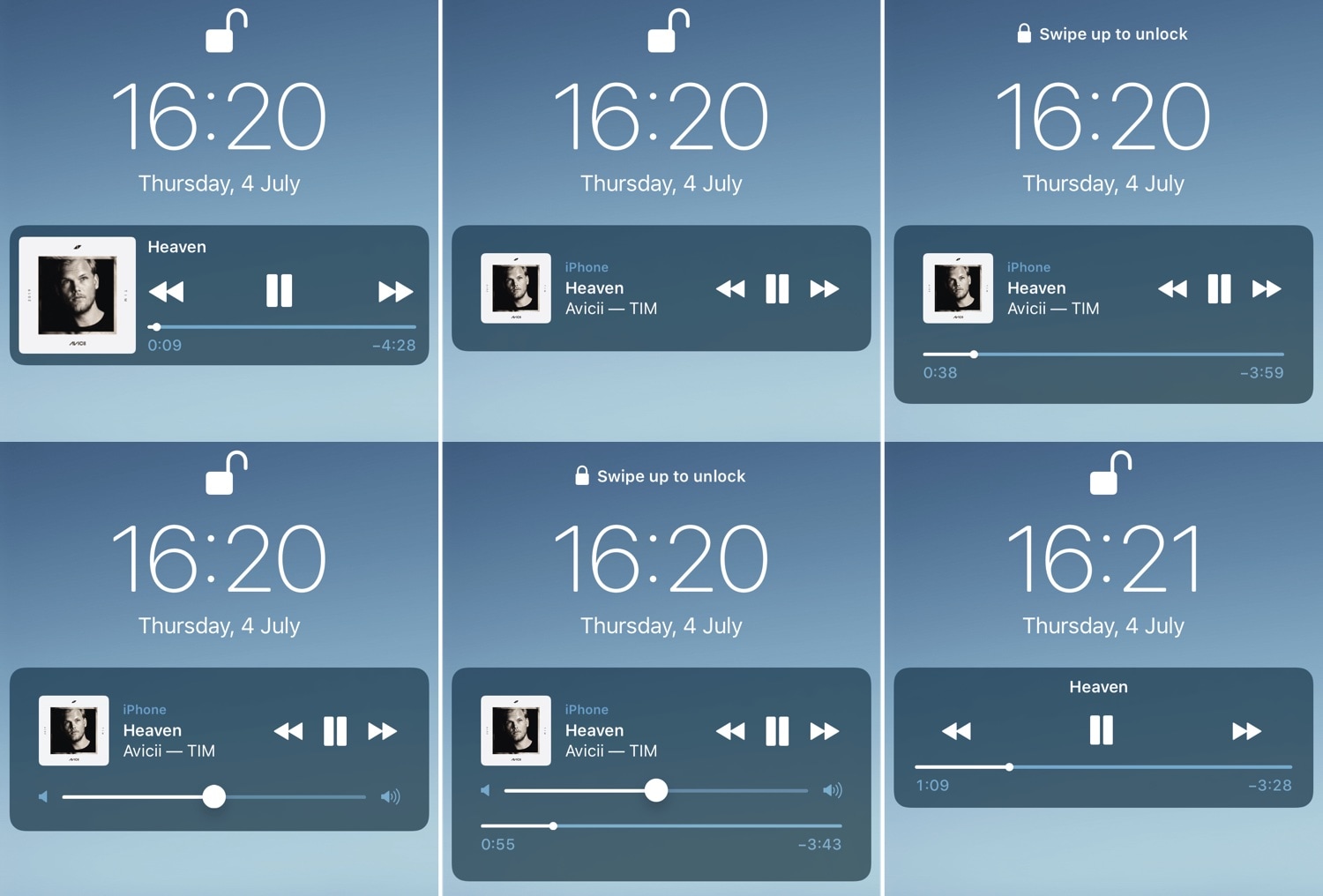
BellePlayer offers less intrusive Now Playing interfaces for the Lock screen

If you listen to music on your iOS device often, then you likely take advantage of the Lock screen’s Now Playing interface to manage music playback as you walk into the dynamics of different environments.

While the native Now Playing interface is adequate for most users, those who demand a more refined experience will do good to check out a newly-released jailbreak tweak dubbed BellePlayer by iOS developer Geometric Software.

This tweak gives dynamic wallpapers an Apple-esque makeover

iOS users have three different wallpaper options to choose from out of the box: still images, Live Photos, and dynamic wallpapers. Most opt for still images or Live Photos since Apple’s dynamic wallpaper selection feels somewhat limited out of the box; on the other hand, a new jailbreak tweak called Dynamic Apples by iOS developer JGeorge can help with this.

As shown screenshot example above, Dynamic Apples changes the appearance of Apple’s native dynamic wallpapers by replacing their circular sprites with Apple logos.