Review

Twelve South BackPack adds an aluminum shelf to iMac
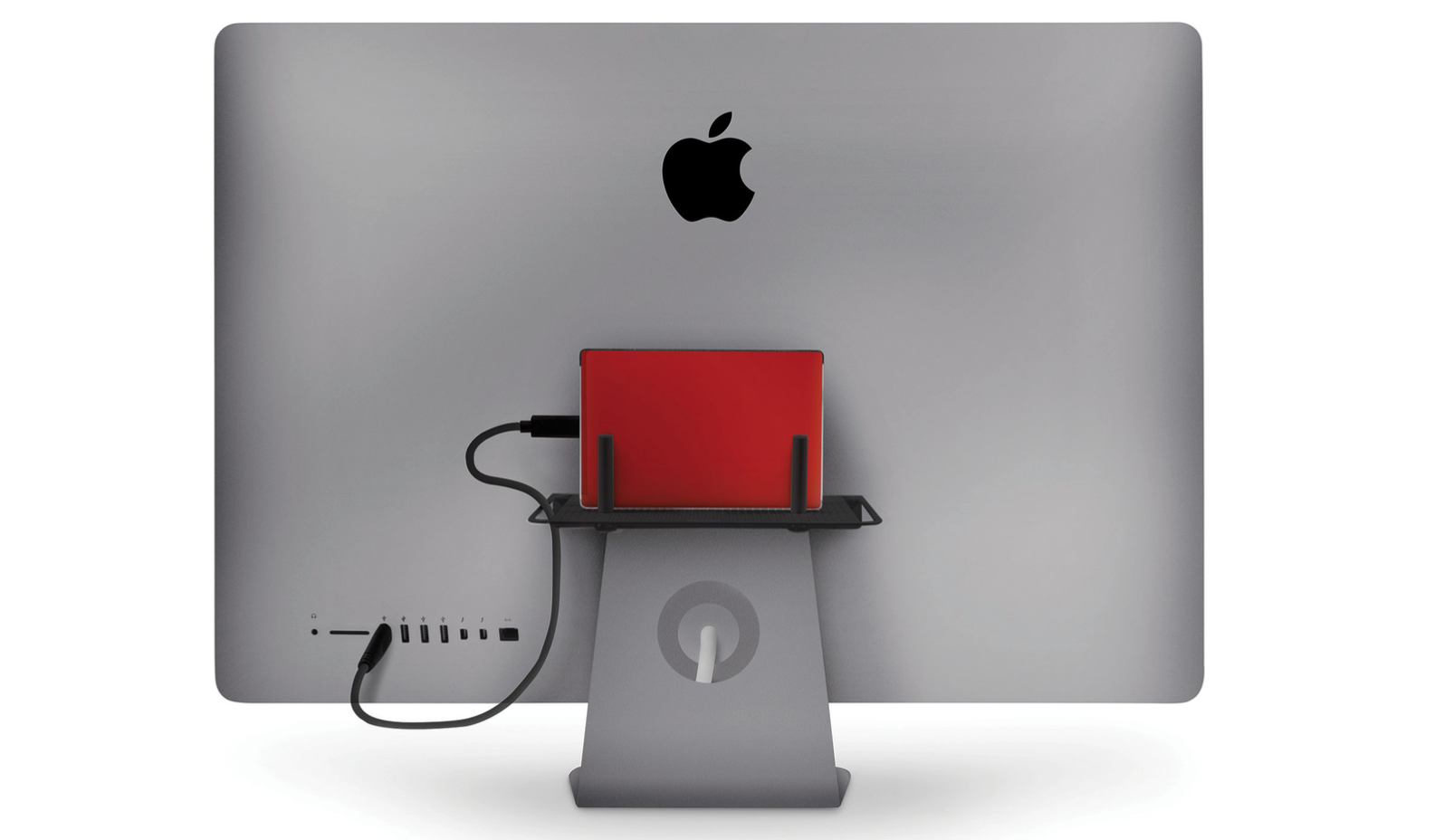
As part of a little work from home (WFH) miniseries, I am highlighting the Twelve South products that are keeping me organized while sheltering in place. With an iMac, external monitor, iPad Pro, external drives and several gadget stands, a desk lamp, desk fan, multiple keyboards and sundry items, adding my work laptop to the home desk started cramping my setup. Sitting in front of messy wires and disorganization began making me feel cluttered and unproductive while stuck WFH. The Twelve South BackPack helped me start getting organized and less distracted.

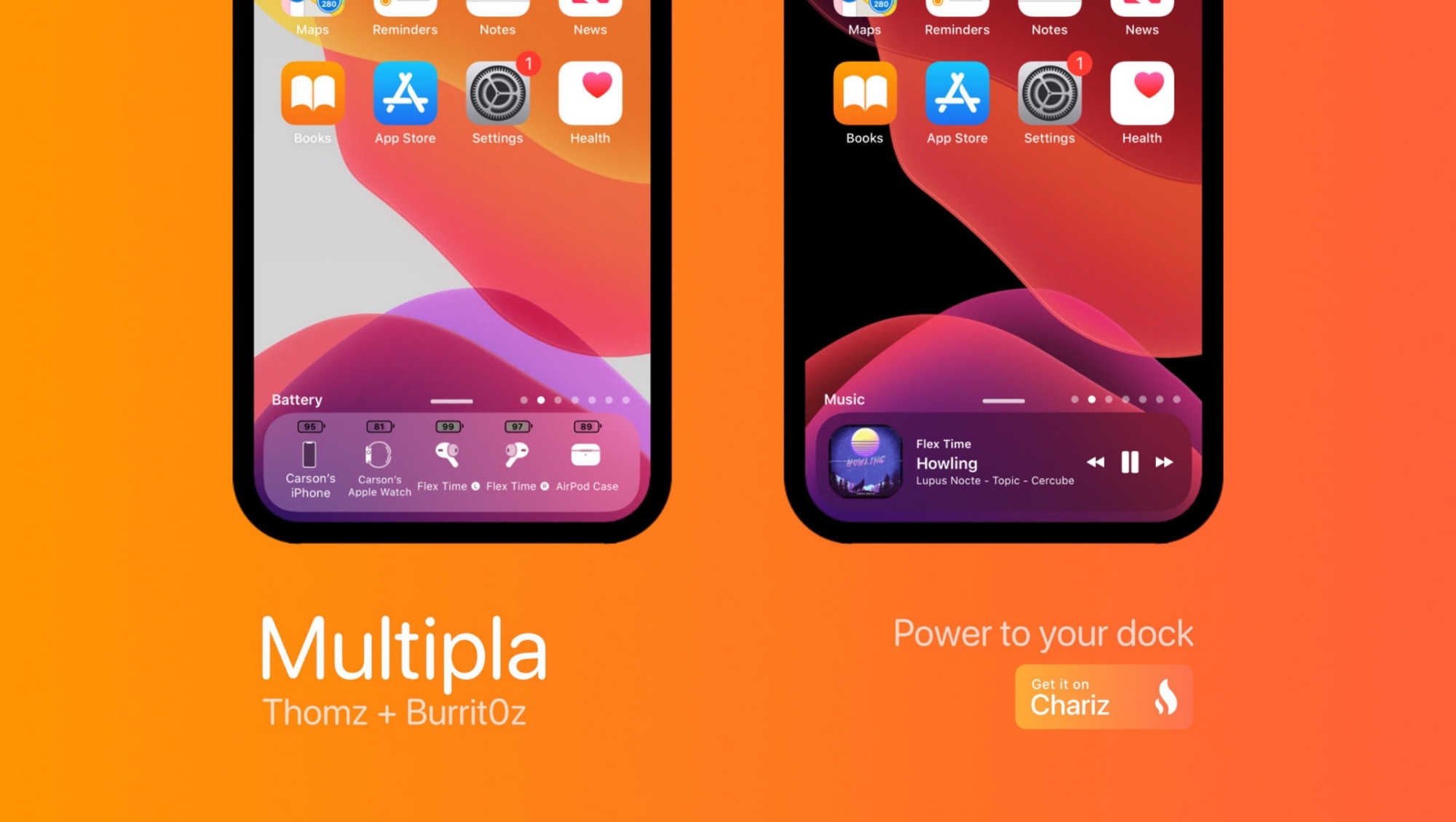
Why settle for an ordinary iPhone Dock when you can use Multipla?

The Dock gives iPhone users quick access to their favorite apps from anywhere on the Home screen, but that’s just about the extent of it on stock handsets. If you’re jailbroken and looking for a more enticing experience, then you’ll probably like what a newly released jailbreak tweak called Multipla by iOS developers burrit0z and Thomz brings to the table.

As depicted in the screenshot examples above and below, Multipla expands upon the Dock’s existing functionality by unlocking additional features that simply wouldn’t be possible on a stock handset. Among those are adding more apps, viewing informative widgets, and much more.

DarkAlertPls makes all iPhone alerts respond to iOS 13’s dark mode

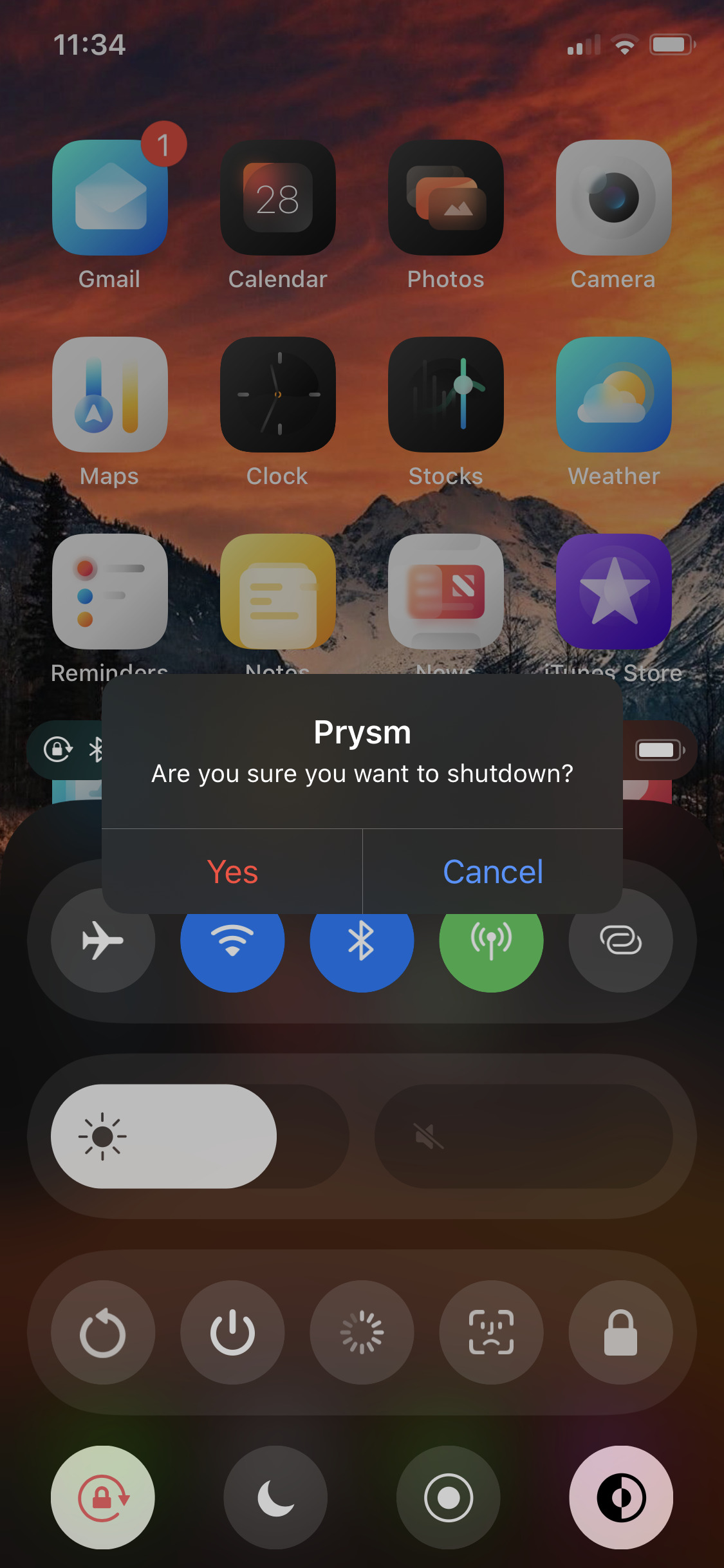
Albeit rare, iOS sometimes displays alerts as opposed to banners. These alerts are designed to appear at the center of the display, usually with a prompt of some sort for the user to respond to.

Unfortunately, even if you’ve configured your iOS 13 handset for dark mode, some of these alerts may still come through as light instead of dark. This is a problem that iOS developer LaughingQuoll aims to fix with a newly released jailbreak tweak called DarkAlertPls.

Blanca brings sexy leaf-shaped notifications and more to iOS

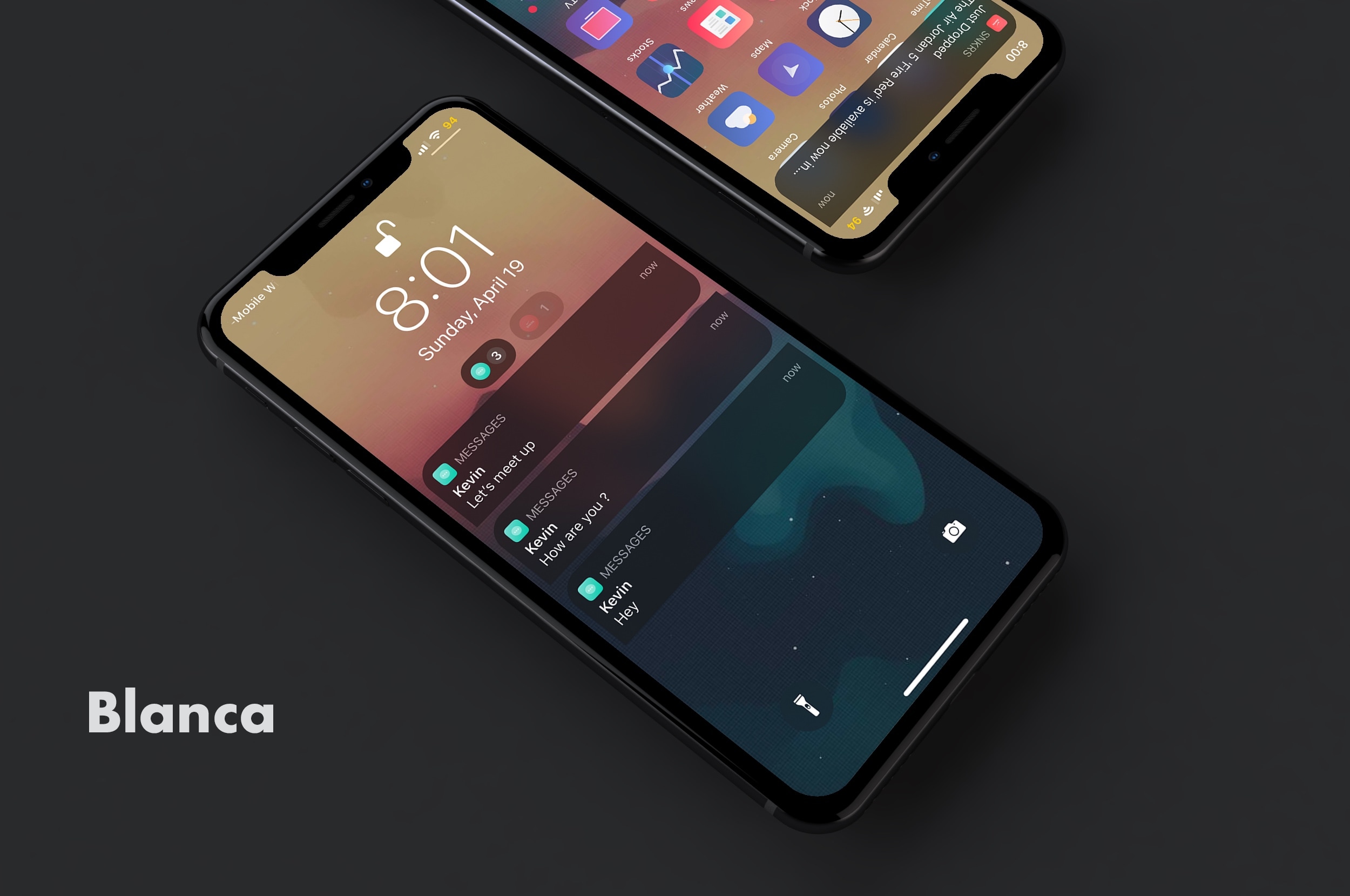
Looking for a quick and easy way to upgrade your iPhone’s Notification Center experience? If so, then you’re in for a treat. Blanca is a newly released jailbreak tweak by iOS developer Phoenix Dev that lets users redesign the native Notification Center interface with custom aesthetics.

As depicted in the screenshot examples above, Blanca can redesign notification banners, Today widgets, and even the Now Playing media player. Furthermore, Blanca users will be able to choose how many preview lines appear in their notification banners and fine-tune the banner corner radii, among other things.

YouFold helps folders take better advantage of your iPhone’s tall display

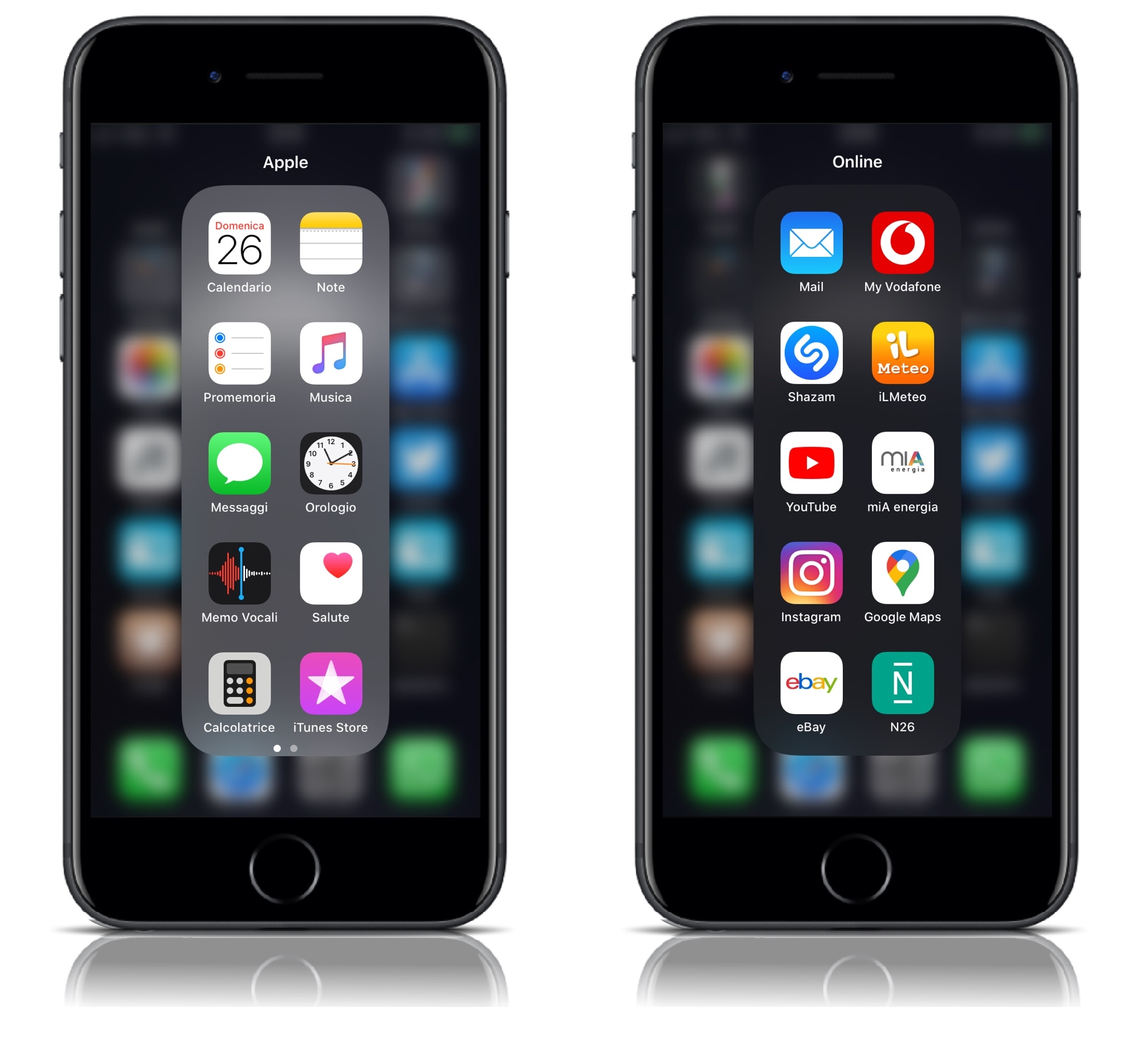
Folders can make organizing your iPhone’s Home screen a lot easier, but the native implementation leaves a lot to be desired. For example, why would anyone want to have a square-esque full-screen folder on a portrait-oriented rectangular display?

YouFold is a free and snazzy new jailbreak tweak by iOS developer Plat-Ykor that addresses this concern head-on by replacing the traditional full-screen folders in iOS with something more friendly to the iPhone’s natural display shape.

Twelve South StayGo USB-C Hub is keeping me connected while working from home

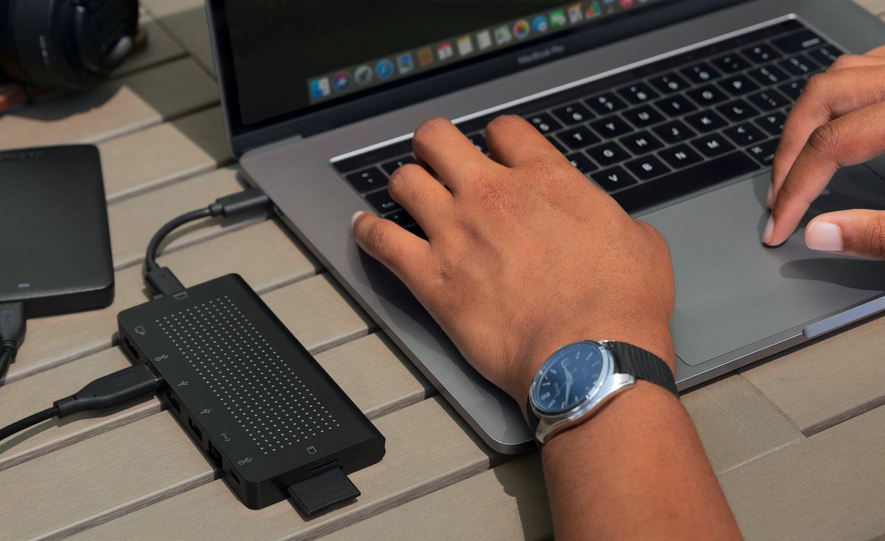
If you listened to the iDB podcast Let's Talk iOS episode 338, you heard me talk about the ways I continue to increase my work from home (WFH) efficiency, during this shelter in place order. Taking stock of my situation, I realized I missed a key component to the setup: a solid USB-C hub. Digging around the possibilities, I came upon the StayGo USB-C hub by Twelve South. They make quality products that I've tested before, and I decided to give it a 'Go.' It's going very well.

Groups helps jailbreakers organize conversations in the native Messages app

There are two types of people in this world: 1) those that proactively partake in conversation thread thinning in the Messages app to keep things clean and organized; and 2) those that let conversation threads build up over time in their Messages app, resulting in a seemingly endless list of conversations.

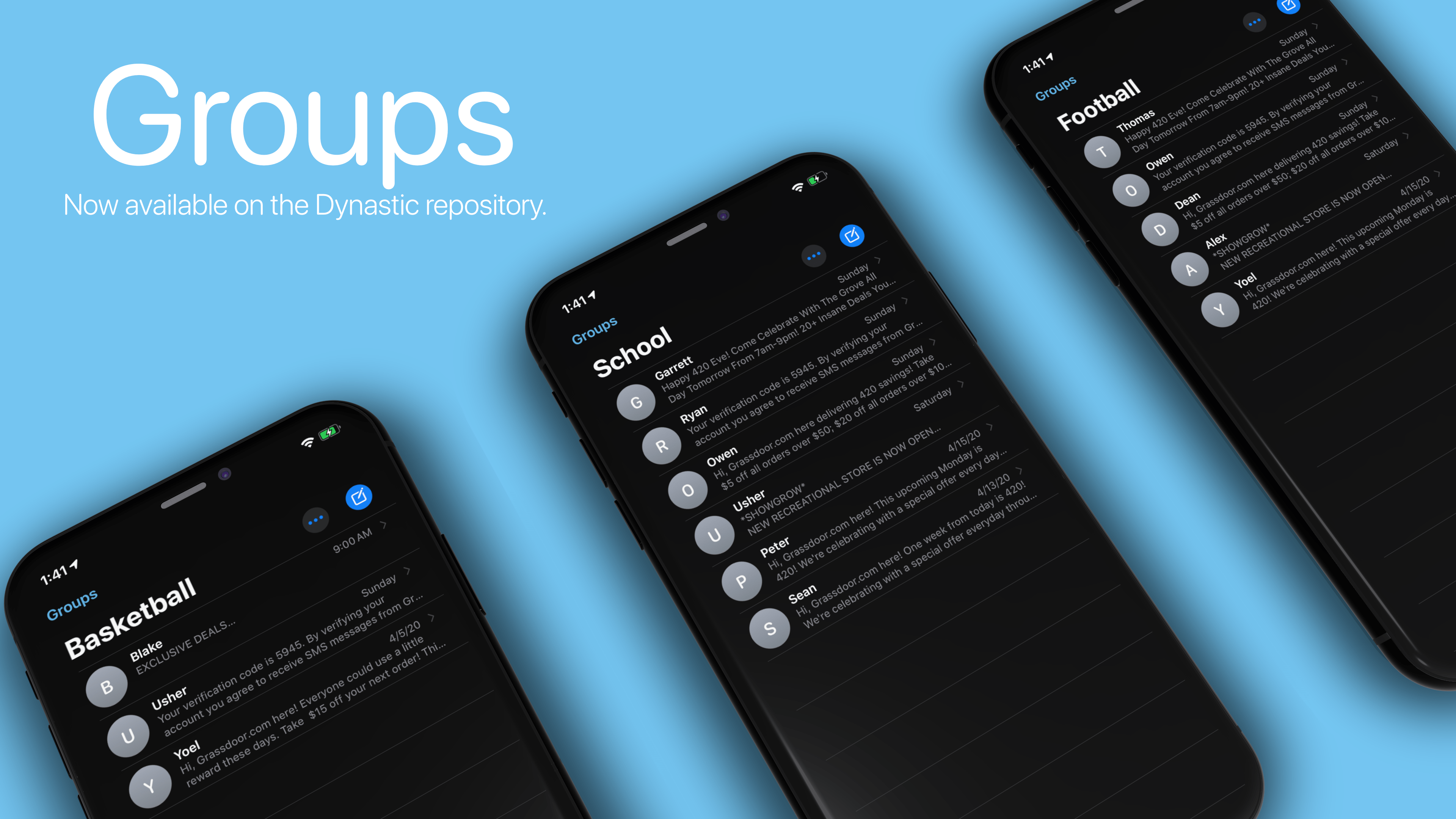
If your mannerisms align with the packrat-esque folk in the latter group, then we’ve got some great news for you. A newly released jailbreak tweak called Groups by iOS developer Ryan Trent can help you get organized by permitting you to sort conversation threads in the Messages app into… you guessed it… groups.

Jailbreak tweaks of the week: Edictus, WeatherGround, WonderBar, and more…

If you have a jailbroken iOS device at your disposal, then chances are you’re looking for new and quirky ways to get the most out of it. Fortunately, we’re here to help with that.

In this roundup, we’ll discuss all the latest jailbreak tweaks to be released from Monday, April 20th to Sunday, April 26th. As usual, we’ll kick things off by discussing our favorite releases first and then wrap things up with an outline of the rest afterward.

This tweak lets you set a custom auto lock timer when Low Power Mode is on

Low Power Mode.

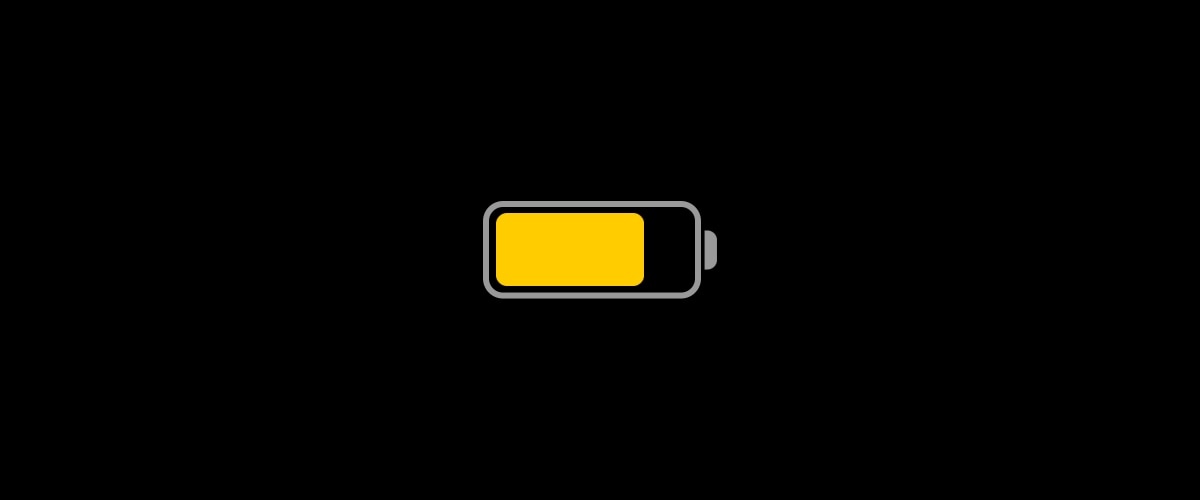
I use Low Power Mode so often that I sometimes feel like something’s wrong when I don’t see the little yellow battery icon in my Status Bar. The point is, I like saving battery whenever I can – even when my handset isn’t low on juice. On the other hand, using Low Power Mode isn’t without its downsides.

For example, you can’t change the amount of time it takes before your handset falls asleep automatically from inactivity. But that’s where a newly released and free jailbreak tweak called LPMAutoLockTime by iOS developer smokin1337 comes into play.

Make your jailbroken installation of iOS 13 more stable with StopCrashingPls

If you’ve started distinguishing some rather peculiar instabilities after jailbreaking iOS 13, then you may not be alone. iOS developer Adam Demasi of HASHBANG Productions seems to have recognized a similar wave of patterns that urged him to create a hot-fix in the form of a newly released jailbreak tweak called StopCrashingPls.

Citing the brief Cydia description for StopCrashingPls, it was designed as an experimental workaround for iOS 13’s jetsam crash issue. This apparent issue could be exacerbated by certain jailbreak tweak installations, resulting in unwanted battery drain and overall system instability.

No2Theft3 brings anti-theft features to jailbroken installations of iOS 13

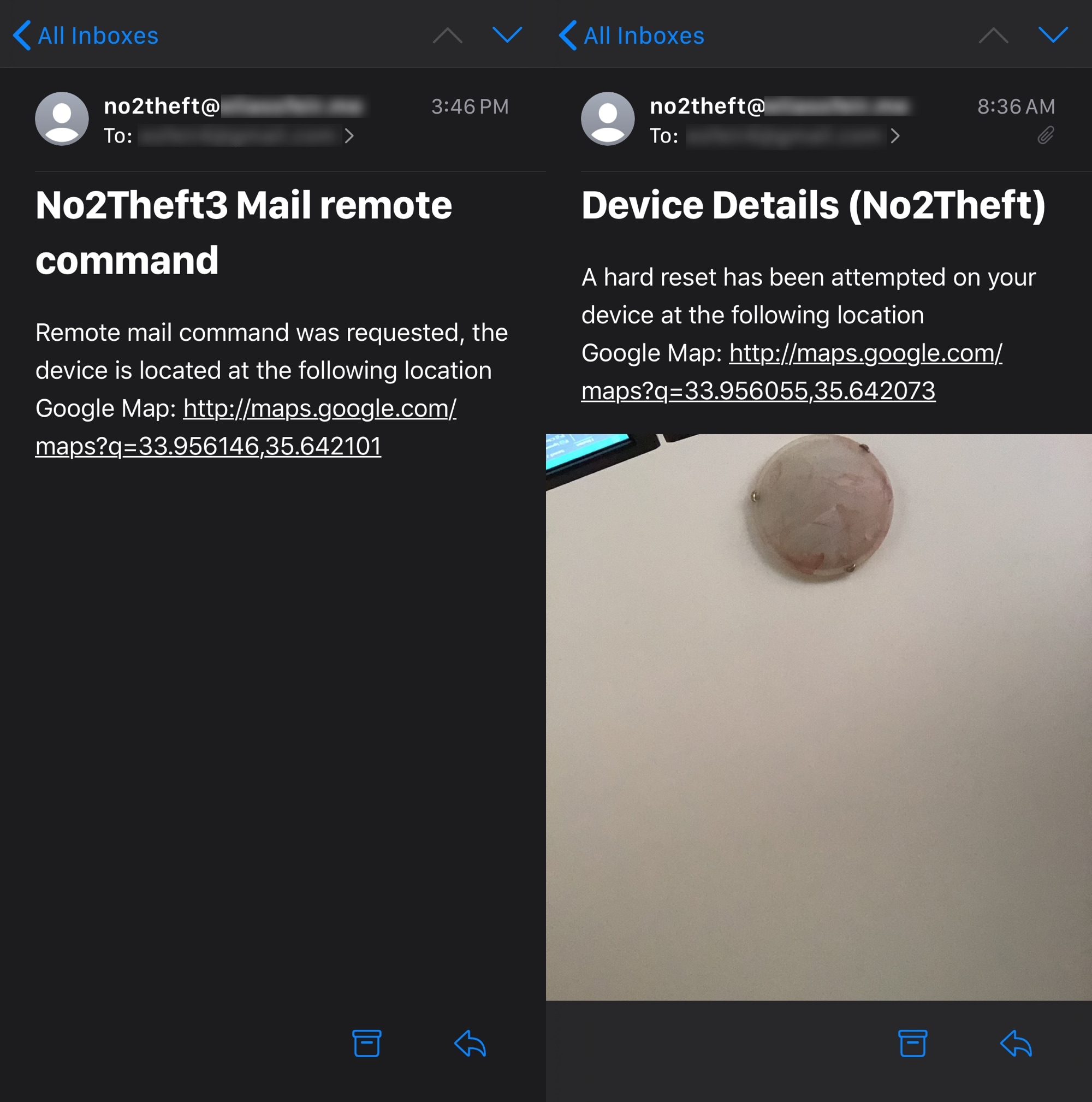
Just over a year ago, we showcased a sleek anti-theft jailbreak tweak for iPhones dubbed No2Theft2 by iOS developer Elias Sfeir that could sound alarms when someone began tinkering with your handset without your permission. Just this weekend, however, Sfeir released the third iteration of his popular extension dubbed No2Theft3.

Just as you’d come to expect, No2Theft3 introduces native iOS 13 support to the popular anti-theft extension. But if that wasn’t enough, it also introduces a slew of new features that will help make catching your suspected thief or prankster even easier for you.

April brings a new level of Lock screen customization to jailbroken iPhones

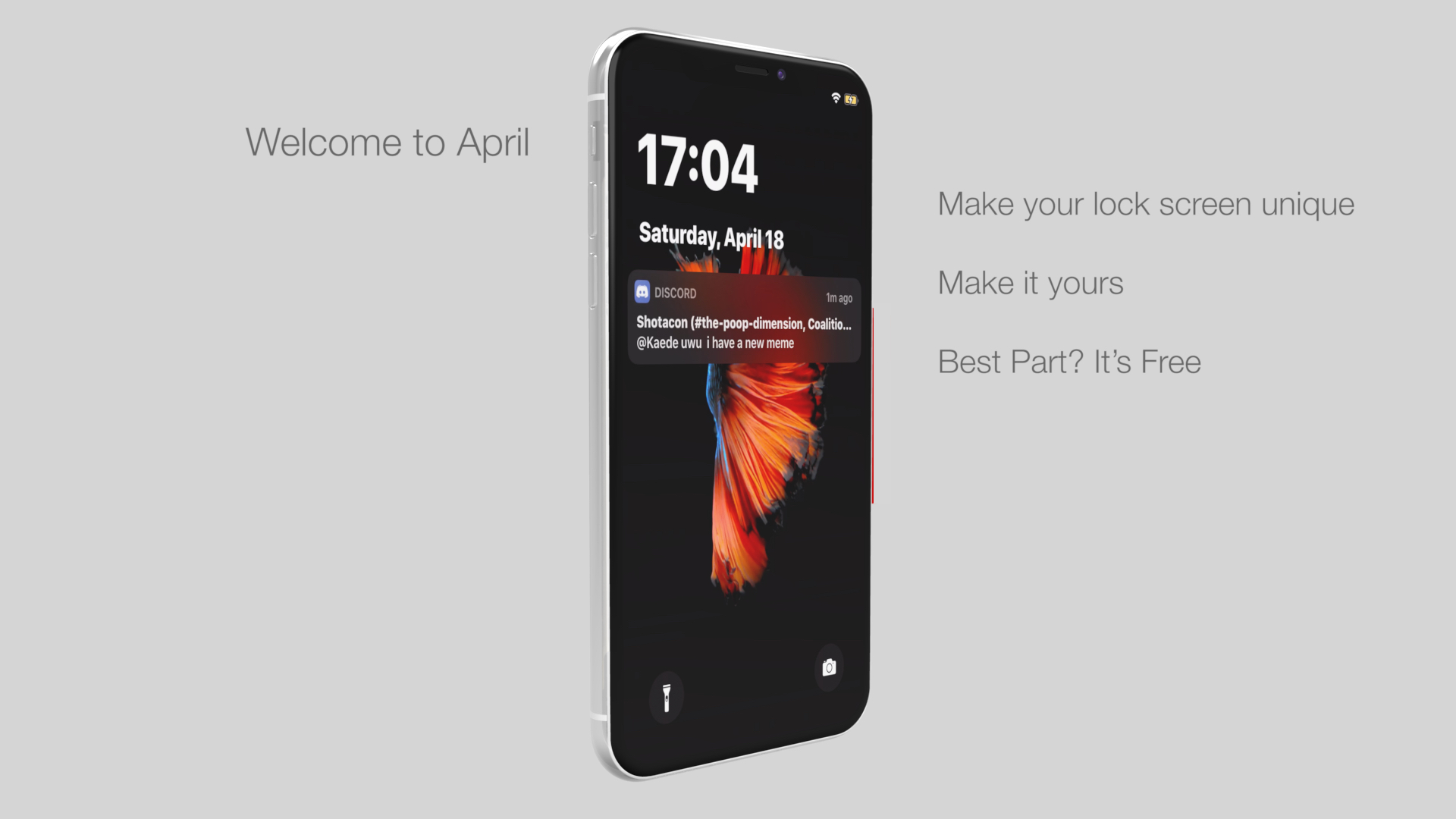
Jailbreakers that are looking to get the most out of their pwned handsets’ Lock screens would be doing themselves a huge favor by checking out the likes of a newly released and free-to-download jailbreak tweak dubbed April by iOS developer DaydreamDev.

April is a new all-in-one Lock screen customization tweak that provides users with everything they need to achieve the custom aesthetics they never knew they needed. Whether you’re trying to change up the Lock screen’s date and time display, tinker with the Now Playing interface, or customize the Quick Actions, this tweak’s for you.