OS X

A closer look at Safari Power Saver in Mavericks

Have you ever opened a web page, and somewhere on the page a Flash video starts blasting sound? I'm sure almost everyone who's used a computer in the last few years has experienced that unfortunate occurrence. There are browser plugins and extensions to prevent such a thing, but Apple is now waging a direct assault on rogue plugins.

Safari Power Saver is a new feature exclusive to OS X Mavericks, and its job is to prevent plugins from auto starting while surfing the web. While that sounds good on paper, in practice this could potentially cause problems when you want to watch legit content that utilize certain plugins like Flash. The good news is that Safari Power Saver is smart enough to know which content is legit content that you want to use, and which content is stuff that you probably don't care to use.

I took a few minutes to put together a video demonstration of Safari Power Saver. Check inside for the full video walkthrough and detailed analysis.

Apple releases two new Mavericks beta software updates

Apple has released two new software updates for OS X Mavericks beta testers. Included is an update for AirPort Utility, bringing the release to 6.3.1, and a 1.0 update for the Mavericks Developer Preview Recovery Update. Both releases can be obtained by beta testers by opening the App Store app and clicking the Updates tab in the upper right-hand corner. Check inside for a few more details as to what the updates consist of.

Apple seeds OS X Mavericks Developer Preview 3

To go along with Apple's release of iOS 7 beta 3 earlier today, Apple has also released the third developer preview of its desktop operating system, OS X Mavericks. The update, which comes in at just a hair over a gig, touches down two weeks after the second developer preview.

I've already installed DP3 on my test partition, and I haven't noticed any drastic changes thus far in my usage with it. Check out the release notes inside...

Apple caught testing offline Dictation for iOS 7

Among the headline new Mac features set to debut when OS X Mavericks gets released this Fall is a little but important enhancement to Dictation.

Hawk-eyed readers will recall that Dictation was brought to the Mac as part of OS X Mountain Lion last summer. Based on Siri's speech-to-text component, Dictation on the Mac requires a broadband Internet connection.

In Mavericks, Apple will let you optionally download a nearly 1GB package to power offline Dictation.

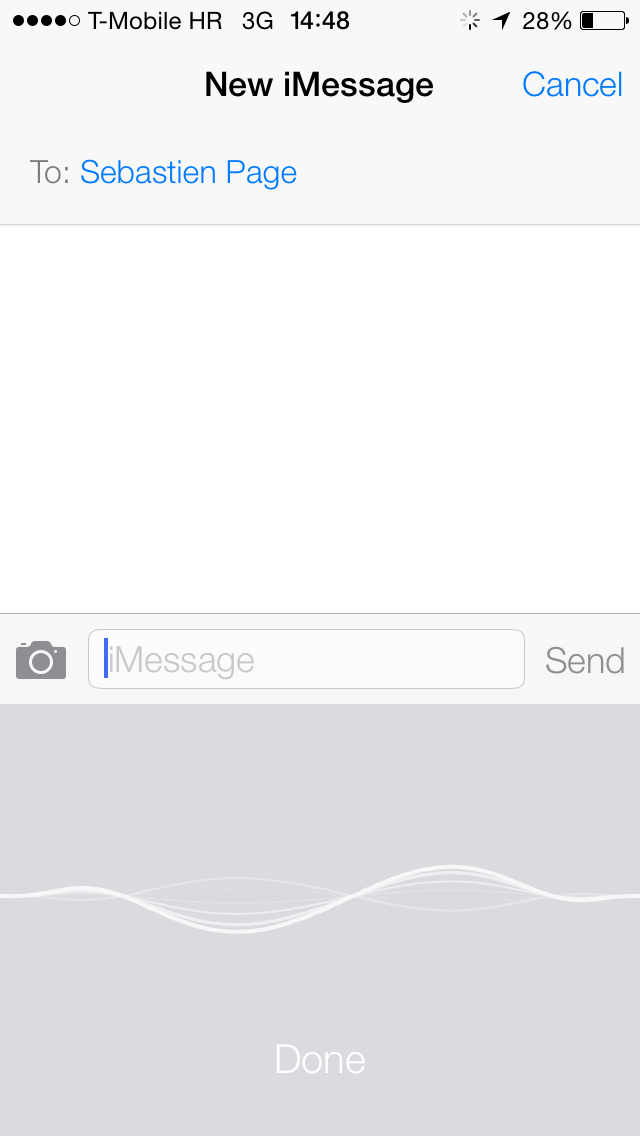
But Apple's engineers aren't stopping here and are reportedly privately testing offline Dictation for iOS 7. More details right after the break...

Renewing and non-renewing subscriptions for Mac App Store apps coming this Fall

Apple with the iOS 5 release on September 19, 2012 brought in-app subscriptions to its mobile operating system. The feature was originally conceived to allow for the creation of subscription-based digital magazines and newspapers sold on the iOS Newsstand, along with enabling app-managed content offered on a subscription-basis. And now, subscriptions will be definitely coming to Mac apps carried on the Mac App Store when OS X Mavericks is released this Fall...

Apple shows off standalone Maps Mac app

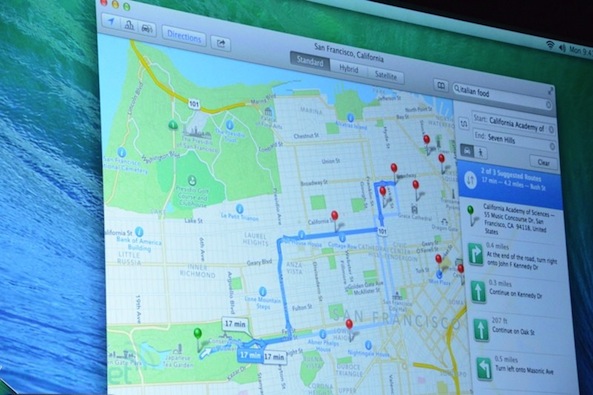
During the OS X Mavericks segment here at WWDC 2013, Apple's OS X head Craig Federighi announced a new native Maps app for the Mac. The standalone program takes advantage of core system enhancements in OS X Mavericks. The resulting experince is much more fluid, pleasing and responsive compared to what you had in Safari. One of the interesting features is the ability to send any location or route right from the Maps Mac app right to your iDevice’s Lock screen...

Apple announces OS X Mavericks

Apple here at WWDC said that Mountain Lion, Apple's ninth release in a decade, is now on 35 percent installed Mac base in just under six months. Taking the stage, Apple's head of Mac software Craig Federighi in a joke aimed at the rumor-mill said that the next release, OS X 10.9, is named Sea Lion.

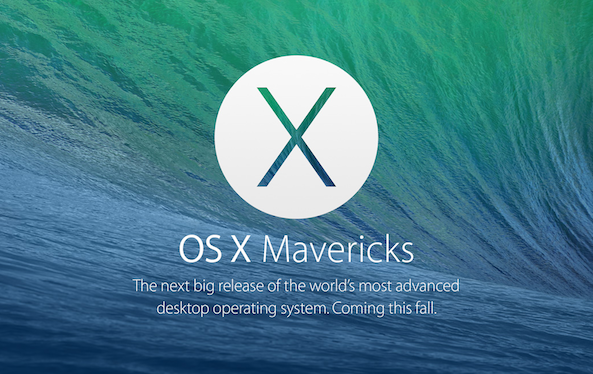
Not really - Apple would run out of cat names had they hone with the Sea Lion name. Therefore, the company has chosen the naming convention that will take them into the next ten years. Say hello to OS X Mavericks...

Muzzy puts an iTunes companion in your menu bar

I’m always looking for fun new features that will make my music listening experience better. Music apps are a dime-a-dozen for iOS, but there are not a whole lot of good music apps for the Mac. There are even fewer good free music apps.

Muzzy is a music-related iTunes companion for the Mac that puts an icon in your menu bar so you can see what album you are listening to without having to call up your whole iTunes window…

Apple releases OS X 10.8.4 with improvements for Wi-Fi, Exchange and more

Heads up Mac users, Apple has just released OS X Mountain Lion 10.8.4. The update, which was in beta testing for several months, features a number of long awaited improvements and bug fixes.

Included in the list of refinements is better compatibility with certain Wi-Fi networks, Exchange improvements in Calendar, and—yes!—a fix for the iMessage issue that displays messages out of order...

Airmail may be the next big thing for Mac email clients

Mac users, celebrate. A new and classy email client has just hit the Mac App Store. If you are tired of the native Mail app on OS X, or are a recovering Sparrow victim, you now have more choices.

Airmail is an OS X email client that offers a clean, attractive look, plus all of the features you’d like to see in a mail client. Not only can you have multiple accounts from different mail services, but you can also individually adjust the settings on each account. Your email experience may never be the same again…

OS X 10.8.4 build 12E55 seeded to developers

Registered OS X developers may be interested to know that Apple has seeded a new build of OS X 10.8.4 today. The update marks the eighth beta of the firmware, and comes just 9 days after the previous release. As before, As before Apple is asking developers to focus on specific areas of the OS, namely Wi-Fi, Graphics Drivers and Safari...

How to clear duplicates from Open With menu on Mac

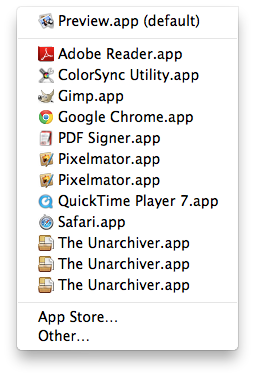
I love my Mac but sometimes it does some strange things, such as showing me duplicate entries in the "Open With" contextual menu you get when you right click on a document. While I'm not sure why it happens, I hear it's due to the Launch Services database.

Of course, there probably is a valid explanation as to why and how it happens. Some people might even be able to convince me it's more of a feature rather than a bug, but the fact of the matter is that it drives me absolutely insane.

If like me, you are annoyed by this, I'll show you how to delete duplicates from the "Open With" menu on your Mac.