Did you accidentally delete an important note on your Apple device? Worry now, as it’s easy to recover them using your iPhone, iPad, Mac, or from iCloud.com.
How to recover deleted notes on iPhone, iPad, Mac, and iCloud

Did you accidentally delete an important note on your Apple device? Worry now, as it’s easy to recover them using your iPhone, iPad, Mac, or from iCloud.com.
With 3D Touch shortcuts and gestures available for iOS's stock Notes application, you can elevate your productivity and accomplish certain tasks faster and with fewer taps than without 3D Touch.
iPhone 6s and iPhone 6s Plus owners can take advantage of their device's pressure-sensitive screen to quickly start a new note from the Home screen, preview a specific note’s content, sketch using pressure-sensitive drawing tools, quickly delete, share and copy notes and more.
Imbued with the information in this tutorial, you'll take full advantage of 3D Touch interactions that are available to you in Notes so that you can be more productive.
According to Apple, Notes is one of the most popular and most-frequently used stock applications on the iPhone, iPod touch and iPad.
People use Notes for everything from memorizing recipes to keeping track of errands, creating shopping lists, storing inspirational quotes and even passwords, codes and medical data.
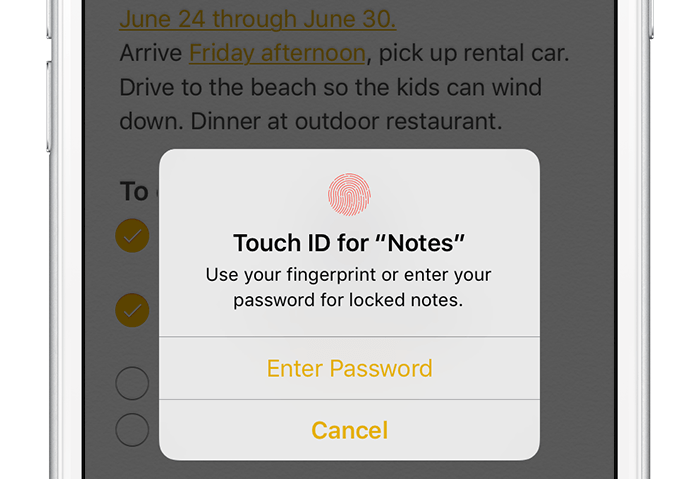
Not all notes contain sensitive information, but many do. Beginning with iOS 9.3 and OS X El Capitan 10.11.4, you can protect your notes with a password or Touch ID.
In this tutorial, you'll learn how to set up Notes protection, secure items on a note-by-note basis so no one can view their contents and more.
Although neither Apple's Safari nor Google's Chrome browser can extract files from ZIP archives on iOS, it has been discovered that Apple's Notes app lets users view the contents of ZIP files by taking advantage of iOS's built-in file attachment viewers.
Starting with iOS 9, Notes has received several new features, among them support for adding content to a new or existing note through iOS's multi-purpose Share menu in apps like Safari, Maps, Pages and more.
As it turns out, you can also use iOS's Share menu in conjunction with the “Open In” feature to add a downloaded ZIP file to a note on your iPhone, iPod touch or iPad.

The forthcoming OS X 10.11.4 El Capitan software update, currently in testing, will bring out the ability to import Evernote content into the stock Notes application, Apple's Vice President of Marketing, Brian Croll, has confirmed in an interview with Japanese publication PC User, as relayed yesterday by the Japanese blog Mac Otakara.
Through a new Import Notes menu command, Mac owners will be able to import Evernote files into Notes, which in OS X 10.11.4 supports Evernote's proprietary .enex file format.

Yesterday, I reviewed a cool little Apple Watch app for creating notes on the fly with dictation which can then be shown as a complication on your watch.
In continuing with the same theme, today I take a look at Note Tapper by Mark Cotterill, which adds an interesting twist to taking notes on the Apple Watch—rather than rely on (at times unreliable) dictation feature, you can type out your thoughts using a rather effective built-in keyboard.

Yesterday, developer Michael Bischoff refreshed its nicely done iPhone application, WatchNotes, with the ability to create, schedule and display notes right on your watch face through a brand new Apple Watch app and a complication.
WatchNotes, which originally made its App Store debut in December 2015 as an iPhone-only app, also lets you dictate a new note directly into your Apple Watch, set up scheduling and travel through time using watchOS's Time Travel feature to look at notes that you've scheduled in the future.
If you've ever wanted to add a note to your Apple Watch face on the fly, you're wholeheartedly recommend to take WatchNotes for a spin, more so considering that watchOS currently lacks a stock Notes app.
Apple says that many iPhone users use the Notes app regularly to do things like create lists, capture ideas, and more. As a big proponent of the Notes app, I completely concur.
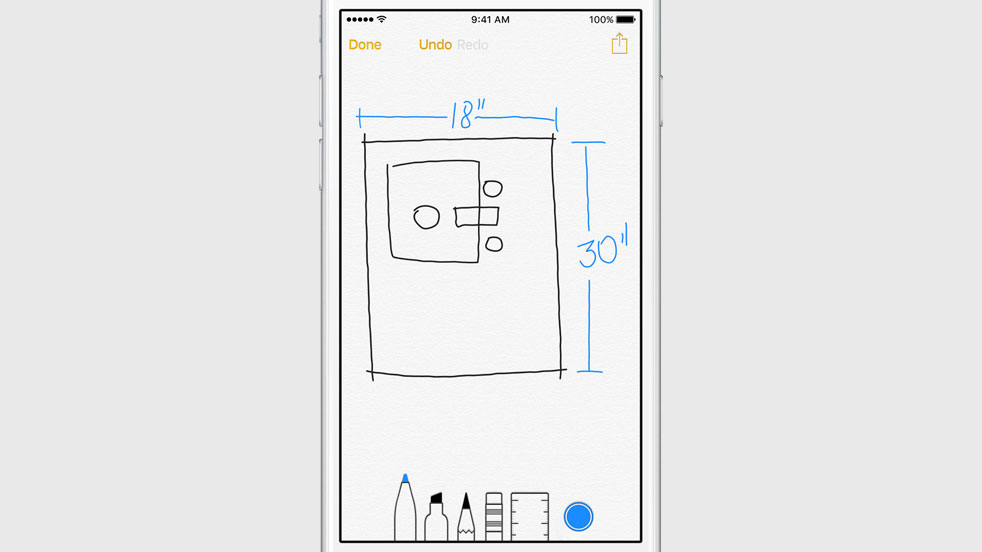
Notes on iOS 9 brings some significant new improvements to the Notes app to help those users, including the ability to create lists, rich text, and hand-drawn notes, and more.
After adding the ability search for words in images to OneNote for the iPhone, iPad and Mac last summer, Microsoft today refreshed the Mac client by enhancing the somewhat limited functionality of the optical character recognition (OCR) feature.
In addition, the software contains other perks such as the ability to hide author initials in shared notebooks from the View tab and close the OneNote window without quitting the app.
OneNote for the Mac, iPhone and iPad is available at no cost through the Mac App Store and App Store.

Notability by Ginger Labs, Apple's Free App of the Week in May 2014 and one of the most popular note-taking apps in the App Store, on Monday issued its long-expected iOS 8 compatibility release in the App Store.
Version 5.3 offers support for iOS 8 and the new 4.7 and 5.5-inch resolutions of the iPhone 6 and iPhone 6 Plus, respectively.
In addition to enhancing compatibility with the current version of Apple’s mobile operating system, this edition of Notability brings out a pair of new themes, revamped icons and menus in line with the overall iOS 8 look and feel and improvements regarding iCloud Drive support.
Notability for the iPhone and iPad is $2.99 in the App Store. The Mac edition will run you ten bucks.

Neato is a new application that mostly consists of a Notification Center extension that lets you quickly jot down quick notes from anywhere on iOS. After installing the free app from the App Store, simply add the Notification Center extension to start typing in notes from the Lock screen, Home screen, or directly from within an application.
Notes can be synced with Evernote or with Dropbox. Additionally, whatever you type can be easily shared to Twitter, or via email or text message.
