Mac

Stay up-to-date on the latest Mac news, and tutorials. Get expert tips and tricks to optimize your Mac’s performance and learn about the latest Apple products and software updates. Discover the best Mac apps and accessories to enhance your user experience.

Teardown of 13″ MacBook Pro with Touch Bar reveals “cosmetic” speaker grilles, other tidbits

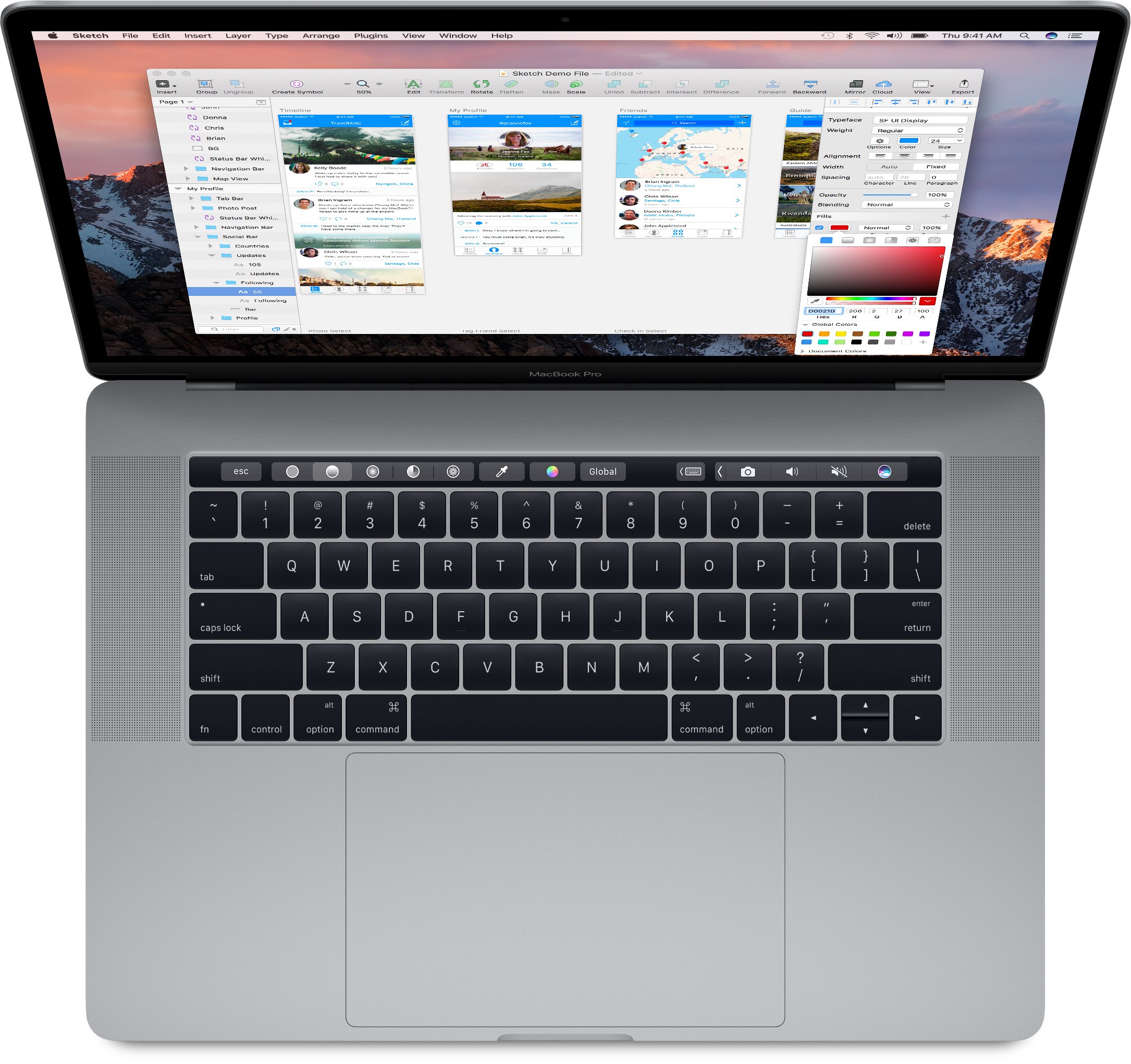
After disassembling the base 13-inch MacBook Pro model without the Touch Bar, teardown wizards over at iFixit have now taken apart Apple’s Touch Bar-equipped 13-inch MacBook Pro. From the inside, it’s an entirely different computer with a totally different design that has more in common with its 15-inch brethren. Among other things, the teardown analysis has found that the external speaker grilles in the top half of the case exist mostly for “cosmetic” purposes.

That's because the improved sound is being projected from a pair of air vents on the sides of the case. By comparison, the base 13-inch MacBook Pro without the Touch Bar does push sound through the speaker grilles as it lacks the air vents.

Other differences between the 13-inch MacBook Pro with Touch Bar and its cheaper 13-inch variant that lacks the Touch Bar include a differently laid out internal components to make room for the Touch Bar itself which, by the way, is hard to replace.

New MacBook Pro with Touch Bar begins trickling in to select Apple stores

Just 24 hours after first shipments began arriving to customers, Apple's new MacBook Pro with Touch Bar is now available for purchase at select company-run retail stores in the U.S., China and elsewhere.

According to reports on Reddit, MacRumors, AppleInsider and other outlets, a select number of flagship Apple retail locations have received stock and are now offering limited quantities of the new MacBook Pro with Touch Bar.

Pixelmator for Mac gains Touch Bar and P3 color support, tabs, full Sierra compatibility & more

Popular Photoshop alternative Pixelmator for Mac was updated in the Mac App Store today with a bunch of new features, including support for tabbed image editing on Sierra and custom shortcuts on the new MacBook Pro's Touch Bar, universal clipboard for effortless pasting of content between devices and other Sierra-specific features. Plus, you get more than a dozen improvements like the new content-aware Smart Refine and Refine Selection tools, support for wide color images and displays and more.

Try out the new Touch Bar on any Mac with Touché

The Touch Bar is an exciting new feature that comes with the higher end MacBook Pro Apple unveiled last month, but you don't have to buy a new MacBook Pro to experiment with the Touch Bar resources that come baked into macOS on every Mac.

Last week we showed you a way to simulate the Touch Bar experience with a third-party app that utilizes the resources already in macOS, and now, another app called Touché is bringing a cleaner implementation of the Touch Bar simulator to all Macs.

Reviewers weigh in on the new MacBook Pro…

As first customers begin to receive the new MacBook Pro, reviews of the long-expected hardware refresh to Apple's Pro notebook family hit the web this morning. Depending on the reviewer, the Touch Bar feature is either a gimmick or a productivity-boosting addition.

As for performance, the reviews are mixed: some people are saying that a lot faster SSD and RAM make the machine super snappy and others note Intel's Skylake chips barely push performance forward versus 2013 or later MacBook Pros.

Apple spent years testing if touchscreens made sense on the Mac

As first reviews of the new MacBook Pro hit the web this morning, Apple's marketing boss Phil Schiller took to Backchannel to dispel some of the myths saying his company has been stubbornly dismissive of the idea of a touchscreen Mac for no apparent reason. Schiller reveals that Apple has actually spent years testing if touchscreens made sense on the Mac before realizing that touching things on a 27-inch screen quickly becomes “absurd”.

Microsoft is bringing integrated developer environment Visual Studio to the Mac

Visual Studio, an integrated development environment from Microsoft, is coming to the Mac. That's according to Redmond's prematurely published and now-deleted press release that TechCrunch spotted Monday. Microsoft's Xcode of sorts, Visual Studio is used to develop native Windows apps, as well as websites, web apps and Azure-driven cloud services.

Visual Studio for Mac should be formally announced at the Connect() conference later this week. Microsoft previously brought its cross-platform code editor, Visual Studio Code, to macOS.

How to convert CAF files to MP3 or AAC

From time to time, you might come across an audio file format known as .caf (Core Audio Format), which was originally created by Apple to put an end to file size barriers set by other audio file types.

Unfortunately, not every audio player or device works with .caf files, so it might do you good to know how to convert them to another audio file type using the software that comes with your Mac. In this tutorial, we'll show you how to convert .caf files to more commonly-used audio files such as AAC or MP3 with Garageband.

1Password now supports Touch ID and Touch Bar on the new MacBook Pro

After previewing a new version of its popular password-management utility, developer AgileBits today updated 1Password for Mac with support for the Touch Bar and Touch ID features on the new MacBook Pro (that you can't have yet).

The update is free to existing users of the $64.99 Mac app. 1Password can now be unlocked by resting your finger on the Touch ID sensor that's built into the new MacBook Pro's Touch Bar.

In addition, you can access your vaults faster by tapping the app's dedicated shortcuts on the Touch Bar.

With the Touch Bar, Apple gives us a glimpse into a future keyboardless MacBook

Apple have a proven track record of ardently pursuing their vision, no matter the cost. The latest MacBook Pro serves as another reminder that the company is wholly unimpressionable by outside opinions, keeping up the dream of more simplistic products with every iteration, all the while taking away your beloved USB ports or SD card slots.

The ends might be justifiable, but the means can regardless lead to frustration with the most patient customers and complete alienation of the more short-fused ones. This cycle repeats every other year, when Apple decides to roll out hardware that is often just a little ahead of the curve.

Much has been made of the MacBook Pro’s latest changing of guard in the USB department. For now, the story goes, Apple has simply done their homework and found USB-C to be the technology fit for the immediate future. But the days of all ports are numbered if rumours are to be believed, as Apple generally contends that less is more and wireless the ultimate endgame. It does not take a giant leap to draw that conclusion and granted its validity, focus on the port situation has drowned out another discussion we clearly need to have at this point: Apple plans to get rid of the physical keyboard, and with the launch of Touch Bar on MacBook Pro the process is well under way.