Mac

Stay up-to-date on the latest Mac news, and tutorials. Get expert tips and tricks to optimize your Mac’s performance and learn about the latest Apple products and software updates. Discover the best Mac apps and accessories to enhance your user experience.

How to switch between Dark and Light Mode specifically for emails in Mail on macOS Mojave

macOS Mojave brings a system-wide Dark Mode for the first time to your Mac. Available in system Apple apps including Finder, Photos and Calendar, Dark Mode will be coming to third-party apps, too, thanks to an Apple-provided API. In Apple Mail, Dark Mode is especially awesome due to a handy option allowing you to permit you to alternate your emails between darker and lighter appearances while having Mojave's Dark Mode turned on at a system level.

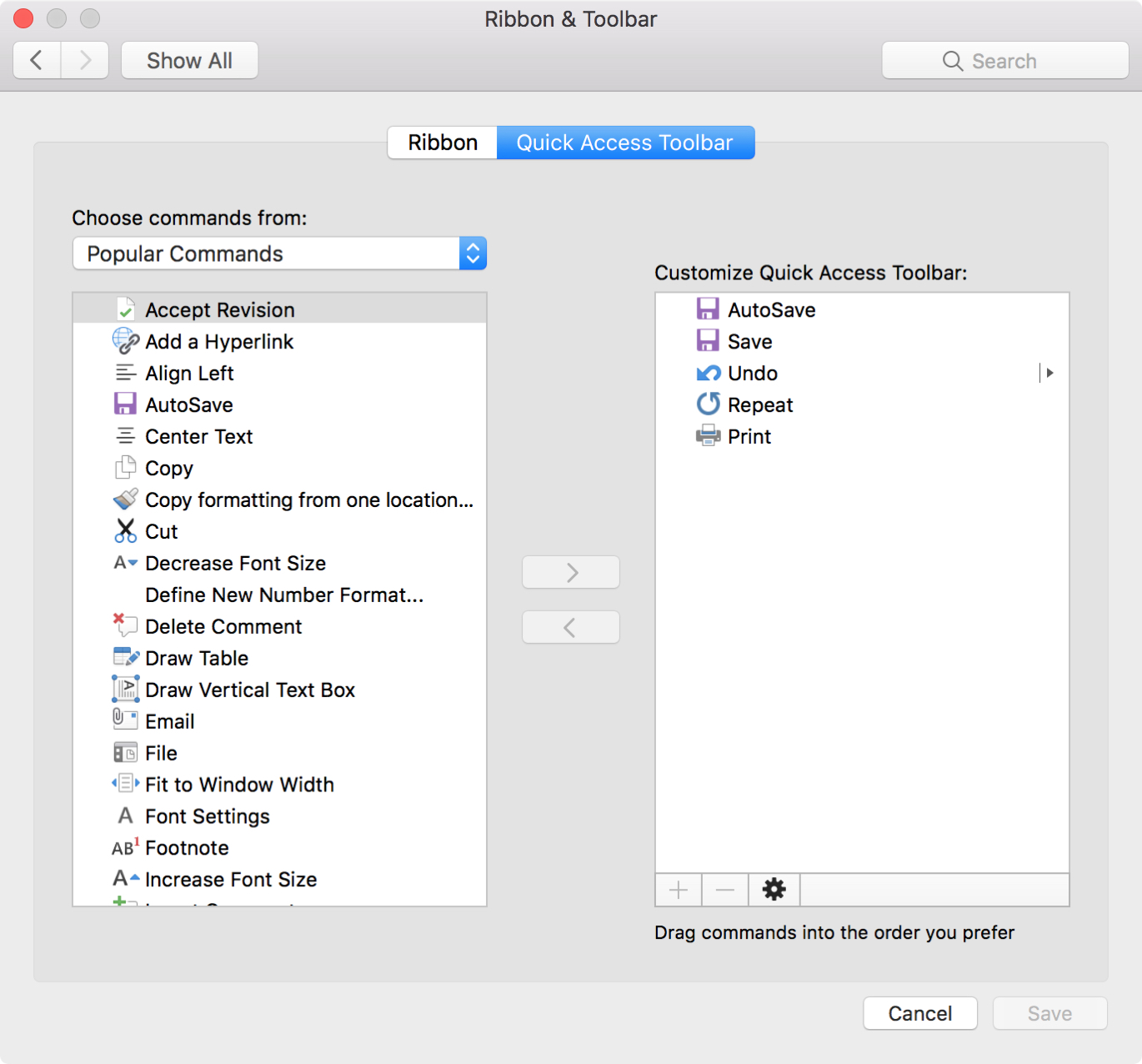
How to customize keyboard shortcuts in Microsoft Word for Mac

MS Word Keyboard Shortcuts Mac

If you use Microsoft Word on your Mac, then you have more customization options than you probably realize. The settings can help make your experience more efficient and productive each time you use the application.

One of the settings that helps you move through your word-processing tasks faster is the keyboard shortcuts. Without lifting your fingers from the keyboard to grab your mouse or use your touchpad, you can accomplish a variety of tasks. And you can customize the shortcuts to suit what you use most and which keys are easiest to remember.

The best free focus timers for Mac to work, break, and concentrate

Focus Timers for Mac

When you’re hard at work on your Mac, sometimes you forget to take a break. Then there are other times when that’s all you can think about doing. In both cases, a handy focus timer can help.

Set the timer, focus on the job at hand, and take a short break when time is up. This helps you stay focused on what you need to do for a certain amount of time and take that necessary break without forgetting.

Check out these awesome free focus timers for Mac you can snag on the Mac App Store.

How to use Apple’s Voice Memos app on Mac

Voice Memos has existed on iPhone since the 2009 iPhone OS 3 software nine years ago. At its annual developer conference in June 2018, Apple announced it would make Voice Memos available for iPad and bring the app to macOS alongside a few other native iOS apps, like Stocks, Home and News.