Learn how to prevent the Mac's Mail app from downloading all email attachments locally and taking up a lot of unnecessary space.
How to stop the Mail app from downloading all attachments on Mac

Learn how to prevent the Mac's Mail app from downloading all email attachments locally and taking up a lot of unnecessary space.

Pixelmator, the makers of perhaps the best Photoshop alternative for macOS, teased a brand new app in a blog post today that they've been secretly working on for five whole years.
The mystery app is coming soon, said the Pixelmator team.
While they stopped short of revealing what the forthcoming software is about, it's a safe bet that they've been working on a new kind of image-editing app for Mac. All we know that it's the coolest thing that “we or anyone else has done in years” and their biggest project ever.
The Pixelmator team said:
This is the biggest thing that we’ve ever done. The most innovative, beautiful and powerful thing that we’ve ever done. And it’s also the most Mac thing that we’ve ever done.
The teaser image they shared shows a little bit of the app's interface, suggesting it could be an app for vector graphics akin to Adobe Illustrator.
To get notified when the new app launches, subscribe to Pixelmator's Notify Me list. The app is “wildly innovative, stunningly beautiful, incredibly powerful and very Mac,” reads the website.
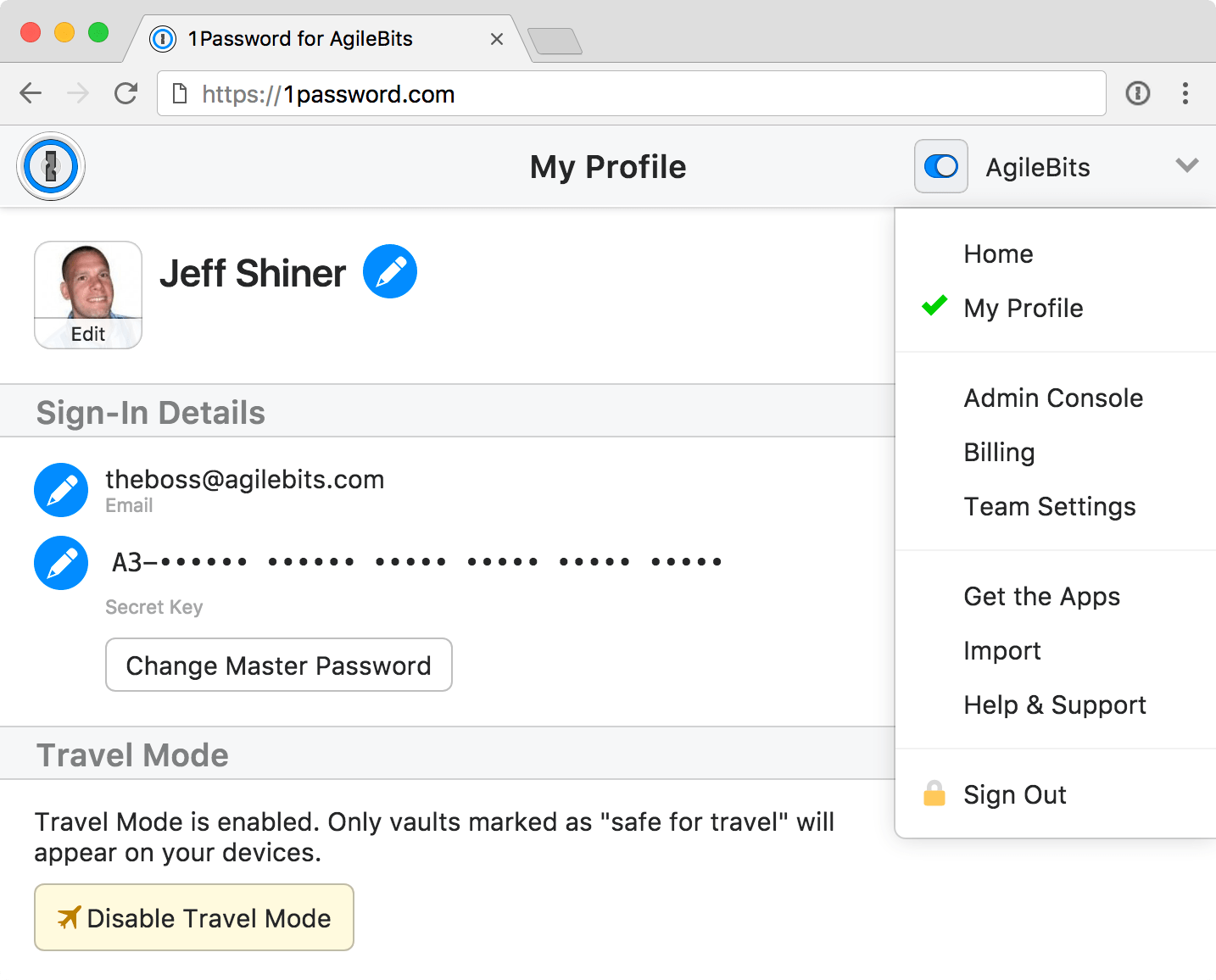
Developer AgileBits announced yesterday a new Travel Mode feature in 1Password, its password manager for iPhone, iPad, Mac, Windows and the web. Designed to protect your sensitive data from unwarranted searches when crossing borders, Travel Mode removes all vaults from your devices except for the ones marked “safe for travel.”
Even if a security agent at the US border asks you to launch and unlock 1Password, they'll be unable to disable Travel Mode from within the app or even realize that the app is currently in Travel Mode, for that matter.
To mark the vaults as safe for travel, sign in to your account on 1Password.com.
Click the pencil icon on the vault you wanna mark as safe for travel, choose Safe for Travel and click Confirm. Right before you travel, turn on Travel Mode by clicking your account name in the top-right corner of the interface, choose My Profile and click Enable Travel Mode.
On the devices you’re traveling with, open and unlock the 1Password app.
Any vaults that haven’t been marked as safe for travel will be instantly removed from the app. Rather than simply hide the vaults, the app completely removes them from your devices, including all items and your encryption keys so there are no traces left for anyone to find.
When you’re done traveling, return to My Profile on 1Password.com and click Disable Travel Mode. Just like that, your temporarily removed vaults re-appear on your devices.
“Whenever you turn Travel Mode on or off, you’ll need to open 1Password on your devices while connected to the Internet for the change to take effect,” reads the FAQ on the official website.
AgileBits notes that Travel Mode is included with every 1Password subscription. If you’re a team administrator, you can turn Travel Mode on and off for team members and manage which vaults are safe for travel.
A single-user 1Password subscription cost $2.99 per month, or $4.99 per month for a multi-user family account. Separate subscription options for teams are available as well.
1Password for Mac is a freemium download from Mac App Store.
1Password for iPhone, iPad and Apple Watch is available free on App Store.

German developer Cultured Code on Thursday released Things 3, a major new iteration of its powerful personal task manager for iPhone, Apple Watch, iPad and Mac. Things 3 brings out a beautiful timeless new design with delightful interactions and animations. Aside from the new look and feel, the refreshed app is packed to the gills with a host of new features.
Released as three separate apps (they've kept the current pricing), Things 3 is Cultured Code's first paid update for existing users since versions 1.0.
Here's what developers had to say about the app's gorgeous new UI:
The all-new Things comes with an all-new design. It's not just how it looks—but also how it works, and how it feels. The interactions are delightful. The animations are smooth. The content is more structured. The concepts are clearer.
Open a to-do and you'll immediately get a sense of how the new apps feel.
Nicely animated transitions expand the selected to-do into an empty white piece of paper. You can add additional details to your to-do, neatly tucked away in the corner until you need them.
“There are no distractions here, it’s just you and your thoughts,” said developers.
The choice is yours: you can create either a simple to-do that looks like text on a piece of paper or opt for a richer to-do which may include additional details such as tags, checklists (a new feature for to-dos in Things 3), a start date, a deadline and so forth.
Speaking of to-dos, Things 3 introduces an all-new Magic Plus Button.
Found in the corner of the screen, you can tap it to quickly add a new to-do or actually drag the button to a particular list in order to generate a to-do in a specific location. Plus, managing to-dos is now way easier than before with expanded support for gestures, like dragging and dropping, swiping, tapping to expand and more.
Seasoned Things users will be delighted to know that developers have implemented one of the most-requested features: time-based reminders. For those to-dos you absolutely cannot miss, adding a reminder will give you peace of mind.
While scheduling a to-do in Jump Start, click Add Reminder and set the time. There are three ways to set the time: manually, using the app's natural language parser (just type “Wed 8pm” or some such, and you're all set) or you can speak to Siri (“Remind me to call Seb at 5am.”)
Watch the promotional video for Things 3.
https://www.youtube.com/watch?v=2R6o5t0VK_A
Things 3 now supports headings to break up complex projects into sections.
And with the app's Magic Plus Button, you can create and place headings in new projects like a pro. The app's cleaner design extends to your Today and Upcoming sections which now combine calendar events and to-dos into one unified view with a timeline at the top, giving an outline of your schedule.
A new This Evening section is your at-a-glance overview of any to-dos that you won’t get to until later in the day, like things you can only do when you get home. The This Evening section is a handy way to keep these to-dos separate from the rest, in their own discrete list.
And to help you find a needle in the haystack, Things 3 now includes a Quick Find feature.
Just pull down on any list to reveal search, which can now find content across the entire app. Quick Find also includes handy shortcuts to your to-dos, lists, tags and more.
Type Travel, another new feature in Things 3, lets you navigation to any project, area or to-do in the app. On iPad, you can now swipe away the sidebar and focus on just the current list you’re working on, both in portrait and landscape orientations.
On your Mac, Things now has a Slim Mode which cuts out distractions so you can focus on the task at hand. To enter this mode, collapse the sidebar with a two-finger swipe. Slim Mode is especially great when you’re working in macOS's Split View multitasking mode.
You can even open multiple windows in Slim Mode and drag and drop items between them.
https://culturedcode.cachefly.net/things/videos/2017-05-03-allnewthings-when/video.mp4
Developers have completely rewritten core layers of the apps, which are now shared between macOS and iOS for increased reliability. The Apple Watch app has been updated as well (it now shows checklists and headings), there's a new structure for Areas in the iOS app and you can now import data from Wunderlist or OmniFocus into Things 3.
And with TouchBar support, owners of the new MacBook Pro can take advantage of convenient access to the app's most-used commands.
Things is fully integrated with all the latest iOS technologies: Apple Watch, Calendars, Siri, Reminders, Today Widget, Quick Actions, Action Extension, Handoff and Notifications.
The apps all stay updated via Things Cloud, which is the push sync service that Cultured Code custom-built for the app. Unfortunately, iCloud syncing is not supported in Things.
For the complete overview of what's new in the app, visit the official Things website.
Things 3 for iPhone and Apple Watch is $9.99 on App Store.
Things 3 for iPad is $19.99 on App Store.
Things 3 for Mac is $49.99 on Mac App Store.
To celebrate the launch of Things 3, all apps are 20 percent off until next Thursday, May 25.
A 14-day trial of Things for Mac is available via the Cultured Code website.
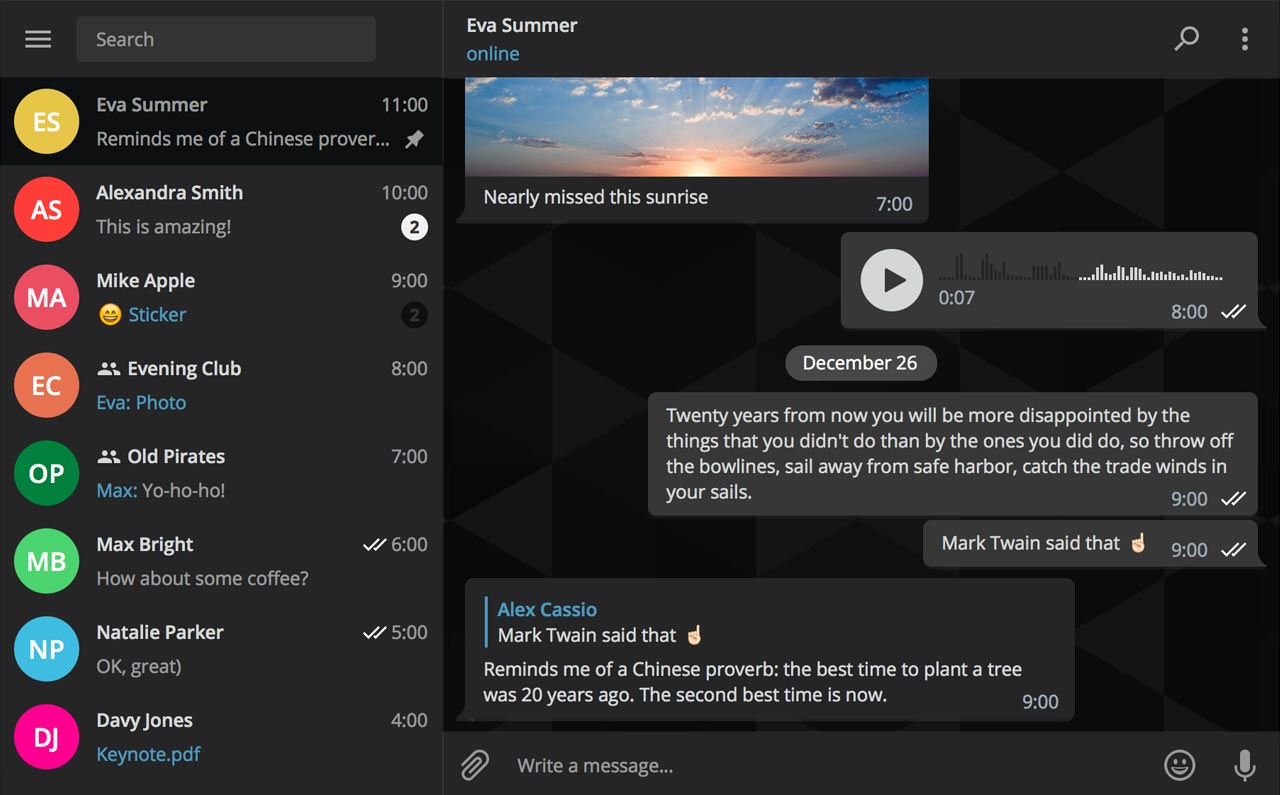
Secure instant messaging service Telegram today launched voice calls in its desktop app for Mac, Windows and Linux nearly two months after implementing the voice-calling feature in Telegram Messenger for iPhone and iPad.
To make sure Telegram calls are the best in terms of quality, speed and security, the app uses artificial intelligence to update its neural network after each call about things such as network speed, ping times, packet loss percentage and other factors that influence the quality of your VoIP calls.
Based on gathered data, the app optimizes dozens of parameters to improve the quality of future calls on the given device and network. By default, Telegram calls are lightweight.
https://twitter.com/telegram/status/864543129847955457
If there's a change in your connection during the call, the app will make necessary adjustments.
For instance, Telegram may boost your sound quality on stable Wi-Fi connection or use less data if your Wi-Fi or cellular coverage is spotty at best.
Whenever possible, your calls will go over a peer-to-peer connection using the best audio codecs to save traffic while providing “crystal-clear quality.” When a peer-to-peer connection cannot be established, the app will use the closest server to you.
Telegram has its own distributed infrastructure all over the world to ensure the fastest possible delivery of your texts and seamless voice calling experience. As mentioned, VoIP calls on Telegram use end-to-end encryption, just like the app's Secret Chats feature, to prevent eavesdropping.
For voice calls, however, they've improved the key exchange mechanism. “To make sure your call is 100 percent secure, you and your recipient just need to compare four emoji”, said the team.
Bottom line: the quality of Telegram calls will further improve as you and others use them, thanks to the built-in machine learning. And with group calling, video calling and screen sharing apparently on the team's to-do list, Telegram is bound to become a capable Skype alternative.
As soon as VoIP calls are enabled for your country, a phone icon will appear on every profile page in Telegram Desktop.
Telegram for iOS is available free via App Store.
Telegram Desktop can be downloaded from Mac App Store or through the official website.

If you haven't heard about Pagico before, it's a productivity app that allows individuals and team members to easily manage all their tasks, files and notes across iPhone, iPad, Mac, Windows, Ubuntu and Android devices.
With Pagico, you can organize everything related to your projects in one place, stay informed with handy flowcharts, access data anywhere, manage your day, visualize workloads, cross-link everything, organize stuff into collections, collaborate and much more.
Now bumped to version 8.7, the app sports some interesting new features designed to help you be more productive and stay on track with support for sub-containers, enhanced container duplication features, smart filters, teammate filters, improved email handling and printing, plus a lot more.
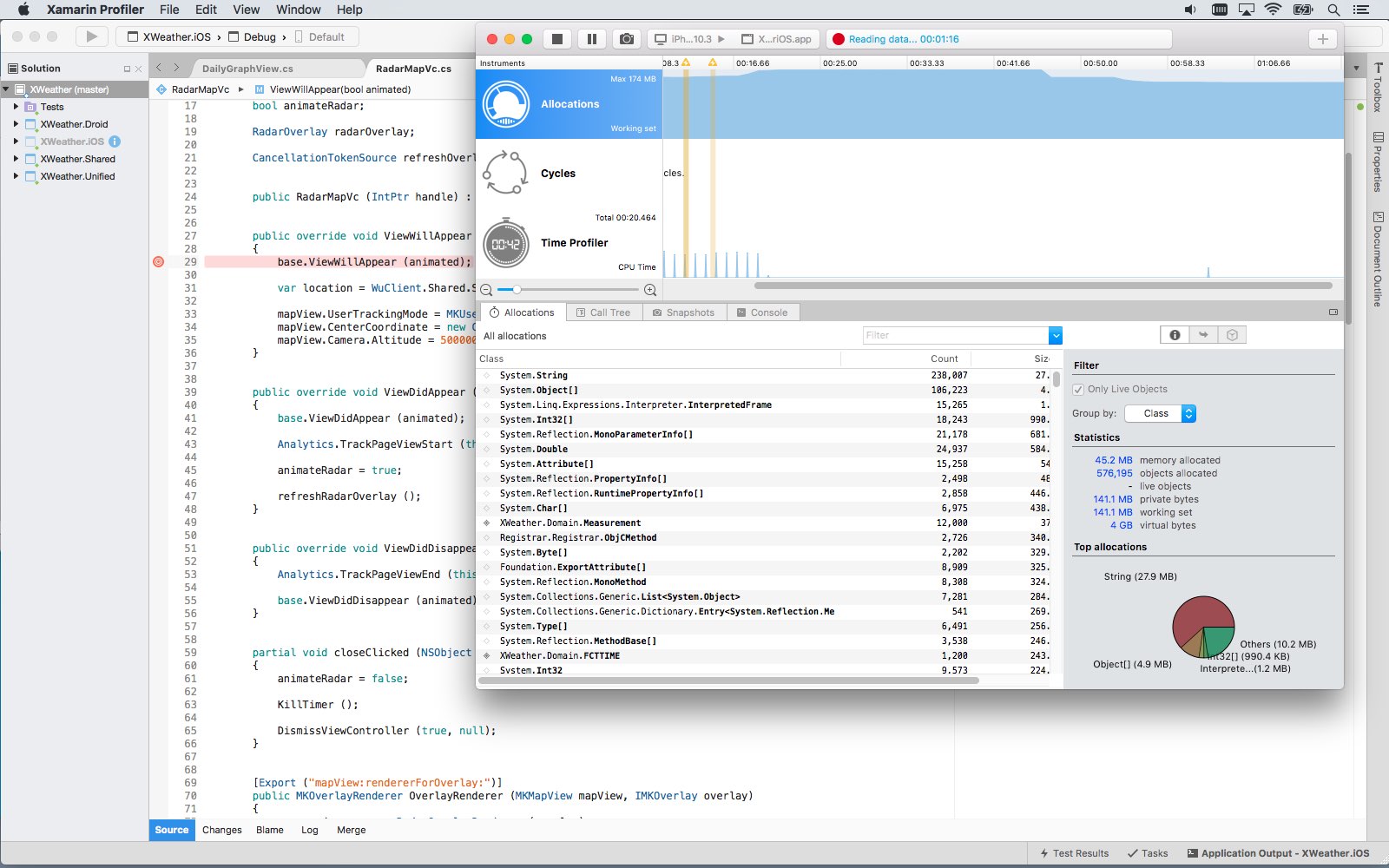
Software giant Microsoft today released Visual Studio for Mac, its integrated development environment that contains all the tools you need to develop apps and games for the macOS, iOS, tvOS, watchOS, web, cloud and Android platforms. Previously, Mac owners who wanted to use Microsoft's development tools needed a Windows computer or a virtual machine.
Available at no charge via visualstudio.com, Visual Studio for Mac lets you code, debug and diagnose your apps, use version control, collaborate efficiently with other programmers and much more. The Windows maker released a preview of Visual Studio for Mac last November.
“Developers get a great IDE and a single environment to not only work on end-to-end solutions—from mobile and web apps to games—but also to integrate with and deploy to Azure,” said Scott Guthrie, executive vice president of the Microsoft Cloud and Enterprise group.
“Whether you use C#, F#, .NET Core, ASP.NET Core, Xamarin or Unity, you’ll get a best-in-class development environment, natively designed for the Mac.”
As a new member of the Visual Studio family, the integrated development environment allows developers on macOS to build apps for mobile, web, and cloud with Xamarin and .NET Core, as well as games with Unity.
Key highlights include:
Designed natively for Mac—Visual Studio for Mac brings the developer productivity you love to macOS. The experience has been meticulously crafted to optimize the developer workflow for Mac. Collaborate efficiently—Manage your code in Git repos, hosted by any provider, including GitHub and Visual Studio Team Services. Share projects seamlessly with developers using Visual Studio across Windows and Mac. Deliver quality mobile apps—With Xamarin’s advanced debugging, profiling tools, unit tests, and UI test generation features, it’s faster and easier than ever for you to build, connect, and tune native mobile apps for Android, iOS, and macOS. Launch modern web apps—With support for ASP.NET Core in Visual Studio for Mac, you are empowered to create beautiful, modern web applications. Craft the front-end with the same web editor experience you know and love from Visual Studio and Windows and publish to the cloud directly from the IDE. Create intelligent services—Visual Studio for Mac enables the creation of .NET Core solutions, providing the back-end services to your client solutions. Code, debug, and test these cloud services simultaneously with your client solutions for increased productivity. Build cross-platform games—Using Unity and Visual Studio for Mac, you can create awesome games that run on any platform. Use the powerful coding, refactoring, and debugging features in Visual Studio for Mac to enhance your productivity.System requirements are available in a support document on the Visual Studio website.
Microsoft says the software contains support for Voice Over. Many parts of the user interface, including the editor and solution explorer, have been made accessible through Apple's assistive technologies.
The software released ahead of Microsoft’s Build 2017 developer conference, which kicks off later this week. In 2105, the company launched Visual Studio Code, its free of charge cross-platform code editor for developers.
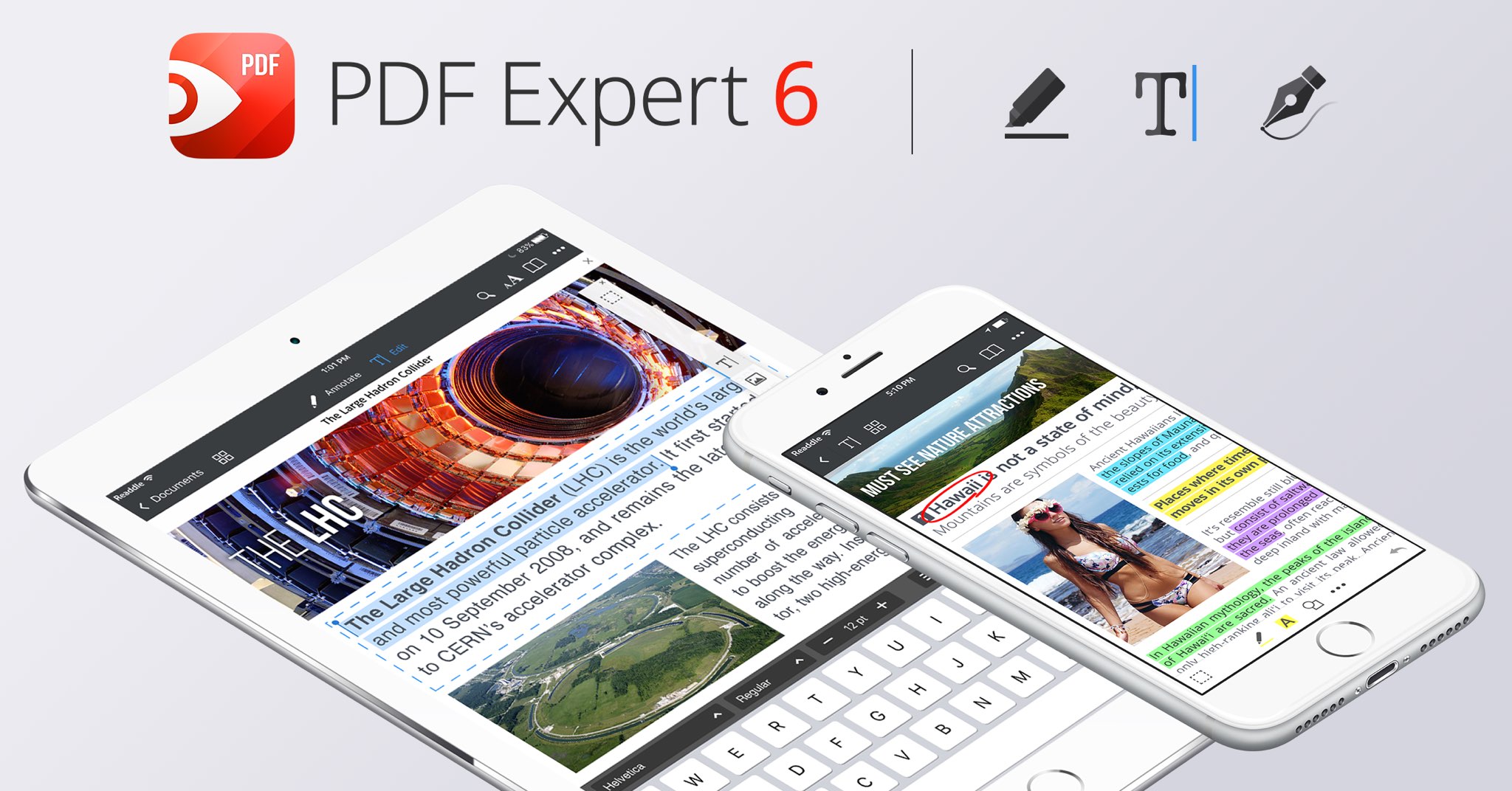
Readdle, a prolific Ukrainian developer of fine productivity software for iOS and macOS, today pushed a major new version of its fast, robust and beautiful PDF editor, called PDF Expert.
Aside from an overhauled interface which allows you to navigate your documents in a most effective way, PDF Expert 6.0 for iPhone and iPad includes a brand new experience when adding and managing files and built-in editing tools for those times when you're required to edit that contract, update presentation slides or change the invoice logo while on the go.
PDF Expert for iPhone and iPad“You make fewer taps in order to edit, zip, tag, move or sync files,” developers noted, adding that “bigger file preview thumbnails give you a better idea of the content of that Excel spreadsheet or PowerPoint presentation.”
Aside from the usual features, PDF Expert 6.0 now allows users to edit and modify text and images in their PDFs, as well as add links, redact information and more.
But first, watch the promotional video below.
https://www.youtube.com/watch?v=_Jrg8txgDVo
The new editing tools in the iOS app let you:
Edit and modify PDF text Add and replace images Add links to text and pictures Hide sensitive information using Redact featureFor those who work in the cloud, the app now allows you to edit, annotate or sign documents in your Dropbox or any other supported cloud storage service without needing to download the document locally—all your edits are now saved directly in the cloud version of the document.
With PDF Expert 6.0, PDF documents that contains sensitive data can be finally protected with a password. Lastly, the iOS app now lets you edit outlines to help structure data in huge documents and provides an enhanced search feature with the ability to search for a word or a document across multiple documents and file types.
PDF Expert for MacThe Mac app was refreshed with enhanced navigation, faster search and other updates back in March 2017, here are your key highlights. To make the editing process even easier, the Mac app automatically detects the font, size and opacity of the original text.
This is very useful because no longer do you have to adjust the formatting after every single edit. “Now, you can edit PDF text and images, add links, work directly from the cloud without downloading files and much more,” Readdle noted.
The improved search is smarter and quicker than before. Perhaps more important than that, you can save all relevant discoveries into your search history to easily find them in the future.
Lastly, you'll notice the all-new toolbar layout with several page layout templates and the ability to customize your reading experience in macOS's Split View multitasking mode. Whether you’re comparing contracts or reading an article, you can now bring up the new rendering options to choose the most convenient layout to quickly accomplish your task.
The new editing tools in PDF Expert 6.0 for iOS require a one-time $9.99 In-App Purchase. All the other new features are free for existing users of the iPhone and iPad app.
New users can grab PDF Expert for iOS on App Store in exchange for $9.99.
PDF Expert for macOS is available for $60 via Mac App Store.
A free trial is available via the official PDF Expert website.
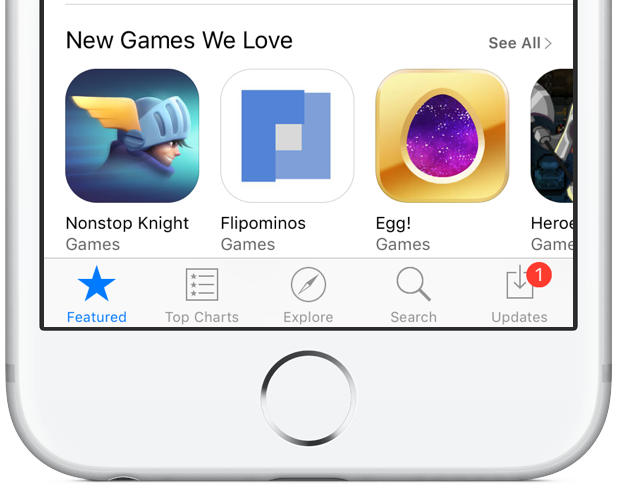
Apple has clarified in an email communique by its iTunes Affiliate Support team that the recently reduced affiliate rates which went into effect May 1 only apply to in-app content, not to apps linked on websites and other outlets.
The company announced a policy change last month, saying commission rates for apps and in-app content would drop from seven to just 2.5 percent. The firm now clarifies that the change applies only to affiliate links used inside apps, not the ones on websites like iDB.
“Please note that only in-app commissions have changed,” reads the message from iTunes Affiliate Support. Here are the correct new app commission levels, according to Apple itself:
iOS apps commissions: 7 percent In-app iOS commissions: 2.5 percent Mac apps commissions: 7 percent In-app macOS commissions: 2.5 percentSeveral website owners and bloggers linking to App Store and Mac App Store apps have reported that the seven percent commission for apps has in fact remained unchanged.
MacGamerHQ provides the following screenshots of Apple's email to iTunes Affiliate members.
Apple originally said about two weeks ago that beginning May 1, 2017 commissions for all apps and in-app content would get slashed from seven percent to just 2.5 percent globally. The poor wording of the message has been blamed for the misunderstanding.
“We will also continue to pay affiliate commissions on Apple Music memberships so there are many ways to earn commissions with the program,” Apple said two weeks ago.
Aside from slashing commissions for in-app content, items like music, movies, books and TV subscriptions remain subjected to the seven percent commission rate across all markets.
iTunes Affiliate Program lets website owners and developers claim a small percentage of the proceeds from linked apps and content.
The company's Affiliate Resources webpage offers a Getting Started guide on becoming an affiliate partner, an updated Program Overview section providing information on the commission raters, reporting, creating links and other useful resources.
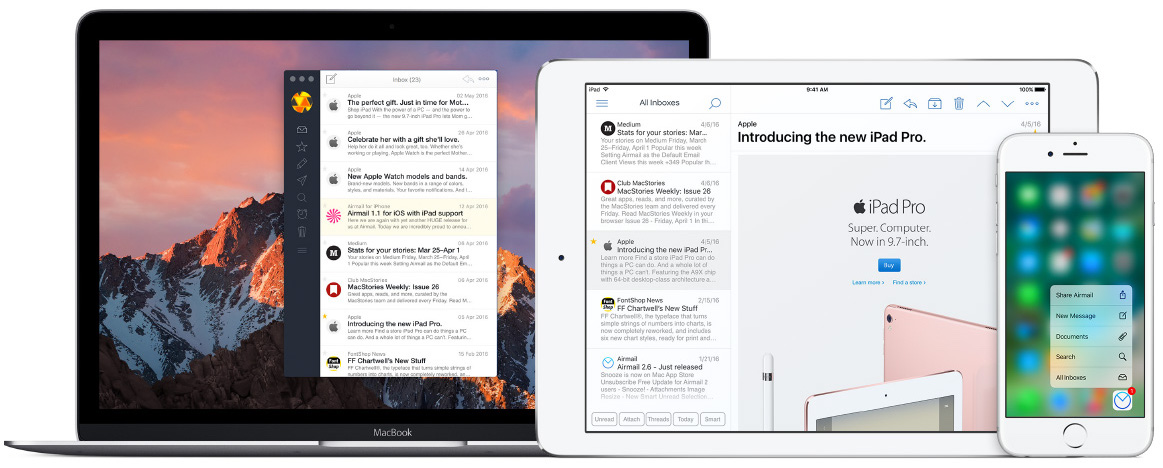
Italian developer Bloop today updated its excellent Mac email client Airmail with a bunch of new features, third-party integrations and other enhancements. Airmail 3.2.5 for macOS, a free update for existing users, introduces new integrations with the information management app DEVONThink and Bear, a beautiful writing app for notes and prose. Other new features include HTML user templates, out-of-office auto responders, enhanced privacy and more.

Apple announced at this week’s annual National Association of Broadcasters (NAB) conference that its Final Cut Pro X video-editing software for Mac has now reached two million users, or “seats“. Five years ago, the Cupertino company launched a major redesign of the app which temporarily killed many advanced features.
Needless to say, the move irked Apple's pro users some of whom have since switched to Adobe Premiere and other rival apps. Thankfully, Apple has since added back a lot of the missing features via free updates.
As first noted by Contrast founder David Barnard, Apple just slashed the affiliate commission on iPhone, iPad, iPod touch and Mac apps and In-App Purchases from the previous seven percent rate down to 2.5 percent globally.
“Beginning May 1, 2017, commissions for all apps and in-app content will be reduced from seven percent to 2.5 percent globally,” Apple told iTunes Affiliate Program members via email.
All other iTunes content types, including music, movies, electronic books and TV subscriptions, shall remain at the current seven percent commission rate in all markets.
“We will also continue to pay affiliate commissions on Apple Music memberships so there are many ways to earn commissions with the program,” reads Apple's message.
Apple's Affiliate Resources webpage has received a facelift with optimized navigation, a new Getting Started guide on becoming an affiliate partner, an updated Program Overview section providing information on the commission raters, reporting, creating links and more.
Source: David Barnard on Twitter via MacRumors