Mac Apps

Skype previews upcoming Mac app revamp

Microsoft today announced availability of Skype Preview for Mac and non-Windows 10 PC users, highlighting some of the features recently launched in Skype for iPhone that are coming soon to its desktop apps for Mac and Windows computers. 

Promote iMessage to your Menu Bar with Unreplied for macOS

Find it hard at times to stay on top of your iMessage and SMS influx because you’re just too damn popular? Or are you simply a notoriously slow responder that likes to wait until that red badge on iMessage has swollen to inordinate proportions?

Either way, Unreplied, a low-key app bundling iMessage chats in your Mac’s Menu Bar, vows to make your iMessage game faster and perhaps less flaky.

Chrome 60 rolling out, brings handy navigation shortcut to your Touch Bar

Google yesterday announced that its freshly updated Chrome desktop browser has at long last brought out official support for handy navigation shortcuts on the MacBook Pro's Touch Bar.

Supported shortcuts include Chrome's unified search/URL box, bookmarks and a new tab shortcut. Like with other Touch Bar shortcuts, they're easily customizable by choosing Customize Touch Bar from the View menu, where you can also turn off typing suggestions.

In addition, Chrome 60 for macOS includes an updated Credential Management API (allowing websites to interact with Chrome's password manager) while packing in support for the Payment Request API for auto-filling checkout forms and other developer enhancements.

On a related note, Google said yesterday it would remove Flash completely from Chrome toward the end of 2020 following Adobe's announcement to end-of-life its Flash plug-in.

If you regularly visit a site that uses Flash today and it migrates to open web standards, you shouldn’t notice much difference except that you'll no longer see prompts in Chrome to run Flash on that site. “If the site continues to use Flash, and you give the site permission to run Flash, it will work through the end of 2020,” said Google.

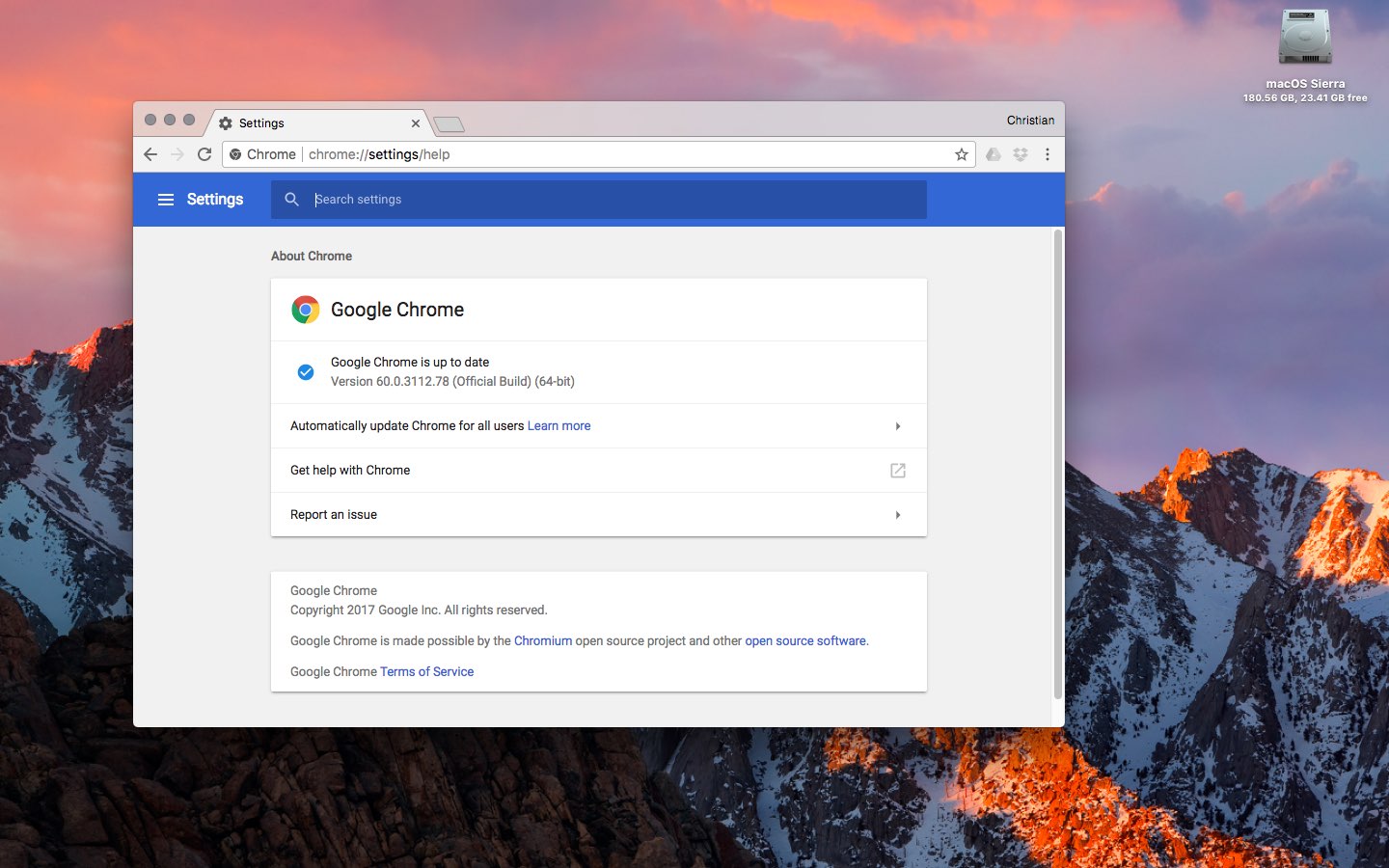
Chrome's silent updating mechanism ensures you're always running the most recent version of the app. To check for updates manually, choose About Google Chrome from the menu.

You can download Chrome from Google's website.

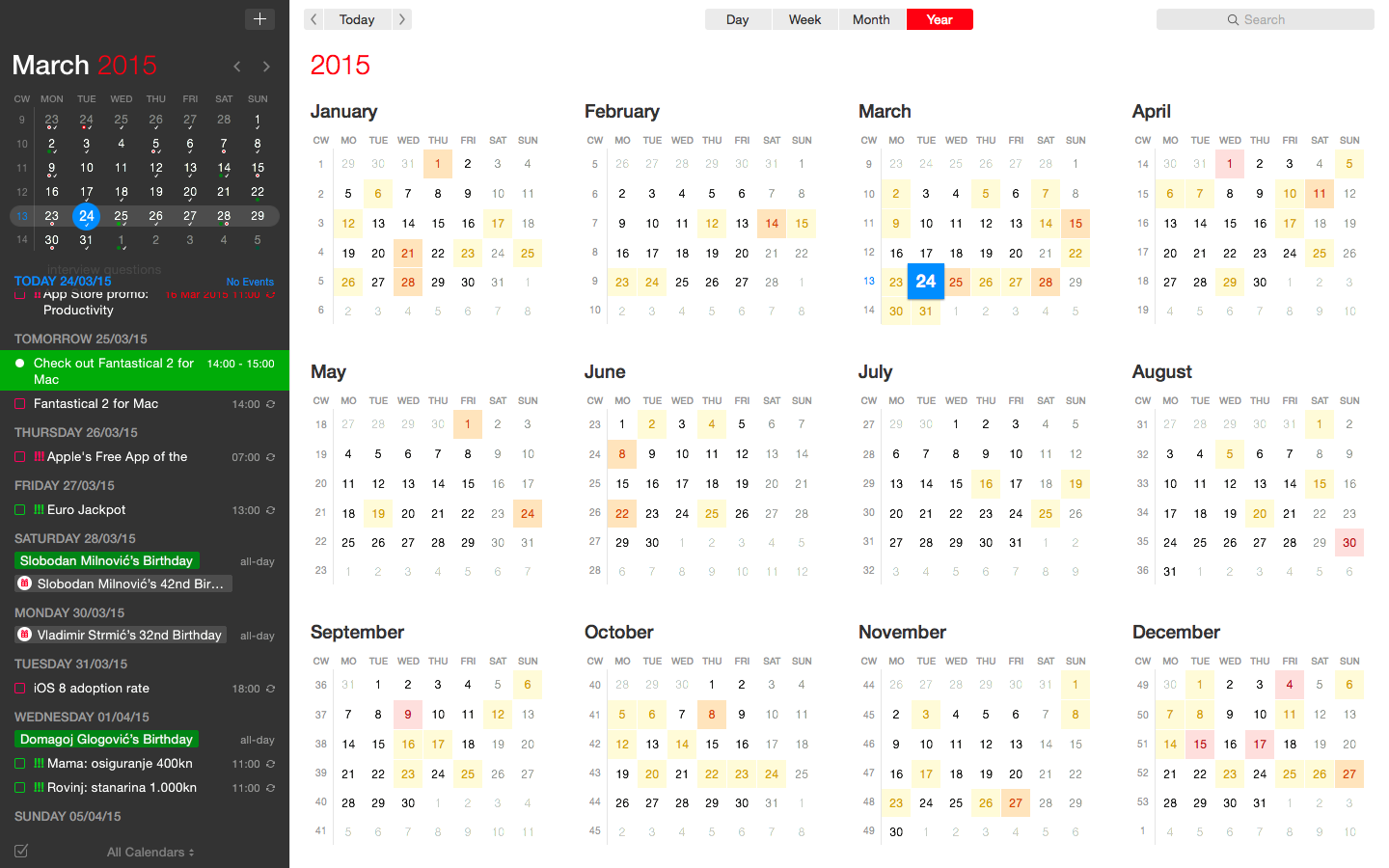
Fantastical for Mac gains attachment and travel time support, time to leave alerts & more

Developer FlexiBits today released a major update to the Mac edition of its award-winning calendar application, Fantastical, that you may be familiar with.

Version 2.4 brings a host of improvements, including new features like time to leave alerts, attachment support for iCloud and Exchange calendar events, undo/redo and more.

You can now view, create, and edit attachments on iCloud and Exchange (or view them on Google Calendar). With this feature, you can attach things like images, videos, Keynote presentations and other files to your calendar events.

The feature works on other CalDAV servers that support managed attachments.

https://www.youtube.com/watch?v=s2lJ5p8hd8A

Another new feature, aptly named Travel Time, allows customers to receive notifications when they need to leave to help ensure they reach an event on time. You can even define your own travel time so you can plan how long it will take to reach an event.

https://www.youtube.com/watch?v=_tVOwXgnipE

Fantastical 2.4 also improves invitation support for Google Calendar and Exchange with response messages, invitation guest count for Google, the ability to forward Exchange invitations and the option to respond to Exchange invitations without sending a reply.

TUTORIAL: How to create app-specific passwords for Fantastical and other apps

The app includes a bunch of refinements and under-the-hood fixes, like full undo/redo support for adding, editing, and deleting events and reminders, the ability to combine identical events that are on multiple calendars, to mention a few.

There's also a new More link in the Month view to show additional events and reminders, Facebook push updates are now instantaneous while new options in preferences at long last permit you to customize the number of weeks per month.

Have a look at everything new in Fantastical 2.4 for Mac.

https://www.youtube.com/watch?v=GZm3PWDBh5k

Last but not least, you can now forward invitations to other people on Exchange accounts, see the year of the anniversary for contacts and respond to an Exchange invitation without sending a message to the sender by clicking and holding the Accept, Decline or Maybe buttons.

Fantastical requires macOS El Capitan 10.11 or later.

Current users can get the update for free via the Mac App Store's Updates tab or through the in-app updater if the app was purchased directly from the Flexibits Store.

Fantastical 2.4 for Mac is $49.99 on Mac App Store.

A three-week trial is available via the Flexibits website.

High Sierra will be last macOS release to support 32-bit apps “without compromise”, says Apple

We know that iOS 11 marks the end of the road for legacy 32-bit apps and now we're learning about Apple's new 64-bit requirement for Mac apps.

In an advisory on Dev Center yesterday, the Cupertino giant announced that macOS High Sierra will be the last macOS release to support 32-bit apps “without compromise.”

Apple originally said at the Worldwide Developers Conference that macOS apps submitted to Mac App Store must support 64-bit computing starting January 2018. The new advisory states that Mac app updates and existing apps must support 64-bit starting June 2018.

“If you distribute your apps outside Mac App Store, we highly recommend distributing 64-bit binaries to make sure your users can continue to run your apps on future versions of macOS,” reads Apple's note to developers.

In a separate notice, the company reminded developers to submit updates to their 32-bit apps because iOS 11 is 64-bit only. ”Support for 32-bit apps is not available in iOS 11 and all 32-bit apps previously installed on a user’s device will not launch,” reads the note.

Two days ago, Apple asked developers to update their product pages for iOS 11’s redesigned App Store.

Box introduces macOS client for its cloud syncing service

Cloud-storage service Box has (finally?) decided to provide a native macOS client app for its Apple customers. The new app, currently in public beta, is available at no charge at box.com/resources/downloads.

With the Box Drive app, users can access Box files on their Mac, natively integrated into the Finder, as well as easily share and collaborate on documents and more. You can edit like you would any local file and have the app save it automatically to the Box cloud, with the enterprise-grade security protecting everything you do.

According to the company, the app includes the following features:

The cloud doesn’t fit on your hard drive. While it's super convenient to sync files to your desktop, the amount of syncing you can actually do is limited by your hard drive space. So while you'd like to access ALL your files (especially your team files), more often than not, you end up syncing only a subset of your files, which limits the amount of work you can actually do straight from your desktop. Storing work on your desktop is risky business. IT teams have been pulling their hair out for years, because they haven’t had proper visibility or control over how files are being accessed, shared, and managed. Plus, if your computer was ever lost or stolen, there wasn’t much you could do about the work files that went along with it. Network files shares were great—20 years ago. Teams are clamoring for greater mobility, easier collaboration, and better compliance–and network shares just can’t keep up. Not to mention the constant maintenance, unpredictable growth, storage sprawl, and never-ending costs that come with them.

https://www.youtube.com/watch?v=Hl6eKWkTYVI

Apple's new Files app on iOS 11 features built-in support for a number of cloud-storage service, including Box, Dropbox, Google Drive, OneDrive, iCloud Drive, Adobe Creative Cloud and more.

iWork apps gain editing improvements, 500 shapes & more in latest update

Apple's iWork productivity suite was updated today on Mac App Store and App Store with several new editing features and other improvements available across iPhone, iPad, iPod touch and Mac devices.

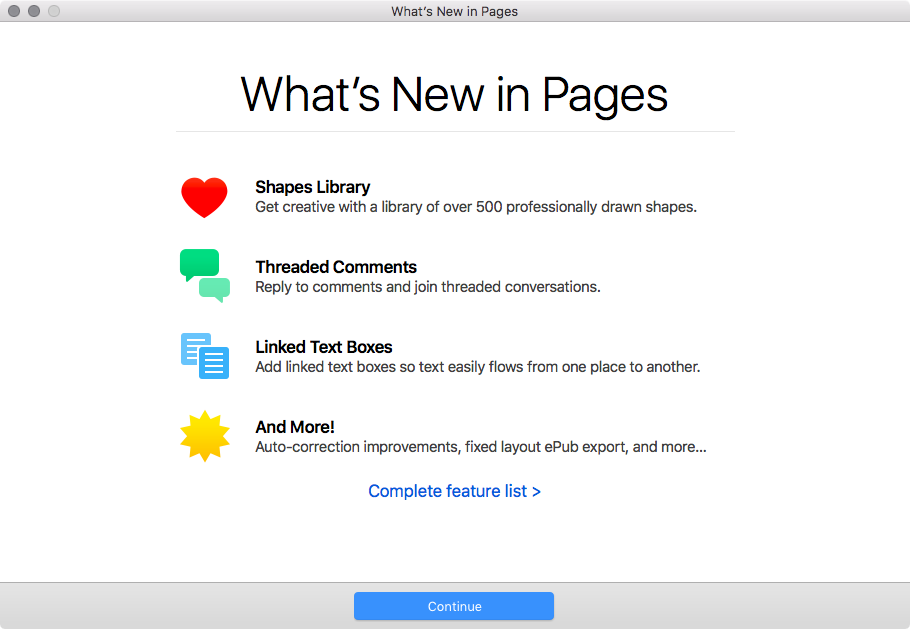
For starters, Pages, Numbers and Keynote for Mac, along with their iOS counterparts, now come with a brand new library of over 500 professionally drawn shapes that you can readily use in your documents, spreadsheets and presentations.

Across all the iWork apps, users can now reply to comments and join threaded conversations, making collaborative editing even easier than before, while new auto-correction and text replacement options save time while typing.

In Numbers, the new Insert Stock Quote feature and the Stock and Currency functions let you get data from the previous market day’s close. Keynote now lets you scroll like a pro on your Mac's trackpad with new pan and zoom options and your presenter notes can be edited while displaying slides in Light Table view.

Here's the full list of new features, fixes and enhancements in Pages 6.2, Numbers 4.2 and Keynote 7.2 for Mac, iPhone and iPad listed in release notes accompanying these downloads:

What's new in Pages 6.2 for Mac Enhance your documents using a library of over 500 professionally drawn shapes Reply to comments and join threaded conversations Add linked text boxes so text easily flows from one place to another New auto-correction and text replacement options save time while typing Export documents as fixed layout ePub books Change margins, headers, footers and paper size while collaborating Improved support for Hebrew and Arabic languages

Learn more about the new Pages for Mac features on Apple's website.

What's new in Numbers 4.2 for Mac Enhance your spreadsheets using a library of over 500 professionally drawn shapes Reply to comments and join threaded conversations Support for print preview in collaborative spreadsheets New auto-correction and text replacement options save time while typing The Insert Stock Quote feature and the Stock and Currency functions now return data from the previous market day’s close

Learn more about the new Numbers for Mac features on Apple's website.

What's new in Keynote 7.2 for Mac Enhance your presentations using a library of over 500 professionally drawn shapes Reply to comments and join threaded conversations New auto-correction and text replacement options save time while typing Scroll anywhere with new pan and zoom options Edit presenter notes while displaying slides in Light Table view Improved support for Hebrew and Arabic languages The Stock and Currency functions now return data from the previous market day’s close

Learn more about the new Keynote for Mac features on Apple's website.

What's new in Pages 3.2 for iOS Enhance your documents using a library of over 500 professionally drawn shapes Reply to comments and join threaded conversations Add linked text boxes so text easily flows from one place to another New auto-correction and text replacement options save time while typing New page thumbnail view allows you to easily navigate your document Export documents as fixed layout ePub books Change margins, headers, footers and paper size while collaborating

Learn more about the new Pages for iOS features on Apple's website.

What's new in Numbers 3.2 for iOS Enhance your spreadsheets using a library of over 500 professionally drawn shapes Reply to comments and join threaded conversations Support for print preview in collaborative spreadsheets New auto-correction and text replacement options save time while typing The Insert Stock Quote feature and the Stock and Currency functions now return data from the previous market day’s close

Learn more about the new Numbers for iOS features on Apple's website.

What's new in Keynote 3.2 for iOS Enhance your presentations using a library of over 500 professionally drawn shapes Easily rearrange your slides with the new Light Table view Edit presenter notes while viewing slides Reply to comments and join threaded conversations New auto-correction and text replacement options save time while typing Improved support for Hebrew and Arabic languages

Learn more about the new Keynote for iOS features on Apple's website.

These apps used to be paid downloads, but Apple recently made them free for all users.

Grab Pages, Numbers and Keynote for free from Mac App Store.

Pages, Numbers and Keynote for iPhone and iPad are available free on App Store.