Mac App Store

Reeder 3 now available in the Mac App Store

Reeder, Silvio Rizzi's well-regarded RSS feed reading app, just received a major update for Mac, and is now available for purchase on the Mac App Store.

Reeder, which first made waves on iOS, has been a Mac App Store staple for quite some time now. The latest version, Reeder 3, is priced at $9.99, but it's a free update for Reeder 2 users.

I've been testing out Reeder 3 in beta for a few months, and I can assure you that it lives up to the hype. If you're still into RSS feeds in 2015, then there is perhaps no better app for the task than Reeder 3.

Snag a $100 iTunes gift card for only $75 (US only)

The folks over at eBay are selling US-only instant $100 iTunes gift cards for 25% off, which makes for a killer deal.

True, $100 is a lot of money, but if you're planning on buying an expensive app in the near future, this deal could save you some major coin.

Say you were in the market for Final Cut Pro X, an app that's $299.99 on the Mac App Store. You could buy three $100 gift cards for only $225. That means you're essentially getting FCP X for $75 below its retail price, a significant savings.

Or perhaps you're in the market for Logic Pro X, Apple's professional DAW. That app runs at $199.99, but with this deal, it could be yours for $50 off. 

DaisyDisk: the best app for cleaning up your Mac

As an owner of a Late 2013 MacBook Pro with a measly 256GB of flash storage, space is at a premium for me. Yes, I keep an external drive for all of my video content, but with a drive this small I still find it necessary to keep tabs on my storage space and delete unneeded files on a regular basis.

You can always use the Finder to manage storage space, but that can get tedious. Although it's technically capable of doing so, the Finder isn't the best tool for analyzing your available storage space and deleting files.

Instead, I find that a Mac App Store app called DaisyDisk does a superb job of helping me managing my Mac's storage space. DaisyDisk is a $9.99 Mac App Store app with an awesome looking interface that makes managing storage space a walk in the park.

Final Cut Pro X updated to version 10.2.2 with new camera support and export options

During its normal Thursday update, Apple issued a new version of Final Cut Pro X. Version 10.2.2 is primarily a bug fix update, but it does usher in a few new features.

Users of Final Cut Pro X will benefit from the addition of new camera support, new export options, and improved compatibility with third-party asset management apps. As you might expert, it's recommended that all Final Cut Pro X users update to this latest version at your earliest convenience. 

Sale: 1Password is now 30% off on Mac and 1Password Pro is now 50% off on iOS

If you've yet to purchase a copy of 1Password for your Mac, iPhone and iPad, now is definitely the time to consider doing so. Despite our urgings over the years via blog posts, and via our podcasts, we're aware that there may still be a few of you out there who have yet to make this great security investment.

Starting today, both 1Password Pro for iOS and 1Password for Mac are both reduced in price significantly. Now is a great time to get in the game, and start taking responsibility for your security.

How to create animated GIFs on Mac

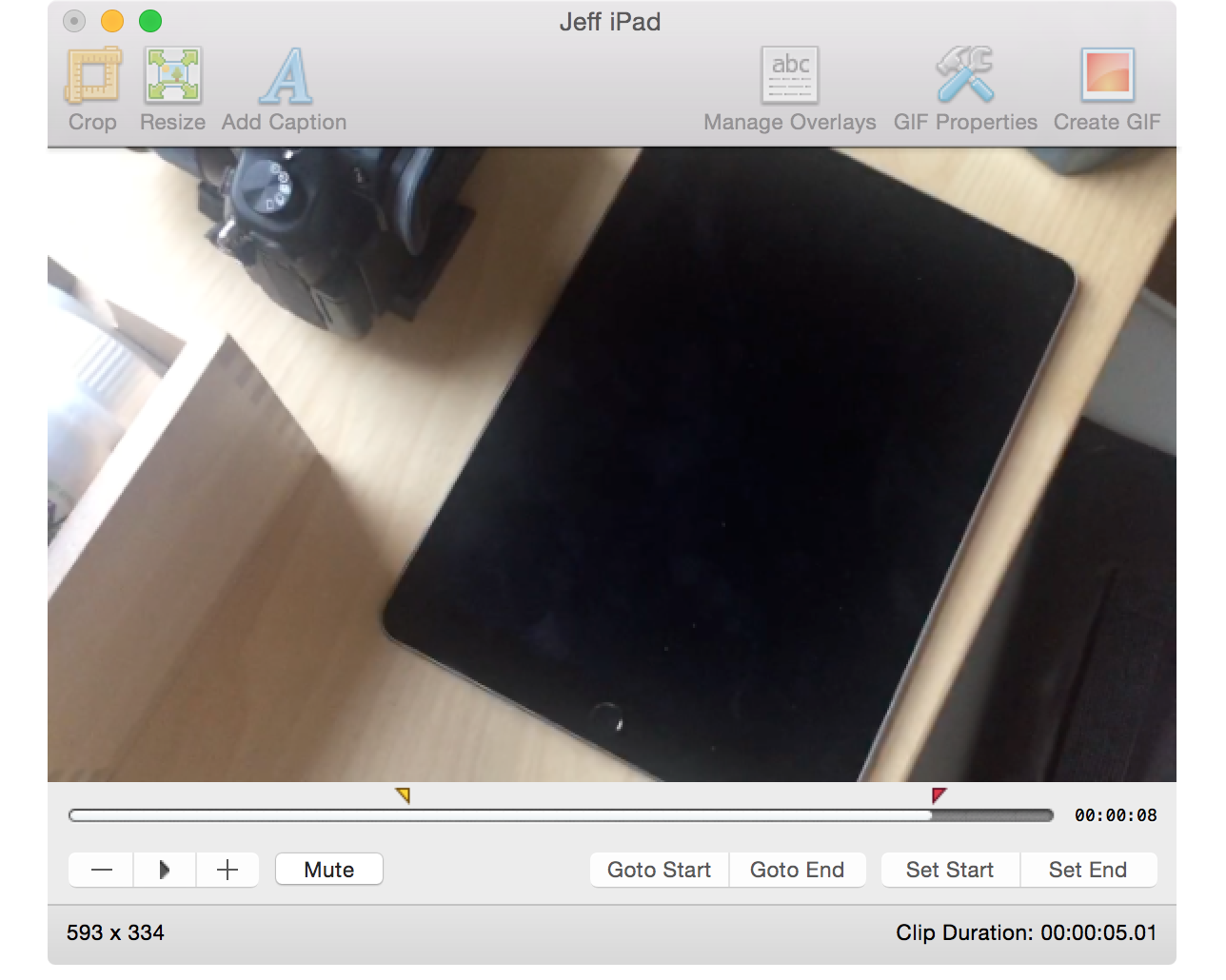
From time to time, I like to include GIF animations in my posts on iDB. I usually use GIFs when I want to demonstrate some functionality without making a full blown video to do so. GIFs are great for quick demonstrations where videos aren't necessarily needed.

Whenever I include a GIF animation on a post, there's usually at least one comment inquiring about how I went about making the GIF. Although there are many options out there for creating GIFs, including using Photoshop, I personally prefer GIFBrewery ($4.99 on the Mac App Store) from the folks over at Hello, Resolven Apps.  GIFBrewery is solely focused on creating GIFs, and thus, it's fairly straightforward and easy to use.

In this post, I'll show you my GIFBrewery workflow, and how I use this awesome Mac app to quickly create great-looking GIF animations from videos.

Apple Music, Beats 1 & store services experience downtime during VMA nominee announcements

In what's become a norm for the company these days, another outage has hit a number of cloud-based services as users around the world report issues accessing Apple's content stores: the App Store, the Mac App Store and the iTunes Store.

We're also tracking issues with Apple Music and Beats 1.

Indeed, I'm currently struggling to stream my Apple Music songs and Beats 1 radio.

UPDATE 1: Apple has now acknowledged the outage on the iCloud status page. “Users are experiencing a problem with the services listed above,” reads the notice. “We are investigating and will update the status as more information becomes available.”

UPDATE 2: The iCloud dashboard says all services have been restored after three and a half hours of downtime.

Review: HazeOver dims background apps on Mac to reduce distraction

There never seems to be a shortage of apps that promote focusing on a single task, especially writing apps. And then you have hardware like the iPad, which forces you to focus on a single app at a time.

With the Mac, focusing has never been that easy, because multitasking is at its core.

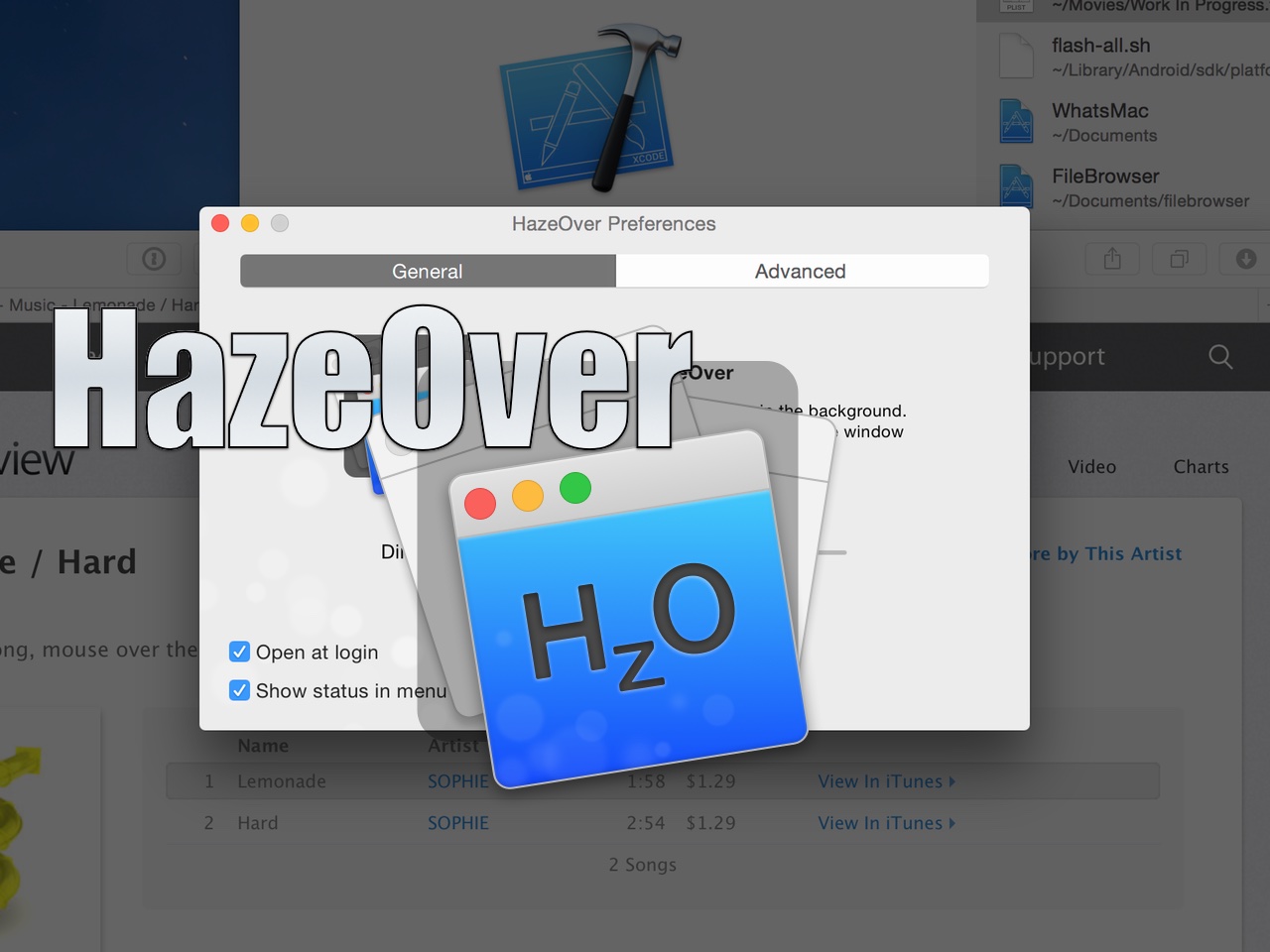
HazeOver is a new Mac App Store utility that seeks to change the way we work on the Mac. By dimming background apps, it aims to help users focus on one app at a time by reducing distractions from surrounding apps. You can still have other apps open, they’ll just be dimmed in such a way that they’re less noticeable.

Does the idea work? Check out our video walkthrough for all of the details.

Review: Magnet window manager for OS X

The ability to snap windows side-by-side has been one of my most missed features since switching from Microsoft Windows years ago. Fortunately, there have been quite a few apps over the years that have provided window snapping on the Mac.

One such app, HyperDock, has been my go-to app of sorts for managing windows on OS X. Another app, BetterSnapTool, is also popular among Mac users for window management.

But today, Sebastien made me aware of yet another window management tool. I have to admit that I was skeptical at first, because I've I didn't see how anything could be much better than HyperDoc for my needs, but I stand corrected.

Magnet ($1.99) is a really good Mac App Store release that focuses solely on window management, and does a very good job. It has several key features that have made me seriously contemplate switching over to it full time. Watch our video review to see what I mean.

How to use the Pixelmator Repair Tool extension on Mac

One of the most under-the-radar new features to hit OS X Yosemite was the addition of extensions. Action extensions are particularly nice, because they allow apps to interface with other apps directly.

Some app developers, such as Pixelmator ($29.99 on the Mac App Store), have brought third-party extensions to the Mac, which demonstrates how beneficial extensions can be. Watch our video that showcases Pixelmator's Repair Tool extension to see what I mean.

Manage your clipboard in style with Paste

The Mac’s copy and paste function is generally not something I think about. Sure, I use it. In fact, I use it every single day. It’s just that I never have to think about it. It’s a universal constant. No matter what machine you’re on or what you are trying to accomplish, copy/paste always works the same way. It always does the exact same thing and with the exact same limitations. Dmitry Obukhov’s Paste seeks to change that.

Post to Instagram directly from your Mac with Uploader for Instagram

Most people’s biggest gripe with the photo sharing site Instagram is that they can’t upload photos directly from their Macs. There are a few workarounds for this, but most of them are intrusive, labor intensive, and far from user friendly. The aptly titled Uploader for Instagram seeks to simplify this process so that anyone can easily post from whatever device they choose.