Jailbreak

Check out the most comprehensive jailbreaking coverage on the internet, including the latest news, apps, tweaks, and detailed tutorials about everything jailbreak.

Top Five Paid Jailbreak Apps/Tweaks: Vote for Your Favorites

Most people tend to jailbreak for the packages and features that don't require payment. Among the many, SBSettings, Mobile Substrate, Cydia, OpenSSH, ActionMenu, SwitcherMod, and others stand out for functionality the iPhone should have. But which apps are truly worth buying in Cydia?

We're calling for a vote for the top five paid packages and products available from Cydia. If you were to lose all of your purchases, what would be the first five jailbreak tweaks that you spend money on to perfect your iPhone's configuration?

Sn0wBreeze 2.3 Beta 2 Tethered iOS 4.3 Jailbreak Released

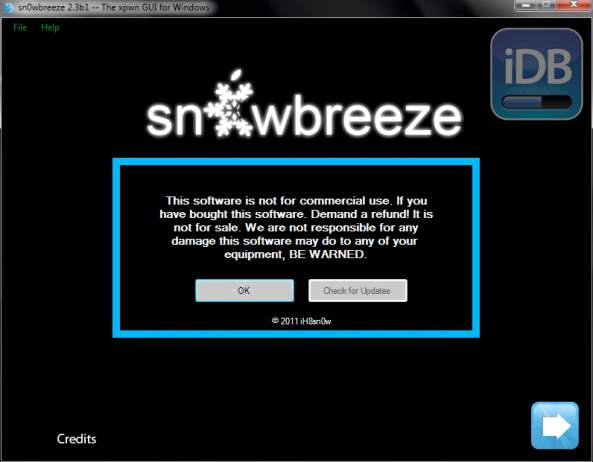
iH8sn0w has pushed another update to his Sn0wBreeze jailbreak solution for Windows. As the only current jailbreak tool for iOS 4.3, Sn0wBreeze 2.3 offers a tethered jailbreak for those unlucky enough to update their firmware to 4.3.

Sn0wBreeze 2.3b2 adds several improvements from the first beta, but nothing too significant. Sn0wBreeze 2.3 is still in beta, and iH8sn0w and team are working hard to create an untethered solution for the popular Windows jailbreak tool...

Celeste Bluetooth File Transfer App Now Available in Cydia

It's finally here! The team behind Celeste, CocoaNuts, has officially released Celeste, the long awaited Bluetooth file transfer app for iOS4.

As a refresher, Celeste is a jailbreak app that allows your iPhone, iPad or iPod Touch running iOS 4.2 or later and receive files from any mobile phone and any computer (Mac or PC) that supports OBEX Bluetooth file transfers.

New Version of Mobile Substrate Adds ASLR Support

If you're one of the early birds who decided to jailbreak their iOS 4.3 firmware without proper Mobile Substrate support, we have good news for you.

A patched version of Mobile Substrate is available that reportedly addresses the issues with ASLR.

As you're aware, the current version of Mobile Substrate doesn't work with iOS 4.3, rendering many of our favorite jailbreak apps and tweaks inoperable on Apple's latest firmware...

Saurik: What to And What Not to Expect From the Next Version of Cydia

In a recent post about the next version of Cydia, we got some great feedback from users about what features they'd like to see in Cydia 1.1.

The creator of Cydia, Jay "saurik" Freeman posted a long and informative response to our article that gave some insight into the current and future state of Cydia. He chose many questions posed in the article's comments to address key issues.

We're very grateful that saurik decided to share this information with us. He addresses several key topics concerning Cydia...

How To Jailbreak Apple TV 4.3 Using Seas0nPass

Some of you might be familiar with the term 'jailbreak'. Apple products like the iPhone and iPad, have been jailbroken for a few years now. To jailbreak is to gain access, to the hard drive of the device, with read and write capabilities.

This allows you to load media and applications that aren't filtered through Apple's iTunes Store. Although you've probably heard of the above mentioned devices being jailbroken, you may not have known that the Apple TV2 is also susceptible to the same exploits.

"Why on earth would I want to jailbreak my Apple TV2?" Good question, it's not for everyone. The jailbreak alone will do you little good, but the possibilities it opens up are quite interesting.

For instance, you would have the ability to install software on your Apple TV2 that would allow you stream DivX and other media types from your computer. You can also install plugins, such as a web browser. There are also tweaks to enable a jailbroken Apple TV2 to receive input from a bluetooth keyboard.

So whether you are a veteran iPhone hacker or an audacious beginner, anyone is capable of jailbreaking their Apple TV2. Don't worry! There's no actual hacking involved, we use free software that makes the entire process simple. Let's begin!

Important Notes: Jailbreaking is not for everyone. Although deemed legal by federal law, it most likely will void your warranty. If something goes wrong during the jailbreak process, your Apple TV2 should be restorable through iTunes. Please follow directions carefully, and proceed at your own risk. This is also not a full jailbreak, it is tethered, meaning you must connect to your computer every time your Apple TV reboots to make it work. A full jailbreak, with no tether required, could be a ways away. Finally this is only for Mac OSX users, a Windows version of Seas0nPass has not been released yet.

Step 1: You are obviously going to need some tools. For starters, an Apple TV2 (Black) running the latest 4.3 iOS software.  You will also need a Micro-USB cable (extremely common charging chord in modern smart phones).

Step 2: The latest iTunes version 10.2.1, is required, so update it first if you need to. You will need to download Seas0nPass for Mac OSX.

Step 3: After your iTunes is updated and your 2 items are done downloading, launch Seas0nPass.

Step 4: Let it download the needed files, this took me about 20 min. (depends on your connection speed)

Step 5: Once done, Seas0nPass will prompt you connect your AppleTV2 to your computer via that micro-USB cable we mentioned earlier. DO NOT plug your power chord in yet.

Step 6: Follow the directions for putting your Apple TV2 in DFU mode. Basically you just hold down the 'Play/Pause' button and 'Menu' button, simultaneously for 7 seconds. If you did this correctly, iTunes should automatically launch and start the restore process.

Step 7: iTunes should confirm the restore is complete.  Your Apple TV2 is now jailbroken, you just have to do the tethered boot!

Important note: Before proceeding, disconnect your micro-USB cable. You will be prompted to plug it in soon. Never unplug your power chord during the process.

Step 8: Restart Seas0nPass and select the 'Boot Tethered' option this time. Again, when prompted by the software, connect your Apple TV2 to your computer via the micro-USB cable. It will prompt you to put your device in DFU mode again by holding the 'Menu' and 'Play/Pause' buttons for 7 seconds, simultaneously.

Step 9: You're done! Seas0nPass will now complete the tethered boot. Once done, remove the USB cable and plug in your HDMI chord.

Don't worry if you don't get it the first time, just unplug your chords and start it again.

Stay tuned for more Apple TV2 tutorials, including how to install jailbreak plug ins and software.
Chpwn Drops More iOS 4.3 Jailbreak Details

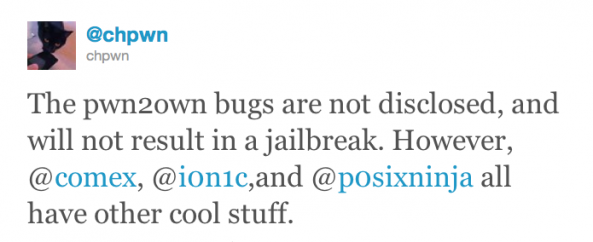
The jailbreak community holds its breath as iOS hackers work diligently on a 4.3 jailbreak solution. With their latest firmware, Apple introduced ASLR (Address Space Layout Randomization), which is making the process a little more difficult for jailbreakers. Current jailbreak methods are available, but are extremely limited.

But things look positive as hackers Comex and i0n1c have already shown off their jailbroken iOS 4.3 devices. Now you might be wondering, "If they can jailbreak their devices, why don't they just release it to everyone?" Well, when these guys jailbreak their devices, they don't plug their iPhone into the computer and click a button....

Springtomize Goes Live in Cydia, Brings Extensive Customization to iOS

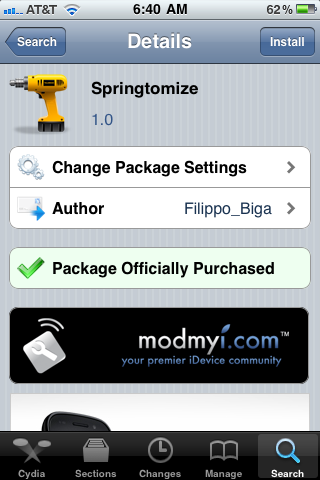
The anticipated jailbreak tweak to rule them all, Springtomize, has gone live in Cydia and is now available for purchase. We showed you a detailed preview of this awesome tweak several days ago, and now you can install Springtomize and play with it yourself.

Most jailbreak tweaks focus on one specific aspect of iOS (whether it be the status bar, dock, icons, etc.). Springtomize aims at being the one-stop shop for your tweaking needs. As far as customization is concerned, Springtomize may very well be the king of jailbreak tweaks.

Ryan Petrich Teases the Next Version of Cydia, It Will Be “Awesome”

Ryan Petrich, developer of jailbreak apps like SwitcherMod and Action Menu, is helping work on the next major version of Cydia with saurik and team. Cydia 1.1 is slated to bring significant updates, and will most likely focus heavily on graphics.

While we're not sure when Cydia 1.1 will be ready, it seems to be coming along nicely on the development side of things...

iOS 4.3 Jailbreak Releasing Before Next Weekend?

Following today's announcement of the first iPad 2 jailbreak by @Comex, iPhone hacker @i0n1c has updated us with the status of his untethered iOS 4.3 jailbreak, which was revealed late last week.

i0n1c has  updated his original YouTube video showing off the jailbreak, with an ETA for the untethered jailbreak which he states will be released "before next weekend"...

iPad 2 Jailbroken By Comex

Late last week, we saw our first iOS 4.3 jailbreak shown off on video by iPhone hacker @i0n1c, which claimed it to be in the "Alpha stage".

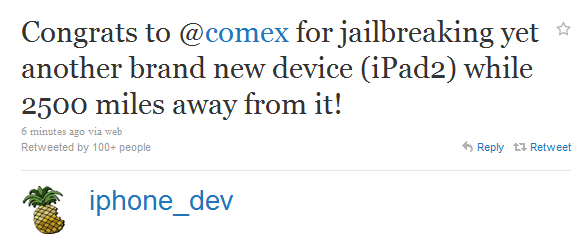
And now, famous iPhone hacker, @Comex has found another exploit in iOS 4.3, being the very first to jailbreak the new iPad 2 with the updated bootROM. In addition to announcing it on his own Twitter account, the official @iphone_dev account has also announced Comex's huge accomplishment.

What is an SHSH Blob?

It is something that is mentioned a lot on iDB throughout our jailbreaking tutorials and other jailbreak-related news. "Make sure you save your SHSH Blobs before you update," is a pretty common saying around these parts. We've been asked several times lately what it is, so I figured I'd post it.

An SHSH Blob is basically what Apple uses to verify the version of iOS you are running. That's why we tell you to save your SHSH Blobs before upgrading your firmware on your iDevice. Otherwise you might not be able to downgrade to a previous version in the event you needed to.