Jailbreak

Check out the most comprehensive jailbreaking coverage on the internet, including the latest news, apps, tweaks, and detailed tutorials about everything jailbreak.

ipswDownloader Makes Downloading iOS Firmware Easy

If you've jailbroken or unlocked your iPhone, iPod, or iPad before you're probably used to the usual procedure. You usually have to download the iOS IPSW firmware file in order to continue with the jailbreaking of your iDevice.

ipswDownloader by developer Vitaly Parovishnik makes this process a whole lot easier. The program not only downloads the IPSW firmware file for you, but also displays whether the firmware you've selected can be jailbroken and unlocked, along with the size of the IPSW and the tools needed to jailbreak the firmware. 

Permanent Unlock CutYourSim Discontinues Service

Last week we told you about a new unlock service called CutYourSim that offered a remote, permanent unlock for the iPhone. Instead of the classic method of jailbreaking and installing UltraSn0w, CutYourSim claimed to permanently unlock your iPhone's baseband remotely for any GSM carrier.

For $169.99, the folks at CutYourSim would be able to unlock your iPhone's baseband and keep it unlocked forever. Sounds like a dream come true, right?

The dream didn't last long. CutYourSim has already announced that it is discontinuing its unlock service...

Cydia Experiencing Issues Due to Amazon EC2 Outage? [UPDATED]

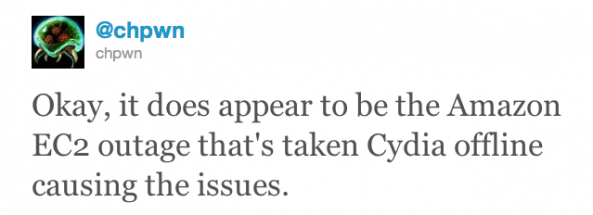
According to a recent tweet from big-name jailbreak dev chpwn, it appears that Cydia is experiencing connectivity issues due to a prolonged outage of Amazon's EC2 cloud computing service.

EC2 is a service used by many heavily-trafficked services on the internet, and Amazon has been experiencing an EC2 service outage for an astounding 16+ hours. Some say that Cydia is working fine, but the jailbreak store has been experiencing intermittent connectivity issues since the EC2 outage began.

Untrackerd Stops Your iPhone From Secretly Tracking Your Location

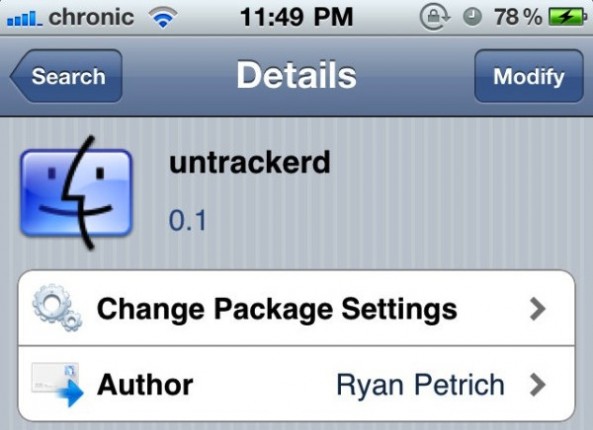
Ryan Petrich has released a new jailbreak utility in Cydia called untrackerd. This utility blocks iOS from saving the secretly logged location data that the iPhone stores in a system file.

In case you didn't know, some researchers recently discovered that the iPhone records and saves your location coordinates without your permission. The location data is then stored to a system-level file that is then copied over to iTunes on sync.

Dropbox and iFile Now Support Each Other

Remember when we told you that the popular jailbreak app, iFile, was going to gain Dropbox support?

iFile and Dropbox have officially integrated with each other to provide cloud syncing and storage between the two apps. With the latest update to iFile, you can send locally-stored data through iFile to your Dropbox account and vice-versa.

Screenshots and a demo video after the break...

How to Fix That Pesky White Cydia Icon After Jailbreaking With RedSn0w

Now that a viable jailbreak solution has been released for the latest version of Apple's firmware, all is well again in the world of jailbreaking.

That is of course, unless you're facing the dreaded white Cydia icon of doom after jailbreaking with RedSn0w.

If you've rebooted, re-jailbroken, and the white icon continues to haunt you in your sleep, what should you do?

Fret not; all of your options have not been exhausted; there's one more thing you can try, and it's easy as pie...

How to Jailbreak iPad 4.3.2 with RedSn0w

Original iPad owners didn't have much reason to update to the new 4.3.2 firmware released by Apple last week. The upgrade fixed FaceTime issues and the Verizon iPad 2 connectivity problem, but didn't contain any improvements for 1st generation tablets.

However if you did update, or would like to, there is a jailbreak available. RedSn0w was recently updated to support the new software. So for folks that have an original iPad on iOS 4.3.2, let me show you how easy it is to jailbreak it.

This is a simplified tutorial. For a full step by step guide, see the full RedSn0w Tutorial. Just make sure to get the latest version of RedSn0w. This is only for original iPad owners, as there is still no iPad 2 jailbreak available.

Step 1: Make sure your iPad is on the latest firmware, and that you have the newest version of iTunes.

Step 2: Download the latest version of RedSn0w (rc14) here. Download it to your desktop to make it easier to find.

Step 3: Launch the application and follow the on screen instructions, they're super simple.

Step 4: After selecting your 4.3.2 firmware and letting the software do its thing, you'll need to put your iPad into DFU mode. Power + Home button for 10 seconds and then Home button alone for 10 seconds.

Step 5: If you do this correctly, RedSn0w will work its magic. After it's done, your iPad will restart and you should see the Cydia icon!

Any questions?

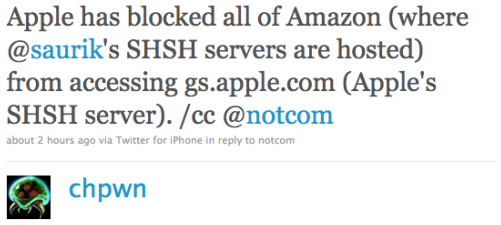
Apple has Blocked Saurik’s SHSH Servers [Updated]

We've all been watching as the fight between Apple and jailbreakers heats up. What started as a cat and mouse game has become more of a battle. Apple has certainly become more aggressive in the fight during the last few months.

For starters, they recently implemented ASLR as a security measure to thwart hackers. They have also blocked Cydia access from inside their retail stores, and pressured Toyota into removing their advertisements from the jailbreak community. What's their latest move?

Jailbreak iPhone 4.3.2 with Sn0wBreeze 2.6

Just hours after the Dev Team updated RedSn0w, young iPhone hacker iH8Sn0w updated his own jailbreak tool, Sn0wBreeze, to version 2.6. This new version of Sn0wBreeze uses i0n1c's untethered jailbreak for iOS 4.3.2.

For those of you that are not aware, Sn0wBreeze is a tool very similar to PwnageTool. Sn0wBreeze, a Windows-only jailbreak, allows you to update to the latest iOS while preserving your baseband, which is necessary if you want to unlock your iPhone.

Sn0wBreeze 2.6 will work for any device that supports iOS 4.3.2, except for the iPad 2...

Dev Team Fixes RedSn0w Untethered 4.3.2 Jailbreak for iPhone 4

Yesterday, the Dev Team released their RedSn0w untethered jailbreak tool for iOS 4.3.2. While the jailbreak was working fine with most devices, there seemed to be issues with the iPhone 4, which would randomly get stuck on reboot.

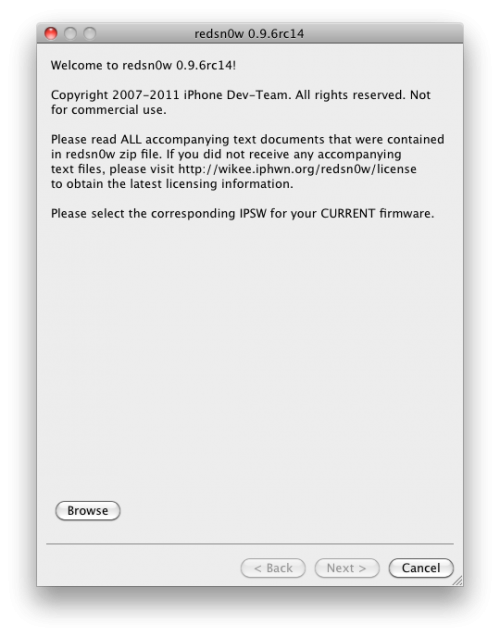
With the help of i0n1c, the Dev Team fixed RedSn0w and updated it to version 0.9.6rc14. If you already ran 0.9.6rc13, you can simply download RedSn0w 0.9.6rc14 and run it over the previous one...

How to Jailbreak iPhone 4.3.2 with RedSn0w

Just about 4 days after Apple released iOS 4.3.2 for iPhone, an updated version of the untethered jailbreak has been released earlier today by iPhone hacker i0n1c. This untethered jailbreak was used by the Dev Team who also updated their jailbreak tool RedSn0w.

In this post, we will show you how to use RedSn0w to jailbreak your iPhone on iOS 4.3.2. This jailbreak will work with any device on iOS 4.3.2, except for the iPad 2...

RedSn0w Updated to Support 4.3.2 Untethered Jailbreak

Only moments ago we told you that i0n1c released his untethered jailbreak for iOS 4.3.2. The download that i0n1c posted consisted of the jailbreak code, instead of an actual tool for end users.

Right after i0n1c's release, the Dev Team has updated the RedSn0w jailbreak tool with iOS 4.3.2 support. RedSn0w will successfully jailbreak iOS 4.3.2 and is available on both Mac OS X and Windows.