Jailbreak

Check out the most comprehensive jailbreaking coverage on the internet, including the latest news, apps, tweaks, and detailed tutorials about everything jailbreak.

Possible iPad 2 Jailbreak in the Next Few Days?

iPad 2 owners, hoping to jailbreak, have had a rough go of it. Initially, we thought the exploit for Apple's latest tablet would be available soon after launch. Now, 2 months after its release, the latest Apple tablet has yet to have a stable solution.

If you haven't been keeping up with the iPad 2 jailbreak situation, let me quickly fill you in.

Comex posted a picture of his iPad 2 jailbroken last month, but he has since quit working on the exploit. With Comex out, all eyes turned to p0sixninja, who tweeted that he and the Chronic Dev team were working on the exploit. However, he has since commented that the iPad 2 jailbreak has been progressing extremely slowly.

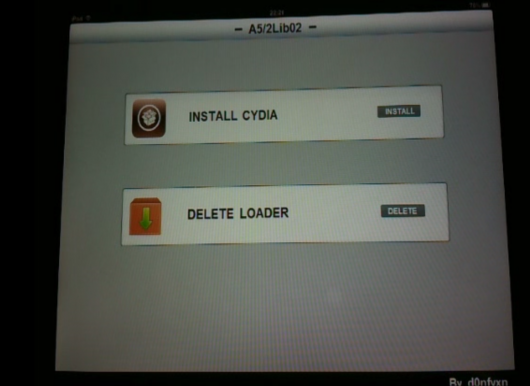
Enter d0nfyxn, an unknown hacker with no previous history of jailbreak-related work. Over the last few days he's been uploading videos and pictures of his iPad 2 running Cydia and Installous, which are well known jailbroken applications.

He's not just bragging about his exploit either, he's promising an alpha release by tomorrow. Only time will tell if he's for real or not.

http://www.youtube.com/watch?v=iraAK5yS2qg

I'm definitely marking this down as a rumor until I see it working for my own eyes, it wouldn't be too difficult to fake something like this. The fact that this guy came out of no where, and has only been a Twitter user for a few days, also makes the whole story pretty sketchy.

We'll keep you posted on how this all unfolds, and let you know as soon as a stable jailbreak is ready.

Is anyone excited about the possibility of an iPad 2 jailbreak?
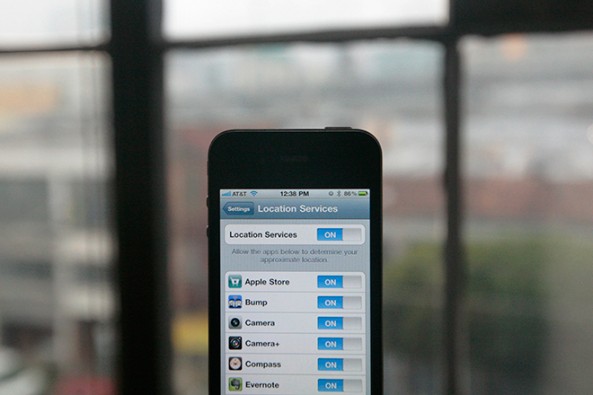
Auto Location Will Automatically Turn the iPhone’s Location Services On and Off

Are you still a little paranoid about the iPhone location-tracking file? Are you afraid that Apple or your carrier is tracking your every move?

Lucky for you, there's a new jailbreak tweak called Auto Location that automatically toggles your iPhone's Location Services on and off. When you're not using an app that requires GPS, Auto Location will turn the iPhone's Location Services off. When you open an app that requires Location Services, Auto Location turns it back on...

Steve Jobs: Apple Doesn’t Track iPhone Users

The media has been firing on all cylinders about the public uncovering of the iPhone's shady location database file. Speculation has been that Apple and/or network carriers are intentionally tracking the coordinates of iPhone users through the device's Location Services.

Experts on the issue have deemed the location database non-threatening, legal, and most likely a simple mistake on Apple's end. If you want anymore clarification, Steve Jobs himself has shed some light on this issue, calling it "false."

The State of the iOS 4.3.2 Jailbreak

There are now several ways to jailbreak your iPhone running iOS 4.3.2. RedSn0w, PwnageTool, and Sn0wBreeze will all jailbreak the iPhone on 4.3.2.

4.3.2 hasn't been out for that long, but i0n1c's untethered exploit has already been implemented into three of the most popular jailbreak tools.

Cydia Finally Back Online

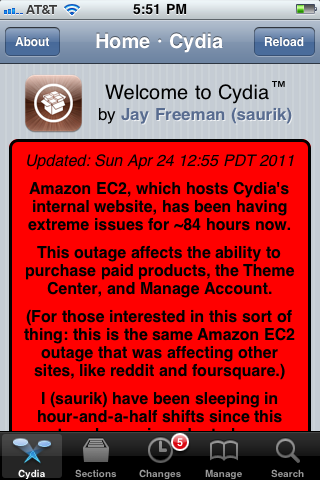
Cydia is finally back online! Literally, after 86 hours of downtime due to Amazon's EC2 outage, Cydia is up and running.

Cydia's founder, saurik (aka Jay Freeman), announced the good news via Twitter. You will now be able to proceed with regular Cydia operations, such as purchasing packages, use of the Theme Center, and managing your Cydia accounts... 

Cydia Operating “Below Capacity,” Saurik Updates Homepage with News about Amazon EC2 Outage

Cydia's backend has been extensively affected by Amazon's EC2 outage. Towards the end of last week, Amazon's popular EC2 cloud computing service went offline and affected many heavily-trafficked services across the internet.

When EC2 went under, Cydia's store and account infrastructure went with it. Any type of account activity remained unavailable until EC2 slowly started kicking back in over the weekend.

Cydia's creator and admin, saurik, has posted an update to Cydia's homepage explaining the issues that Cydia has been experiencing for the past 84+ hours.

How to Jailbreak iPad 4.3.2 with PwnageTool

Just like RedSn0w earlier this week, PwnageTool has been updated to support the new firmware 4.3.2 for iOS. As previously stated, there wasn't much reason for folks on the original iPad to update to this latest software.

But for the people that did, PwnageTool is recommended to jailbreak your iPad. It is simple and about as solid as it gets when it comes to jailbreak applications. If you've never done this before, or need a quick refresher, check out the tutorial below.

If you are looking for reasons to hack your iPad, check out our article, The Top 5 Reasons to Jailbreak here.

Important note: PwnageTool is for Mac OS only, for those that use Windows and want to jailbreak, check out our RedSn0w tutorial. Again this jailbreak is only for original iPads, the iPad 2 has not yet been jailbroken.

Step 1. Obviously make sure your iTunes is up to date and your iPad is on the latest firmware (4.3.2). You're also going to need to download the latest version of PwnageTool from here.

Step 2. It's a torrent, meaning you'll need a client like uTorrent to open the file once it's downloaded. After it's installed, open it up and select iPad and Expert Mode and click next. Browse to HD/Users/$urname$/Library/iTunes/iPadSoftwareUpdates and select the 4.3.2 firmware.

Step 3. If PwnageTool likes the firmware you picked, it'll take you to a menu where you can tweak the jailbreak. If you choose Cydia packages, you can preinstall tweaks and apps so when the jailbreak gets loaded onto your iPhone, its already set up.

Step 4. Once you are done tinkering, select the build option and click next. This is where PwnageTool does its magic. It'll take a bit, so be patient.

Step 5. After the custom firmware is done building, PwnageTool will have you put your iPad in DFU Mode, but don't worry, the software walks you through this.

Step 6. If you do it successfully, iTunes should recognize that you have a device plugged in and ask you to restore. Hold down the Option key while clicking restore to get the option to choose your custom firmware. Once it installs, your iPad reboots and you are finished!

Any questions?

Dev Team Releases PwnageTool to Jailbreak iPads on 4.3.2

Apparently the Easter Bunny left something else in our baskets last night besides eggs and candy. The notorious iDevice hackers released an update late yesterday to their PwnageTool software to successfully jailbreak 4.3.2 firmware.

For those who haven't been paying attention to the recent software updates, Apple pushed out 4.3.2 a few weeks ago to correct the iPad 2 Verizon 3G issues. While most original iPad users haven't had a reason to upgrade, some have by either accident or design.

The PwnageTool software has been a staple in the jailbreak community for years, and is usually the most reliable out of all the software options. The Dev Team are well known for not releasing exploits until they've worked out all the bugs.

iPad 2 owners, there's still no word on the jailbreak for Apple's latest tablet. Hackers like p0sixninja have tweeted that this is the slowest progressing jailbreak they've ever seen.

For those who are looking to hack their original iPads with 4.3.2 software, sit tight. We will post an easy step by step tutorial on how to jailbreak your original Apple tablet with the latest firmware shortly.

How to Unlock iPhone 4.3.2 with UltraSn0w [Tutorial]

The iPhone Dev Team has updated the UltraSn0w unlock tool with support for iOS 4.3.2. You can use PwnageTool to jailbreak your iPhone and preserve your baseband for the latest UltraSn0w unlock.

The latest release of UltraSn0w does not support new basebands, it only fixes compatibility issues with already-unlocked iPhones. In this tutorial, we'll show you how to install the latest version of UltraSn0w to unlock your iPhone running iOS 4.3.2.

How to Jailbreak iPhone 4.3.2 with PwnageTool [Tutorial]

The Dev Team has updated the popular jailbreak tool, PwnageTool, with an untethered jailbreak for iOS 4.3.2. PwnageTool now joins RedSn0w and Sn0wbreeze as the third tool that can jailbreak iOS 4.3.2.

In this tutorial, we will show you how to use PwnageTool to jailbreak your iPhone 4.3.2 while also preserving your baseband. PwnageTool is for Mac OS X only and is the only way to preserve your baseband to make sure you can unlock later…

UltraSn0w Unlock for iPhone 4.3.2 Released

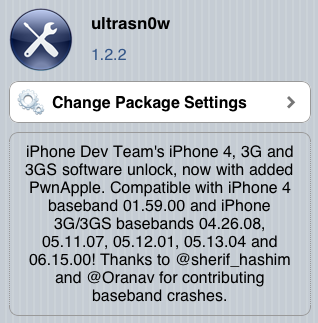
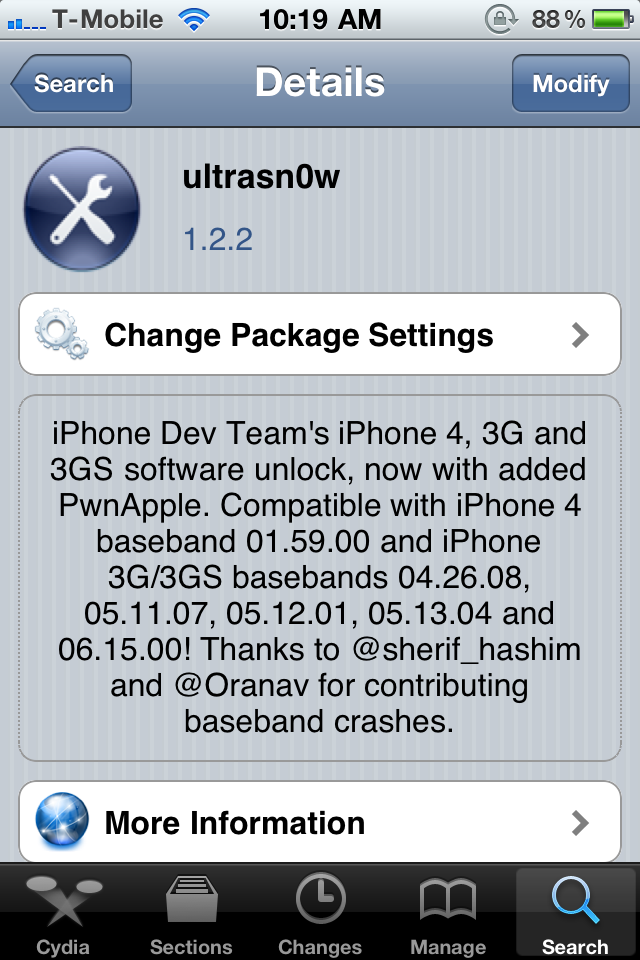
Following the release of the updated PwnageTool 4.3.2 jailbreak tool, the iPhone Dev Team has also pushed out an update to the UltraSn0w unlock in Cydia.

UltraSn0w 1.2.2 has been released to support the new iOS 4.3.2 firmware, as the previous version of UltraSn0w (1.2.1) was broken in iOS 4.3.2. Please note, this will only work for the older iPhone 4 baseband 1.59.00, and iPhone 3G/3GS  basebands 4.26.08, 5.11.07, 5.12.01, 5.13.04, and 6.15.00. It can not unlock newer basebands since there is currently no unlock available.

Dev Team Releases PwnageTool Jailbreak for iPhone 4.3.2

Sunday is "funday," so the iPhone Dev Team has just released an update to their PwnageTool jailbreak tool for Mac OSX users. PwnageTool 4.3.2 incorporates i0n1c's updated iOS 4.3.2 untethered exploit. The previous version of PwnageTool was only capable of a tethered jailbreak.

PwnageTool 4.3.2 will allow you to safely restore to an already jailbroken iOS 4.3.2 firmware and preserve your current 1.59.00 baseband so that you can use UltraSn0w to unlock your iPhone...