Jailbreak

Check out the most comprehensive jailbreaking coverage on the internet, including the latest news, apps, tweaks, and detailed tutorials about everything jailbreak.

Netflix++ is a jailbreak tweak that adds trailers to the Netflix App

A Netflix logo sign on a building in Hollywood, Los Angeles at sunset

Netflix is a wonderful entertainment resource. It's always good for an obscure move that you've never heard of. I highly recommend Funky Monkey.

But one of the most baffling things about Netflix is the lack of trailers and previews. Instead, you have to exit the Netflix app, fire up YouTube, watch your trailer, and then head back to the Netflix app with decision in hand. Yeah, that makes no sense.

Fortunately, jailbreakers no longer have to deal with that nonsense. Netflix++ is a new jailbreak tweak that integrates YouTube trailers directly into the Netflix app. That means that people like our very own Cody can watch a snippet of Justin Bieber's movie before sitting down to enjoy it. Have a look inside for the video details...

‘ForceGoodFit’ is reason enough alone to jailbreak the iPhone 6 and iPhone 6 Plus

It's been well over a month since the iPhone 6 and 6 Plus officially touched down in retail stores, and even longer since iOS 8 became available. Still, as seems to be the case with each new major iPhone and iOS release, there are developers who take a while when it comes to updating their apps.

Sometimes the delays are legitimate—updates aren't easy—and sometimes it seems like the delays are extended with little reason. Whatever the case may be, it makes for a less-than-desirable experience on the user end. With a device like the iPhone 6 and the 6 Plus, such delays are especially glaring, because the apps that haven't be updated stand out like a sore thumb.

With that in mind, wouldn't it be nice if you could force an app that hasn't been updated to run as if it had? That's the underlying premise behind ForceGoodFit. It forces apps that haven't been updated to fit the screen resolution of the iPhone 6 and iPhone 6 Plus. It basically makes apps that haven't been update look much better than they did before.

Have you been looking for a good reason to jailbreak your iPhone 6 or iPhone 6 Plus? Then look no further.

iFile is now available for iOS 8 and the iPhone 6

Legendary file management app, iFile, is now available with several notable updates in tow. Most importantly, the Finder-like tool for iOS has been updated for iOS 8. Secondly, support has been added for the iPhone 6 and iPhone 6 Plus.

iFile is one of the most important apps that you can download on Cydia. It brings true file management to iOS, something that just isn't possible with native App Store apps. Have a look inside for the full change log and more iFile love.

Pangu 1.1.0 update adds highly anticipated integrated Cydia installation, English translation, says Mac version is coming

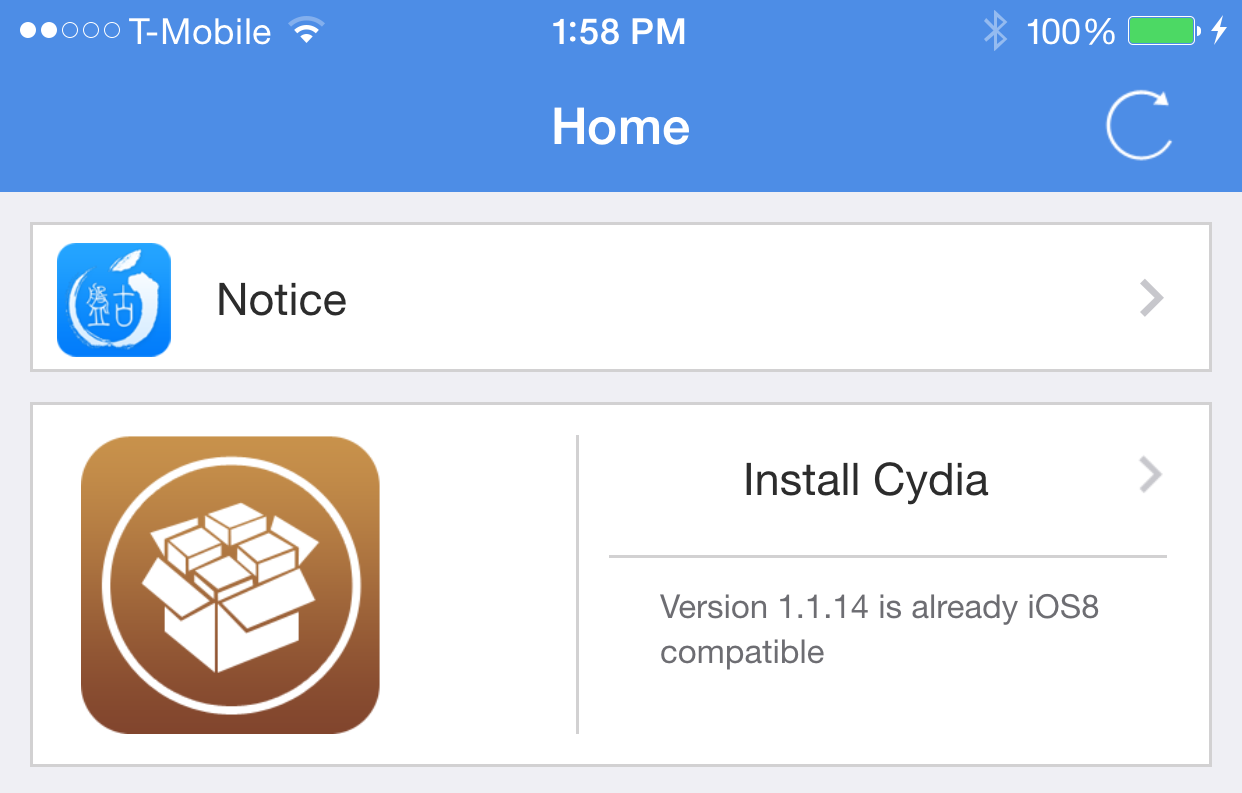
It's been a bit of a wait, but the wait is finally over for those of you who want the absolute simplest way to jailbreak iOS 8. Yesterday, Pangu updated their jailbreak tool to allow users to install Cydia manually, but today as promised, the Pangu team pushed an update to the actual Pangu install tool, bringing an automatic Cydia installation to the table. It also beings native English text to the tool as well, so that we can easily discern error messages, and removes the wretched PP installer option.

How to jailbreak iOS 8 and install Cydia the easy way

Now that Pangu has been updated with Cydia Installer support, it's just a matter of jailbreaking with the Pangu tool, and installing Cydia from the Pangu app. It's extremely easy, and extremely straightforward.

You'll still need a Windows machine, or at least a virtual Windows machine, but other than that, it's as simple as simple gets. Inside, I'm going to show you how to jailbreak your iOS device and install Cydia from start to finish.

Pangu updated with Cydia Installer

There you have it, folks. As we reported just an hour ago, the Pangu jailbreak with Cydia installer was imminent. Now it appears that Pangu has flipped the switch on the update, and added the Cydia installer, which installs the latest awesome version of Cydia, directly to the Pangu jailbreak package.

This now means it's possible to jailbreak iOS 8 and install Cydia without resorting to any confusing SSH or terminal commands. Have at it...

UntetheredHeySiri: Use Hey Siri without needing a power connection

And the good times keep rolling. A new jailbreak tweak has popped up on the Cydia Store from well-known developer Hamza Sood. The tweak, entitled UntetheredHeySiri, lets you use Siri hands-free without needing to be connected to power.

It's an obvious want for those of us who jailbreak, and Sood quickly addressed the issue. In fact, it's the way that he implemented the tweak that impresses me most. Head inside and watch our hands-on video to see what I mean.

Pangu team: Cydia integration with the Pangu jailbreak is imminent

It's been a busy day with regard to jailbreaking. Tons of tweaks are being updated, Cydia just got its biggest update of all time, and now the team behind the Pangu jailbreak is about to push an update to integrate Cydia into the package.

If you've yet to jailbreak, your reasons for not doing so are slowly starting to run out. Pangu says that if testing goes well, they will release the updated version tomorrow...

Cydia Installer updated to 1.1.14 to fix passcode issue, adds multitasking, iPhone 6 support, and much more

Ladies and gentlemen, the moment you've been waiting for. Cydia Installer just received a 1.1.14 update to fix the lingering passcode issue. You can now update Cydia on your jailbroken iOS 8 device and use a passcode without any side effects.

More impressively, perhaps, is the introduction of new multitasking capability! Yes, true multitasking with Cydia is finally here if you're jailbroken with iOS 8. Amazing.

Then, there's support for the iPhone 6 Plus! That includes rotation support.

Watch our video walkthrough inside for an overview of the new changes, and then head over to Cydia right now and install the update if you're jailbroken. If you're not jailbroken, follow our tutorial inside to jailbreak and install Cydia.

How to use a passcode with the iOS 8.x jailbreak

At this point in time, running Cydia on a jailbroken iPhone can still be a bit confusing for users who aren't always knee-deep in this stuff. One of the biggest issues encountered when running Cydia on a jailbroken iOS 8 device at the moment involves using the passcode and Touch ID.

After installing Cydia on a jailbroken iOS 8 device, many are reporting that establishing a passcode sends them into a bootloop. I verified that I encountered the same issue.

Let me just preface this by saying that the problems encountered here are no fault of the Pangu team or of Saurik. This jailbreak is a work in progress, and we've been advised that the jailbreak is only for developers at the moment. That said, many of you are adventurous and want to take the plunge as soon as possible; as do I.

In this video, I share an unsanctioned workaround to the boot loop issue. I show you how to establish a passcode on a device with Cydia and Cydia Substrate installed. I've tested this out, and have recorded the entire Cydia installation process for your convenience. Have a look inside for the full tutorial.

PrefDelete: delete tweaks directly from the Settings app without opening Cydia

Normally, when you want to delete a jailbreak tweak installed on your device, you'll have to remove it from Cydia. If you ever wished to remove a tweak with just the tap of a button without opening Cydia, you should probably check out a brand new jailbreak tweak known as PrefDelete.

Developed by Brave Heart, PrefDelete allows you to delete tweaks that come with a preference pane directly from the stock Settings app. This can be done by tapping and holding on a tweak's preference button in the Settings app to remove it immediately on the spot, though a confirmation message appears before deletion ensuring that you don't remove a tweak by mistake.

ForceGoodFit: make older apps fit on your larger iPhone 6 and iPhone 6 Plus screen

Although the new iPhone 6 and iPhone 6 Plus boast a larger screen and come with a Retina HD display, some of the apps on the App Store have not yet been updated to support the larger screen, therefore causing the apps to zoom in and appear blurred. If you've got a favorite app that hasn't been updated for the larger iPhone 6 and the iPhone 6 Plus yet, you should probably check out a new jailbreak tweak known as ForceGoodFit.

Just as the name implies, the tweak forces old apps to stretch to the iPhone 6's larger screen and allow you to view the app in full screen mode instead of having them zoomed in. From the two screenshots above, the left one is taken without the tweak install while the right one is with ForceGoodFit enabled. The tweak is quite similar to FullForce which was developed by Ryan Petrich to optimize apps for the larger iPhone 5.