Jailbreak

Check out the most comprehensive jailbreaking coverage on the internet, including the latest news, apps, tweaks, and detailed tutorials about everything jailbreak.

Security: how the ModMyi repo handles tweaks submissions

Following up on our interview with BigBoss repo maintainer Optimo, today we talk to ModMyi co-founder Kyle Matthews who shares the security process and safeguards in place when new jailbreak tweaks are submitted to his repo. While complete security can't be guaranteed, Matthews explains that the ModMyi repo has done an incredible job along the years to protect its users.

But as he notes, 100% security is impossible, and at the end of the day, the ultimate responsibility is held by jailbreak users themselves. Read on for a fascinating look into one of the most popular repositories on Cydia.

Interview: BigBoss repo maintainer talks security and user responsibility

By jailbreaking their devices, most users usually know what they expose themselves to. When breaking the walls Apple has constructed to protect their security and privacy, jailbreakers put their fate in the hands of a handful of people. If done with basic principles in mind, jailbreaking can be very safe. I, for example, have been jailbreaking every iOS device I have owned since 2008, and I have yet to encounter any issue whatsoever.

Being cautious starts by being aware of what you install on your jailbroken device. Limiting yourself to the default repositories is good practice, as these repos do an outstanding job at analyzing jailbreak apps and tweaks before making them available for download, ensuring that the final user is as safe as possible.

But there is always that slight chance that a malicious tweak might have gone through the cracks and made its way into Cydia for millions of potential users to download. Nothing is 100% safe, but safety measures can be put in place to ensure the highest level of security. This is the job of repo maintainers.

We have talked to representatives of the two largest default repositories on Cydia to ask how they ensure the safety of their users. In a two-part series, we will publish their answers, starting today with Optimo, repo maintainer for BigBoss. Tomorrow, we will publish answers from Kyle Matthews of ModMyi.
Let’s Talk Jailbreak 125: Jailbreaker’s guide to iOS 9

Episode 125: We talk about how to prepare for iOS 9 and how to emulate many of the feature of iOS 9 with a jailbroken iPhone.

Subscribe via RSS

Support Let’s Talk Jailbreak


Go to WIX.com and create your own stunning website. It’s easy and free! Visit RedHat.com to find out how Red had is redefining enterprise technology.

Aria 2, MeetingDnd, and other jailbreak tweaks to check out

On the eve of the release of iOS 9, we can't help but feel concerned about the future of jailbreaking. Will rootless make this an impossible thing? Is there such thing as impossible when talking about software though? We've seen encouraging signs from iH8sn0w this week, but only time will tell if this something that will actually happen, especially in regards to new devices being shipped.

In the meantime, let's enjoy what we have now, as there is a number of interesting tweaks that were released this past week.

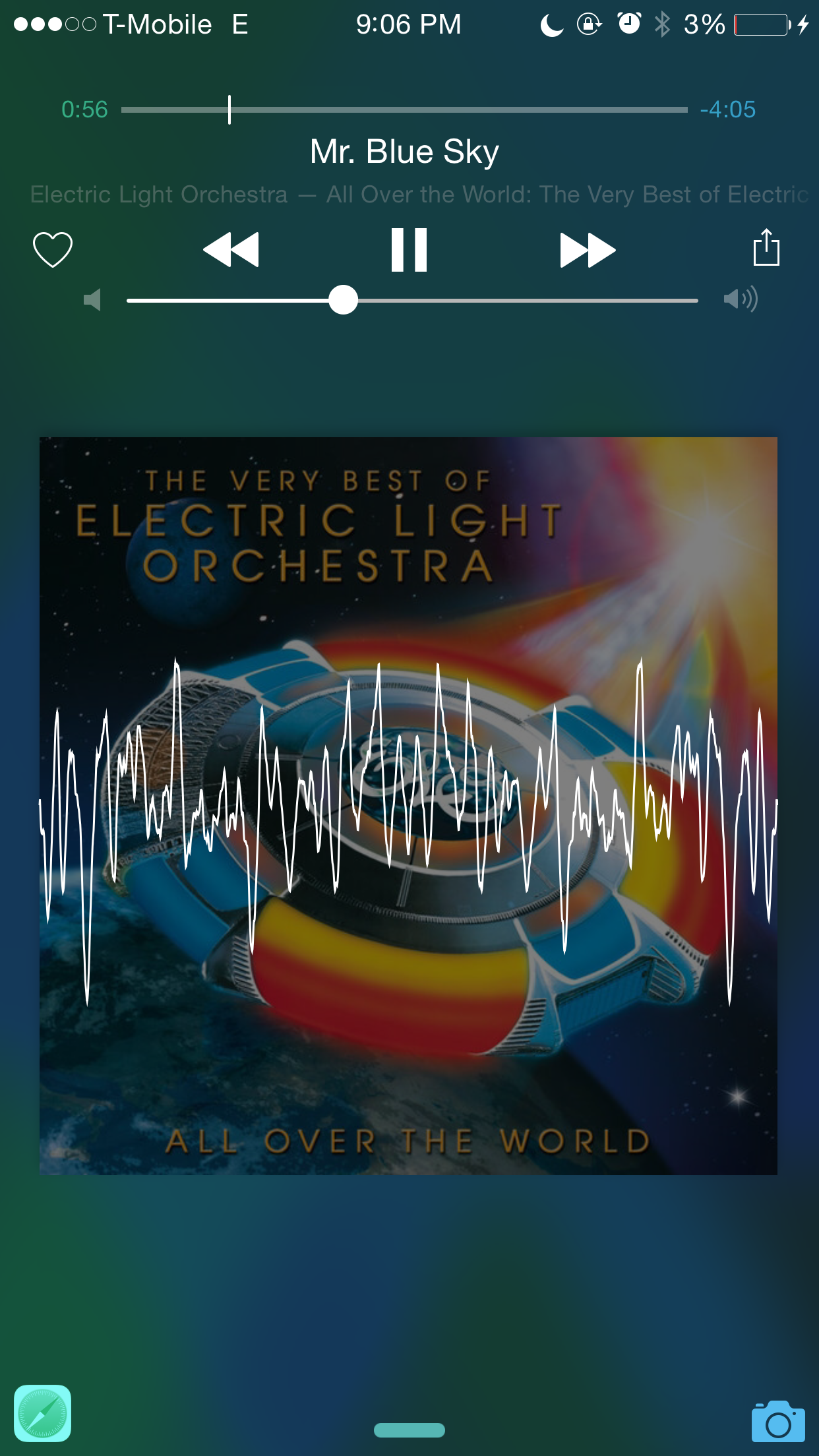
WaveFlow adds a visualizer to the iOS 8.4 Music app

Looking to add some additional pizazz to the Music app in iOS 8.4? If so, then you should consider giving WaveFlow a try.

WaveFlow, a new jailbreak tweak, adds a music visualizer to both your iPhone's Now Playing interface in the stock Music app, and on your iPhone's Lock screen. It only works with the stock Music app, but if that's your primary method for playing tunes, it's definitely work checking out.

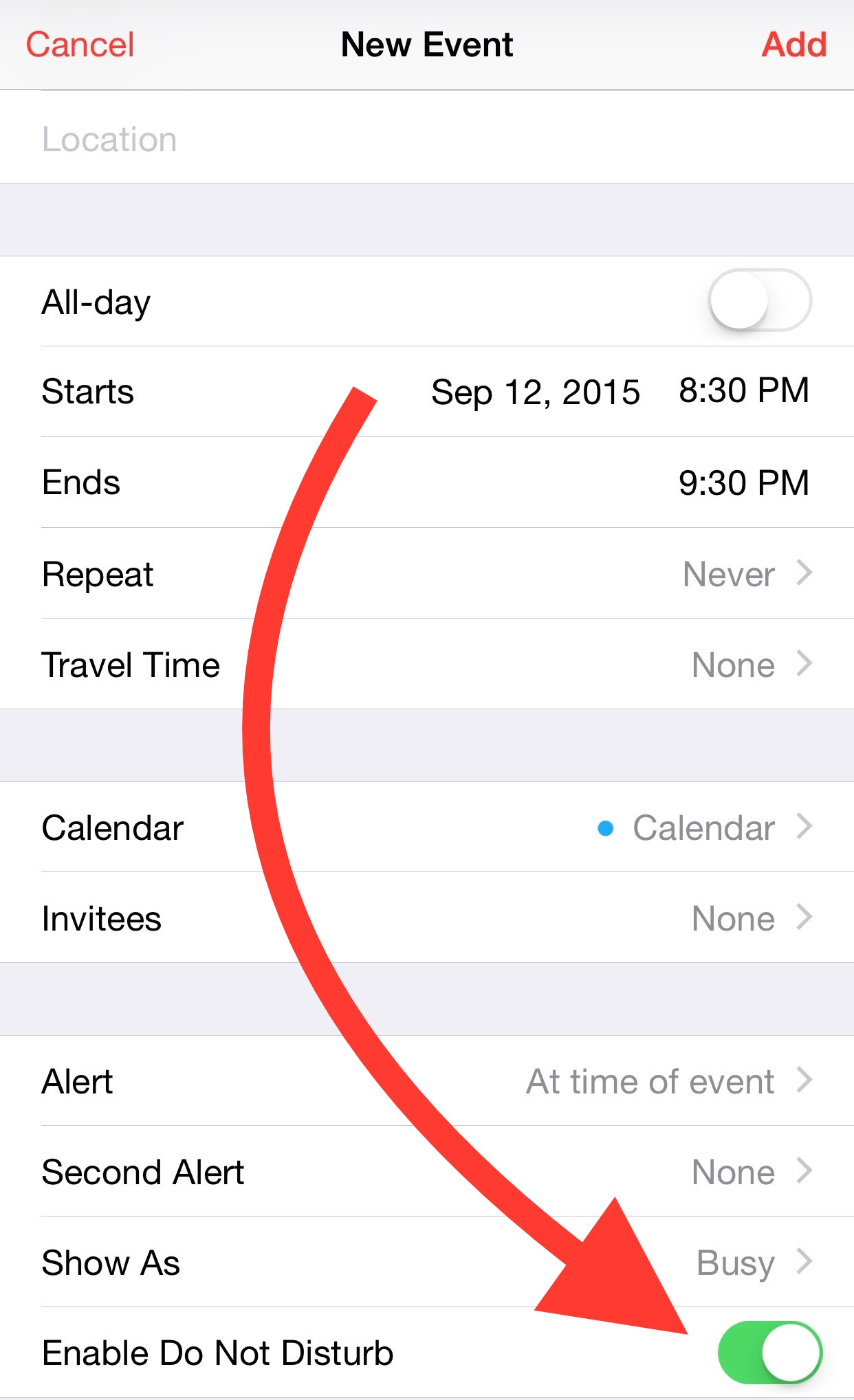
MeetingDnD enables Do Not Disturb based on calendar events

The Do Not Disturb preferences in the stock Settings app provides a limited level of scheduling for the DND feature found in iOS. If you want deeper scheduling capability, you're going to need to rely on a jailbreak tweak like MeetingDND.

Just like the tweak's name alludes to, MeetingDND allows you to create blocks of Do Not Disturb time based on calendar events. Check out the details in this post for more info.

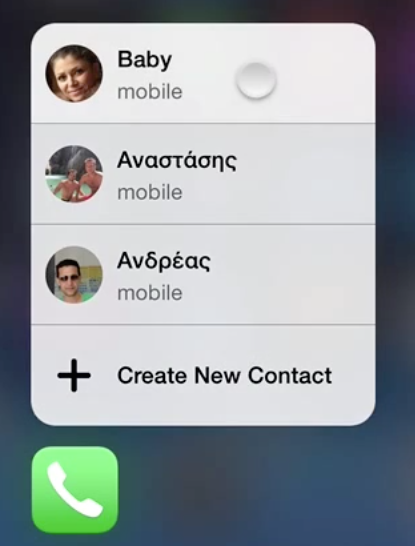
Upcoming jailbreak tweak looks to bring 3D Touch-inspired features to older iPhones

If you don't plan on buying one of the new iPhones, but are intrigued by the iPhone 6s' hallmark 3D Touch feature, you might want to listen up. Popular jailbreak developer Elias Limneos is currently working on a 3D Touch-inspired jailbreak tweak.

Since 3D Touch requires special hardware, this obviously isn't real 3D Touch, but it emulates the 3D Touch feature by means of a long tap-and-hold gesture on the iPhone's screen. The tweak, which is entitled Touch 3D, appeared in preview form on a recently posted YouTube video. Check it out and let us know what you think...

iOS 9 untethered jailbreak demoed on video

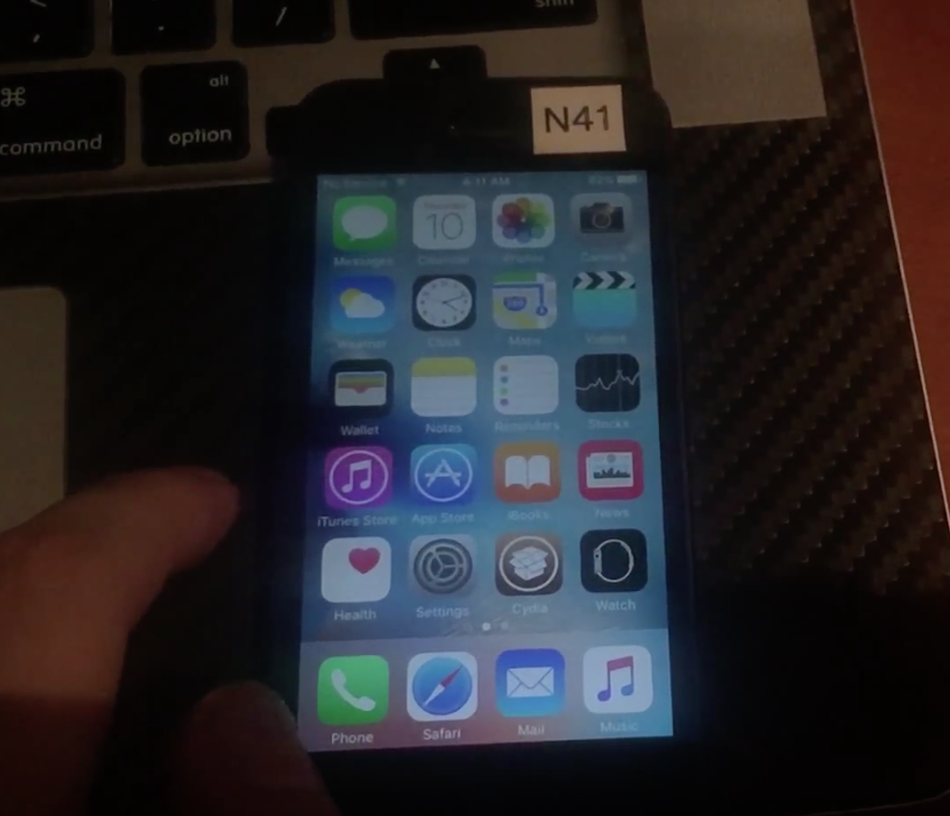
iH8sn0w, a well-known and reputable hacker in the jailbreak community, has demonstrated an iOS 9 untethered jailbreak running on his iPhone 5. The jailbreak demonstrates Verbose booting, a custom boot logo, code injection, and Cydia.

iH8sn0w is running the just-released iOS 9 GM seed on his iPhone, as proven by the 13a340 build number seen in the About section of the Settings app. Watch the full jailbreak video demonstration, and see for yourself.

Let’s Talk Jailbreak 124: Protect yourself

Episode 124: More talk about how to protect yourself from malicious jailbreak tweaks. A look at a new app that helps you to identify if your jailbroken iPhone has been compromised.

Subscribe via RSS

Support Let’s Talk Jailbreak

Go to WIX.com and create your own stunning website. It’s easy and free! Visit RedHat.com to find out how Red had is redefining enterprise technology. Get a free audiobook of your choice and a free 30-day trial membership at Audible.com/ios

Keek: the best way to view apps in Control Center

There are several jailbreak tweaks that allow you to view apps in Control Center, CCMore being the latest, but none of them are as good or as well implemented as this tweak.

Keek is a jailbreak tweak that lets you quickly open your most recently viewed apps in Control Center. You can then go back to Control Center, close the app, or launch the app in full screen view. Watch our video walkthrough to see Keek in action.

Pangu team publishes a report highlighting kernel vulnerabilities in iOS 8.4.1

Pangu team member, windknown, has posted a report on the official Pangu blog outlining several vulnerabilities in iOS 8.4.1, the latest public iOS firmware for iPhones and iPads.

The writeup, entitled iOS 8.4.1 Kernel Vulnerabilities in AppleHDQGasGaugeControl, highlights three different bugs found in iOS 8.4.1: a stack overflow bug, an out-of-bound memory access bug, and a heap overflow bug.