Jailbreak

Check out the most comprehensive jailbreaking coverage on the internet, including the latest news, apps, tweaks, and detailed tutorials about everything jailbreak.

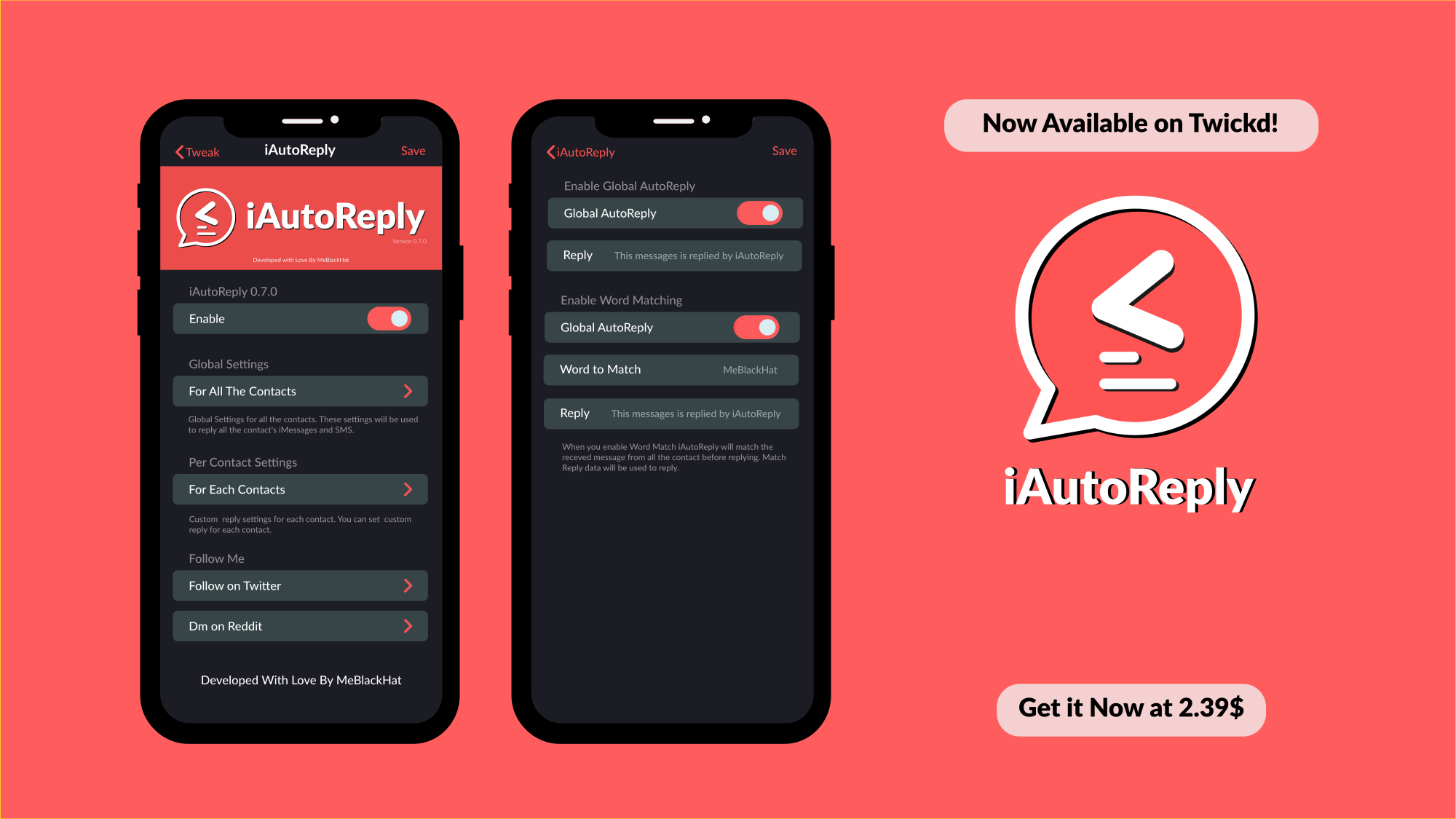
iAutoReply lets you configure automatic responses for text messages & iMessages

If can be tough, if not nearly impossible, to respond to every text message or iMessage throughout the day. This is especially true if you’ve got a lot of friends and a busy schedule. Fortunately, a newly released jailbreak tweak called iAutoReply by iOS developer MeBlackHat is here to help our friends know that their messages aren’t falling on deaf ears.

Just as the tweak’s name implies, iAutoReply offers many flexible features for users who might want to configure automatic replies for text messages or iMessages that they can’t reply to right away. Not only can iAutoReply be configured for global message responses, but it can also be configured to reply to certain contacts in a different way.
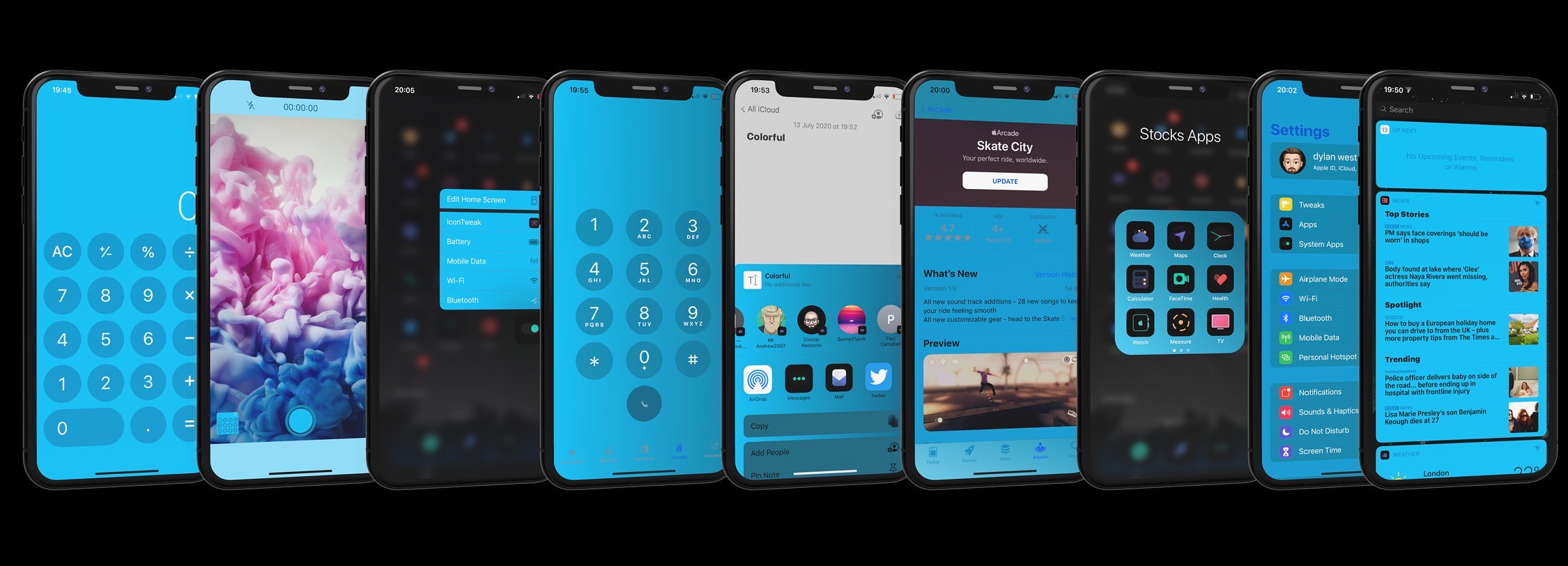
Colorful brings powerful interface colorization to pwned iOS 13 devices

For some jailbreakers, theming and system colorization are two of the most exciting aspects of having a pwned handset at their disposal. Fairly regularly, jailbreak tweak developers release some kind of add-on that allows users to colorize their handset’s aesthetics — some made specifically for certain interfaces, and others made to work system-wide.

A new jailbreak tweak release dubbed Colorful by iOS developer Dylan West (iOSthemem0d) is one of the latter, and it comes with so many options for tweaking your iPhone’s color scheme that you can captivate the interest of your peers regardless of what interface you might be looking at on your handset.

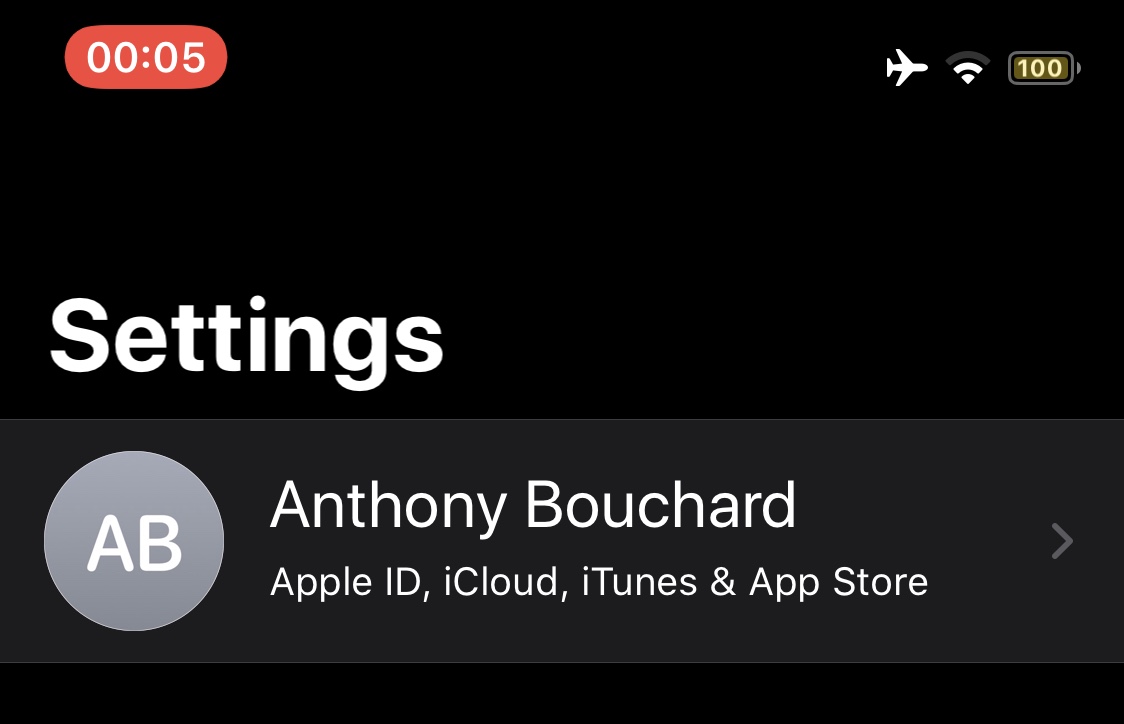
This tweak adds a screen recording length indicator to the Status Bar

Whenever you initiate a screen recording on a notched iPhone, a red pill-shaped indicator appears over the Status Bar’s time display. This is useful for reminding you that your display is recording so you remember to stop it at some point, but iOS developer h4ckua11 had another idea for improving the screen recording indicator that would go on to become a new and free jailbreak tweak dubbed ScreenRecording Time.

As shown in the screenshot example above, ScreenRecording Time merely replaces the current time display in the red pill-shaped screen recording indicator with a timer denoting the length of time that the screen recording has been in effect. In other words, it reminds you of how long your screen recording is before you end it.

Aperio is a lightweight, yet functional app launcher for jailbroken iPhones

If there’s anything to be said about app launcher concepts, it’s that they’re a cornerstone of the jailbreak community’s existence. There’ve been literally countless app switcher concepts released as jailbreak tweaks over the years, and even today, they continue to materialize. One of the latest of such tweaks is one called Aperio by iOS developers burrit0z and Thenatis.

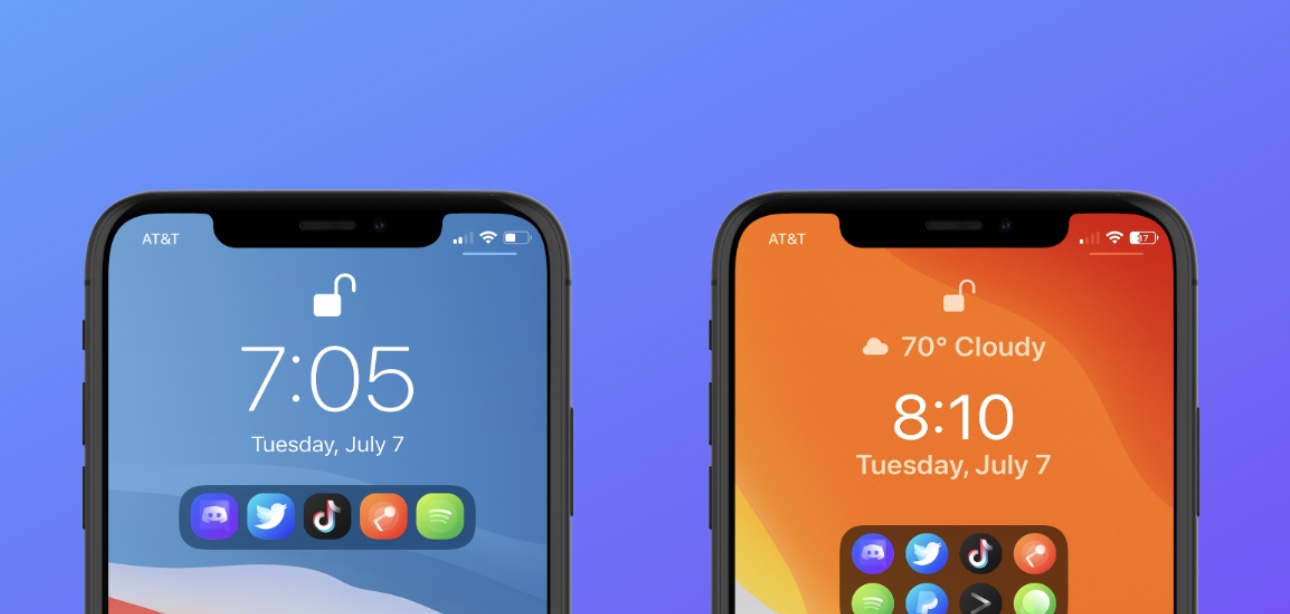
As you might’ve discerned already from the screenshot examples, Aperio is a Lock Screen-based app launcher interface that comes with different display modes to appease both minimalists and power users alike. If you’re more of a minimalist, then you’ll probably opt for the compact interface option, whereas power users will likely go for the more crowded interface.

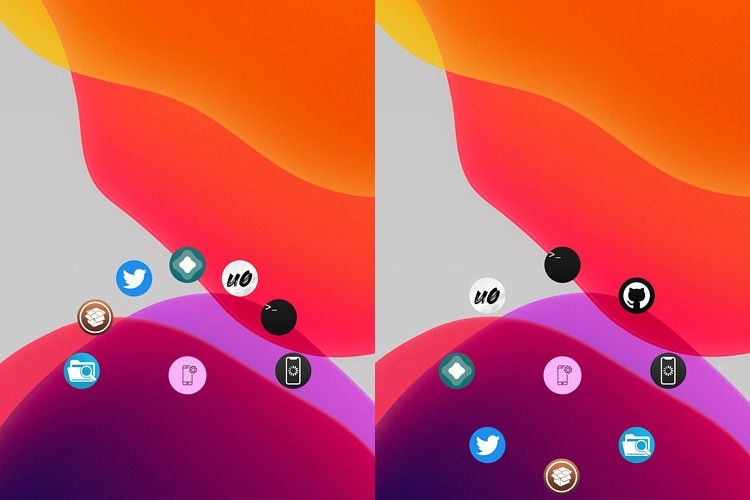
FastAppLS adds a wheel-shaped app launcher to the iPhone’s Lock Screen

The Lock Screen serves as a secure barrier between the user and the Home Screen, but there are sometimes instances where you might want faster access to certain apps without the delay of unlocking your device and browsing the Home Screen.

Enter FastAppLS, a newly released and free jailbreak tweak created by iOS developer Dcsyhi that puts a user- configurable app shortcut interface at the bottom of the Lock Screen so that users can more quickly access their favorite apps in a pinch.

ImTrynaVibe keeps users from accidentally force-closing a Now Playing app

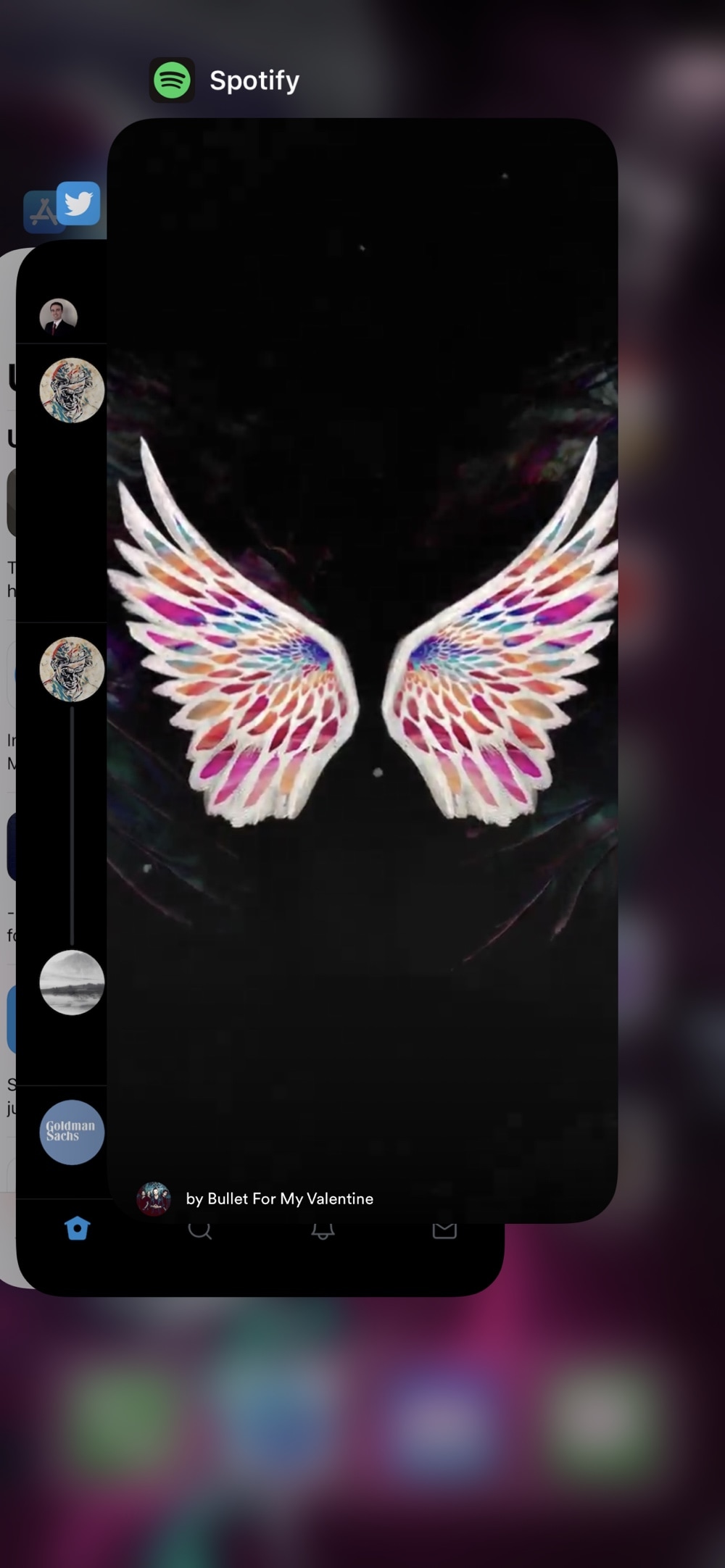
One of my biggest pet peeves is when I’m playing music in the background and I begin force-closing apps from the App Switcher only to learn that I’ve accidentally killed the Now Playing app. This frustrating experience often results in the cumbersome process of re-launching the Now Playing app and finding the track I was playing just to try and scrub back to the point where I was before prematurely killing the music.

If you’ve ever been in the same boat and understand just how irritating this experience is, then you might turn to a newly released and free jailbreak tweak called ImTrynaVibe by iOS developer PopsicleTreehouse for help, as it effectively prevents users from accidentally force-quitting the Now Playing app via the App Switcher.

This tweak lets you customize the Siri interface background on iOS 13

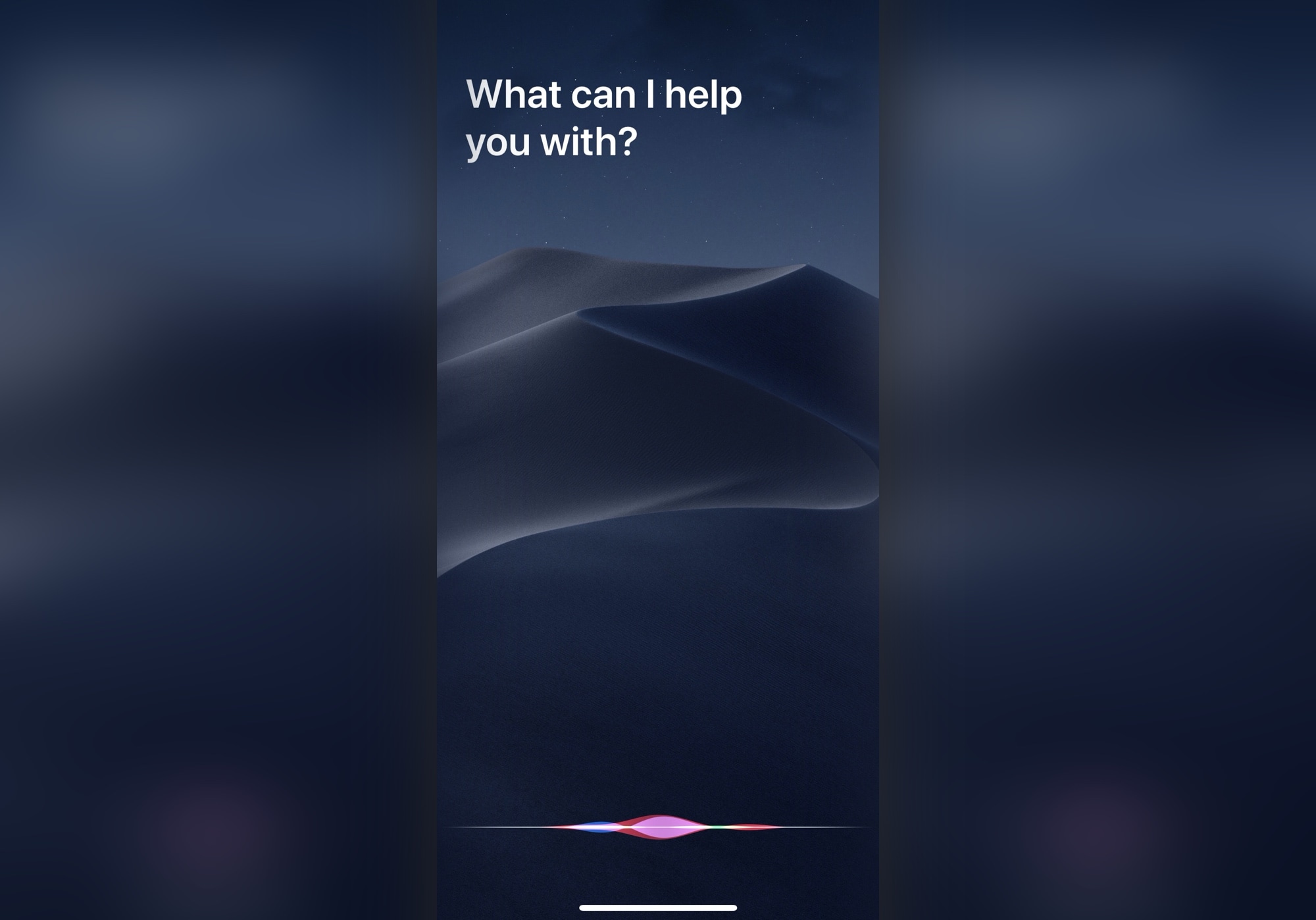
Siri's traditional interface is fairly Apple-esque with its darkened, yet blurred background that overshadows any app or interface that you summon the virtual assistant over the top of. But what if you could give Siri just a small touch of additional personality?

Thanks to a newly released and free jailbreak tweak called CustomSiriBG13 by iOS developer TylerD3v, now you can. If the tweak’s name wasn’t self-evident enough, CustomSiriBG13 lets jailbreakers replace the Siri interface background with virtually any image they want.

Jailbreak tweaks of the week: Aurore, Signal Reborn, Viper, and more…

Those seeking ways to take their jailbroken iPhone or iPad to the next level have come to the right place. Here, we’ll be showcasing all the latest jailbreak tweaks released throughout the past week, starting Monday, July 6th and ending Sunday, July 12.

As usual, we’ll kick things off by discussing our favorite releases first, and then we’ll wrap things up with an outline of the rest afterward.

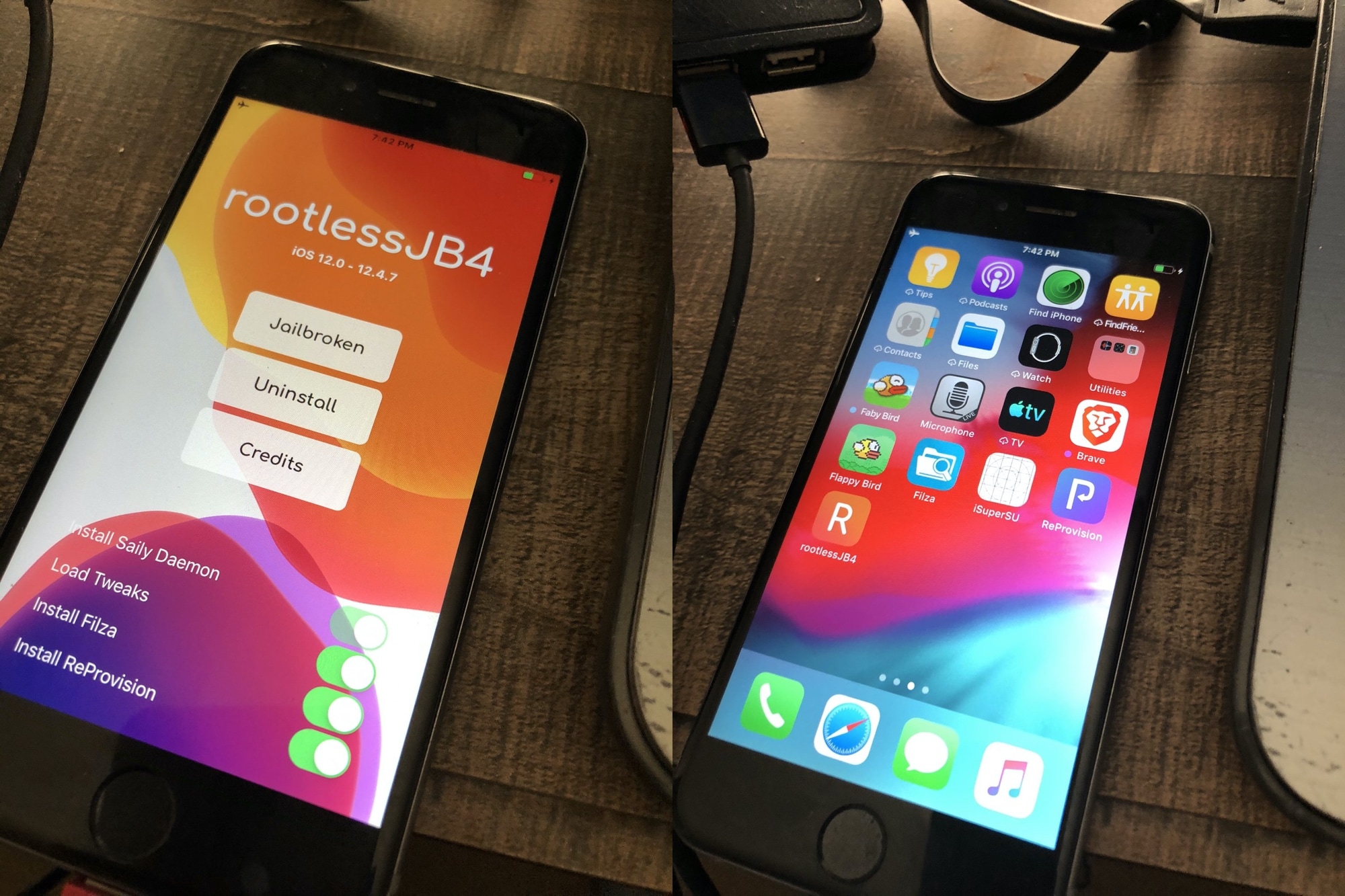
Brandon Plank launches open source RootlessJB4 for iOS 12.0-12.4.7 on A7-A11 devices

More good news surfaced for the jailbreak community this weekend as hacker and iOS tinkerer Brandon Plank launched a new open source semi-untethered rootless jailbreak that supports all versions of iOS 12 dubbed RootlessJB4.

Rootless jailbreaks are essentially a category of jailbreak that avoid messing with the device’s root filesystem. As you might come to expect, this makes them more restrictive than their full-fledged jailbreak counterparts, such as checkra1n or unc0ver. On the other hand, rootless jailbreaks are, by nature, more difficult to detect by apps that implement jailbreak detection.

Rename Bluetooth devices via your pwned iPhone with BTDeviceRenamer

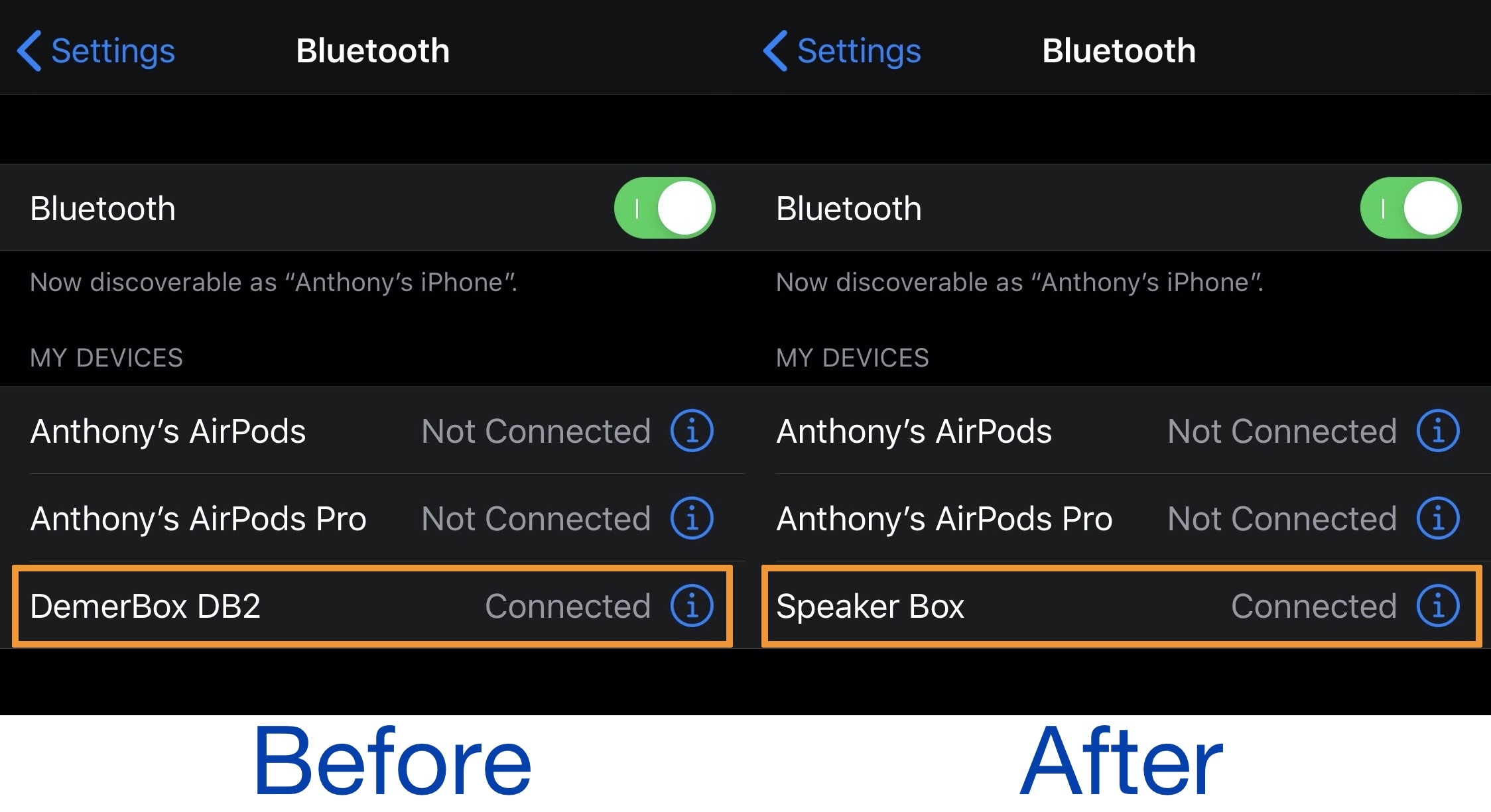
One of the great ways you can amplify your iPhone’s user experience is through the extension of Bluetooth accessories, including but not limited to headphones and/or speakers. But have you ever tried to pair your newly acquired Bluetooth device only to find that it had an odd or unappealing name in the Bluetooth list?

If you answered yes to the question above and have a hard time distinguishing between one device from the next, then we’d like to recommend an excellent new and free jailbreak tweak dubbed BTDeviceRenamer by iOS developer Tr1fecta. Just as the name implies, this tweak lets you rename virtually any Bluetooth device that you’ve paired with your jailbroken iPhone or iPad.

Lock your handset’s current volume level with VolumeLock

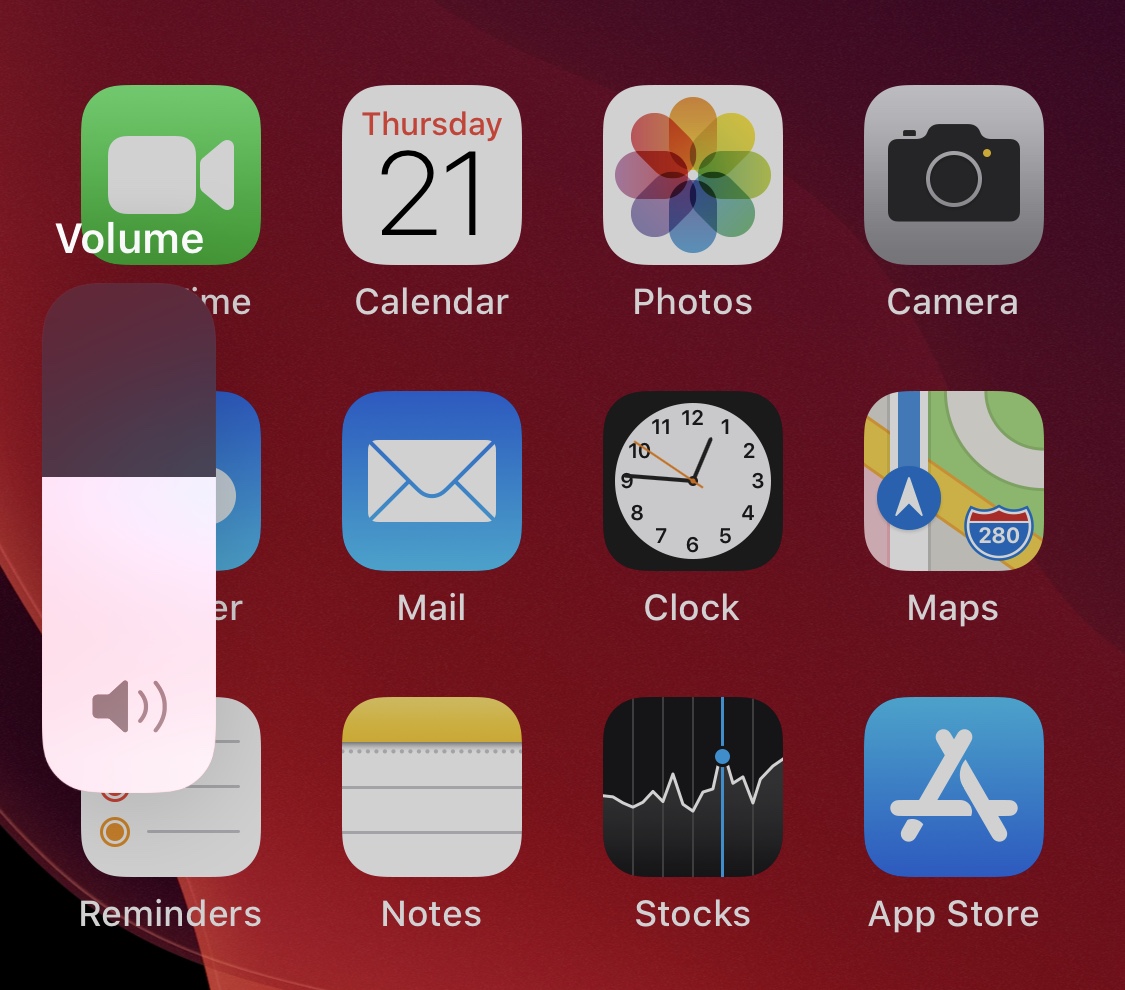
It’s relatively easy to accidentally adjust your handset’s volume level when gripping your handset wrong in the midst of listening to music or watching a video. I’ve personally had this happen to me when enjoying videos late at night and trying to catch my iPhone before it fell off the side of my bed – the ensuing death grip resulted in instantaneous maximum volume, perhaps unsurprisingly waking up the entire household.

If you ever find yourself in similarly clumsy predicaments involving your handset’s volume level, then you’ll probably come to appreciate the likes of a free jailbreak tweak dubbed VolumeLock by iOS developer LacertosusDeus. Just as the name implies, this tweak lets you lock your current volume level with a simple gesture to prevent such mishaps from happening.

Valentine brings iOS 14’s updated Calendar icon to jailbroken devices

Apple first demoed iOS 14 at WWDC 2020 and showcased a number of the operating system’s upcoming changes. Hiding behind the scenes, however, were a plethora of smaller changes that were seemingly too tiny to mention on stage. One of those changes included an updated and more aesthetically pleasing Calendar app icon.

If you’re jailbroken on iOS 13, then you’re probably hesitant to upgrade to iOS 14 this Fall, and understandably so. Fortunately, the community is bringing several of iOS 14’s unique features to pwned iOS 13 devices. One of the latest of such add-ons is a free jailbreak tweak dubbed Valentine by iOS developer ArtikusHG, which ports iOS 14’s new Calendar app icon to jailbroken iOS 13 handsets.