Jailbreak Apps

New in iOS 5: Use Your iPhone While Syncing with iTunes

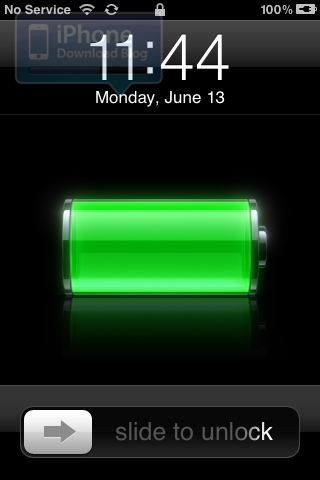
One more feature to make our ultimate list of new iOS 5 features is the ability to now use your iPhone while it is syncing with iTunes. Until now, you couldn't use your iPhone or iDevice while it was syncing. This is now a thing of the past.

As you can see on the image above, the new "syncing" icon is running in the status bar, but I can still "slide to unlock" to use my iPhone. Jailbreakers might already be familiar with this feature as it was first made possible with Synchronicity...
How to Jailbreak Your Older iPhone or iPod Touch Using Whited00r

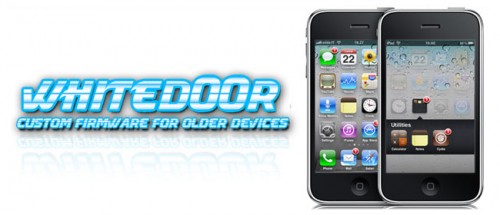
Earlier today we did a post about Whited00r, a custom firmware built for older Apple ARM6 devices. It includes built-in tweaks and gives you the option to remove unwanted features like Spotlight to make your device faster.

Whited00r has been out for a while, but it's kind of flown under the radar. There's still millions of these older devices floating around, so we figured we'd give folks an easy walkthrough on how to install Whited00r on your older iPhone or iPod touch...

Whited00r Firmware Provides Jailbreak and Unlock for Older iDevices

We've gotten some complaints in the past that we don't give older iPhones any lovin'. The truth is, we try to keep up with innovation in the jailbreak community and there just typically isn't much of that going on for devices older than the 3GS. Especially since Apple stopped supporting them.

But for folks with older iDevices that really want to join in on the jailbreaking festivities, check out Whited00r. If you haven't heard about this cool little project, it's essentially a firmware file that has been modified to include multitasking, video recording and oh yeah, it's jailbroken...

SwishUnlock Jailbreak Tweak Adds Another Step to Unlocking Your Lockscreen

SwishUnlock is a very simple jailbreak tweak, by Filippo Bigarella, that adds another step to your iPhone's "Slide to Unlock" operation. From the iPhone's lockscreen, you typically have to slide from left to right to unlock and enter the homescreen.

Instead of sliding once, SwishUnlock makes you slide twice to unlock. The slider must go from left to right, and then from right to left.

Sn0wbreeze Updated to 2.8b1, Now Supports iOS 5 Jailbreak

Apple announced a major software update for iDevices last week, iOS 5. The new firmware will introduce over 200 new features in iOS, and is expected to seriously impact the jailbreak community.

But jailbreakers haven't skipped a beat since the beta version of iOS 5 rolled out last Monday. Within 24 hours of the release, jailbreak software was updated to support the new firmware. Now you can add Sn0wbreeze to that list of iOS 5 compatible tools...

iOS 5 Gets Its First Jailbreak Tweak, and You’re Going to Like It

It's been about 24 hours since the release of RedSn0w 0.9.8b1, a tethered jailbreak for iOS 5 beta 1, and we've already had confirmation that it's possible to add widgets to the Notification Center of Apple's latest mobile OS. Not only we have the confirmation, but we now have the proof as the jailbreak community has already come up with a tweak for it.

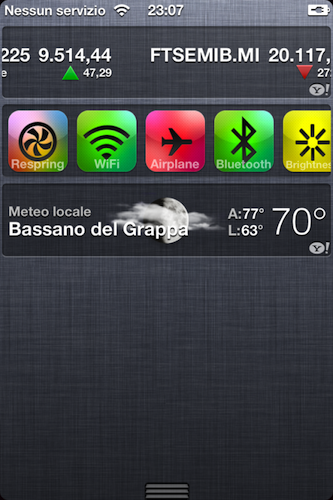
The tweak is called UISettings, and could be described as a SBSettings widget for the Notification Center.

Once installed, UISettings will appear in your Notification Center along with the Stocks and Weather widgets, or "tickers", as Apple likes to call them. Just like SBSettings, it gives you quick access to turn On and Off some important features of your device, such as wifi, Airplane Mode, Bluetooth, etc...

MathAlarm Jailbreak Tweak Makes Sure You’re Actually Awake in the Morning

We've all been there: You've had a late night, but you still have to get up early in the morning. You set your iPhone's alarm for the usual time to get up and go to work, and you're greeted by your alarm in the early hours of the morning. You've got the option to snooze the alarm or turn it off. Which option do you choose?

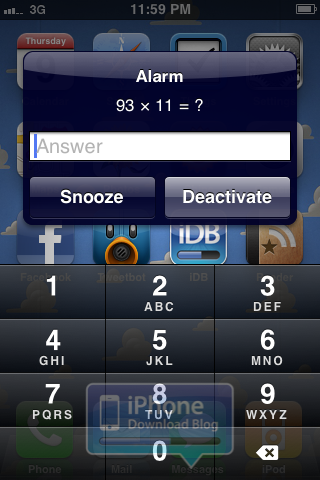
MathAlarm is a new jailbreak tweak, by Ryan Petrich, that makes sure you're actually awake in the morning. You have to solve a simple math equation before you can hit the Snooze or Deactivate button.

SliderBar Jailbreak Tweak Makes Scrolling on the iPhone Faster

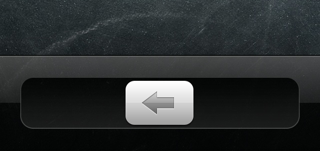
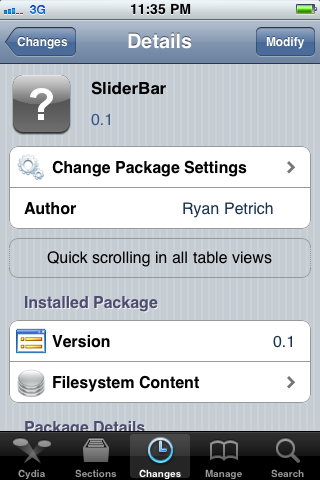
As part of the TweakWeek initiative, SliderBar is a free jailbreak tweak developed by Ryan Petrich. SliderBar makes vertical scrolling in iOS a breeze. Instead of scrolling by swiping up and down with your finger, SliderBar allows you to scroll through a vertical page in a more traditional way.

The tweak is very simple, and you may actually miss it in iOS if you don't know what it look for.

Apple Owes the Jailbreak Community an Apology

The relationship between Apple and the jailbreak community has always been an interesting one. Ever since the first, public iPhone jailbreak was displayed in 2007, Apple and jailbreakers have been fighting in a secret, underground war. Fast forward to 2011, and you can do a lot more with a jailbroken iPhone than just add custom ringtones.

On Monday, Apple unveiled iOS 5. Version 5 was called Apple's most "revolutionary" iOS release to date. Oddly enough, many features that have been in the jailbreak community for years are now present in iOS 5. In fact, Apple has borrowed (some would say stolen) ideas from jailbreak developers for years, and iOS 5 is the most current, blatant example.

Apple, you owe the jailbreak community an apology.

New in iOS 5: Mark Multiple Emails as Read

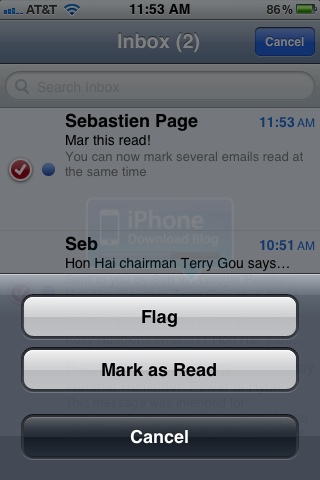
This is not the right time to be a jailbreak tweak developer. As we had clearly predicted, Apple is going after all those little jailbreak tweaks and are now implementing them in iOS 5. The latest one to date is the ability to mark several emails as read at the same time.

If you go to your inbox, hit the Edit button, select several messages, and tap "Mark", you are given the option to either flag those emails, or mark them as read...

New in iOS 5: Delete Individual Calls

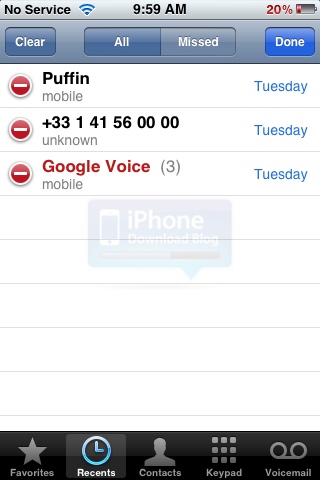
The jailbreak killer hit again! New in iOS 5 is the ability to delete individual calls in your phone call logs. Strangely enough, we had covered a similar jailbreak tweak called CallDelete just a few days ago.

Once again, it's a very simple yet useful feature that should have been in iOS from its creation. But hey, if Apple gave us everything we want now, what would they give us next year, right?

Read Later Action, a Simple Extension to Submit Articles to Instapaper

Ladies and gentlemen, welcome to day #4 of our first TweakWeek, with Ryan Petrich as the challenger. Today's tweak is called Read Action Later, and is a very simple, yet quite handy extension that will allow you to easily send articles to Instapaper via Action Menu.

Obviously, you need to have Action Menu installed before using this tweak. If you don't have Action Menu, then you don't know what you're missing...