Jailbreak Apps & Tweaks

These are the latest jailbreak apps and tweaks available for your iPhone or iPad. We save you time by highlighting only the best tweaks.

How to alter your iPhone’s cursor and selection colors

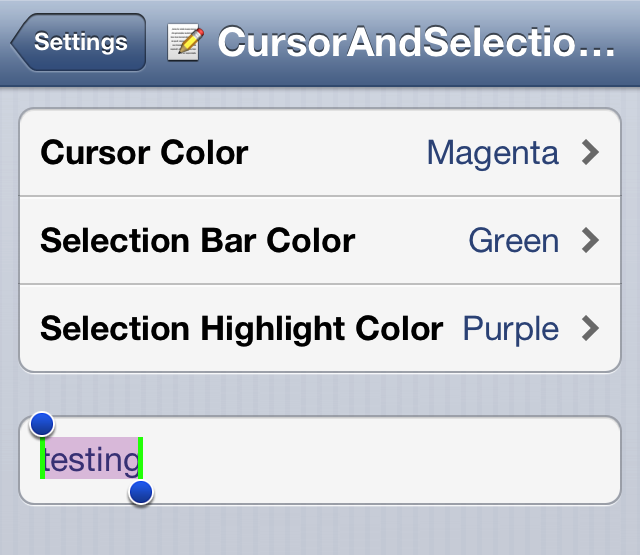
CursorAndSelection Colors is a tweak that brings the ability to alter the color of the iPhone's cursor, selection bar, and selection highlight. This tweak, $1.00 on Cydia's BigBoss repo, features a settings panel that makes it easy to select from amongst over a dozen different colors for any of the aforementioned three elements.

‘PasteboardKey’ makes it easy to access previously copied text

I'm a huge fan of Alfred for OS X. Alfred is a productivity app for the Mac that allows you to launch apps, search, and do a whole host of other things via its sprawling settings. One of my favorite Alfred features is the pasteboard manager. It's basically a place where you can go back and access anything you've copied to your pasteboard.

Understandably, iOS doesn't have anything like this built in, but a new jailbreak tweak allows you to have quick access to your pasteboard from virtually any app as well. The tweak is called PasteboardKey, and it's accessed via the language button on the iOS keyboard. Have a look inside for our full video walkthrough...

How to use the iPhone’s camera without exiting the current app

InstantCamera is a $0.99 jailbreak tweak available on the BigBoss repo, and it lets you access the camera from within any app using a simple Activator gesture. The fact that the developer charges $0.99 for this tweak, when another tweak just like it — a tweak called CamFast — is already available on Cydia free, baffles me.

In fact, both tweaks work exactly the same. Both use Activator gestures to invoke the Camera app API from anywhere, including your Lock screen. So why would you pay $0.99 for this tweak, when it's already been available for free since last year?

Change or hide your status bar carrier name with ‘CarrierPigeon’

There are literally about a million and one ways to change the carrier name on an iPhone, and CarrierPigeon is the latest such jailbreak tweak to hit Cydia. As you would imagine, CarrierPigeon is a simple and straightforward jailbreak tweak. Its settings panel contains options to allow you to outright hide the iPhone's carrier name in the status bar, and of course, an option that allows you to customize the carrier name with your own text.

Harlem Shake (iPhone Edition)

https://www.youtube.com/watch?v=yaJZzA3m0iI

While I still have some beef with this newfangled Harlem Shake, because it's not the real Harlem Shake, I still have to admit that this creation from @bensge is quite humorous. HarlemShake is a jailbreak tweak that randomly shakes your Lock screen after respringing. It's not available yet on the default Cydia repos, but if you want to try it right now, simply add the following repo to Cydia and install: http://bensge.com/repo.

Remember, it's random, so you may have to respring a few times before it kicks in. And yes, the music plays along with it. What do you think? But wait, that's not all, we have another edition of the Harlem Shake for the iPhone, and this one impacts the Home screen app icons, and includes an Activator gesture. Want to see it in action? Check inside...

Peekly – an awesome new Lock screen theme featuring weather, calendar, and more

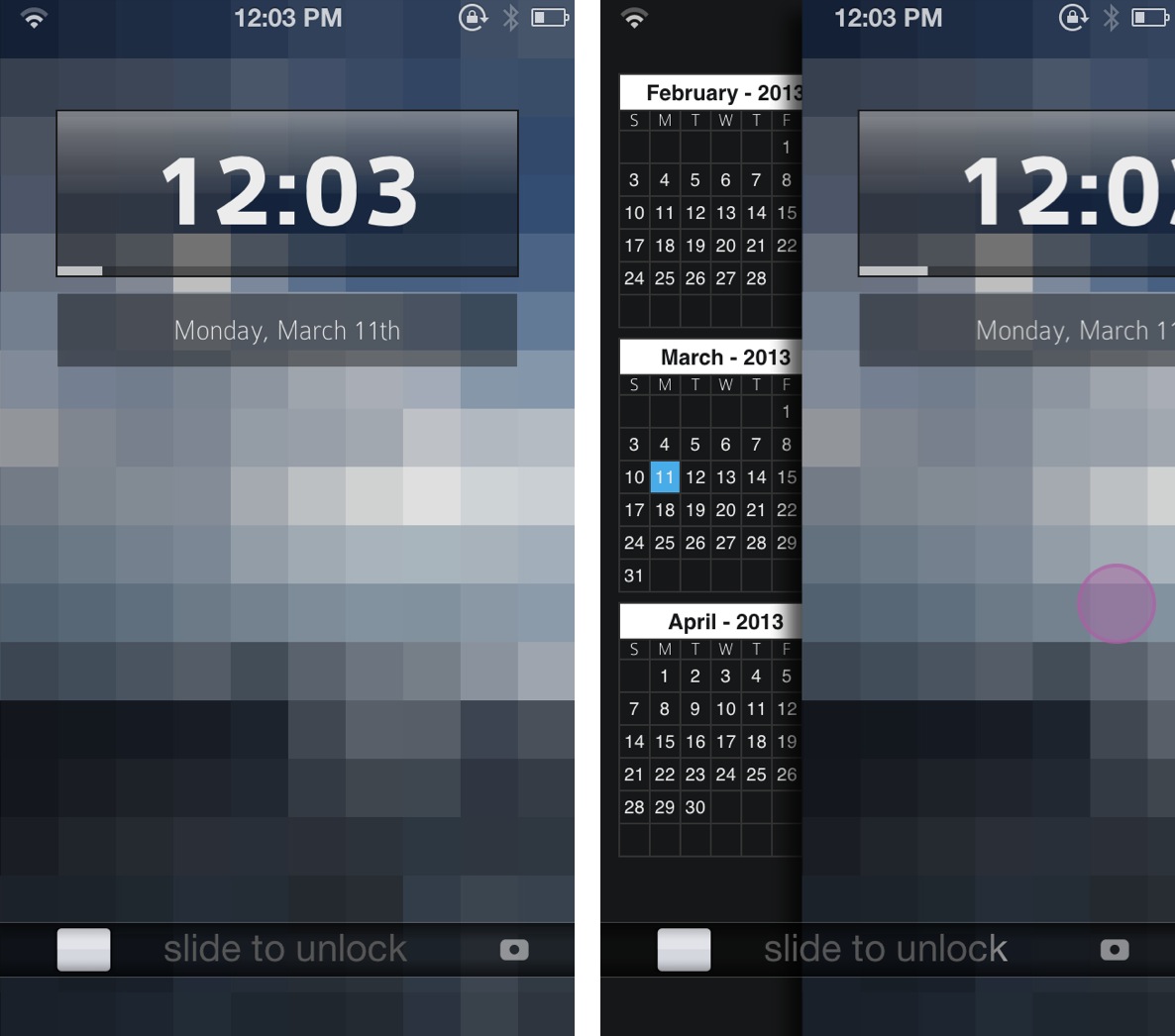
Peekly is an awesome new Lock screen theme for WinterBoard. Not only does it look wonderful, but the theme features built in functionality for current weather, forecasts, calendar, RSS feeds, and more.

Like many Lock screen WinterBoard themes, Peekly can be configured using a simple javascript file, which can be edited by means of the text editor bundled with iFile. If you're looking for a relatively lightweight Lock screen theme that looks absurdly good, then look no further than Peekly. Take a look inside for our full hands-on video review and setup guide.

How to make your status bar clock fade into view

ClockFade is a new jailbreak tweak that forces your status bar clock to fade into view after unlocking to the Home screen. Normally, the status bar abruptly appears with no fade animation, which can be jarring. ClockFade brings smoother fade animations to the table, which are completely adjustable courtesy of preference sliders.

Obviously, this is a small tweak that doesn't bring much to the table as far as features are concerned, but you might be surprised as to how well it performs, and how good it looks in motion.

“In a Minute” lets you be very particular about when you’re reminded about things

If you're a heavy user of Apple's Reminders app, then you'll quite possibly have nudged up against one particular issue that some find irritating while others will likely have never even noticed.

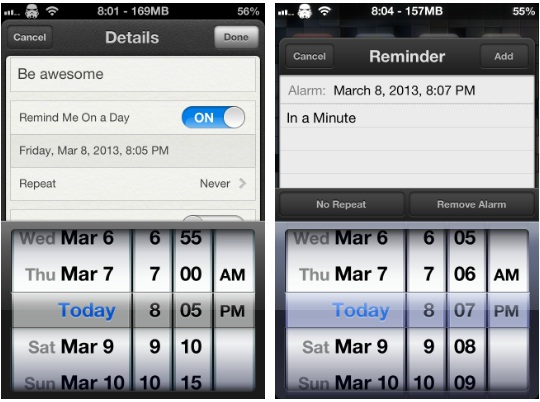
The issue in question is Apple's assumption that people will only want to set reminders in five minute increments, meaning you can't set a reminder for 09:13, for example, unless you're creating the reminder with Siri's help. It might not sound like much, but if you want to manually set a few reminders to alert inside a five minute window, then you're out of luck.

That is, unless you install a new jailbreak tweak that popped up in Cydia today...

Mix up your iPhone’s Lock screen with ‘Vexil’

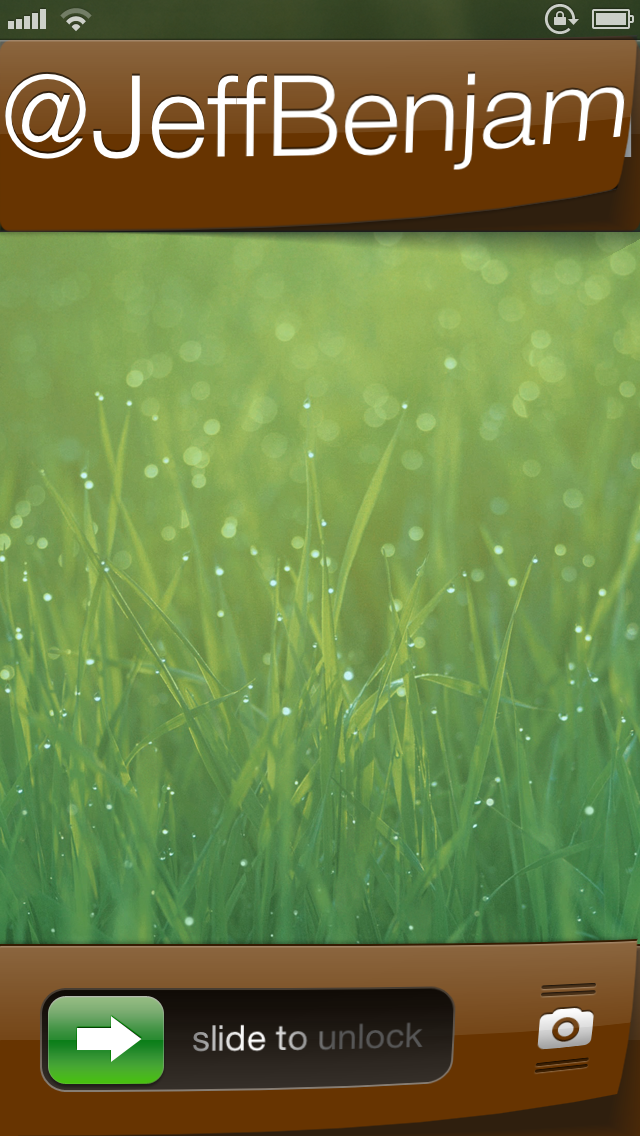
Vexil is an upcoming jailbreak tweak that adds a ton of features to your iPhone's Lock screen. If you can see it on the Lock screen, you can probably change it by means of this tweak.

Virtually nothing is off limits here, from the Lock screen clock to the Slide to Unlock nub. It's not the prettiest, or even the most useful tweak in the world, but with a little effort you can come up with a certified original look for your device.

How to stop your iPhone from vibrating on tables

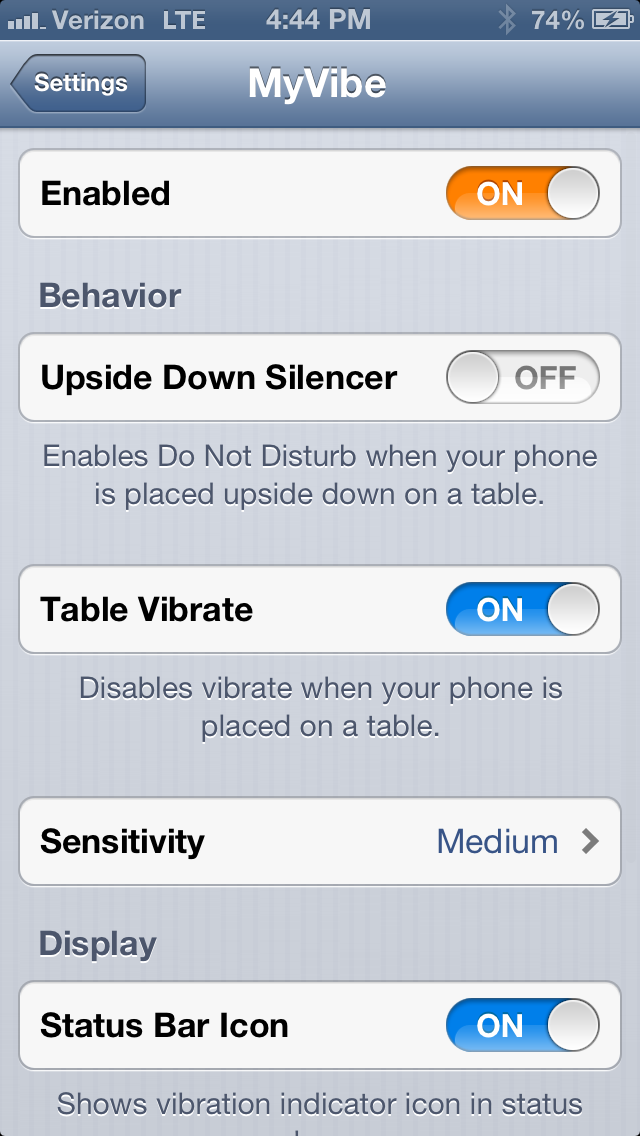
Don't you just hate it when you place your iPhone on a table, and notifications start going off? You get that annoying buzzing sound, which is the result of the vibration motor pulsating on the hard table surface. Wouldn't it be awesome if your iPhone knew when it was laying on a flat surface, thus disabling the vibration? Well, that's the premise behind MyVibe.

MyVibe is a relatively new jailbreak tweak that's available for $1.99 on Cydia's BigBoss repo. Once installed there are quite a few options that can be configured using the tweak's preference panel. Take a look inside for a video walkthrough showcasing how to use MyVibe, and why it may be beneficial for you.

DirectionBar adds a live compass to your iPhone Status bar

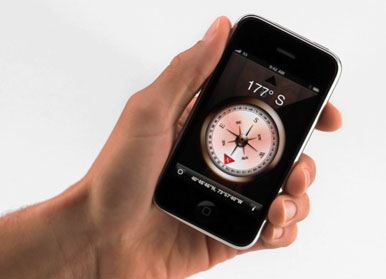
Have you ever wanted to be able to quickly know what directions you're heading to just by looking at your iPhone Status bar? Well, me neither, but I'm sure there is someone out there with a need for this new tweak by jailbreak dev Rud0lf77 called DirectionBar.

As you might have guessed by now, DirectionBar adds a handy live compass to your Status bar. Simply pull out your iPhone from your pocket, hit the Home button to wake your device, and look for the little compass pointing to the North...

‘SelectiveReading’ allows you to select who receives iMessage read receipts

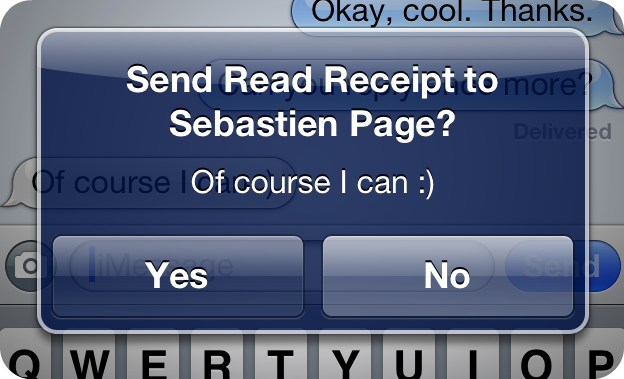
There have been some really great jailbreak tweaks released for iMessage lately. A few weeks ago, we talked about TypeStatus, which allows you to see incoming "now typing" notifications for ongoing iMessage conversations. Now, there's SelectiveReading — a jailbreak tweak that lets you selectively send read receipts to specific contacts.

I've always enjoyed the ability to send and receive read receipts between my iMessage friends. It gives both parties a peace of mind knowing that their message has been received and consumed. But I've always had a lingering beef with the feature as well. I never appreciated the fact that it was all or nothing with read receipts. That is to say, it was either enabled for everyone, or disabled for everyone, there was no middle ground.

Again, the jailbreak community has stepped in to save the day. SelectiveReading makes a feature that I've always wanted to use, but didn't because of its limitations, actually usable. Take a look inside as I divulge more details about this long awaited jailbreak tweak...