Jailbreak Apps & Tweaks

These are the latest jailbreak apps and tweaks available for your iPhone or iPad. We save you time by highlighting only the best tweaks.

Filippo Bigarella donates over $5,000 from proceeds of his jailbreak tweak LivelyIcons to charities

Back in mid February, we brought you coverage on a jailbreak tweak called LivelyIcons. It was a tweak, created by Filippo Bigarella, that let you have animated app icons on your Home screen. The animations were nice, but the big news about LivelyIcons' was Bigarella's promise to donate some of the proceeds to cancer research.

To be honest, I had almost forgotten about the tweak until Bigarella sent out a tweet today updating the progress of the earnings and donations. Judging by the numbers, it looks as if LivelyIcons was a huge success. Check inside for the details...

QuickShoot Pro: a great way to quickly snap photos and videos

Have you ever missed an ideal snapshot as you waited for the Camera app's animation and UI to finish loading? I think it's safe to say that all of us have missed a perfect photo as a result of having to wait on the iPhone's Camera app. Things have gotten considerably better in this regard as hardware speeds have improved, but it's still not exactly perfect.

QuickShoot Pro is a jailbreak tweak that seeks out to solve the issue by letting you snap photos and videos directly from the Home screen. It accomplishes this feat using a couple of different methods. The first method requires you to double tap on the Camera app icon for a photo, and a triple tap on the app icon for video. By doing this, a photo or video is taken without the Camera UI, hence resulting in a faster composition.

The second method is a simple Activator gesture. You can setup an Activator gesture for taking a photo or starting a new video. QuickShoot Pro features quite a few options that can be used to configure the tweak to your needs and liking. It's not going to completely reduce the wait time associated with taking a new photo, but it's certainly faster than the stock method for taking photos and videos. Take a look inside as we break down QuickShoot Pro in our hands on video walkthrough...

How to quickly share notes on Twitter and Facebook

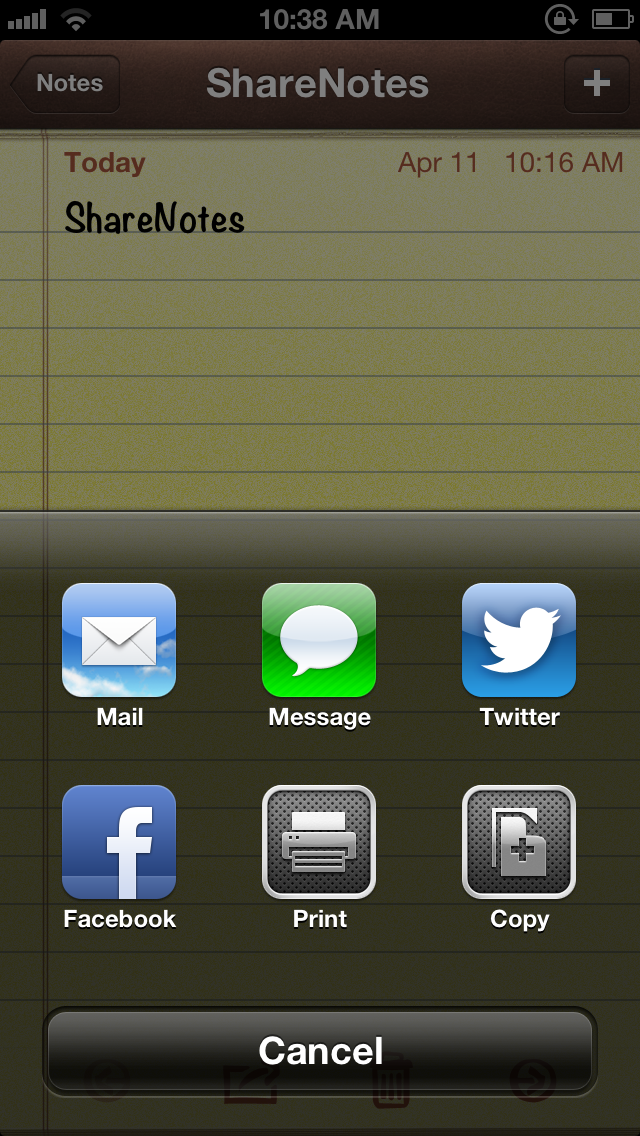
ShareNotes is a new jailbreak tweak that allows you to share notes on Twitter and Facebook using iOS' built in share sheet. The sheet is accessible via a tap on the share button in the Notes app, and it features two new buttons for Facebook and Twitter sharing once this tweak is installed.

The stock sharing options for notes are quite limited; you can only share notes via Mail or Messages. This jailbreak tweak opens things up a bit. Take a look inside for screenshots and more info...

How to select a specific song from the Lock screen using ‘Pluck’

http://www.youtube.com/watch?v=gs9Xxc-_a6o

Pluck is a recently released tweak that places a dedicated button on the iPhone's Lock screen for selecting Music. To view the button, simply invoke the iPhone's music controls by double pressing the Home button while on the Lock screen. Tapping the button allows you to "pluck" a new track from your Music Library, instead of forcing you to unlock the device and venture into the Music app just to select a specific song.

Once the button is tapped, a new sheet featuring your Music Library is pulled in from the bottom of the screen. This sheet can also be accessed by means of an Activator gesture, which is configurable in Pluck's preferences. Check inside for a few more details.

How to make the iPhone’s Spotlight background transparent

Clear The Air is a new jailbreak tweak that allows you to adjust the transparency of the Spotlight search in iOS. Options can be configured to adjust the transparency on a sliding scale, maintain the status bar's opacity, and a general kill switch to quickly enable or disable the effect.

If you're looking for a tweak that allows you to enjoy your background wallpaper while performing Spotlight searches, then this is the tweak for you.

How to merge live front facing camera video with your wallpaper

http://www.youtube.com/watch?v=X2n96JcpAls If you have an iOS device with a front facing camera, you can use a new jailbreak tweak on Cydia to "merge" the wallpaper image with live video from the device's front facing camera. Faded Camera Wallpaper is the name of the tweak, and it's a free download on Cydia's ModMyi repo. It's a tweak that will display a faint video feed from the front facing camera, canvased on top of the Home screen wallpaper.

The tweak is exactly as described, and contains no options or settings, which is unfortunate. It might be an effect that you wouldn't mind using from time to time, but there's not even an off switch to disable it. As it stands, it's a usable tweak, but it's in desperate need of a preference panel to at least toggle it on or off. Without such an option, you have a surefire battery killer on your hands, as it appears that the camera is in action even when not at the Home screen wallpaper.

What do you think?

How to add a Velox style music widget to your iPhone right now

http://www.youtube.com/watch?v=jVgRbDOiUMo

Itching to get your hands on Velox? You're not alone. In the meantime, you may want to give MusicWidget (velox style) a go. It's a free jailbreak tweak available on Cydia's BigBoss repo, that lends Velox styled music controls to the stock Music app.

There are no settings or options to configure for MusicWidget, just install it and go. It's a tweak that works only with iPhones running iOS 6.x. Once installed, a double tap on the Music app icon will reveal music controls in a style similar to the Velox tweak that we showed you earlier. The Music app can be anywhere on your Home screen, it doesn't have to stay relegated to the dock.

If you decide to take it for a ride, let me know what you think about it.

Auxo version 1.4 released on Cydia

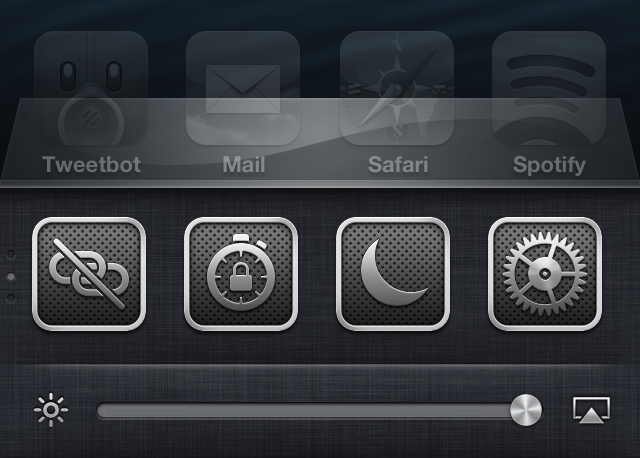
One of my favorite jailbreak tweaks of all time, Auxo, has been updated to version 1.4. This release, as we highlighted in our preview of the update, brings bug fixes, new toggles, and additional settings to the table.

The biggest feature in my opinion, is the adjustment that has been made with the tap zones on the brightness and music control sliders. in the past, those slider knobs have been really difficult to key in on with your finger, but after the 1.4 update, this is no longer an issue.

Let’s Talk Jailbreak 05: Technical difficulties

Our fifth episode of Let's Talk Jailbreak is proof that time flies when you're having fun. We have tons to talk about today, including an update on Sebastien's broken car window, the possibility of an iOS 6.1.3 jailbreak, the top tweaks of the week, Apple's use of widgets, and so much more. I think it's safe to say that you don't want to miss this episode.

Velox: an upcoming tweak that lets you interact with app icons to check notifications and more

Velox is an upcoming jailbreak tweak that I've had my eye on for months. I've been anticipating the release of this tweak for a very long time, because I think it has the potential to make a huge impact on the jailbreak community.

Rarely does a jailbreak tweak come along that has the capability to change the way that you use your device. A very exclusive number of tweaks belong to that group, and Velox has the potential to crash the party.

Yes, Velox is in the same hemisphere, and it contains, perhaps even more long term potential than Auxo. That's because it's a completely different type of tweak that can interact with multiple apps, and features its own API for extended development.

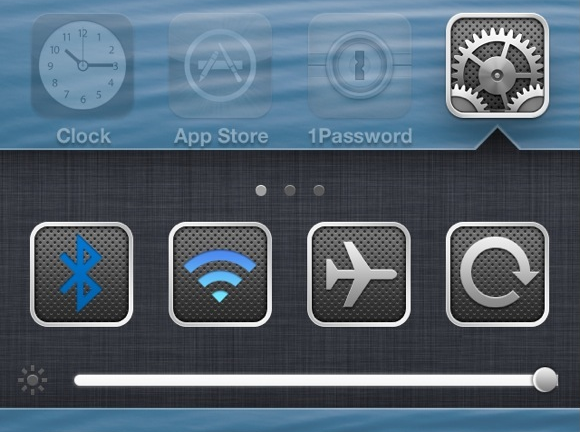
Primarily, Velox is a tweak that allows you to interact with apps on your Home screen in order to check notifications without opening Notification Center. But that's just the tip of the iceberg. Velox also features custom "folders" that can be individually tailored for specific apps. Each of these folders can be accessed using a simple swipe up or swipe down gesture on the app icon that you wish to interact with.

What does this mean? It means that if I swipe up on the Settings app, a folder containing settings toggles is revealed. It means that if I swipe down on the Camera app, the camera is revealed in a folder right there on my Home screen. Trust me, reading these words just doesn't do it justice; you have to see it in action to really appreciate the potential here. Thankfully, I've got an exclusive hands-on video to showcase how it works...
Quickly access your iCloud tabs in Safari with CloudTabs+

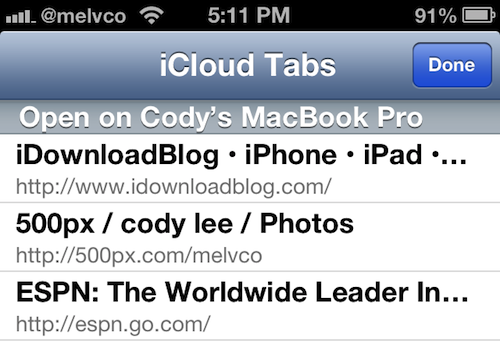
I use my MacBook and iPhone all day, every day. If I'm not on one, I'm on the other, and sometimes I'm on both. So I'm constantly using features like iCloud's Safari tab sync to ensure a streamlined experience as I switch between devices.

The sync feature itself, which Apple introduced last year in iOS 6, works great. But I have to admit, it would be nice if it wasn't buried in mobile Safari's Bookmarks menu. Luckily, that's not a problem anymore with this new jailbreak tweak...