Jailbreak Apps & Tweaks

These are the latest jailbreak apps and tweaks available for your iPhone or iPad. We save you time by highlighting only the best tweaks.

The best jailbreak tweaks for Notification Center on iOS 7

Compared to iOS 6, Notification Center has been upgraded a little in iOS 7 but there's still some room for improvement. Just like iOS 6, there is a lot of jailbreak tweaks on Cydia that will bring new features to iOS 7 Notification Center and allow you to customize it. These range from providing additional statistics about your device to placing your favorite apps right at your finger tips.

This is why we have compiled a complete list of the best jailbreak tweaks for Notification Center on iOS 7 that will help you get the most out of it.
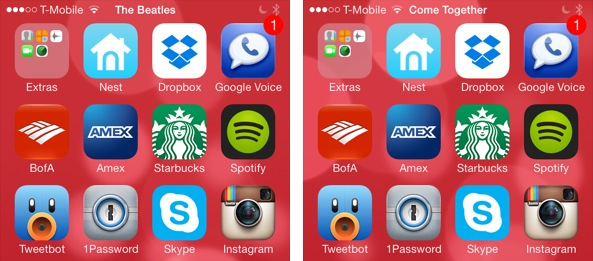
#PlayMe2 displays the currently playing song’s details in the Status Bar

If you've been following iDB, you'll remember that Jeff reviewed a status bar tweak a few months ago known as #PlayMe. The same developer has now released #PlayMe2 which is a more stable version of its predecessor with fewer bugs, but it serves the same purpose.

#PlayMe2 makes your Status Bar more informative by displaying the name of the currently playing song along with the artist name in the Status Bar. The tweak will rotate between the time, song name and artist name in the Status Bar. This allows you to take a quick peek at what music is playing in the background without opening the music app or Control Center.

PlayTask lets you play or pause a currently playing song from the App Switcher

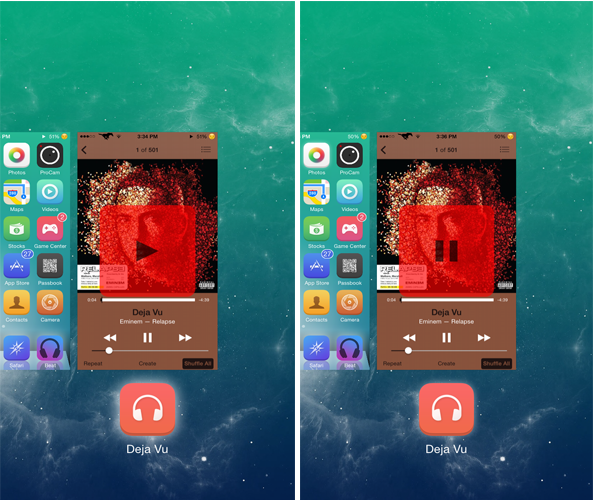
The main purpose of the App Switcher is to display the apps running in the background as well as enable you to close them. PlayTask is a brand new tweak that makes the App Switcher a little more useful by allowing you to play or pause music.

Developed by TheJailPad, PlayTask allows users to play or pause the currently playing song by swiping down the Music app card in the App Switcher. The tweak not only works with the stock Music app but with other third-party apps as well such as Spotify. By default, when you swipe down a music app card in the App Switcher, nothing happens, but with PlayTask, the music will start to play from where you left it or it will pause.

BlurSlide gives a new look to your ‘Slide to Unlock’ slider

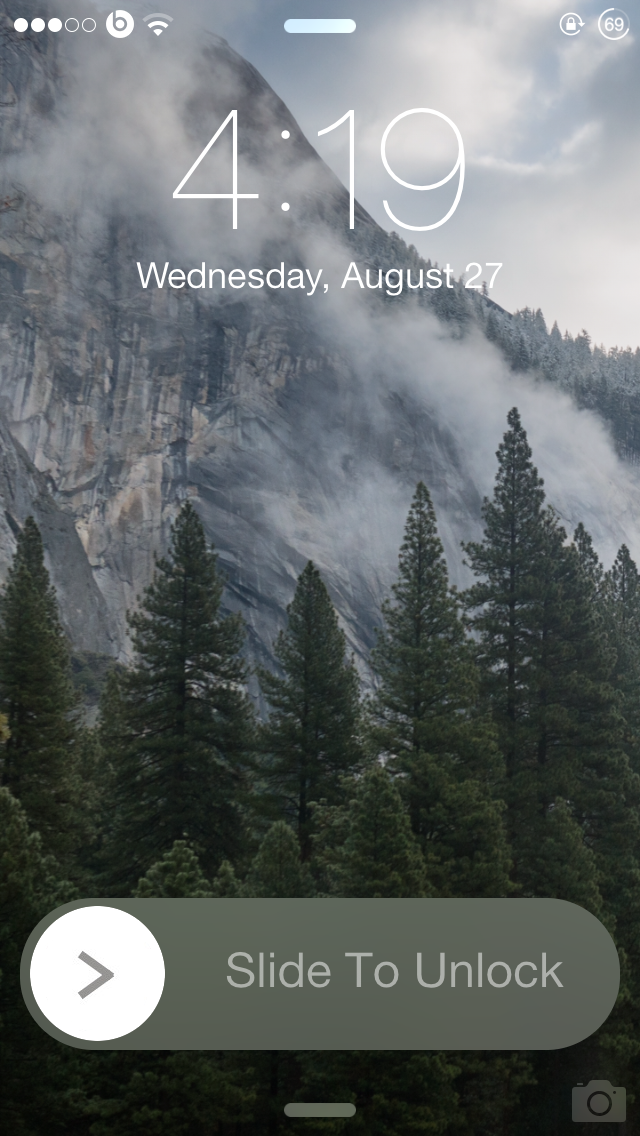
One of the many reasons that users jailbreak their iOS device is to customize the various UI elements. BlurSlide is yet another customization tweak that brings a new look to the 'Slide to Unlock' slider.

Developed by CP Digital Darkroom, BlurSlide allows users to change the original Slide to Unlock design to that of iOS 7.1.x's power off slider style, which features a round movable knob with a blur background. Yet, the best thing about this tweak is that it provides a lot of options to customize the slider the way you want. Although the tweak is still in the beta phase, it worked smoothly without any issues on my iPhone 5s running 7.0.4.

Quickly turn flashlight on and off from the Lock screen with Lumos

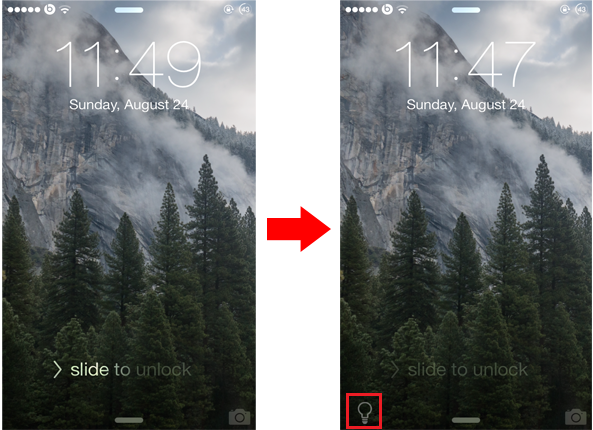
The Lock screen on iOS comes with a tiny camera grabber that is located in the bottom right corner of the screen. Swiping it up will open the camera directly from the Lock screen without requiring you to unlock your device first. If you use flashlight on your iPhone frequently, you might be interested to check out a new jailbreak tweak known as Lumos, which brings a similar feature to the Lock screen, enabling you to quickly start the flashlight.

By default, the quickest way to turn on the flashlight on your iPhone is through Control Center. Lumos goes a step further and provides a much quicker way by adding a tiny icon to the bottom left corner of the Lock screen dedicated to flashlight. Unlike the camera grabber, you'll have to tap on the flashlight icon in order to turn it on, instead of swiping it up. Tapping on the icon again will switch it off.

GhostPrefs adds tons of new features to Snapchat

The popular messaging app Snapchat allows users to share self-destructible photos, videos or message which disappear from the recipient's device after a period of time. The whole point of the app is to ensure that the 'snaps' are not permanent, unless the receiver takes a screenshot. However, when a screenshot of a snap is taken, the other person will be notified and will also be informed how many screenshots were taken. To get rid of this restriction and enjoy new features, you might be interested in checking out a new jailbreak tweak known as GhostPrefs...

The best jailbreak tweaks for Touch ID

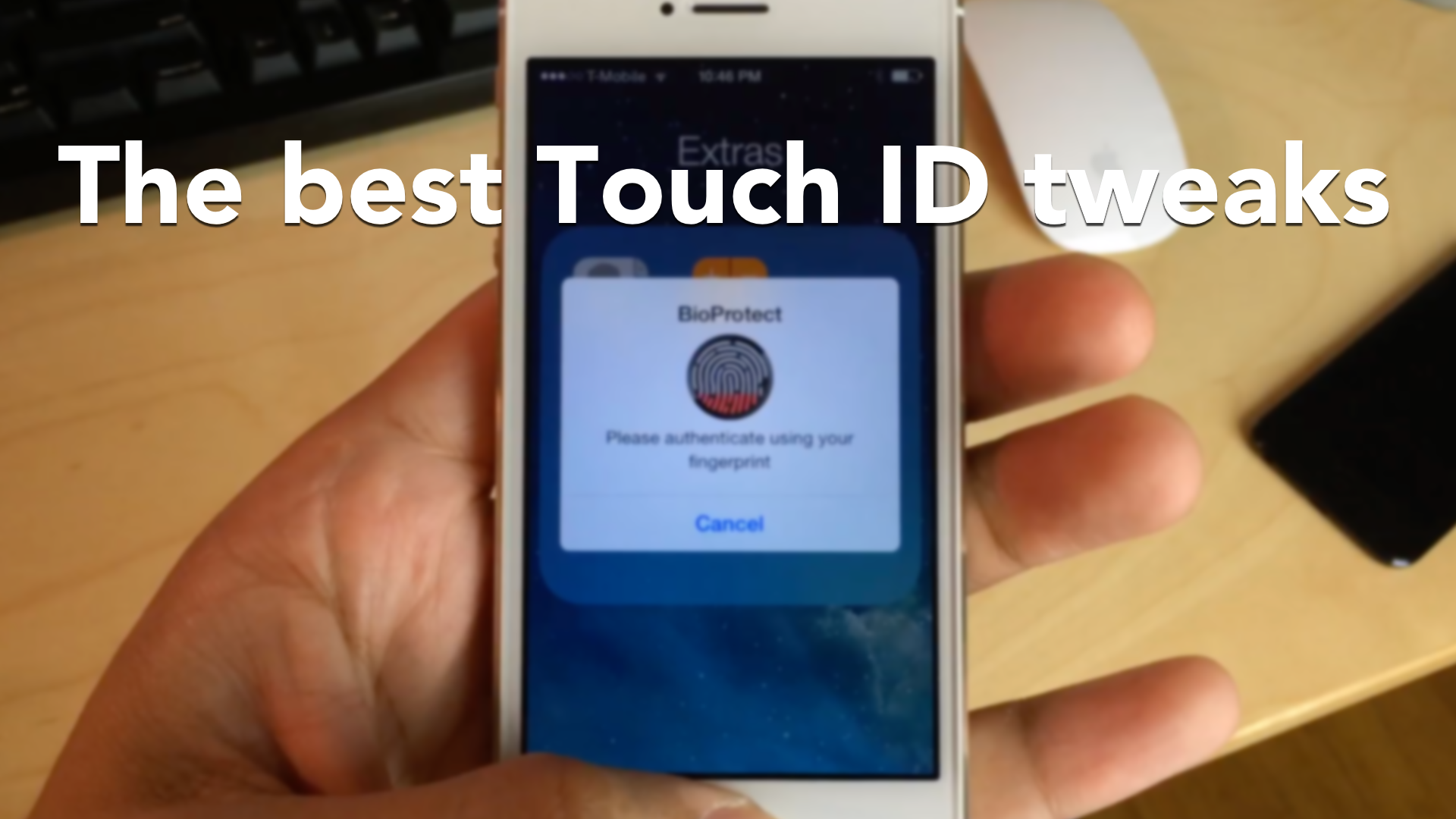
Touch ID has been at the forefront of jailbreak development since it arrived, and for good reason: it's the flagship feature on Apple's iPhone 5s. As a result, there are many jailbreak tweaks that seek to alter the way that Touch ID works. Some tweaks allows you to secure individual apps with Touch ID, while others allow you to authenticate logins to websites and apps using only your fingerprints.

We've taken the liberty to compile a list of the best jailbreak tweaks for Touch ID to hit Cydia, and we break them down for you in a brand new video walkthrough.

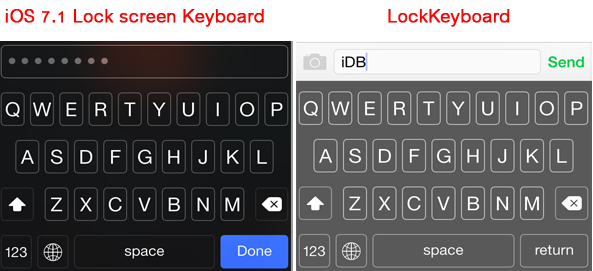
LockKeyboard lets you use the iOS 7.1 Lock screen keyboard across iOS

If you've updated your device to iOS 7.1.x, you might have noticed that the Lock screen keyboard looks quite different than the default keyboard that pops up when you're typing. The new keyboard appears only on the Lock screen when you're entering an alphanumeric passcode, and it is not available for other parts of iOS 7.1. A new tweak appropriately called LockKeyboard allows you to bring the iOS 7.1 Lock screen keyboard to your entire device.

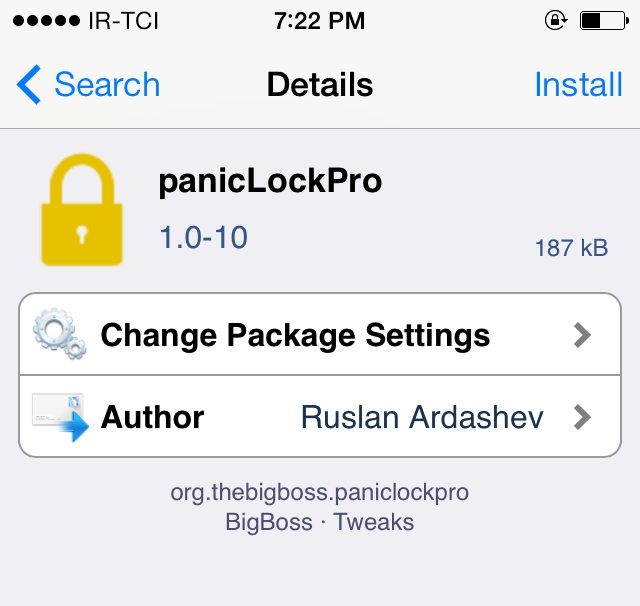
panicLockPro locks specific apps on your iPhone via an Activator gesture

Do you have nosy friends or roommates who sneak into your Messages app from time to time? Are you concerned about your privacy when handing your device to someone else? If you answered yes to any of these questions, you should probably check out a tweak called panicLockPro that secures the private data on your iPhone or iPad.

With panicLockPro, you can quickly lock applications via an Activator gesture and secretly protect the private data on your iOS device. The tweak allows you to select individual apps that you want to lock out and prevent unauthorized access to.

Let’s Talk Jailbreak 70: Britta Gustafson, Cydia’s community manager

Episode 70: We talk with Cydia's community manager, Britta Gustafson, about the day-to-day operations involved with managing the community that surrounds Cydia. In this episode, Britta tells the story of how she became involved with saurik, and her active role in the tech community. Britta also shares what it's like to be a woman in an industry dominated by males, her favorite jailbreak tweaks and themes, and more.

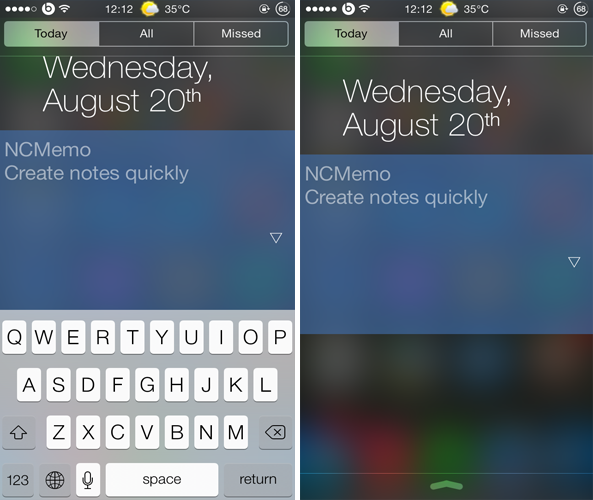
NCMemo: a quick way to create notes from Notification Center

Just like iOS 6, iOS 7 has seen no shortage of Notification Center tweaks and widgets. One such example is NCMemo, a brand new tweak that debuted in Cydia recently and provides a convenient way of taking notes and memos.

NCMemo adds a resizable text box to Notification Center, under the 'Today' tab, allowing you to create notes and memos conveniently from anywhere within iOS.