iPhone

Stay up-to-date on the latest iPhone news and learn new tips and tricks with our comprehensive tutorials. From software updates to new features, we’ve got you covered.

How to use Google SafeSearch to filter out explicit web search results

Google SafeSearch enabled on iPhone

Whether you’re a parent trying to filter explicit content from the limitless Google searches your child could be searching on the web, or you’re simply trying to figure out why it seems like certain images or web results are being filtered from your Google search queries, chances are Google SafeSearch is the answer.

In this tutorial, we’ll show you how you can toggle Google SafeSearch on or off, depending on whether you need to start filtering explicit search results from your queries or stop doing so when the feature is already enabled.

See how Alexa compares to Siri with Reverb

If you missed our post nearly a year ago about a web app at Echoism.io that lets you try out Alexa in a web browser, you're going to like a new app, called Reverb, that brings Amazon's personal assistant to your Mac desktop, as well as iPhone and iPad.

The brain child of developers at digital consultancy agency Rain, Reverb is available at no charge from App Store and Mac App Store or in your favorite web browser.

Reverb takes advantage of the fact that Amazon’s Alexa Voice Service is now available as a web service to access through a web browser and other thin clients, with the recent API 2.0 update having enabled a richer set of features.

iOS 10.3 beta 3 seeded to developers

Apple this morning seeded to members of the Apple Developer Program a third beta of what would become the iOS 10.3 software update with Find My AirPods and a bunch of other new features. iOS 10.3 beta 3 (build 14E5249d) is available over the air via Software Update on devices with an appropriate configuration profile installed. We'll update the article with possible new changes discovered in beta 3 if we encounter them. New betas of macOS Sierra, watchOS 3.2 and tvOS 10.2 are available for developer testing, too.

Snapchat kicks off online sales of iPhone-connected Spectacles

Spectacles, a pair of camera glasses developed and manufactured by Snapchat, are no longer exclusively distributed via the company's pop-up vending machines, called Snapbots. Today, Spectacles became available for purchase online, CNET reported Monday. Available in three vivid colors and expected to ship in 2-4 weeks, the $130 Google Glass-like accessory is now available online via spectacles.com.

Rumor: four new iPad Pros, 128GB iPhone SE and iPhone 7 in Red to be unveiled next month

Fairly reliable website Mac Otakara is reporting that Apple will be holding a media event next month to announce hardware updates for several of its popular products. Wondering what's on tap for a refresh? According to the Japanese publication, Apple will add a new 128-gigabyte iPhone SE model to the existing 16GB and 64GB capacities.

In addition, we should also see the previously rumored Red model of iPhone 7 and iPhone 7 Plus and four new iPad Pro models introduced at the event.

Distil Union’s Wally Ether wallet case provides credit card storage on a budget

With leather wallet iPhone cases being a hot commodity, we’ve recently shown you several from brand names. Another little-known contender in the market is Distil Union, a company that integrates their unique quick-release technology into the card slot of their cases.

In this review, we’ll be showing you the Distil Union Wally Ether for the iPhone 7 Plus. It's a wallet case alternative with stitched leather flavor that has been designed for minimalists who need to carry a card or two on them anywhere they go.

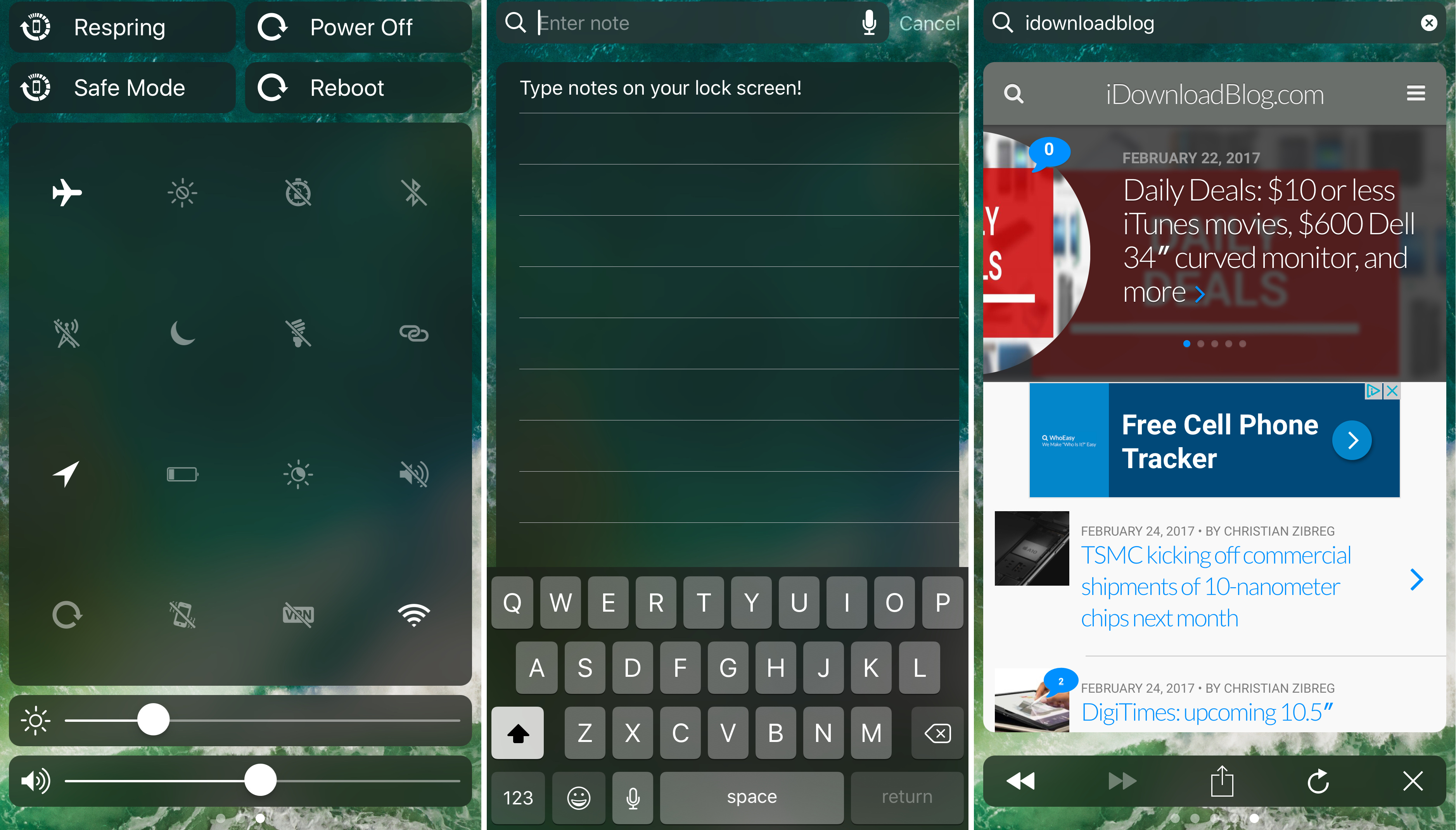
CCWallCustomizer lets you change your Control Center background

With a new free jailbreak tweak called CCWallCustomizer by iKilledAppl3, you can change the background of your Control Center interface on iOS 10.

The tweak can use any image you choose from your Photo Library as the source for your background. You can easily save any image you want from the web or snap your own pictures with the Camera to be used.

PerfectFit automatically resizes ‘outdated’ apps to support newer iPhone resolutions

Every so often you might come across an app you need from the App Store where the developer hasn’t even bothered to update the interface for the latest iPhone resolutions. In most cases, this means they’re still designed to work on the iPhone 4s resolution or earlier, and this leaves unsightly black bars at the top and bottom of the app.

As frustrating as this is, Apple still allows the apps to run (not for much longer), but they just won’t look as nice. A new free jailbreak tweak called PerfectFit by Tony Kraft can force these apps to run at a much more native-feeling resolution so they look better too.

Sonus is a highly customizable volume HUD replacement for iPhone and iPad

The volume HUD in iOS has always left a lot to be desired; it pops up in the center of the screen and then seemingly lingers for an eternity, all while getting in the way of everything, whether you’re watching videos, looking at photos, browsing the web, or doing anything else while trying to change your device’s volume level.

A new jailbreak tweak called Sonus by ubik is just one of many attempts to make the volume HUD better in iOS, and unlike much of the competition out there, it has a lot of options that you can take advantage of to deck out the tweak and make it look and feel the way you want it to.

TranslucentMessages makes the iOS 10 Messages app translucent with stunning blur effects

Your iPhone is a tool of communication, so you might spend a lot of your time lurking in the Messages app. As you know, it's just as dull as almost every other stock app on your device; plain and white. Since you spend so much time in the app, why not give it a makeover that could make you enjoy using it even more?

That's where a new free jailbreak tweak called TranslucentMessages by Ayden Panhuyzen comes in handy, as it takes what is otherwise a boring UI and gives it some fancy translucent visuals.

This tweak will let you force cellular network connections when launching certain apps

When you’re constantly around Wi-Fi networks that block access to certain sites and apps, such as those in educational institutions, you might need to use cellular data to bypass these blocks. The only problem is, you typically have to go through the trouble of turning Wi-Fi off manually, which can be a pain.

That’s the idea behind a new free jailbreak tweak called NoWifiWhenRunThisPlz by HiDan, which lets you configure the apps you want to force cellular usage on, rather than Wi-Fi, when launched.