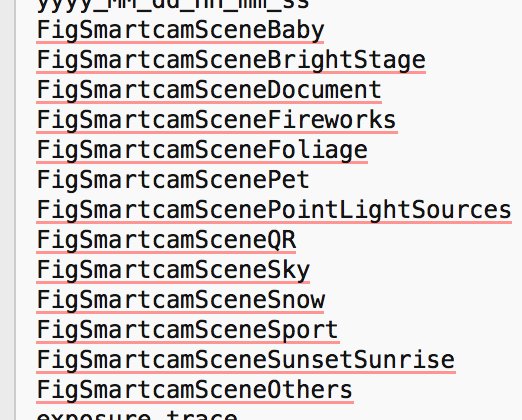
iOS developer Guilherme Rambo has unearthed (from Apple's botched HomePod firmware release) curious references to some smart camera features that might be coming to iPhone 8.
HomePod firmware hints at smart camera features coming to iPhone
Stay up-to-date on the latest iPhone news and learn new tips and tricks with our comprehensive tutorials. From software updates to new features, we’ve got you covered.
iOS developer Guilherme Rambo has unearthed (from Apple's botched HomePod firmware release) curious references to some smart camera features that might be coming to iPhone 8.

Google today announced a major update for its popular Earth app for iPhone and iPad, bringing many new features that debuted on the desktop and web app in April of this year.
Importantly, it's received much needed support for 64-bit iPhone, iPad and iPod touch devices to ensure that it will continue to run on iOS 11 which does not support 32-bit apps at all.
But first, check out the key highlights of this release:
Choose your own adventure with Voyager—Experience interactive stories from around the world. Discover new places with Knowledge Cards—Flip through cards and learn about local landmarks. Orbit the world in 3D—Use the new 3D button or tilt the map with two fingers. Snap and share a Postcard—Capture snapshots of locations and share them with your friends. Feeling Lucky?—Roll the dice and see where the world takes you.If you like the Flyover feature on Apple Maps, you'll love 3D imagery in Google Earth for iPhone and iPad. To switch to the three-dimensional view, tap a new 3D button and use two fingers to rotate and tilt your vantage point (hint: use this mode to explore Apple Park in all its glory).
You can also capture snapshots of the various locations you find in Earth and share them with your friends. To snap a virtual postcard, tap a new camera icon in the app's toolbar section.
And to help you plan your trip, Google Earth for iOS allows you to experience interactive stories from around the world. Called Voyager, this feature is available Under the Travel category.
There, you’ll find detailed multi-day itineraries for seventeen major cities around the world, including tours like “Paris with Kids”, “Beyond the Beaches of Rio de Janeiro” and many more.
Here are a few other Voyager tours worth checking out:
Natural Treasures from BBC Earth—Journey to six habitats, from islands to mountains to jungles, and learn about the unique and thrilling wildlife in each. Gombe National Park in Tanzania—Hear from Jane Goodall about her team’s chimpanzee research and conservation efforts. Mexico with Lola—Check out the little monsters featured in Sesame Street’s Girl Muppets Around the World, and learn about modern Mayan cultures.If you'd like to jump to someplace new, you should try Google's “I'm Feeling Lucky” feature by tapping a new dice icon in the toolbar. Lastly, Knowledge Cards, another new feature in Google Earth for iPhone and iPad, makes it easy to see related facts for a place.
Just pull up from the bottom of the screen to bring up a card with rich information about the thousands of places and landmarks around the world. As I mentioned before, the app now supports 64-bit hardware and comes with a brand new icon for your Home screen.
Grab Google Earth for iOS for free from App Store.

Apple's actions in China regarding the removal of unlicensed VPN apps are not at odds with its refusal in the US to unlock an iPhone that belonged to a San Bernardino shooter, Apple's chief executive said during Tuesday's post-earnings conference call with investors and analysts.
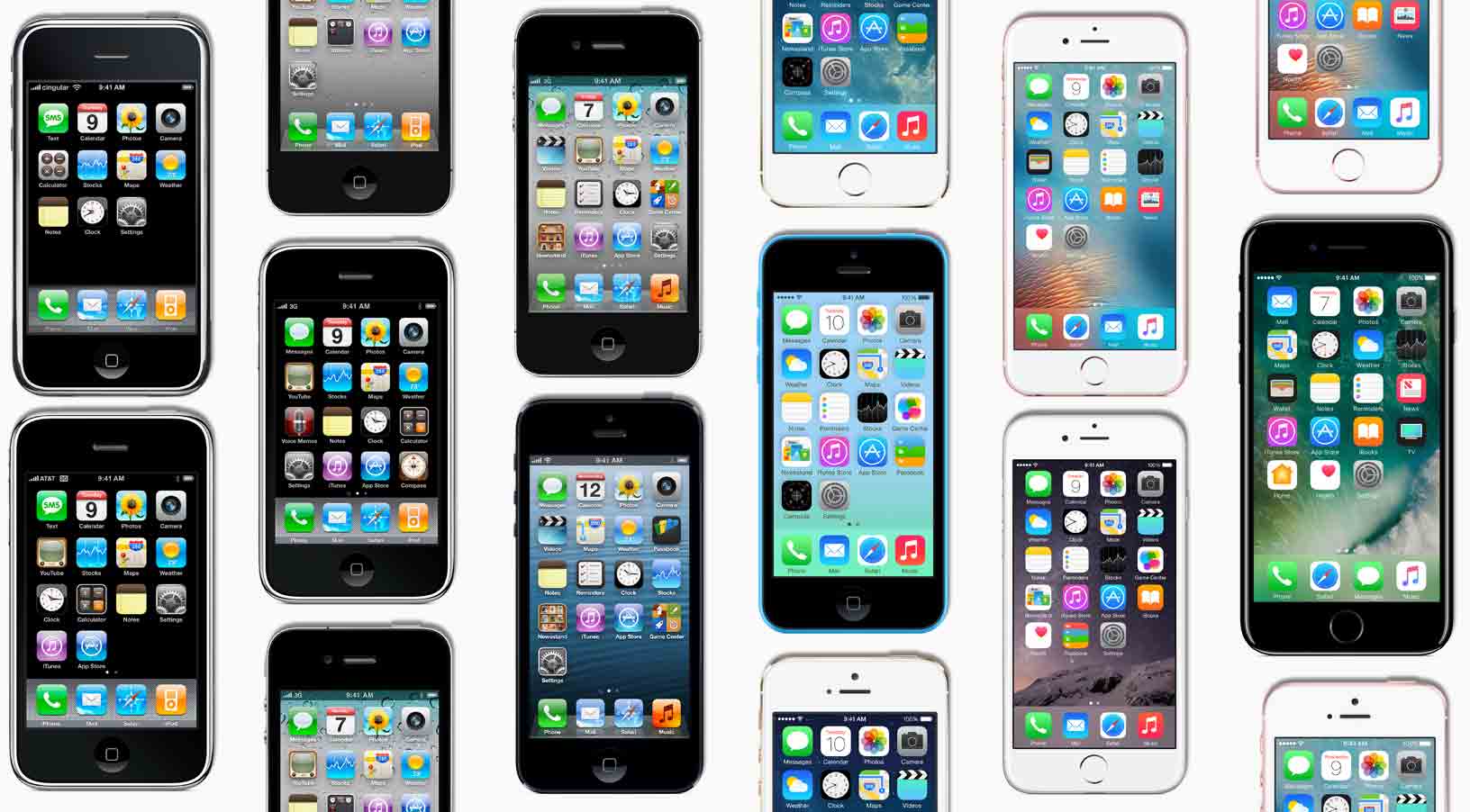
Since its debut ten years ago in June of 2007, Apple's iPhone has managed to move a total of 1.2 billion cumulative units globally, remaining the most popular smartphone model in the world in terms of unit sales, brand power and influence.

Living in a time where mindless entertainment is only one touch (or app) away can make it incredibly hard to focus on the simplest tasks and really get your head down for uninterrupted, productive work. If you can relate to the struggle, Forest, an app best described as a good-natured trojan horse inside the world of apps, could be a service to tickle your fancy.
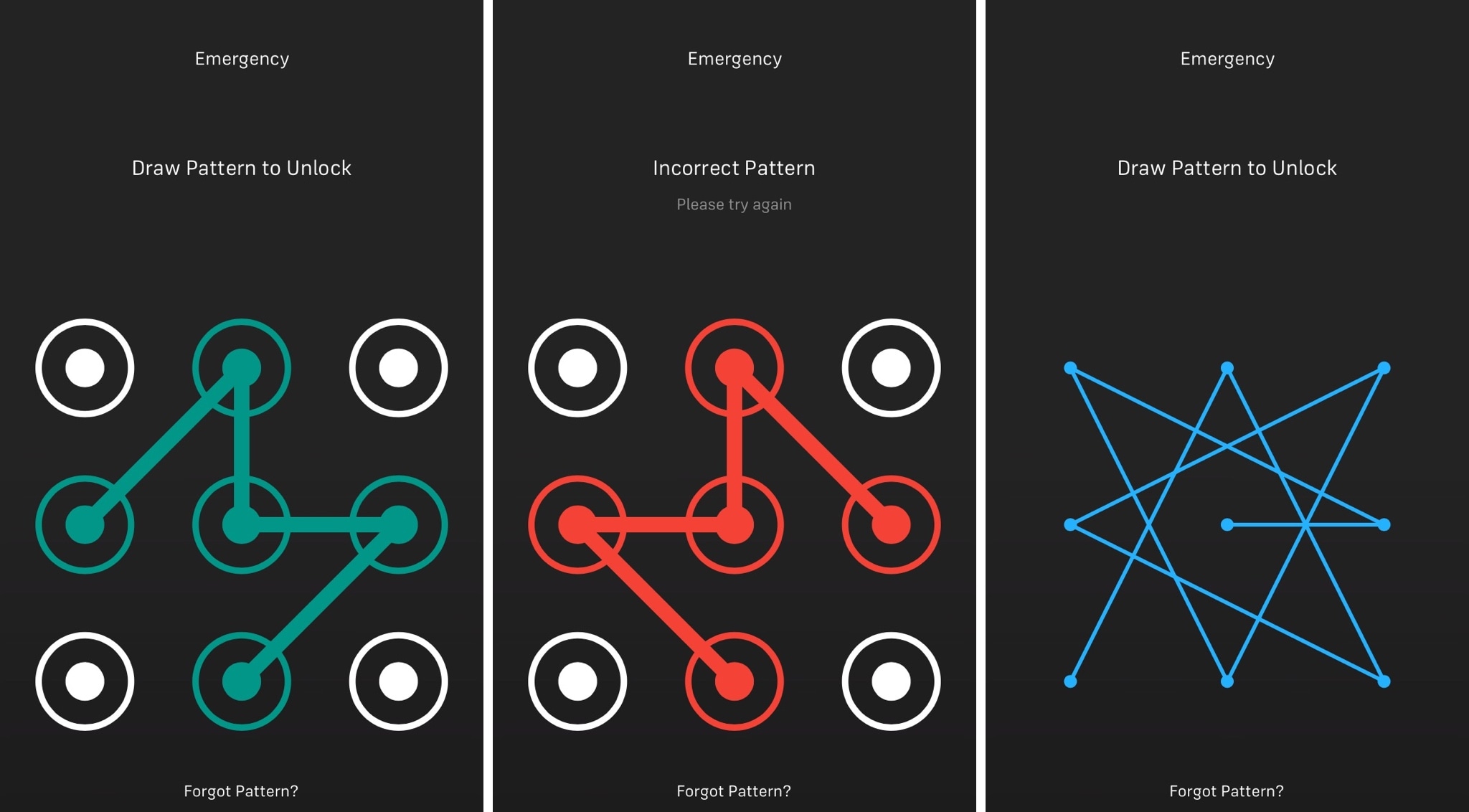
iOS has had the same boring numeric passcode interface for what seems like an eternity, but other operating systems like Android let users ‘draw’ patterns to unlock their device instead.
Although most people are using Touch ID to unlock their Apple devices today, jailbreakers can now use a new free jailbreak tweak dubbed Musubi by iOS developer c0ldra1n to bring an Android-inspired pattern passcode interface to iPhones and iPads.
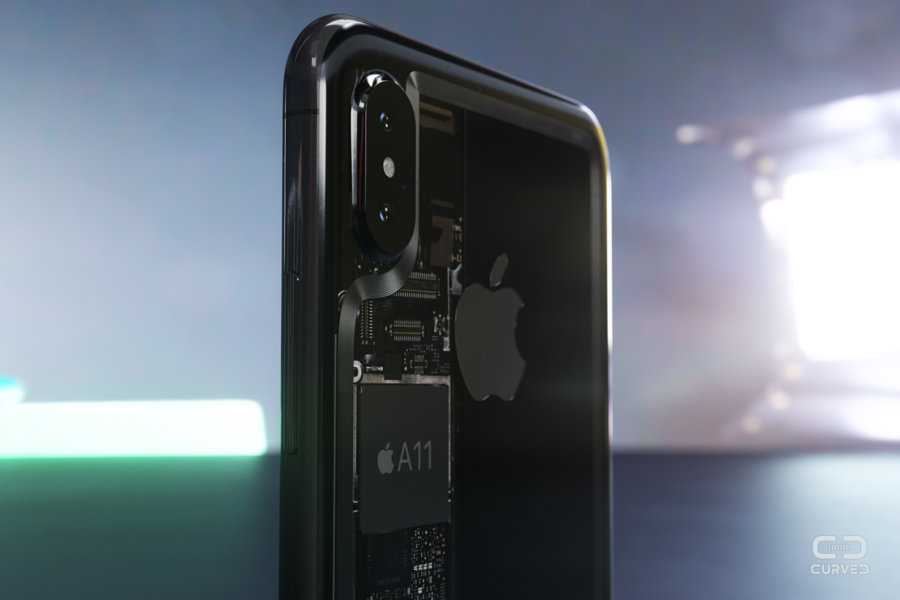
Apple is probably never going to build anything remotely like it, but the very idea of a transparent iPhone does make for exciting conceptual artwork, as evidenced by a batch of high-quality renderings commissioned by German magazine Curved.de, published today.
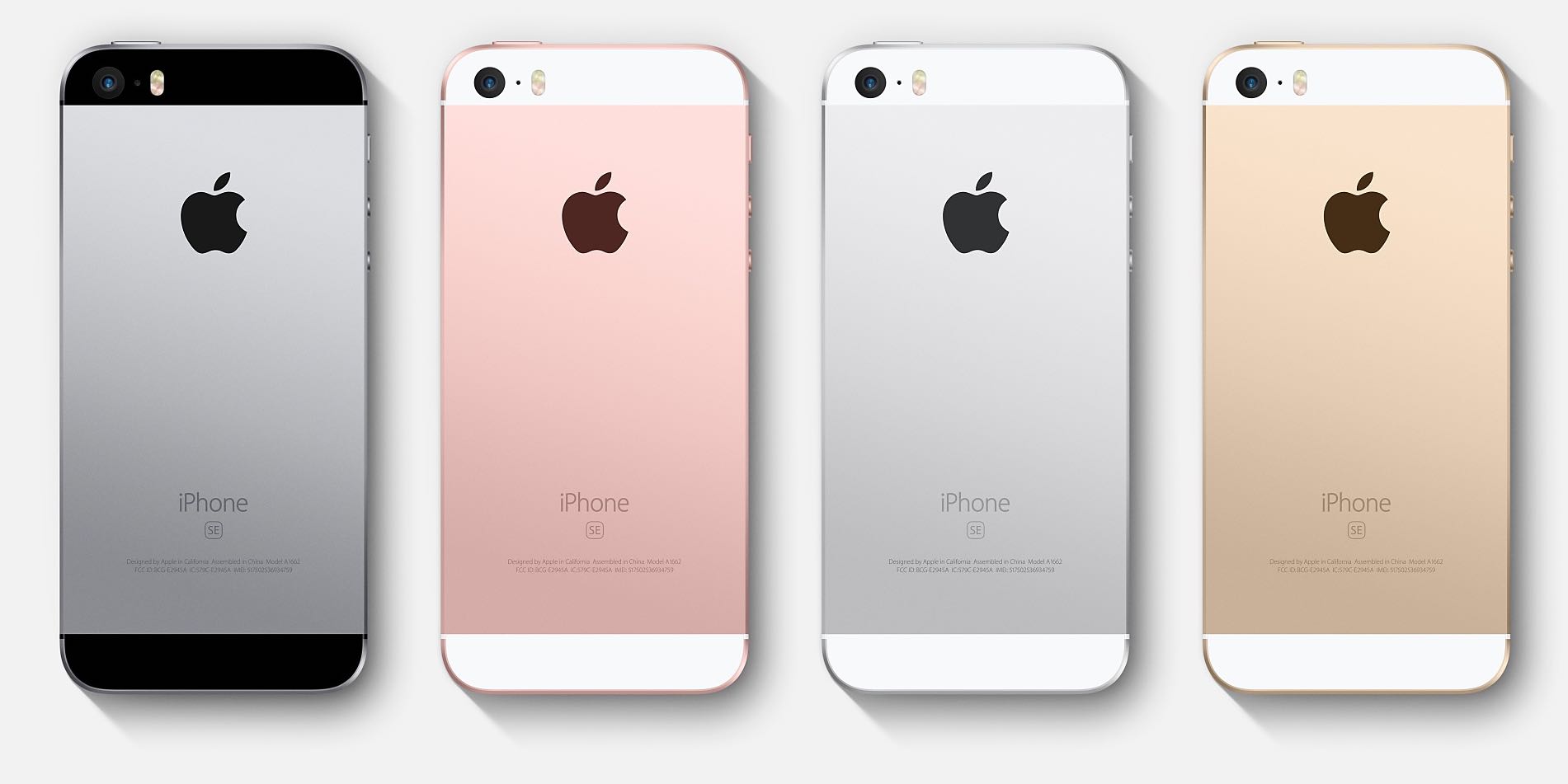
A limited run of “Assembled in India” iPhone SE models is now rolling from the assembly lines in India, run by Apple's contract manufacturer Wistron, but the Cupertino technology giant is now seeking extend tax breaks for its suppliers to build iPhones in the country from scratch.

There's certainly no shortage of impressive demos of awesome augmented reality apps made possible by Apple's new ARKit framework in iOS 11, but this new proof-of-concept app from independent game developer Duncan Walker certainly takes things up a notch.
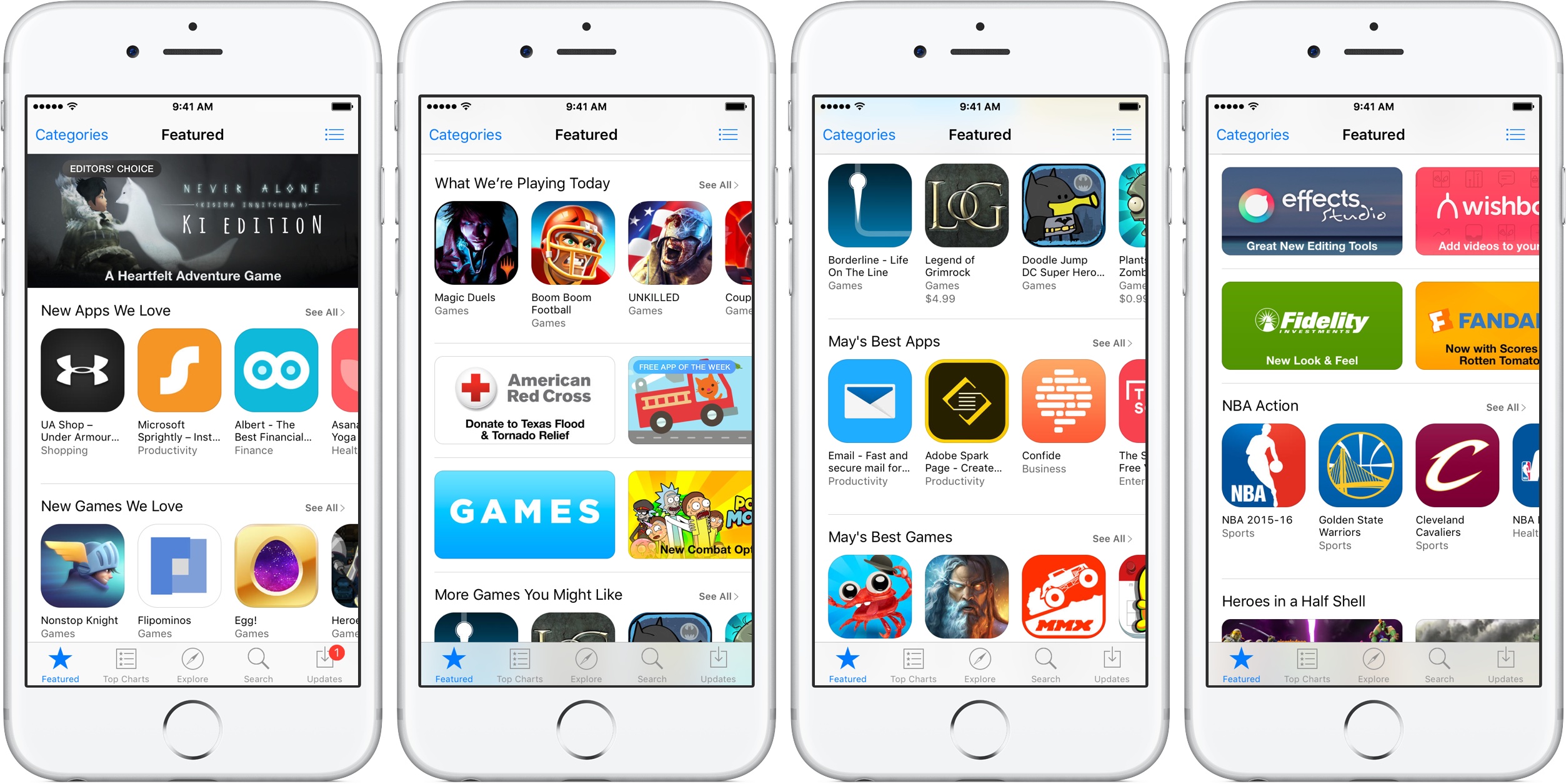
The Australian Securities and Investments Commission (ASIC) reported today that Apple and Google have pulled unlicensed trading apps from their respective App Store and Play Store.
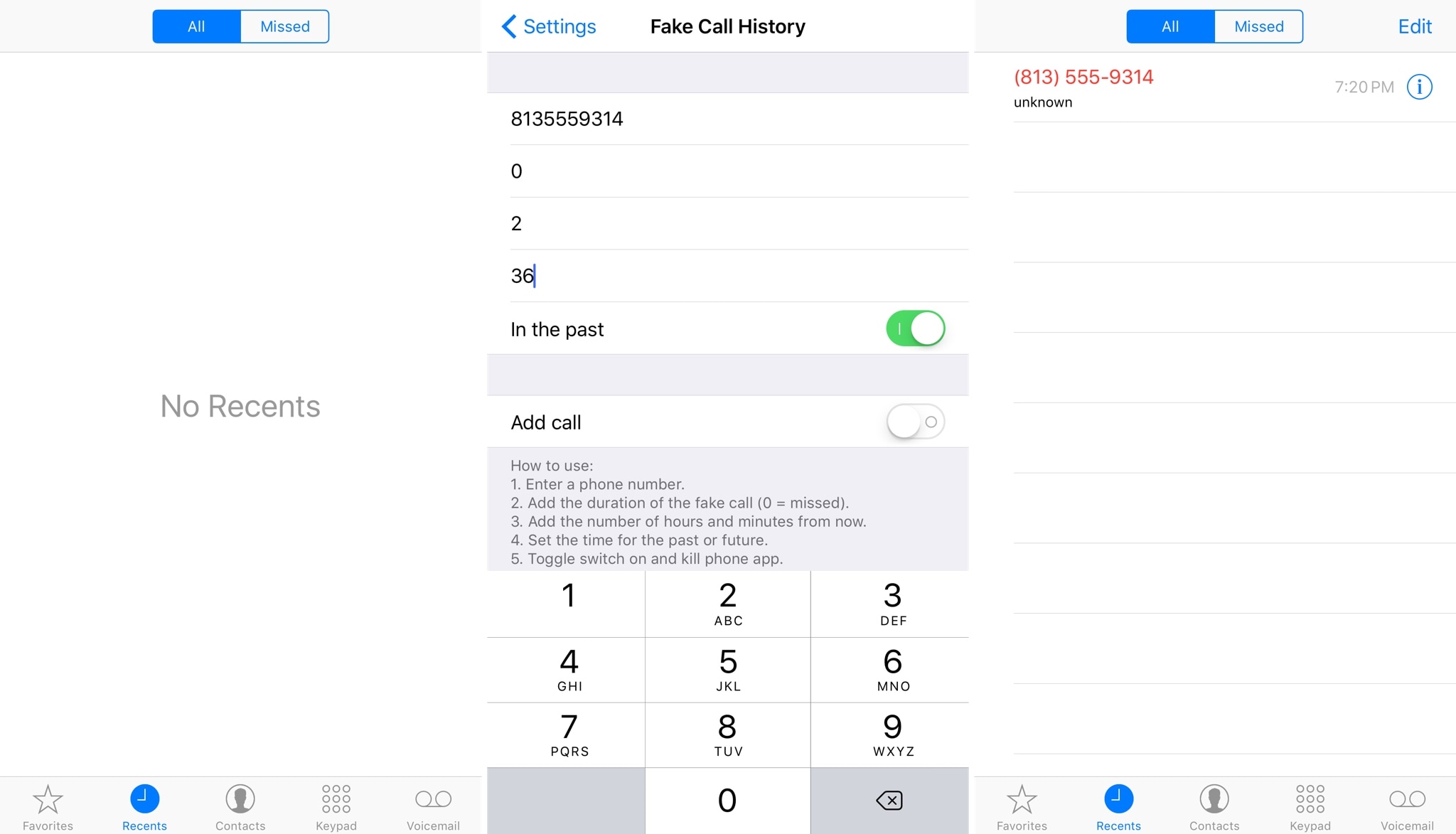
Fake Call History is a new free jailbreak tweak by iOS developer NeinZedd9 that lets you spoof the call history in your Phone app.
Once installed, you can spoof not only missed calls, but also outgoing calls to make it look like you talked to someone or missed a phone call even when you really didn’t.
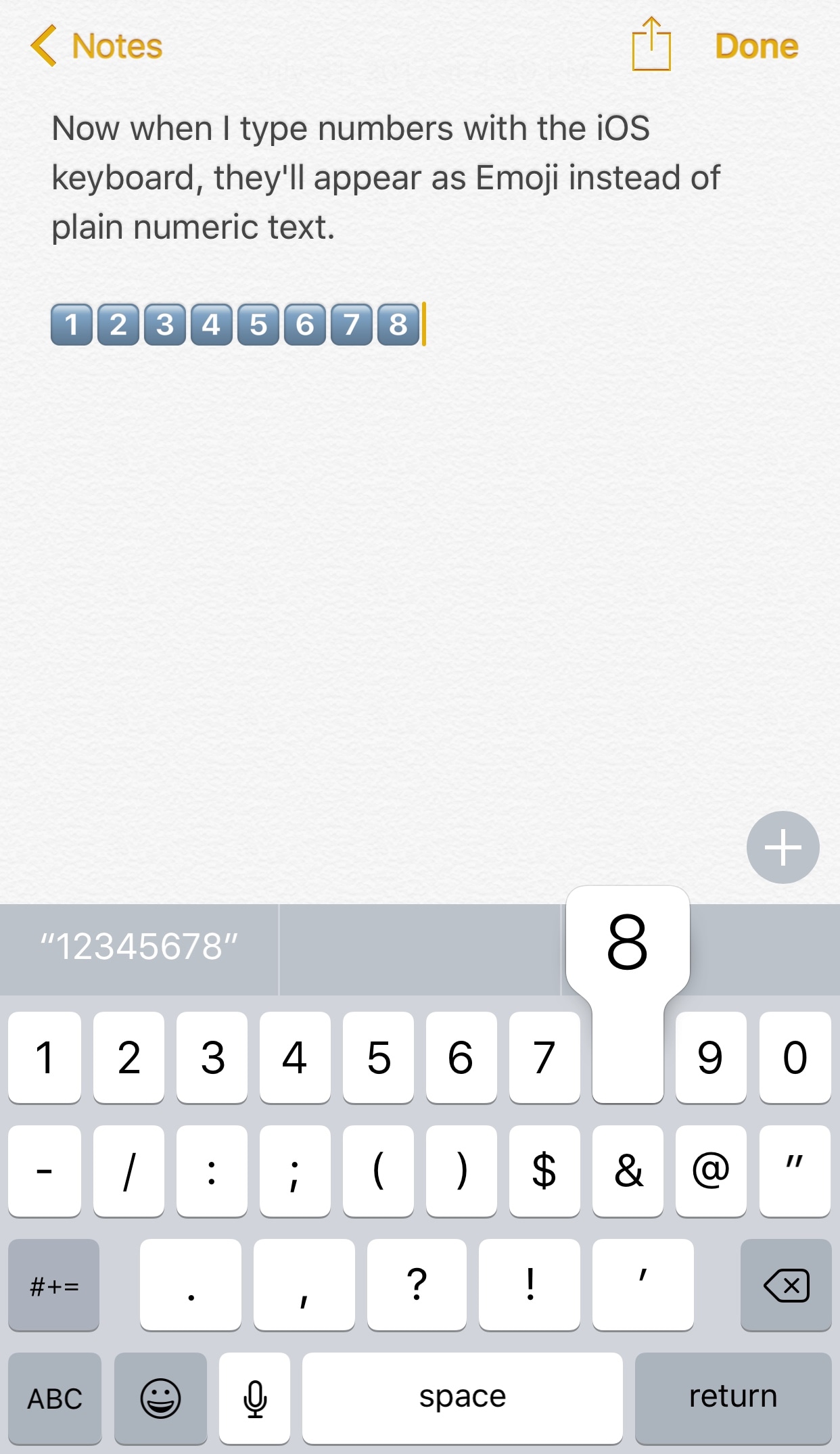
Emojis are quickly taking over in the world of texting, and a new free jailbreak tweak called IconKeyb10 by iOS developer GeoSn0w helps future-proof your texting habits by automatically inserting the Emoji equivalents of certain characters from the iOS keyboard.
The screenshot shown above is rather self-explanatory. Rather than typing the numeric characters “1,” “2,” “3,” etc. when you tap on those keys from the iOS keyboard, the tweak inserts the Emoji counterparts instead.