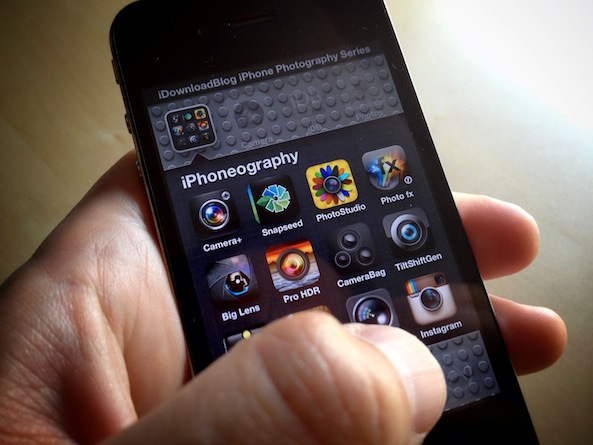
iPhone Photography

Instagram launches photo stream on the web with comments and likes

Good news for iPhone photography buffs who love to show off their snaps on Instagram. The Facebook-owned photo sharing service announced Tuesday that people can now view their entire feed of photos in any web browser, including Instagrams shared by the folks they follow on the service.

Commenting and liking is supported and the web app is optimized for both desktop and mobile browsers.

With these new capabilities, users can bypass the mobile app and instead interact with their followers using any device that runs a standards-compliant web browser. That's a new territory for Instagram as it was dependent on the free iOS/Android app. There's one thing missing from the new web app, however...
Seven easy ways to improve your travel iPhone Photography

Welcome back to the lessons in iPhone photography. I hope you have enjoyed adding a little creative lens flare to your images the last couple of weeks. I have enjoyed looking at them! This week I thought we would do something a little different. I travel quite a bit with my iPhone and as you know by now, I take a lot of photos with it. I shot close to 4,000 iPhone images last year. Today I thought I would share a few tips to improve your own travel iPhoneography...

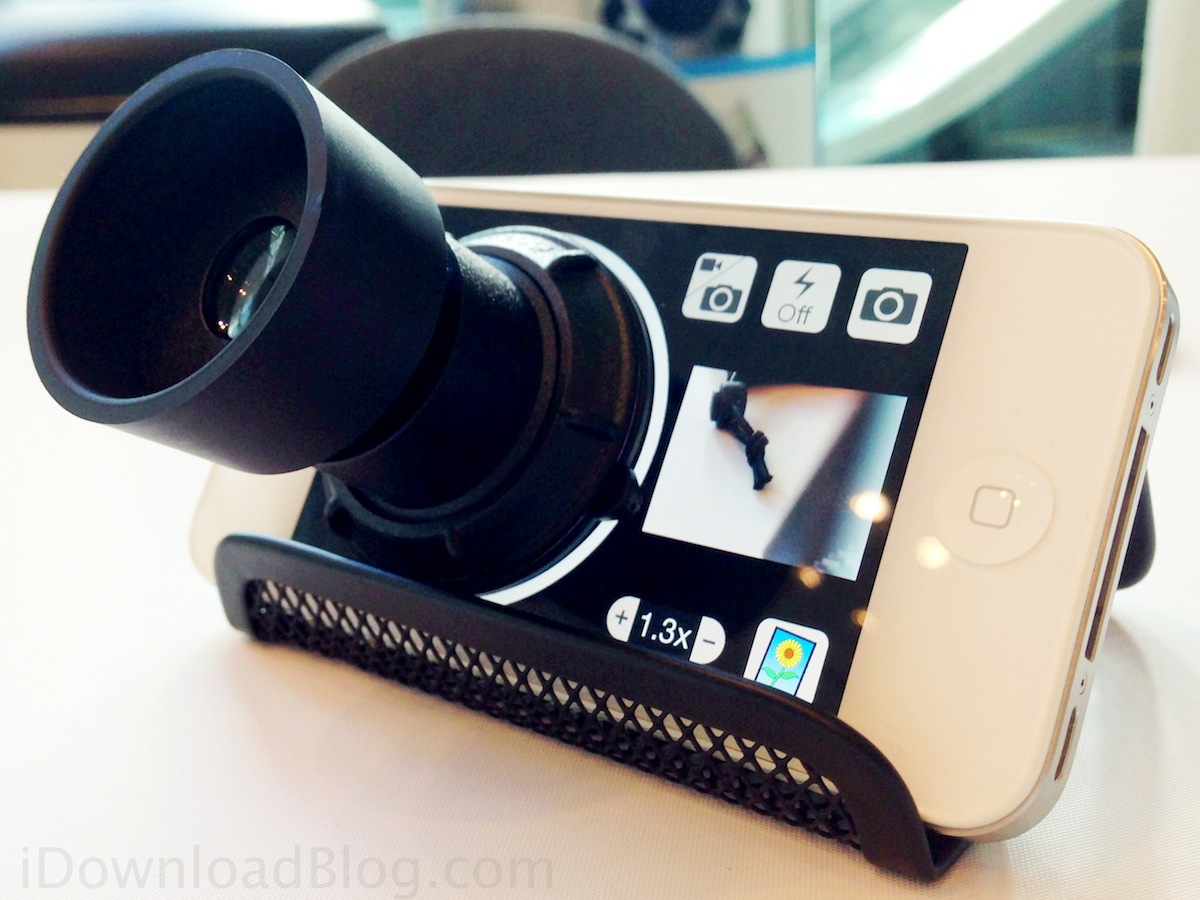
Daylight Viewfinder: a hardware/software combo for taking photos in bright light

Have you ever tried to take a photo with your iPhone on a bright and sunny day and were not even able to see what's on your screen because of high glare? If like me you live in a sunny area, you know exactly what I'm talking about.

Comes the Daylight Viewfinder, an eyepiece and app combo for taking iPhone pictures in bright or high glare areas. I had heard about it a week or so ago, but I got to go hands-on with the hardware/software combo during a preview at MacWorld today in San Francisco...

Quipio adds artistic quotes to iPhone photos in under 60 seconds

You've probably seen beautifully captioned photos floating around Facebook and Tumblr, and thought you'd try your hand at making some of your own. The problem with making typography look good over a photo is it takes a bit of effort and design sense, so it's not for everybody. Or so we thought.

Quipio is a recently released app that allows users to make their own captions for their photos. If you just have some idea you'd like to share, Quipio can also take up to 400 characters of text and turn it into a simple piece of word art in less than a minute...

Creating creative lens flare with your iPhone

Welcome back to iDownloadBlog's lessons in iPhone photography. The last couple of lessons we have been exploring a the basics of photography (iPhone or otherwise). We learned about exposure, white balance, and white balance locking. Because we have covered the basics, I thought it would be fun to explore a more radical facets of iPhone photography: lens flare!

For years, photographers have come up with all sorts of ingenious ways to reduce that distracting little ball of light that appears in your photos when you point your camera at something bright. Very expensive lenses are measured by their ability to combat against this. You can easily pay $2,000 or more for glass that is lens flare resistant. Personally, it has never really bothered me. I kind of dig it. So much so, I seek it out. So in today's lesson I thought it would be fun to show you how to achieve it as well as enhance it using the new app Light Camera App - Mark I...

Create, add, and share beautiful filters for your photos with Digiback

There is an embarrassment of photography and filter apps on iTunes. If you're not keeping track, Hipstamatic allows users to play with swappable filters disguised as virtual camera equipment, Instagram shares retro-filtered photos to a community, while Snapseed gives mobile users fine control of photo editing on the go. That barely scratches the surface of iPhoneography. In a flooded marketplace, what else can an iOS photography app allow users to do?

Digiback is a recently released photography app that allows users to not only share pictures they've taken, but to also share their custom filters with other users. Not only can users create impressive photography effects for their own use, you can also share these effects with others, and then benefit from effects created by Digiback's community...

Improve your food iPhoneography with the Camera+ white balance lock

If you remember our last lesson in iPhone Photography, we learned a bit about white balance and how to control it using KitCam. In that lesson I mentioned using Camera+ as an app to control white balance. I thought in today's lesson we would extend our understanding and take a look at Camera+'s way.

In our last lesson, we looked at controlling white balance by setting the appropriate light source that was illuminating the scene (i.e. sunlight, fluorescent light, incandescent light, etc...) . With Camera+ we do it a little differently...

How to copy Instagram photos to Flickr

Instagram's exploding popularity is having long-time iPhoneography buffs pay notice and watch in horror as mainstream users cannot get enough of its filters and max 1080 pixel wide resolution. And with Facebook and Android now in the picture, no wonder some early adopters go to the extremes of closing their account while others, like Apple's marketing honcho, stopped using Instagram for it "jumped the shark".

To the most ardent fans, the last straw was Instagram's confusing handling of the recent terms of service changes - even if it was much ado about nothing.

If you've been seriously contemplating importing your Instagram photos over to Flickr but were put off by the tedious manual uploads - worry not, turns out there are a few ways to get that job done without too much fuss. iDB has you covered with this quick guide to bringing in all your Instagram photos to Flickr with just a few clicks.

White balance: the iPhone photographer’s little secret

I hope you have enjoyed the last few weeks exploring the creative possibilities of exposure. I wanted to continue on our adventure back to the basics of photography. Something I'm sure you have seen at some point in your photographic pursuits is a dial, slider, or some other control annotated with a cloud, sun, flash, shade, and light bulb. Although, camera companies have done a great job researching the iconography that best represents 'it', they really don't explain what 'it' is. In today's lesson we will quickly learn what 'it' is and then explore creative ways to use 'it' to our advantage!

Fuzel Pro brings snail mail back in style

It is the holiday season and, inevitably, you will be snapping lots of photos at the dinner table, the bar, and your favorite aunt Suzi's house. Truly, the best of times and the worst of times are captured digitally and you need to share that giant family portrait everyone loved by the Christmas tree. Aside from the usual, Facebook, Twitter, and everyone's favorite social app to hate, Instagram, you can try sharing photos the old school way, with snail mail. Blending tech and print, Fuzel Pro, App Store Best of 2012, creates picture collages and mails them straight from your iPhone...

Instagram app updated with new Mayfair filter and the usual bug fixes

Instagram has been taking a lot of heat this past week and while everything seems to almost be back to normal, what better way to remind everybody that Instagram is the best way to share underexposed waffle pictures than releasing a new filter?

Just about 10 days after launching the new Willow filter, the Instagram app has been updated with one new filter labeled Mayfair, as well as the usual bug fixes...

Flickr for iPhone gains better sharing features

Yahoo really seized an opportunity by giving its Flickr iOS app a much-needed love in last week's major version 2.0 update, didn't it? I mean, the app couldn't have arrived at a better time just as Facebook has suffered a major PR blow due to the public outcry concerning Instagram's new terms of service. Seven days later, Yahoo brings us a new Flickr update. Based on customer feedback, Flickr version 2.01.772 is now available for download, sporting several interesting new features missing in the previous release...