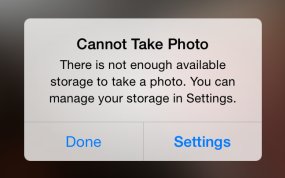
There's nothing worse than pulling an iPhone out of your pocket to capture that brief moment in life that will never repeat itself only to be met with a “storage almost full” message.
It's a sinking feeling so no wonder that most folks tend to immediately remove older photos.
But there are better ways to free up storage space on your device that don't necessarily involve deleting your precious memories. Faced with a low-storage prompt, your first order of business should be checking if apps you frequently use are gobbling up your storage by caching large amounts of data.
That's just the starters, as there're plenty of other space-saving techniques you should be employing on a regular basis. In this tutorial, you'll learn how to manually flush app caches, disable certain iOS features and flip the switches you never knew existed in order to remove as much of the cruft clogging up your iOS device as possible.