iOS

AppButton makes it easier to multitask on jailbroken iPhones

Love it or hate it, the iPhone’s native App Switcher doesn’t seem like it will be receiving any substantial upgrades anytime soon. With that in mind, it should come as no surprise to anyone that the jailbreak community continuously tries to provide a better user experience for those with valid frustrations regarding the native user interface.

If you, like many others, are searching for a better App Switcher experience on your pwned handset, then you might want to take a moment and observe a newly released and free jailbreak tweak called AppButton by iOS developer MiRO.

Set a maximum battery charge level for your iPhone with BattSafe

Low Power Mode.

When charging your iPhone’s battery from empty to full, it ordinarily stops powering the battery upon reaching 100%. While most people enjoy seeing a high battery percentage following an extensive charging session, some tend to feel just the opposite. Believe it or not, it’s actually quite the contentious topic.

UPDATE: Starting with iOS 17, you can now restrict your iPhone to only charge up to 80%, no jailbreak required.

With that in mind, we’re excited to talk about a newly released and free jailbreak tweak dubbed BattSafe by iOS developer udevs. This is an add-on that lets users designate a preferred battery level after which the handset will stop charging when connected to a power source.

Spotify now has an iOS 14 widget

With iOS 14, Apple welcomed a more robust widget experience for the mobile operating system. And now that the software is out there in the wild, more developers are adopting the feature support for their apps.

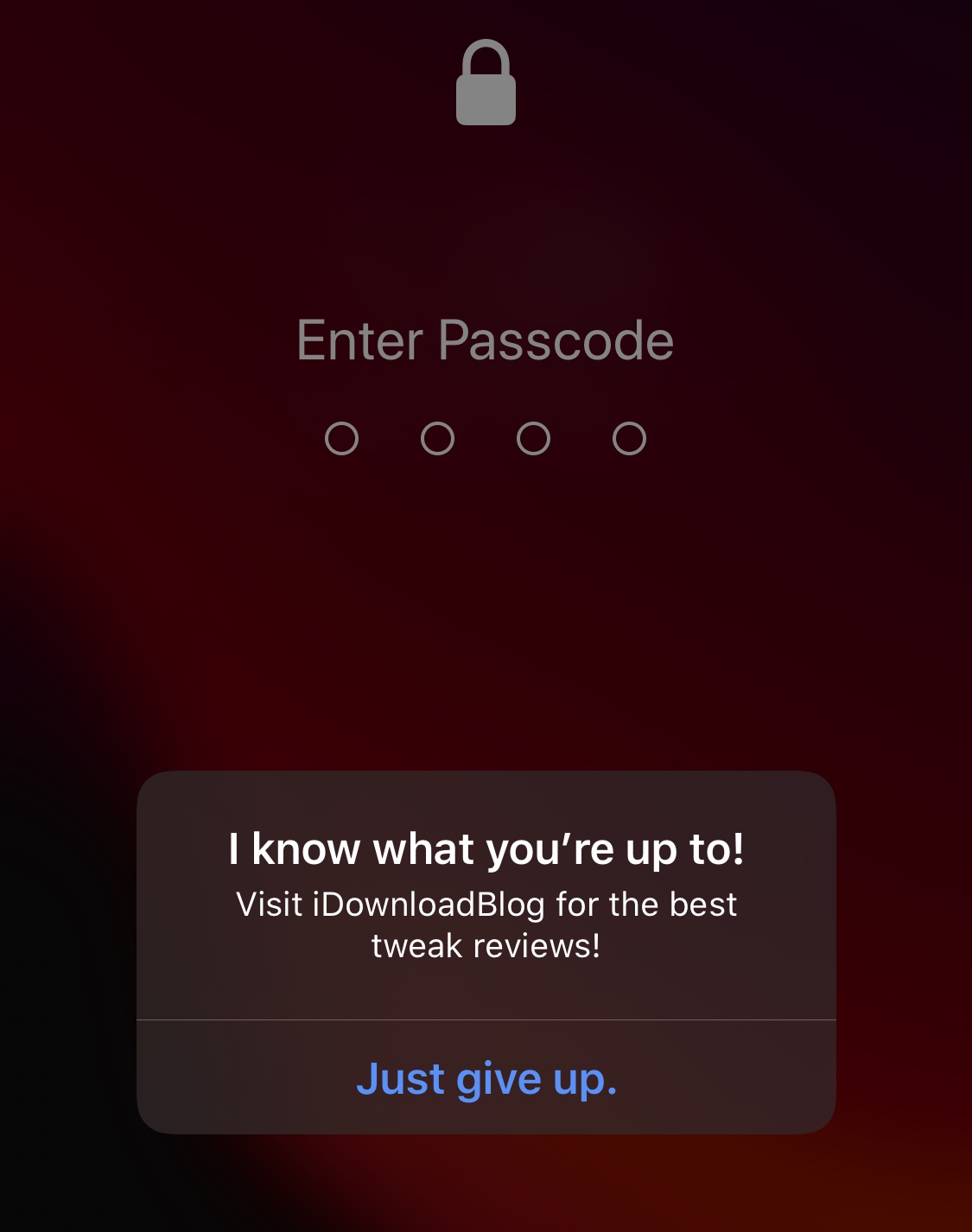
Prank those who try to guess your iPhone’s passcode with ToldYou

Whether you have an iPhone or another smartphone of a different make and model, one thing we all probably have in common is that someone has attempted to guess our handset’s passcode when we weren’t looking.

The horrible and sad truth is: nosy people exist; but the good news is that anyone with a jailbroken iPhone can now use a newly released and free jailbreak tweak called ToldYou by iOS developer Huseyin Kabasakal to strike back at these nosy people in a somewhat humorous way.
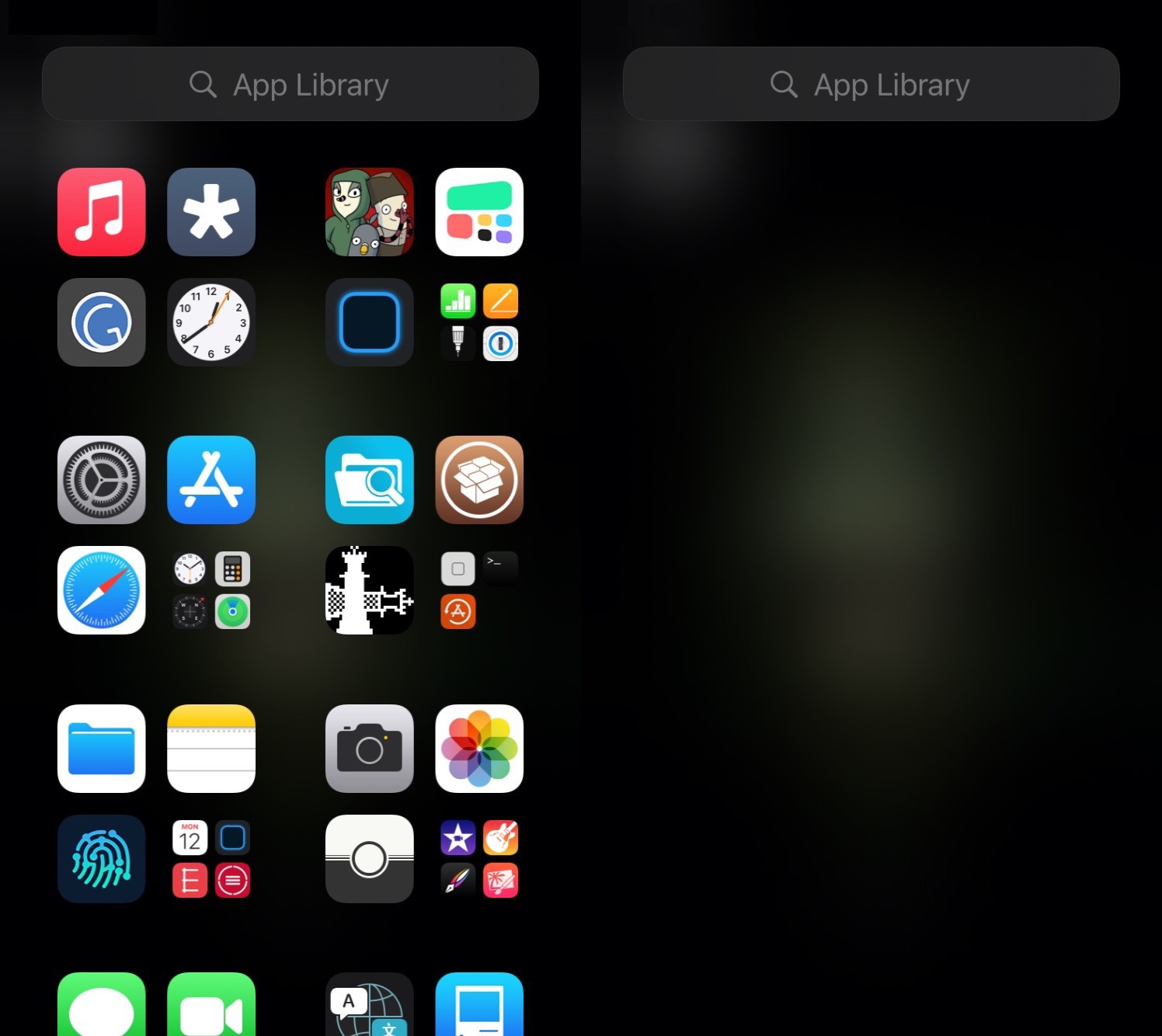
This tweak lets jailbreakers on iOS 14 customize the App Library

One of the new features in iOS 14 that received a ton of praise from early adopters is the App Library. It not only serves as a one-stop shop for all your handset’s installed apps, but it also enables users to effectively hide certain icons from the Home Screen to make more room for the upgraded widget experience.

Now, with the help of a newly released and free jailbreak tweak dubbed App Library Controller by iOS developer Tomasz Poliszuk, those rocking pwned iOS 14 devices will be able to do more in the realm of customizing the App Library interface.

This tweak adds an icon in the Status Bar whenever music is playing

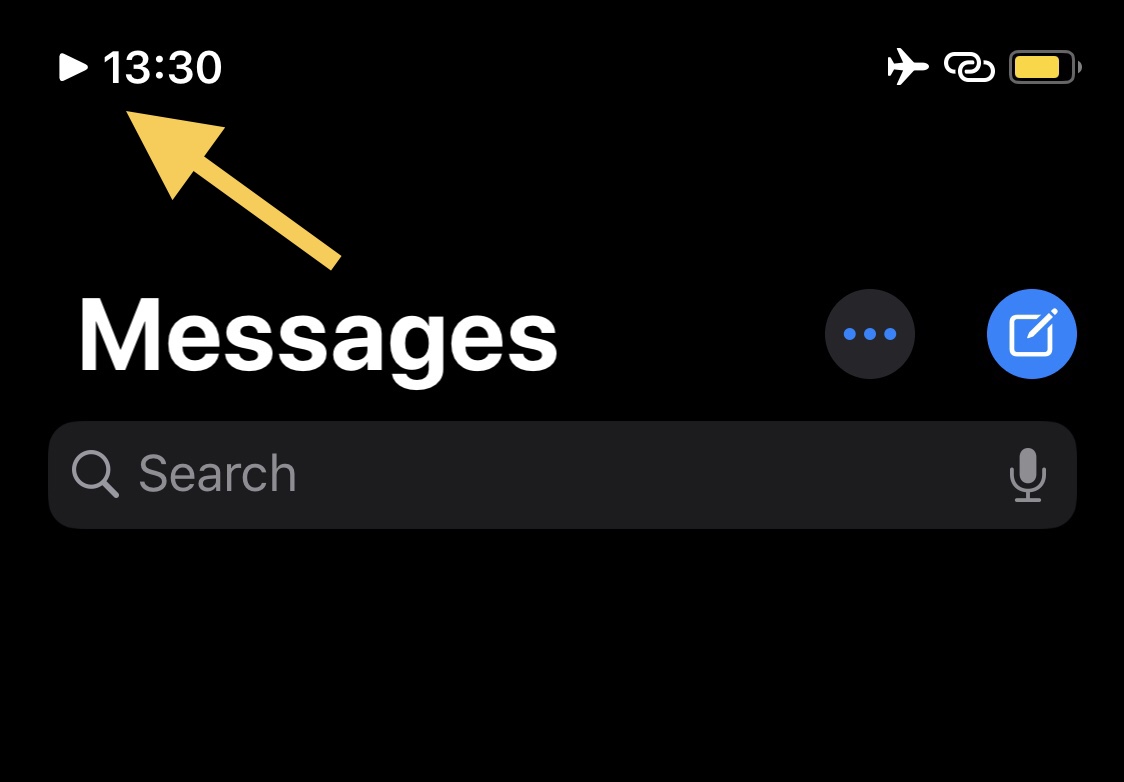
If you’re one to listen to a ton of music via your jailbroken iPhone or iPad, then chances are you could benefit from the likes of a newly released and free jailbreak tweak dubbed NowPlayingIndicator by iOS developer iCraze.

This tweak’s name is particularly telling in terms of what it does. Once installed, NowPlayingIndicator adds a play button-shaped icon to the Status Bar, just to the left of the time, whenever you have music playing. The illustration above depicts how the tweak looks in action.

TextTime gives jailbreakers a text-based Lock Screen time display

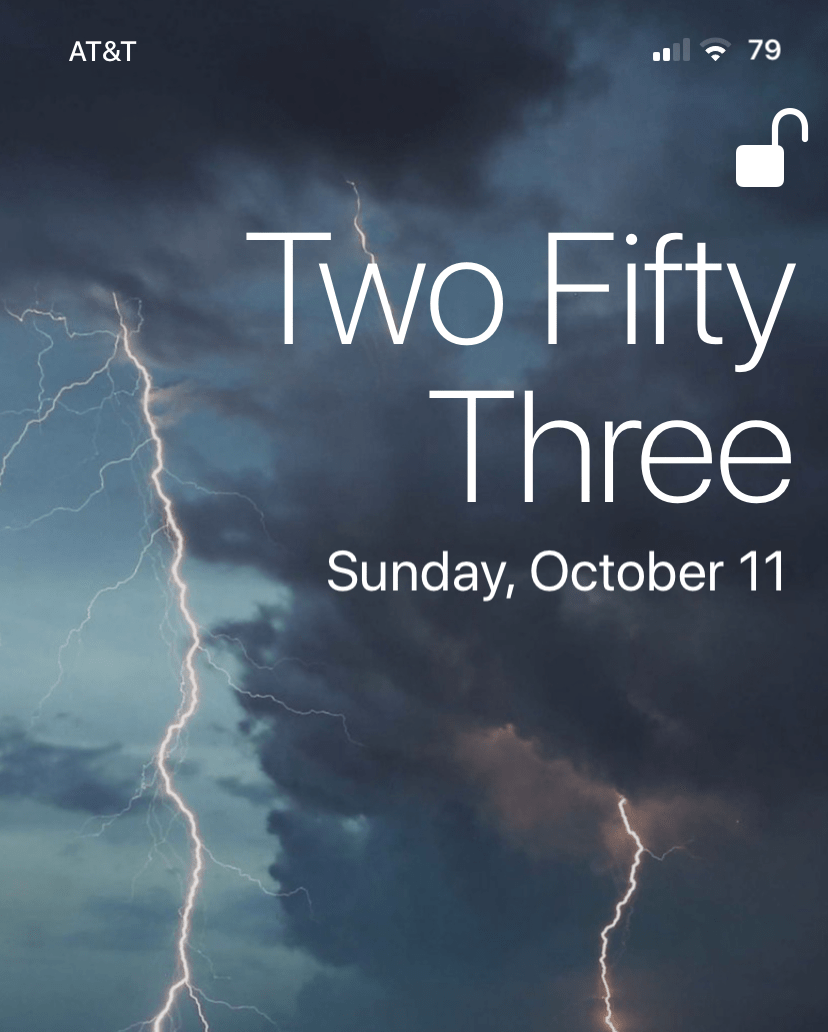
The iPhone’s Lock Screen was designed to show the current date and time at a glance, and it does a particularly good job of it right out of the box. The large numerical display that comes from the factory makes discerning the current time an effortless task. But let’s say you’re jailbroken and want something fancier…

TextTime is a newly released and free jailbreak tweak by iOS developer Lightmann that changes how the iPhone’s Lock Screen displays the current time. It does this by switching from a digital numeric readout to a word-based readout that quite literally spells the time out for you.

Jailbreak tweaks of the week: AltDaemon, Annotation, iGotBlind, and more…

The jailbreak community has been nothing short of a crazy roller coaster ride lately. From the release of the first public iOS 14 jailbreak from checkra1n and the announcement of an imminent exploit for iOS 13.7 to the departure of legendary security researcher and exploit finder Brandon Azad, it's tough to tell what might happen next. Still, the wheels just keep on turning.

In this roundup, we'll discuss all the latest jailbreak tweak released from Monday, October 5th to Sunday, October 11th. As usual, we'll start by talking about our favorite releases and then work our way into an outline of the rest afterward.

This tweak brings macOS-inspired open app indicators to the iPhone’s Dock

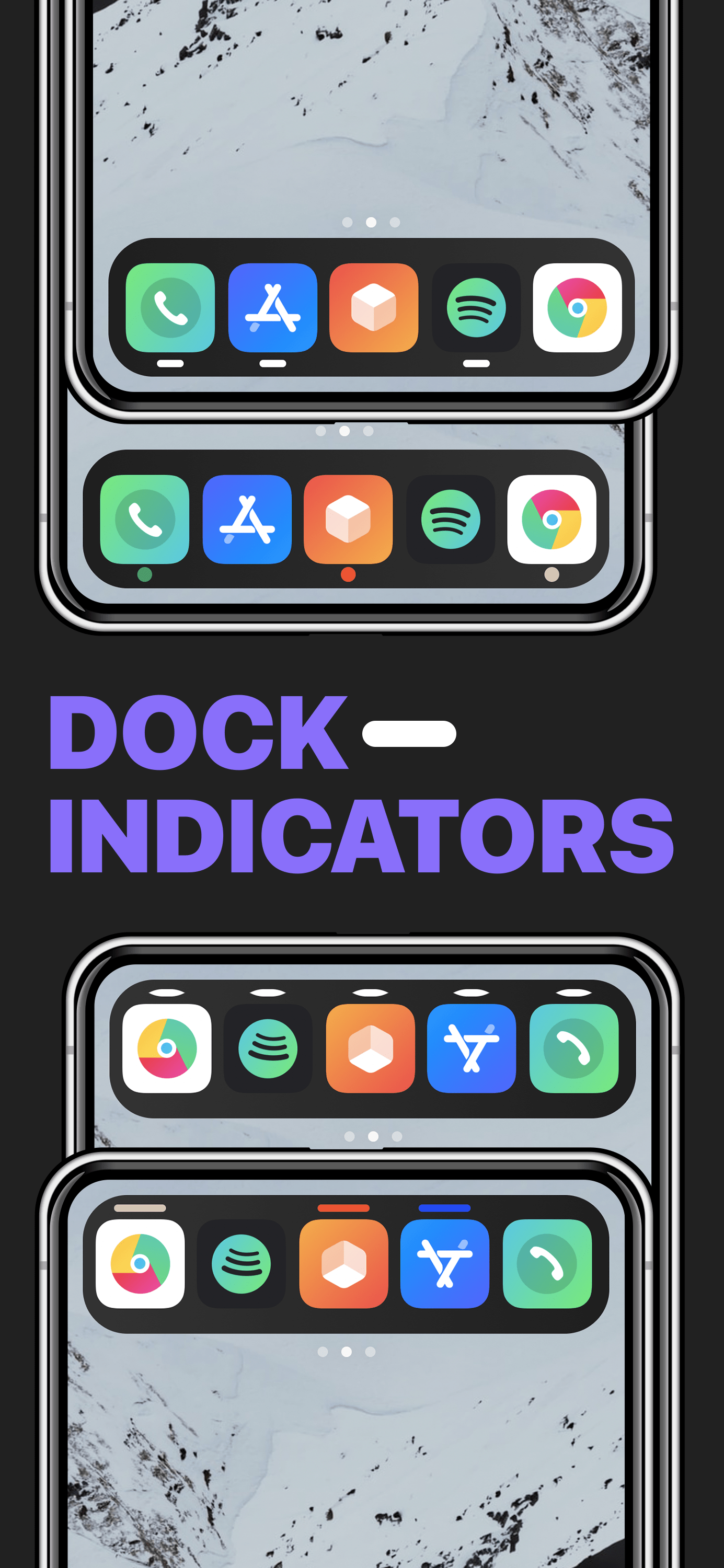
On a Mac, running applications are represented in the Dock with a tiny indicator light beneath the icons that represent said applications. iPhones and iPads also have application Docks, but no such indicator appears on those platforms.

Whether or not such a feature would be useful on an iPhone or iPad remains to be seen, however a newly released and free jailbreak tweak called Dock Indicators by iOS developer LacertosusDeus can bring this functionality to these devices in a fun and customizable fashion.

Annotation lets Spotify users add descriptions & custom cover art to music playlists

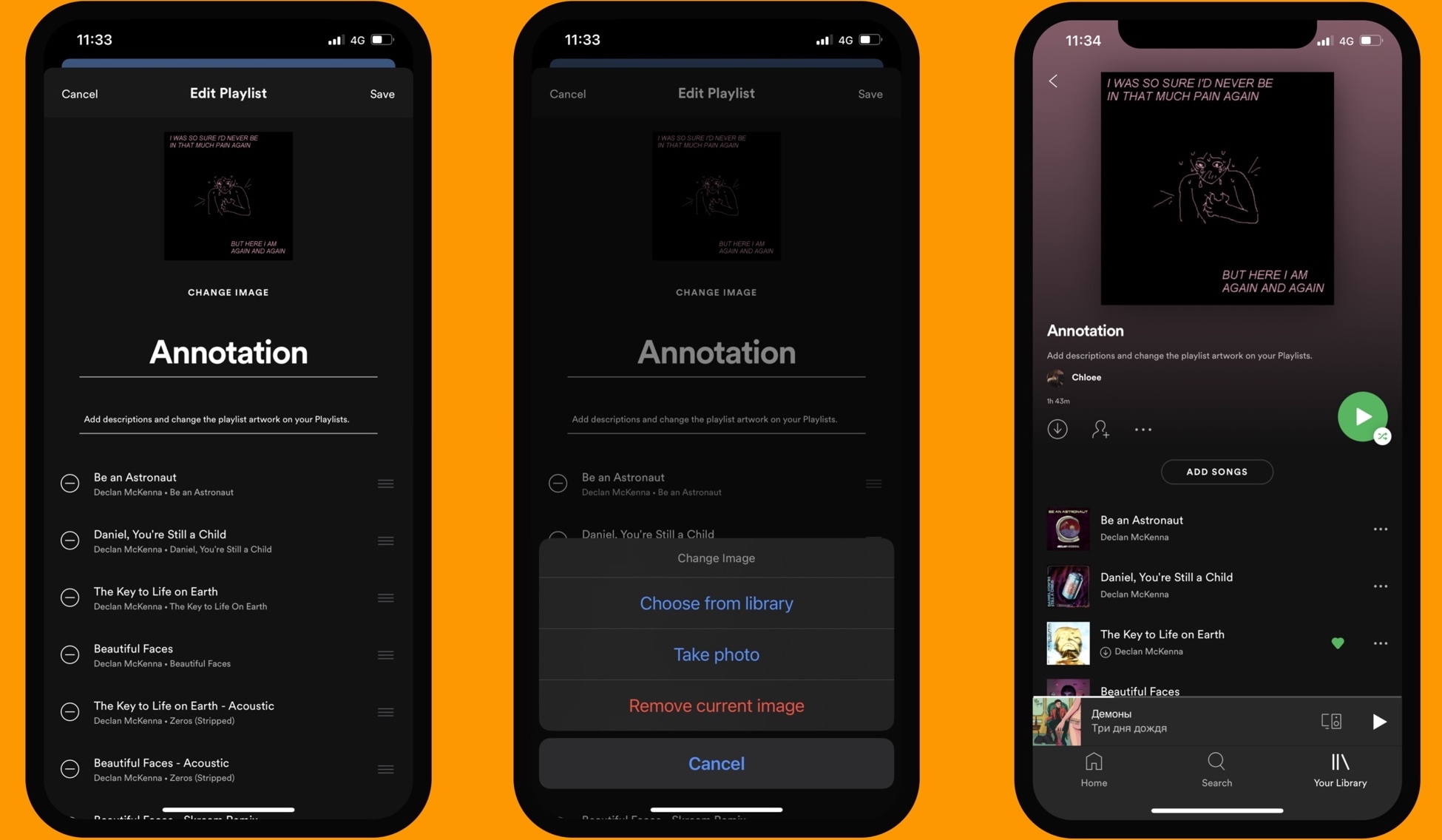
While it has always been possible to create music playlists in the Spotify Music app for iPhone and iPad, one thing that seemed to be missing was a way to customize those playlists in depth. Fortunately, those with a jailbreak are no longer bound to such asinine limitations.

Annotation is a newly released and free jailbreak tweak by iOS developer atebitsy that brings music playlist customization options to the Spotify Music app. Right out of the box, it will permit users to add detailed descriptions to their music playlists and even change the playlist’s cover artwork to their liking.

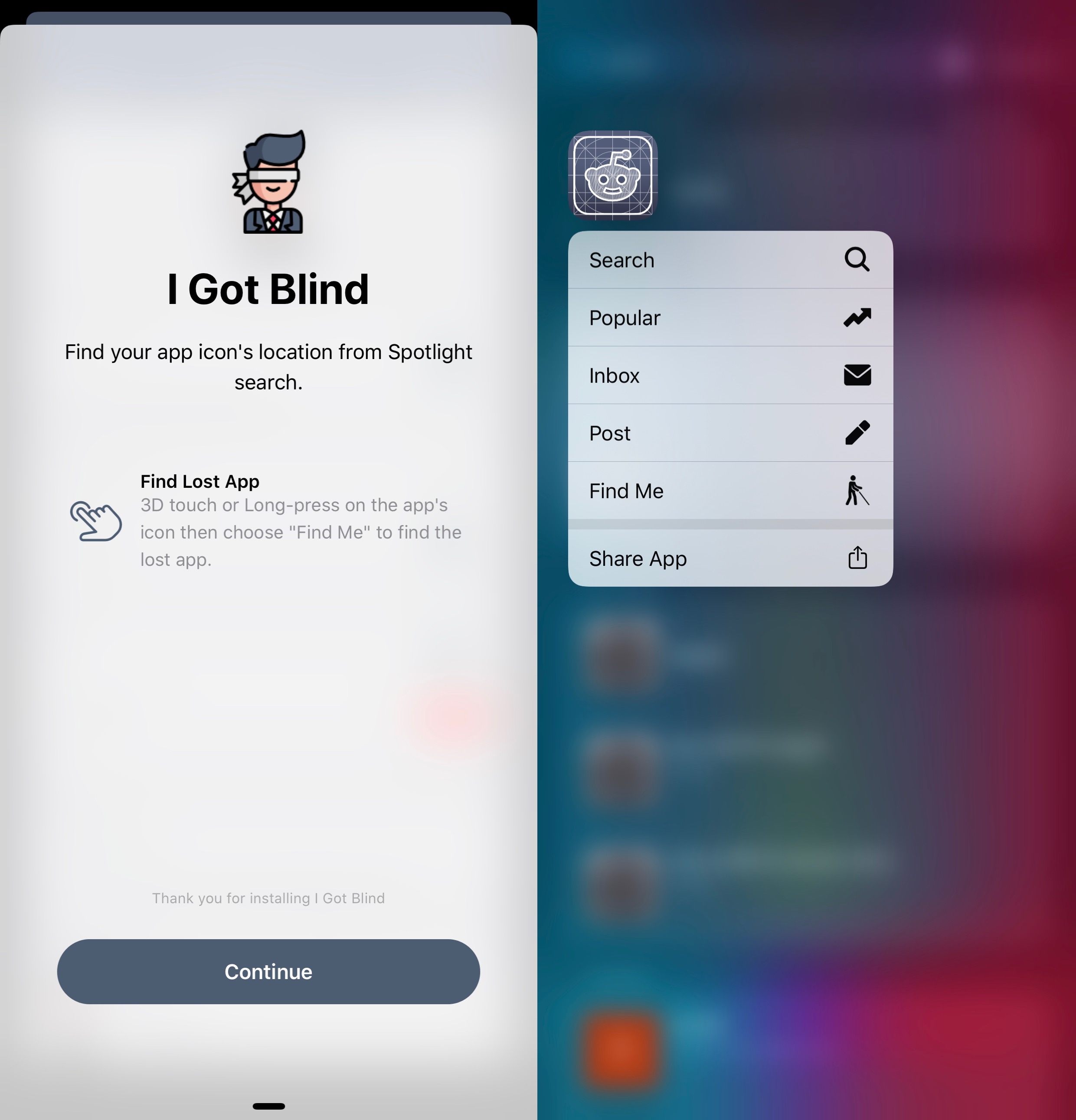
iGotBlind helps jailbreakers with cluttered Home Screens find their apps

If you have a lot more apps installed on your iPhone than the average Joe, then chances are that you might forget where an app resides on your Home Screen from time to time. iOS & iPadOS 14 aim to improve Home Screen organization with the all-new App Library and the novel ability to hide apps from the Home Screen, but the circumstances are vastly different for those jailbroken in iOS or iPadOS 13 or earlier.