iOS 7

Apple website graphics shows iOS 7 on iPads

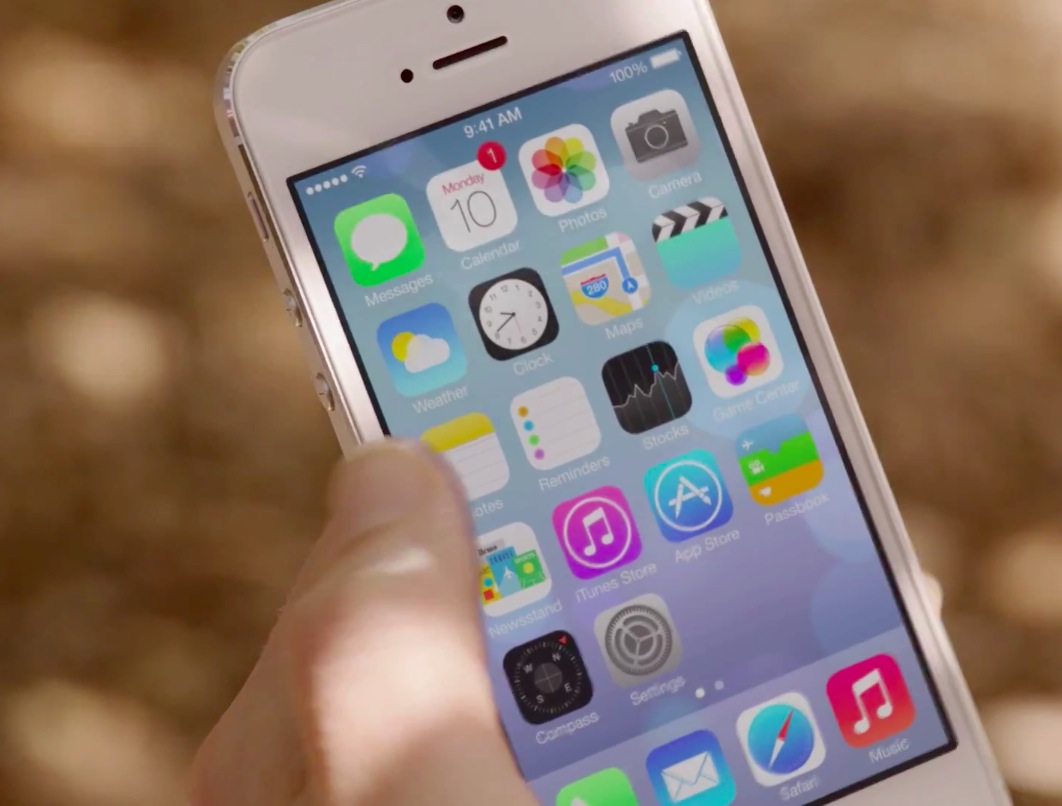
Despite CEO Tim Cook's management shakeup last year, Apple's marketing and website departments don't seem to collaborate closely enough. In what could only be attributed to a human error, image files discovered on Apple's website earlier today offered a glimpse into iOS 7 icons different from the current iOS 7 Beta 1.

Another find involves graphics outlining device compatibility, with an image depicting iOS 7 running on the iPad and iPad mini...
Mistake on Apple’s website shows different iOS 7 app icons

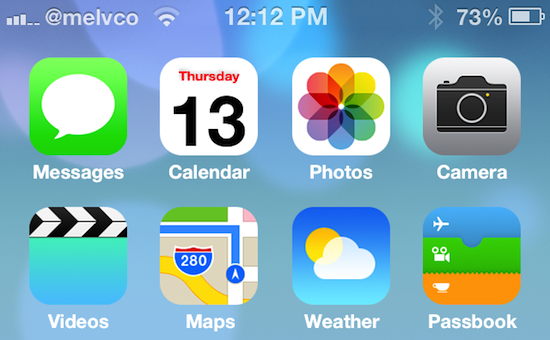
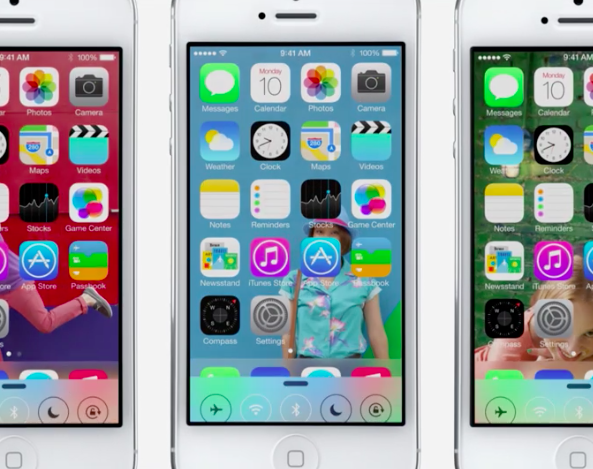
This is kind of interesting. New versions of some of the stock app icons in iOS 7 have been spotted on Apple's website. The reason for the changes is not yet known, but the app icons have received the blunt of the criticism thus far regarding Apple's new mobile OS.

Some of the new icons are starkly different than the ones seen in the first developer beta of iOS 7, while others appear to only feature subtle differences. And it's not clear if this was a mistake on Apple's part, or these will be the new app icons in iOS going forward...

A closer look at Messages in iOS 7

Messaging is arguably one of the most oft-used features of mobile devices. And with folks overwhelmingly embracing services like WhatsApp, little wonder instant messaging has overtaken traditional SMS by volume. The October 2011 iMessage unveiling signaled an era of frictionless communication between Apple device owners, made convenient by blurring the line between SMS and IM.

iOS 7 elevates that experience by making it prettier while implementing a few evolutionary improvements. That said, the iOS 7 Messages app is nonetheless a pretty big departure from iOS 6. But don't worry - iDB has you covered...

iOS 6 vs iOS 7: the different UI views

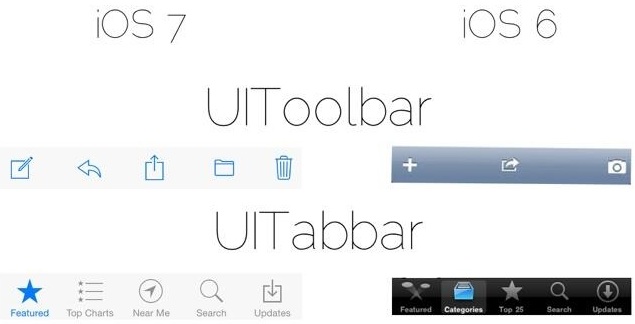
iOS developer MPow recently tweeted an interesting comparison image of iOS 6's UI views versus the new elements found in iOS 7. It's a great way to gain a high level overview on the scope of the visual changes occurring with iOS.

The image compares common elements like the toolbar, tabbar, searchbar, switches, sliders, and much more. It's a great way to appreciate some of the widely seen visual changes happening with iOS. If you happen to be a developer, or are at least interested in what it takes to create an app on iOS, you'll especially appreciate this. Take a look inside for the full image.

A closer look at the new Notification Center in iOS 7

From the moment you lay eyes on iOS 7, you can tell that it's completely different than any of the previous versions of Apple's mobile OS. The entire system has been redesigned, from the Lock screen to the app icons, and everything in between.

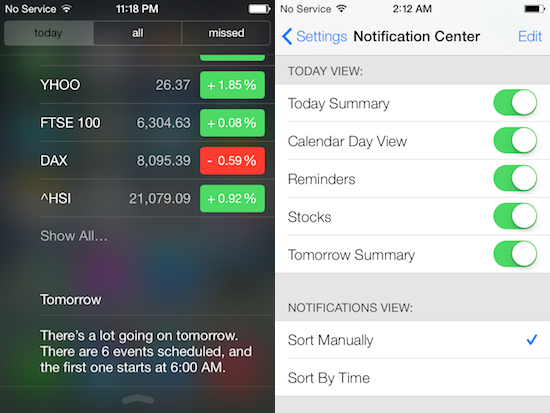
We've taken brief peeks at a lot of the changes that we've spotted thus far in iOS 7 over the past few days, but we felt some of them deserved a more in-depth look, like the all new Notification Center. It's better looking now, and quite a bit smarter...

Apple said to be working with Logitech and others on MFi gamepads

Yesterday we talked a little bit about a new feature (or rather, developer API) in iOS 7 that offers support for MFi (Made for iPhone) certified hardware game controllers. This will be the first time that Apple has officially supported third party gamepads.

Today a few more details have surfaced about Apple's plans regarding these controllers. A new report is out this afternoon claiming that the Cupertino company is working with the likes of Logitech and MOGA to produce a new line of iOS gaming peripherals...

iOS 7: Charging

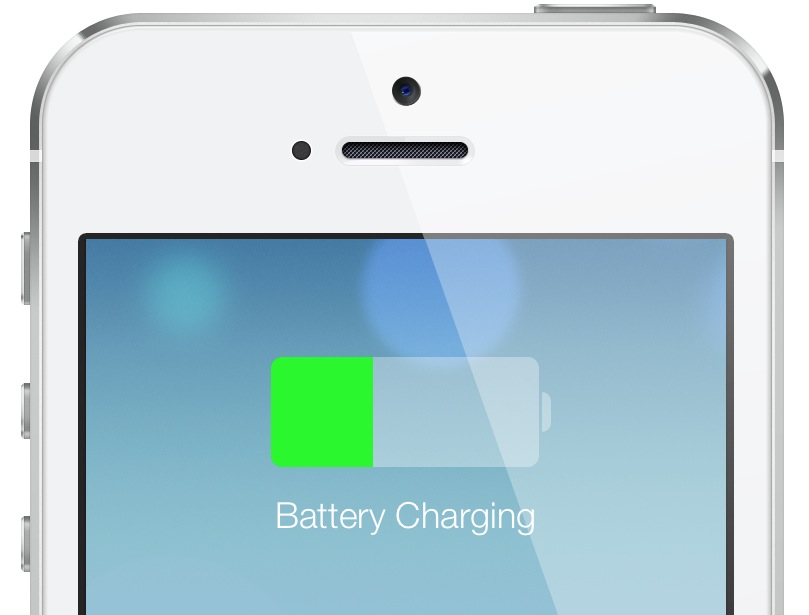
As you know, many an item has changed with iOS 7 from a visual perspective. We've already covered some of the details of the Lock screen, booting, etc. What about something as subtle as the visual cues when the device begins to charge? Indeed, those have been totally revamped as well, and the changes, I believe, are for the better. Take a look...

Apple makes ‘iWork for iCloud’ beta available to developers

Alongside OS X Mavericks and iOS 7, Apple showed off its new web-based 'iWork for iCloud' software suite during its Monday keynote. The suite, similar to Google Docs and Office 360, allows users to view and edit iWork, and other documents right from their browser. And Apple just activated a beta version of it for registered developers...

Give your iPhone an iOS 7 makeover with this new theme

Folks feeling left out of all of the iOS 7 beta festivities will be happy to hear that there is now a way you can get in on the fun—no developer account required. A new theme just popped up in Cydia that promises to give your jailbroken iPhone an iOS 7-style makeover.

Now, obviously it's not going to be exactly like iOS 7. You're not going to get any of the new features that come with the major update, like the control center or the revamped Notification Center. But if you just want your iPhone to look like iOS 7, this theme is for you...

New in iOS 7: zooming during video capture

As we continue to discover both the big features and smaller nice-to-haves in iOS 7 on an ongoing basis, it has just come to our knowledge that you can access the Camera's zoom controls while shooting video.

Think twice before dismissing this feature because real-time zooming during video capture allows for some interesting possibilities normally associated with camcorders.

I can easily imagine this being even more useful on a 12-megapixel camera with improved night shooting rumored to make its way inside the iPhone 5S...

New in iOS 7: redeem iTunes cards with your iPhone’s iSight camera

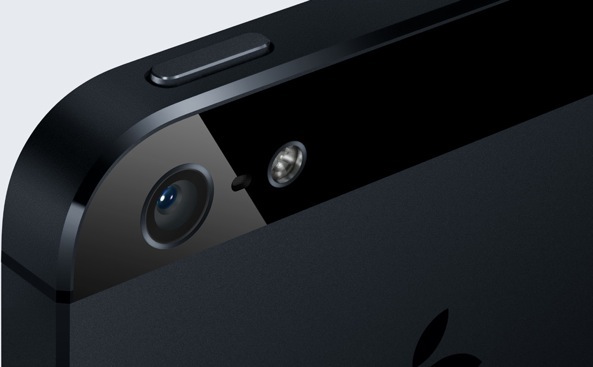
Last November's release of iTunes 11 has brought out a handy new feature which lets you redeem a code found on iTunes Gift Cards by scanning the printed card with your Mac's FaceTime camera. In iOS 7, Apple is taking iTunes card scanning to any compatible iOS device outfitted with a back camera.

Not only that, Apple states that new iOS 7 APIs for developers include barcode scanning as standard...

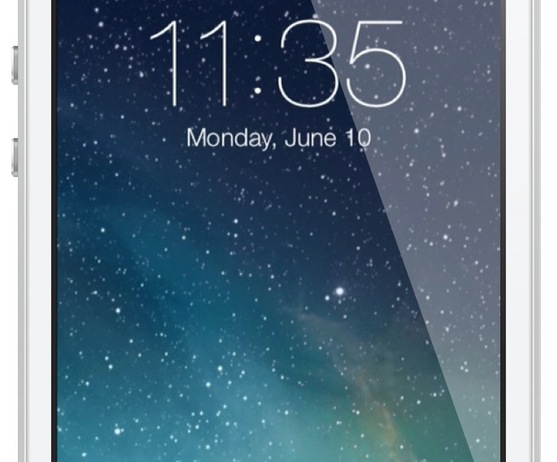
iOS 7: the Lock screen

The iOS 7 Lock screen is another significant departure from its predecessors when it comes to looks. The overall functionality remains similar, but it's a whole new ball game when it comes to visuals.

First and foremost, the font for the clock and the date has been replaced with a thinner variety of font. You'll also notice that the clock, status bar, and slide to unlock backgrounds have been nixed for a cleaner look that doesn't obscure the Lock screen wallpaper.

Take a look inside as I go hands-on with the new iOS 7 Lock screen, including demonstrations on how to enable or disable the new and improved Notification Center, and the new Control Center options.