iPhone

Stay up-to-date on the latest iPhone news and learn new tips and tricks with our comprehensive tutorials. From software updates to new features, we’ve got you covered.

At long last, Konami’s Pro Evolution Soccer 2017 hits App Store

Konami on Wednesday announced that its official Pro Evolution Soccer 2017 mobile game for iPhone, iPad and iPod touch has made its global debut across 150 countries. The game is available free of charge with non-compulsory In-App Purchases.

Optimized for a realistic football experience on mobile with swipe-to-pass and tap-to-shoot mechanics, the soccer simulation is built on the same game engine used in the original Pro Evolution Soccer console series, providing a fun and realistic soccer experience on-the-go.

Watch the official PES 2017 mobile trailer below.

https://www.youtube.com/watch?v=mZIm9Eg2Kow

Featuring local and online multiplayer, official partnerships with club giants FC Barcelona, Liverpool FC and Borussia Dortmund, plus official licenses with top teams and players from Europe, Latin America and Asia, Pro Evolution Soccer is a no-brainer if you're a soccer fan.

Key highlights include:

The PES 2017 mobile experience—Take total control of every action on the field in a way that only the Pro Evolution Soccer franchise can deliver. Natural player movements, precision passing and in-depth tactics bring the true experience of the beautiful game to your mobile device. Swipe to pass, tap to shoot—Controller actions have been optimized to make playing on your mobile device feel as smooth and exciting as a PES action game should. Utilize advanced controls for precise passing and controlled shooting. Classic virtual pad controls are also available. Master your technique and feel the excitement of scoring the winning goal in the ultimate action soccer game. Official club partnerships— Scout and recruit thousands of soccer stars from the best teams in Europe, South America and Asia. Prepare to feel what it takes to play with or against stars like Lionel Messi, Neymar, Luis Suarez, Andres Iniesta and Gerard Pique. The official EUFA Champions League—Experience official visuals from the UEFA Champions League as you compete against the top teams in Europe. Build your winning eleven team—Acquire players through Scouts, Agents or the Scout Auction. Choose the best players to fit your unique tactics (e.g. Giroud has excellent physicality and Ozil excellent balance). Every player is unique and every match is a new experience. Local and online multiplayer—Challenge Friends in Local Match or discover new rivals in Online Match mode. PES 2017 mobile now lets you play PES on-the-go, anytime and anywhere.

As part of the launch, special scouts and agents will be available for a limited time through several in-game events.

Beginning today, you can earn players with high levels of shooting skills, like Lionel Messi and Pierre-Emerick Aubameyang, by participating in the Great Finishers event. Another event, called Step Up Challenge, lets you play against COM teams under certain conditions and receive prizes based on the number of wins earned.

Kick-Off Campaign bonuses will continue to be available through 4:59 UTC on August 23.

Kick-Off Campaign gives PES fans the opportunity to gain rare, minimum silver status-guaranteed players from partner clubs FC Barcelona, Borussia Dortmund and Liverpool FC.

For more details on these events, visit konami.com/wepes/mobile.

In case you've been sleeping under a rock for the past two decade or so, Pro Evolution Soccer is Konami's flagship series of football action games that have been enjoyed by football fans from around the world for more than 20 years.

The games sold more than 96 million copies worldwide, as of March 2017.

Download Pro Evolution Soccer 2017 for free from App Store.
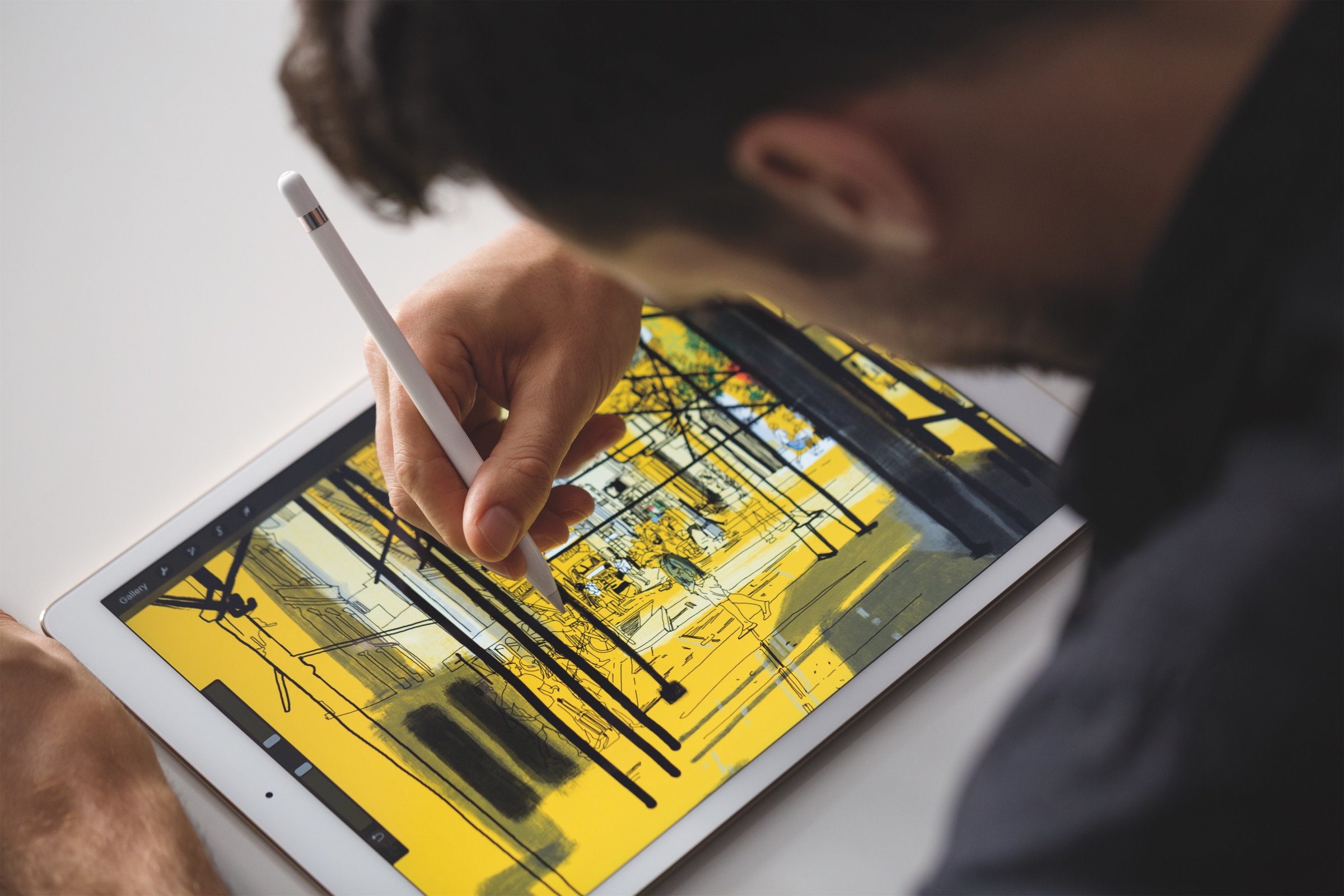
Apple granted patent for iPhone-compatible Apple Pencil

The United States Patent and Trademark Office yesterday awarded a new patent to Apple, seemingly covering a future Apple Pencil that would work with an iPhone. Apple's $99 stylus is currently exclusive to iPad Pro models because the accessory requires a special system underneath the display, which iPhones currently don't have.

The U.S. Patent No. 9,658,704, titled “Devices and methods for manipulating user interfaces with a stylus”, describes a future Apple Pencil as supporting a myriad of electronic devices outfitted with a touchscreen and one or more sensors to detect signals from a stylus.

In some embodiments, the patent describes using a stylus with portable communications devices like iPhone, iPod touch and iPad by taking advantage of the projected mutual capacitance sensing technology that Apple's existing OS devices currently use.

The wording of the patent indicates strongly that a future Apple Pencil may work with other types of apps like word processing, spreadsheet making, game playing, web browsing, image editing, email and more.

Other devices like Macs with touch-sensitive trackpads might also work with a stylus.

Both “iPhone” and “phone” are referenced many times throughout the patent application. One of the included patent drawings clearly illustrates a stylus being used with an iPhone-like device.

The patent was originally filed for in September 2015 and credits Apple engineers Jeffrey Traer Bernstein, Linda L. Dong, Mark K. Hauenstein and Julian Missig as its inventors.

Tim Cook may have hinted in an interview last September that Apple Pencil could soon work with iPhones, thereby suggesting that the next iPhone might incorporate additional sensor support for a next-generation digital stylus from Apple.

1Password’s Travel Mode protects your private data from unwarranted searches

Developer AgileBits announced yesterday a new Travel Mode feature in 1Password, its password manager for iPhone, iPad, Mac, Windows and the web. Designed to protect your sensitive data from unwarranted searches when crossing borders, Travel Mode removes all vaults from your devices except for the ones marked “safe for travel.”

Even if a security agent at the US border asks you to launch and unlock 1Password, they'll be unable to disable Travel Mode from within the app or even realize that the app is currently in Travel Mode, for that matter.

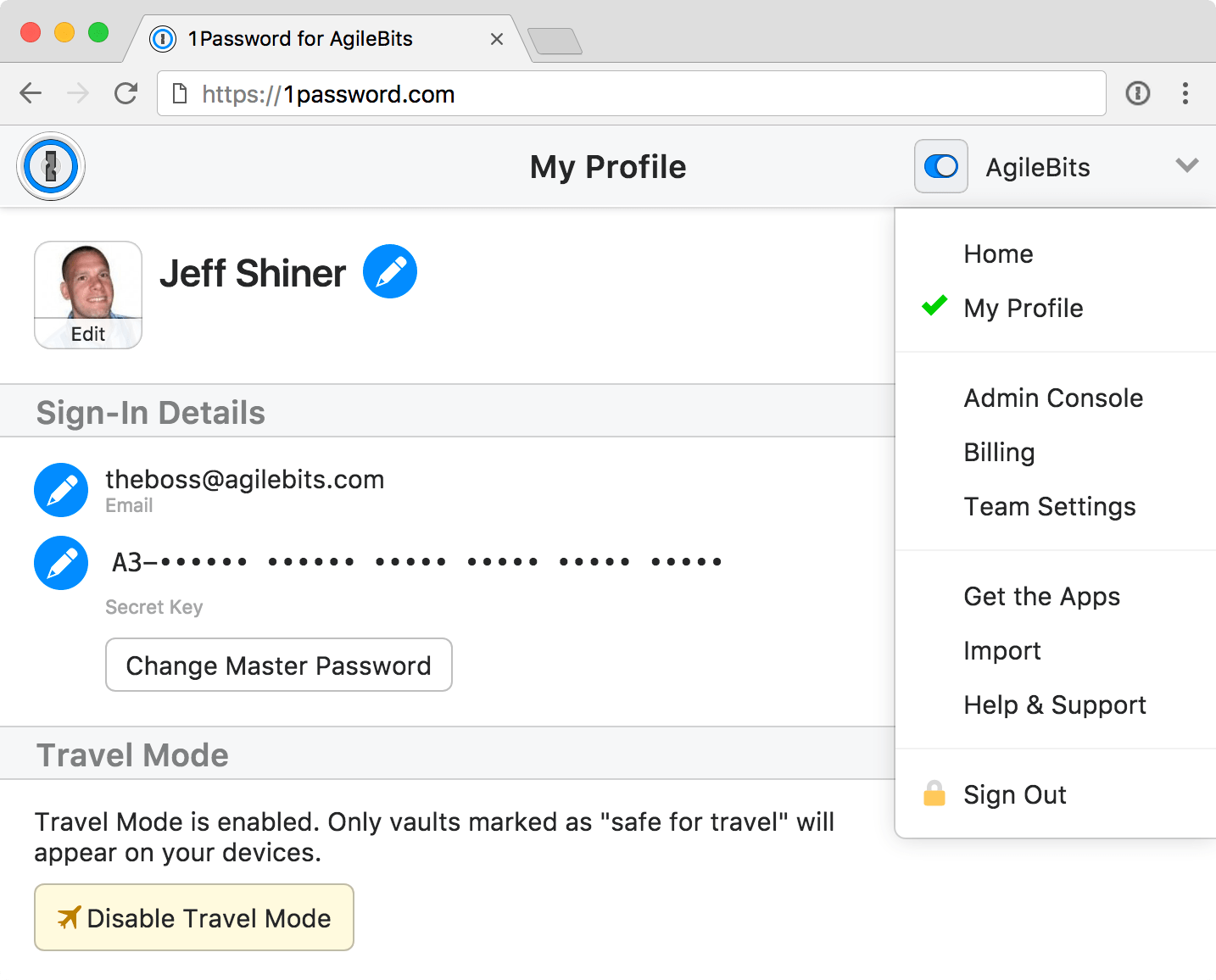
To mark the vaults as safe for travel, sign in to your account on 1Password.com.

Click the pencil icon on the vault you wanna mark as safe for travel, choose Safe for Travel and click Confirm. Right before you travel, turn on Travel Mode by clicking your account name in the top-right corner of the interface, choose My Profile and click Enable Travel Mode.

On the devices you’re traveling with, open and unlock the 1Password app.

Any vaults that haven’t been marked as safe for travel will be instantly removed from the app. Rather than simply hide the vaults, the app completely removes them from your devices, including all items and your encryption keys so there are no traces left for anyone to find.


When you’re done traveling, return to My Profile on 1Password.com and click Disable Travel Mode. Just like that, your temporarily removed vaults re-appear on your devices.

“Whenever you turn Travel Mode on or off, you’ll need to open 1Password on your devices while connected to the Internet for the change to take effect,” reads the FAQ on the official website.

AgileBits notes that Travel Mode is included with every 1Password subscription. If you’re a team administrator, you can turn Travel Mode on and off for team members and manage which vaults are safe for travel.

A single-user 1Password subscription cost $2.99 per month, or $4.99 per month for a multi-user family account. Separate subscription options for teams are available as well.

1Password for Mac is a freemium download from Mac App Store.

1Password for iPhone, iPad and Apple Watch is available free on App Store.

32GB iPhone 6 now available in UK via EE network

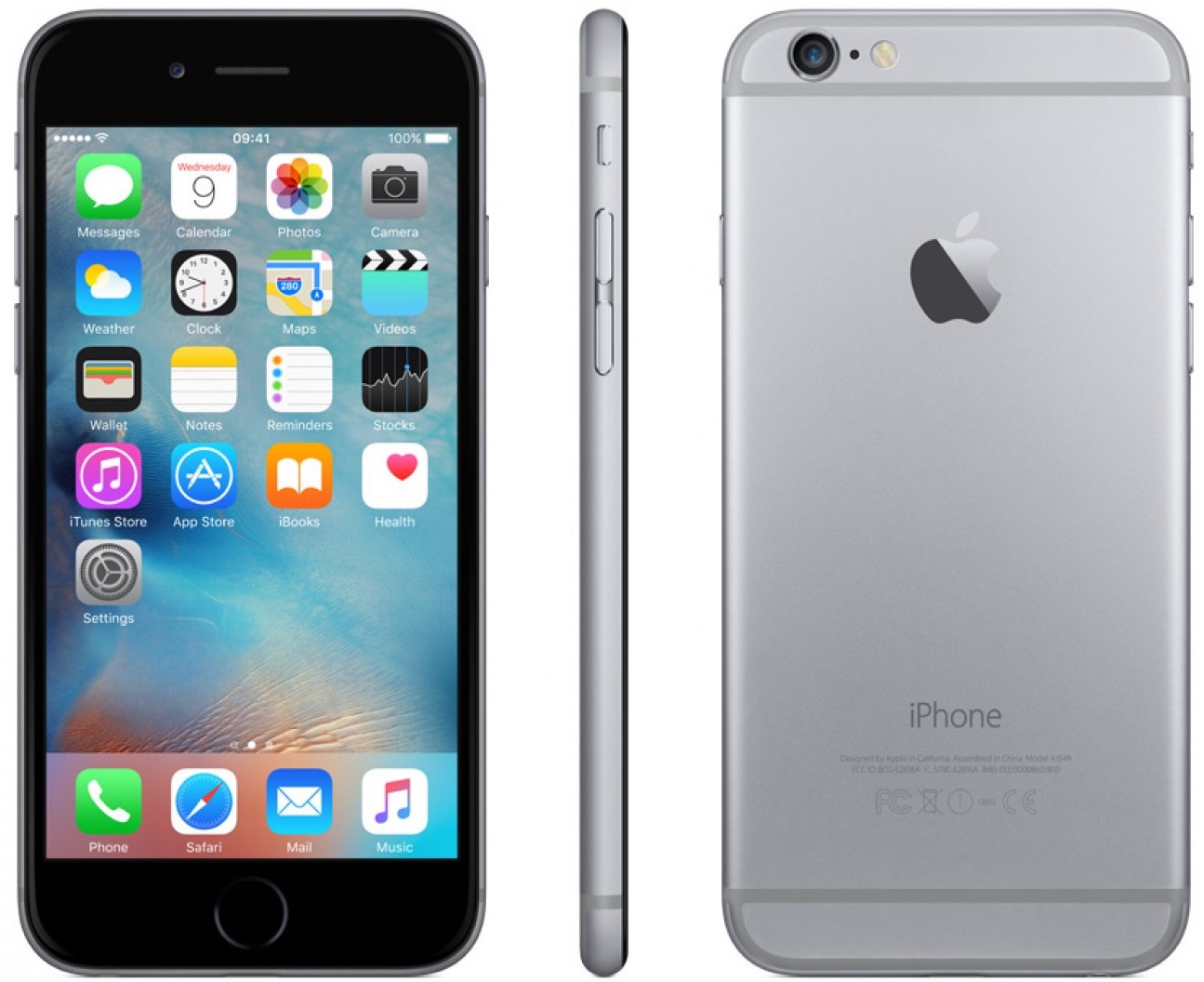
A 32-gigabyte version of iPhone 6 has quietly launched in the United Kingdom on the EE network with a 24-month contract, available only in Space Grey. Apple stopped selling 16/64/128GB iPhone 6 smartphones in September 2016.

In recent months, however, the Cupertino giant quietly re-launched the phone in China, Taiwan and a few European countries in a never-before-available 32-gigabyte capacity.

Given that iPhone 6 originally debuted in 16, 64 and 128-gigabyte versions, this new 32-gigabyte storage tier is likely Apple’s solution targeting budget shoppers. Aside from the previously unavailable storage capacity, the 32GB iPhone 6 comes with iOS 10 versus iOS 8 that was pre-installed on the original iPhone 6 models.

Amazon is currently offering the device via its online store in India.

Released back in 2014, iPhone 6 was Apple's first larger-screened smartphone and as such proved a massive upgrade opportunity for the Cupertino firm. The device has a 4.7-inch LCD screen, runs Apple's in-house designed A8 chip and includes an eight-megapixel iSight camera out the back and a rather unimpressive 1.2-megapixel FaceTime selfie camera out the front.

Customize the Camera app with SmartCameraShutter

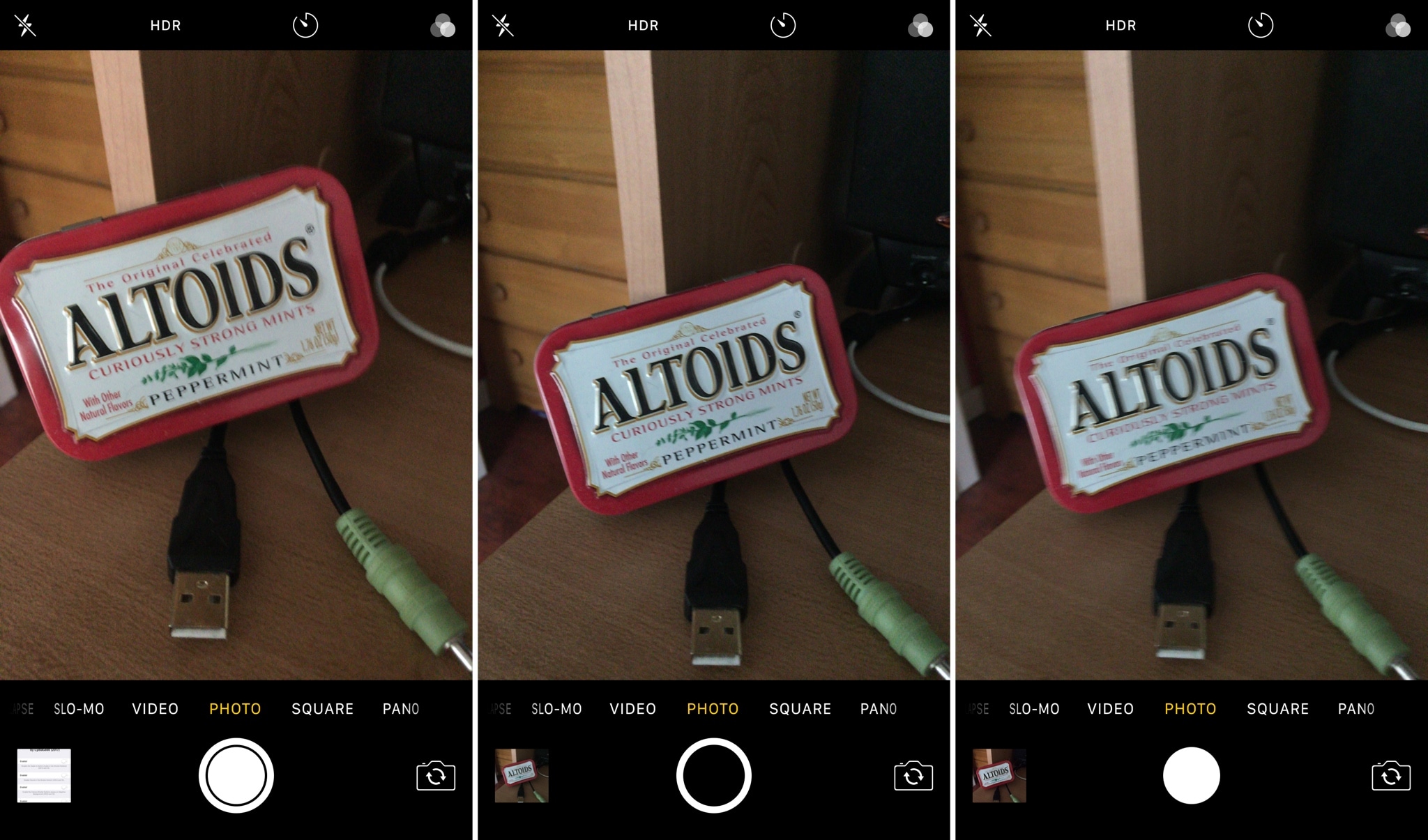
If you’re looking for new ways to customize the Camera app experience on your iPhone or iPad, then check out a new free jailbreak tweak called SmartCameraShutter by CydiaGeek.

This tweak offers a handful of options for chaging the look and feel of the Camera app’s user interface. Complete with both aesthetic and functional mods, SmartCameraShutter might be worth installing if the stock Camera app experience isn’t cutting it for you.

LaunchInSafeMode lets you selectively launch apps without being affected by tweaks

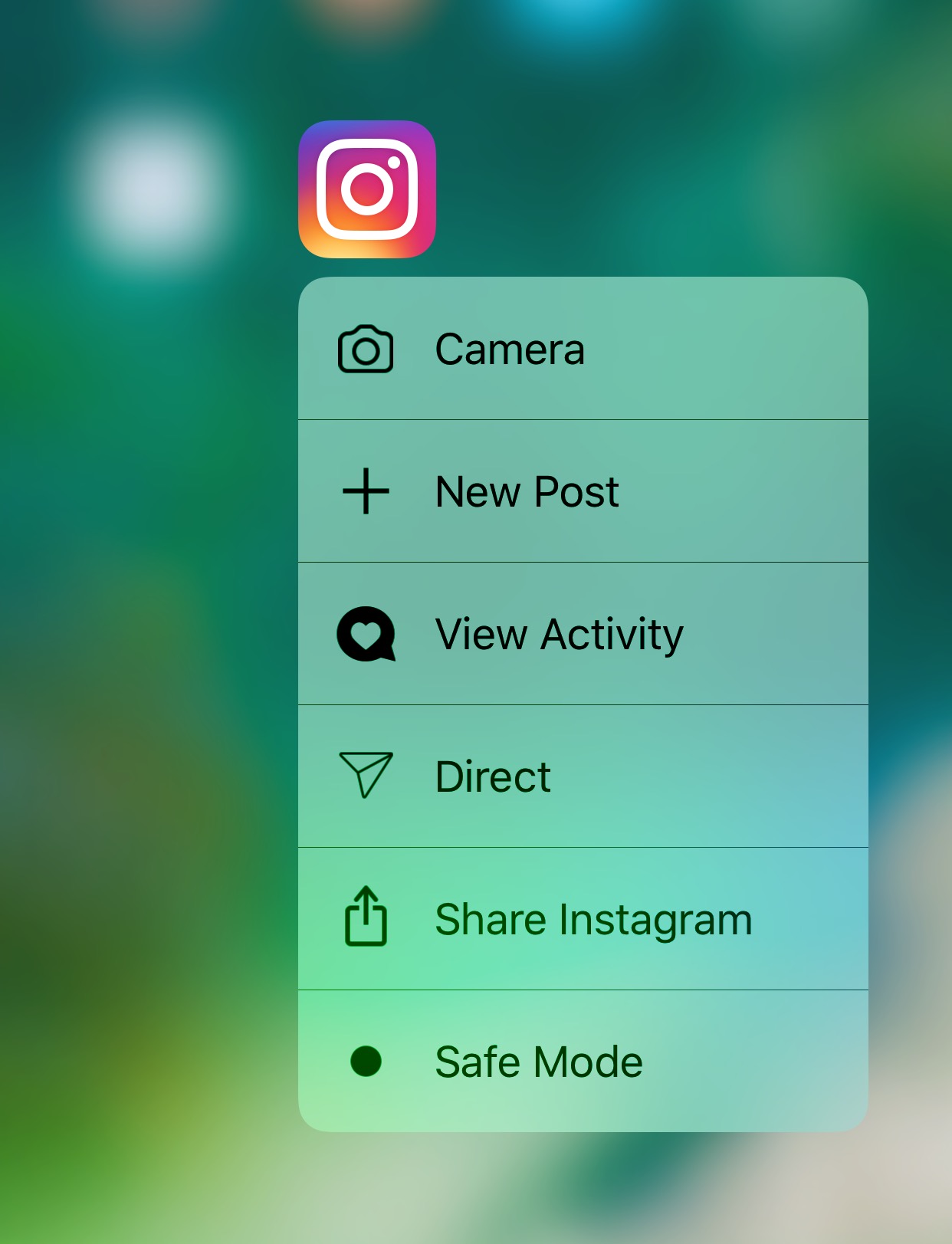
If you install jailbreak tweaks that modify certain apps in particular, then you might find a new free release dubbed LaunchInSafeMode by iOS developer inoahdev useful for troubleshooting when things stop working properly.

This tweak lets you launch individual apps into a “safe mode”-like state in which it launches without the effects of other jailbreak tweaks. In other words, it lets you see if a problem you’re experiencing is caused by a jailbreak tweak or something else.

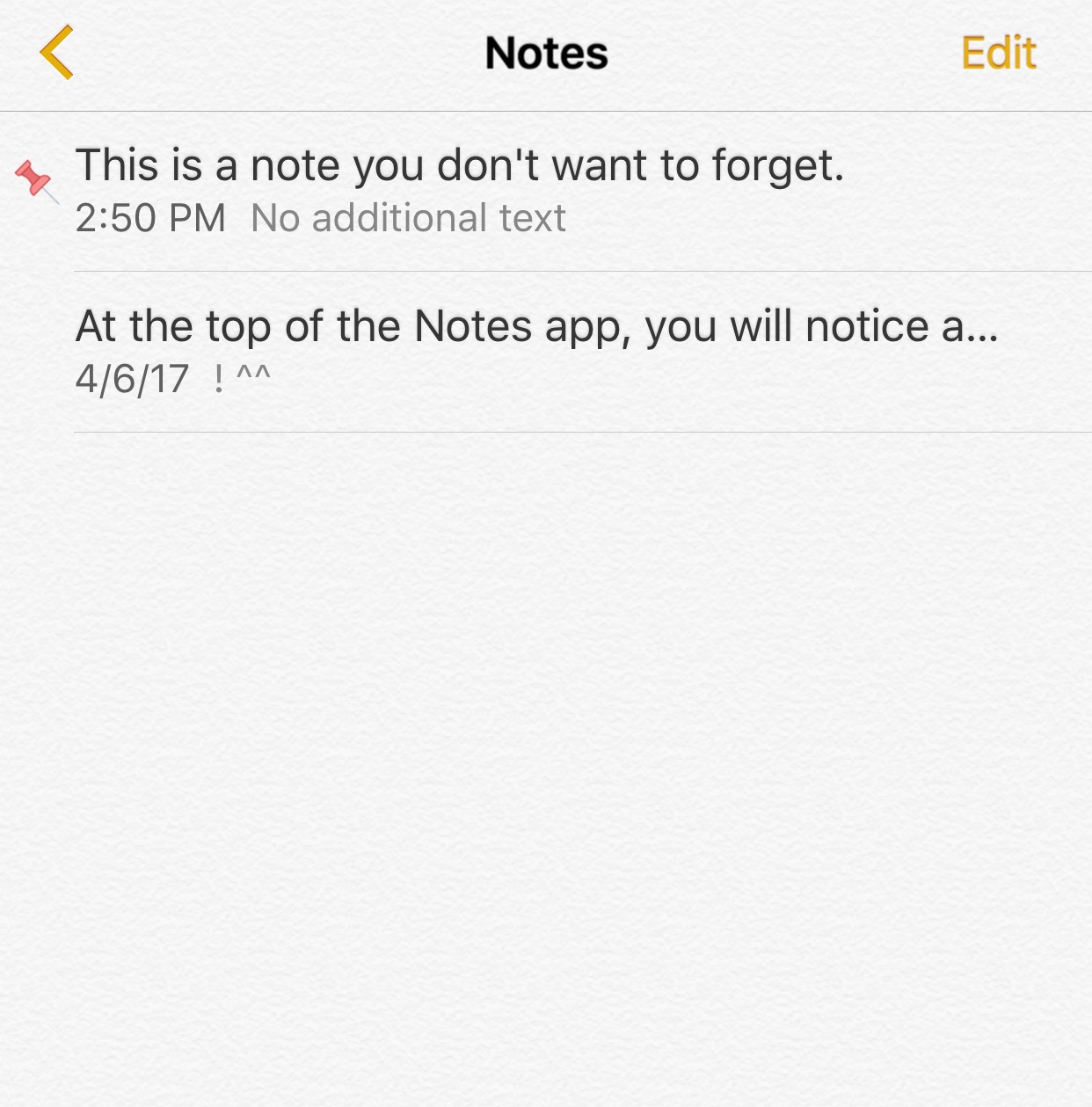
Pin important notes at the top of the Notes app with Thumbtack

Your iPhone comes equipped with a Notes app right out of the box so you can write things down without forgetting them. On the other hand, people tend to jot down a large number of things, and this makes it hard to differentiate between regular and important notes.

One of the features the stock Notes app lacks is the ability to pin the most important notes so you can tell them apart, and that’s precisely that a new free jailbreak tweak dubbed Thumbtack by iOS developer Evil Penguin aims to fix.

Not to be outdone by Instagram, Snapchat unveils custom Stories of its own

Just a few hours following Instagram's announcement regarding all-new location and hashtag-based Stories in the app's Explore tab, rival Snapchat just announced custom Stories of its own. Now there's a new way to create Stories in Snapchat 10.9 for iPhone, iPad and iPod touch.

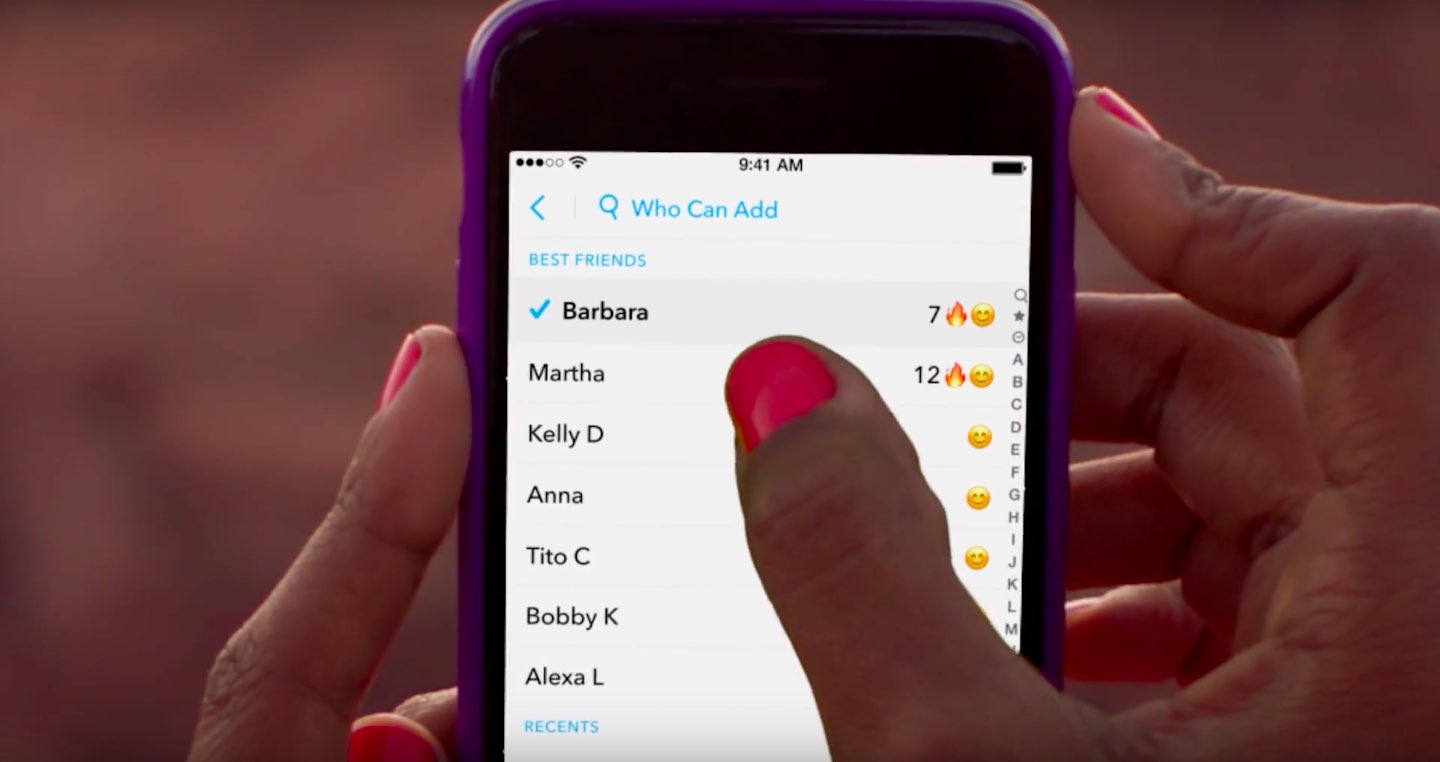
You can create a custom Story in a specific location or with your cherry-picked friends. “It's perfect for a trip, a birthday party or a new baby Story just for the family,” notes Snap.

Tap the Create Story icon in the top-right corner of the Stories screen to get started.

https://www.youtube.com/watch?v=ohN8cv7nUmA

Song: “Sunroof” by courtship

Of course, you have the tools at your disposal to control who can add to your Story and who can view it. And by using geofencing, you can attach your Story to a specific location. Your custom Story disappears automatically if no one has contributed to it in the past 24 hours.

Aside from custom Stories, this edition of Snapchat puts your own Bitmoji selfie inside your Snapcode. To change the mood of your Bitmoji, just tap the Edit Bitmoji command.

Grab Snapchat for free on App Store.

Instagram rolls out location and hashtag Stories in Explore tab

Photo-sharing service Instagram today announced that all-new location and hashtag-enabled Stories are now available through the app's Explore tab. These newly added Stories features require Instagram version 10.22 for iPhone and iPad, available at no charge via App Store.

“Now you can see what’s happening around you and find stories related to your interests,” says Instagram. Location-based Stories appear in a new Story ring at the top of Explore.

Additionally, you can now search for any location around the world.

When you search for a location, you'll see a Story ring for that place at the top of the location page. Location and hashtag-enabled Stories appear at the top of the Explore tab only if their creators have used location stickers or a new hashtag sticker.

“We’re also beginning to introduce hashtag stories on Explore to help you find Stories related to your interests,” added the company. “When you search for a hashtag, you may see a Story ring at the top of the page filled with Stories using that hashtag.”

If your location or hashtag-enabled Story was included in the larger Story on Instagram, you’ll see a line at the top of your Stories viewer list which tells you how many people saw your Story as part of the larger Story. To use a location or hashtag sticker without your Story appearing on the Explore tab, tap the “X” on your Stories viewer list.

Instagram's previous update brought out Snapchat-like face filters for your selfies, an eraser brush and a new hashtag sticker. Location stories on Explore are available on iOS and Android as part of Instagram version 10.22 in App Store and Google Play.

Hashtag stories will be rolling out over the coming weeks.

You can learn more about these features in Instagram's Help Center.

Instagram for iOS is a free download from App Store.

Duet Display brings even more desktop power to your iPad drawing experience

Duet Display, an app billed as the first solution to turn your Apple tablet into a second display and a high-performance drawing tablet for your Mac or Windows PC, was updated on App Store today with some new features.

The new Duet Display now lets you have the drawing experience on your iPad with the speedy rendering and sheer hardware power of a desktop.

The update brings out a number of enhancements and new customizations, including a customized pressure curve, advanced gesture support, a more fluid drawing experience, improved color quality and more.

Here are the key highlights in this release of Duet Display:

Customized pressure curve—You can now change the way macOS or Windows receives the data, allowing for a personalized drawing experience. Advanced gestures—We have added a lot of gestures to both standard and pro users. This should make drawing and using your iPad as the primary device much simpler. Line lead—To provide a faster drawing experience, we have spent some time making a line preview to predict where the Pencil is before macOS or Windows knows where it is. We plan to continue improving this to create an instant drawing experience. Touch Bar—We implemented Touch Bar support last Christmas. Pro users have really benefitted the most as they are using their iPad more than their computer, so it makes quick interactions much faster. We have improved the stability and speed of it, and many more apps support Touch Bar now. Improved color quality—We have improved rendering quality and speed for pro users under the Pixel Perfect setting, delivering a higher quality display in less time. We plan to continue improving performance as much as we can.

Duet Display works over a USB connection as wired connections are significantly faster and far more responsive than wireless solutions. The app's speedy rendering engine has a much lower latency than Apple's AirPlay technology.

Duet Display has proven to be very valuable to artists, designers and video editors as it essentially replaces a Wacom drawing tablet with your iPad Pro and Apple Pencil.

The app supports finger drawing, too.

Aside from drawing support, Duet Display can be used to turn your iPad into a second screen for your Mac or Windows PC. For instance, you could use your iPad Pro to keep tabs on your social media feeds while editing a document on your Mac's primary display.

The ability to turn a supported iOS device an external monitor for a Mac should be especially handy while you're traveling or if you cannot afford an eternal display for your computer.

Duet Display for iOS is a $19.99 value on App Store.

To celebrate today's update, the app is on sale today for $9.99.

A pro-level upgrade which unlocks the ability to use your Apple tablet as a drawing tablet for your computer costs an additional $19.99 per year as an in-app subscription.

Duet Display 2.0 for Mac or Windows is available directly from the official website.

Samsung reportedly signs new deal for OLED panel production for iPhone 9

The Korea Herald is reporting today that Samsung Display, the display-making unit of Samsung Electronics, recently signed yet another deal to build OLED panels for future iPhones. With up to 180 million screens demanded by the iPhone maker, this deal indicates that Apple is laying the groundwork for a much wider adoption of OLED panels in future iPhones.

The new deal is focused on supplying OLED panels for the new iPhone next year, tentatively called “iPhone 9”. To build OLEDs in 5.28 and 6.46-inch sizes, the conglomerate will break ground on a new factory in the South Chungcheong Province in South Korea.

The mentioned 6.46-inch size may point to a future iOS device, potentially due in 2018.

“The two companies have recently signed a non-disclosure agreement on general conditions, including the screen size,” said a source. “Other details such as screen design and functions could be adjusted considering the phone is still under development.”

Samsung Display is already supplying 80 million OLED screens for iPhone 8 this year. iPhone 8 is said to feature a 5.8-inch OLED screen with an active display area of 5.1 inches.

Image: CNC-machined iPhone 8 dummy via Benjamin Geskin

Indian government offers Apple tax incentives to boost local iPhone production

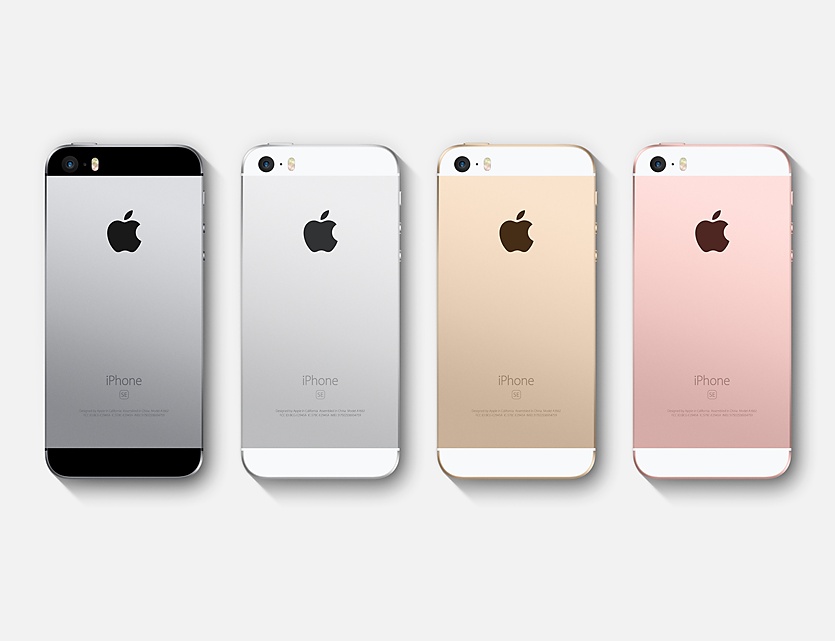
India has offered tax concessions to Apple to expand iPhone production in the country just days after it was announced that the Cupertino giant kicked off local iPhone SE production.

This is part of Prime Minister Narendra Modi's plans to boost local manufacturing.

Ravi Shankar Prasad, the central minister for Electronics and IT, told Reuters this morning that Apple has already approached the Indian government regarding potential expansion of its manufacturing facility in the southern Indian technology hub of Bengaluru, operated by its Taiwanese supplier Wistron which as of recently has been assembling iPhone SE there.

According to the news gathering organization, the Indian government has offered to permit Apple to import handset components intended for use in local manufacturing tax free.

Here's an excerpt from the article:

Among a set of tax concessions, Apple had initially sought a 15-years tax holiday for all components that it would import for setting up a manufacturing facility in India.

A panel of ministries rejected that demand and has offered a phased program to increase the share of local production in the manufacturing, Aruna Sundararajan, Secretary at the Ministry of Electronics and IT said.

“We have offered them tax exemptions on those components which could not be manufactured in India,” Sundararajan told Reuters.

Local manufacturing component would have to be increased gradually, he added.

The tax concessions will be subject to the condition of increasing local value addition over a period of time, to which Apple has reportedly agreed to.

“It will be a little early to say that India and Apple have agreed on the common ground,“ cautioned a government official.

It's been speculated that Apple and Wistron began making iPhone SE in India as a way to lower the handset's price point in order to make it more affordable to Indian consumers.